7 Best IP KVM Devices in 2026
The JetKVM is the best starting point for most home labs: it is a small, low-cost device that gives browser-based BIOS access over your network. Choose the PiKVM V4 Plus if you want a mature, actively developed open-source platform with more expansion options. Choose the GL.iNet Comet if you prefer a ready-made product from an established networking brand with a polished web interface.
 By Shihab Mia · Published 27 Nov 2026
We run no ads and no affiliate links at launch. The order of a list follows our published method. How lists are ordered: how we score.
Prices are the starting prices vendors list publicly. Plans change, so confirm the current price on the vendor page before you buy.
Key takeaways
- IP KVM devices sit between a server's HDMI and USB ports and your network, so you can see POST screens and enter BIOS setup remotely.
- Prices range from roughly 70 USD for the JetKVM to several hundred USD for rackmount units with more ports.
- PiKVM is open source and runs on Raspberry Pi hardware; JetKVM and the GL.iNet Comet are closed firmware with simpler setup.
- Most devices need a wired Ethernet connection and a USB power source near the server.
- Check HDMI versus VGA output and USB keyboard support before buying, since older servers may need adapters.
Side-by-side
Grouped by fit and cost. Tap a product to jump to its full entry.
| Fit | Cost | |||
|---|---|---|---|---|
| Product | Best for | Standout feature | Listed starting price | Free plan or trial |
| 1JetKVM | Cheap, simple single-server remote access | Low price for a full IP KVM | Check current retail price | One-time hardware purchase |
| 2PiKVM V4 Plus | Open-source flexibility with expansion | Open-source software | See vendor site | One-time hardware purchase |
| 3PiKVM V4 Mini | Compact open-source builds | Smaller footprint than the Plus | See vendor site | One-time hardware purchase |
| 4GL.iNet Comet | Plug-and-play setup from a networking brand | Familiar vendor with networking experience | Check current retail price | One-time hardware purchase |
| 5Lantronix SpiderDuo | Legacy servers with VGA output | Supports VGA and USB or PS/2 targets | Check current retail price | One-time hardware purchase |
| 6Aten KN1000A | Single-port KVM with power control | Built-in power outlet control | Check current retail price | One-time hardware purchase |
| 7Startech SV1110IPEXT | Rackmount single-port IP KVM | Rackmount form factor | Check current retail price | One-time hardware purchase |
How we picked
We compared these devices using vendor product pages, published datasheets and project documentation. We checked video input types, USB and PS/2 support, virtual media features, power options and form factor. Prices come from vendor sites or manufacturer list prices where published; where a price was not confirmed, we say so. We did not run hands-on tests, so specifications reflect what the vendors document rather than measured performance.
The 7 picks in detail
- Best for
- Cheap, simple single-server remote access
- Standout
- Low price for a full IP KVM
- Starting price
- Check current retail price
- Free plan or trial
- One-time hardware purchase
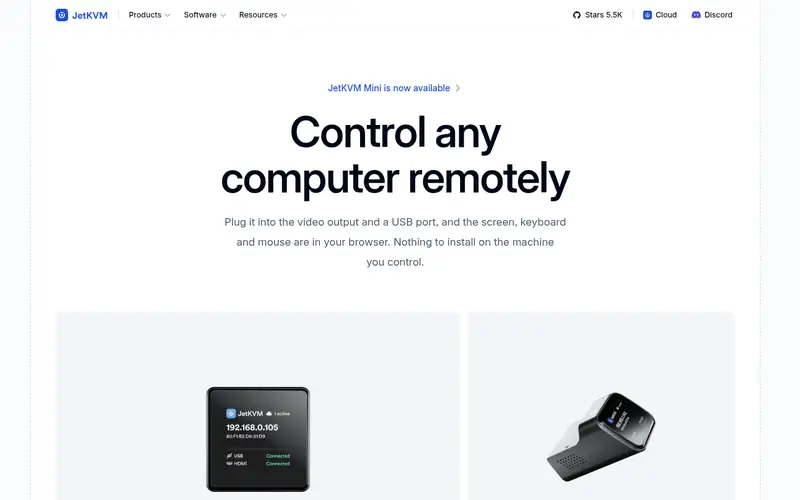
The JetKVM is a compact device that connects to a server's HDMI output and USB port and exposes it through a web browser. It is aimed at home lab users who want BIOS-level access without paying enterprise prices. The vendor lists a small display and status LEDs on the unit, and setup is done through a web interface after connecting Ethernet and power.
It suits people running one or two servers who want a quick, affordable way to reach the boot screen remotely. The main catch is that it is a single-port device, so a rack of machines needs one unit each or a separate KVM switch. Check the vendor site for current pricing and shipping.
Where the price comes from
Check current retail price. Hardware prices move often, so check the JetKVM maker page or a retailer before you buy.
Benefits
- Low price for a full IP KVM
- small form factor
- browser-based interface with no extra software
- open firmware project
Drawbacks
- Single server per unit
- limited expansion compared with PiKVM
Use case to skip: this limit matters to you: single server per unit.
Our take. A sensible pick for cheap, simple single-server remote access.
If it does not fit, compare PiKVM V4 Plus or PiKVM V4 Mini in this list.
- Best for
- Open-source flexibility with expansion
- Standout
- Open-source software
- Starting price
- See vendor site
- Free plan or trial
- One-time hardware purchase
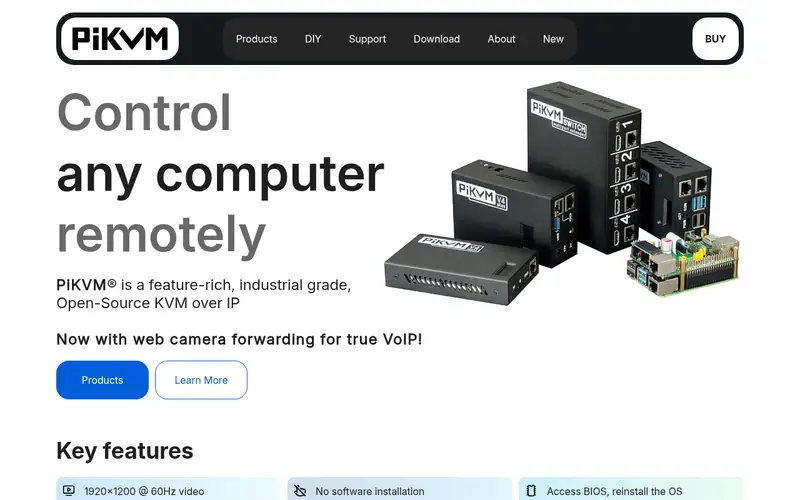
PiKVM is an open-source project that turns a Raspberry Pi into a full IP KVM. The V4 Plus is the larger board in the current lineup, with HDMI input, USB output to the target, and support for virtual media so you can mount an ISO remotely. The project documents features like ATX power control add-ons and OLED status displays.
It suits users who want to tinker, script and integrate the device with home automation. The catch is that it is a project rather than a sealed consumer product, so you should be comfortable with documentation and occasional firmware updates. Prices vary by kit and region, so check the vendor site.
Where the price comes from
See vendor site. Hardware prices move often, so check the PiKVM V4 Plus maker page or a retailer before you buy.
Benefits
- Open-source software
- active community
- multiple ports and expansion options
- supports mass storage emulation
Drawbacks
- Higher cost than entry devices
- some assembly and configuration knowledge helps
Use case to skip: this limit matters to you: higher cost than entry devices.
Our take. A sensible pick for open-source flexibility with expansion.
If it does not fit, compare JetKVM or PiKVM V4 Mini in this list.
- Best for
- Compact open-source builds
- Standout
- Smaller footprint than the Plus
- Starting price
- See vendor site
- Free plan or trial
- One-time hardware purchase
The V4 Mini is the smaller sibling of the V4 Plus, using the same PiKVM software stack in a more compact board. It provides HDMI capture and USB keyboard and mouse emulation to the target machine, with the same browser interface.
It suits home lab users with limited rack space who still want the open-source PiKVM ecosystem. The trade-off is fewer physical expansion headers and add-on support than the Plus. As with all PiKVM hardware, check the project's documentation for the current supported feature set and pricing.
Where the price comes from
See vendor site. Hardware prices move often, so check the PiKVM V4 Mini maker page or a retailer before you buy.
Benefits
- Smaller footprint than the Plus
- same core PiKVM software
- good for tight racks
Drawbacks
- Fewer expansion options
- still requires configuration
Use case to skip: this limit matters to you: fewer expansion options.
Our take. A sensible pick for compact open-source builds.
If it does not fit, compare JetKVM or PiKVM V4 Plus in this list.
- Best for
- Plug-and-play setup from a networking brand
- Standout
- Familiar vendor with networking experience
- Starting price
- Check current retail price
- Free plan or trial
- One-time hardware purchase
GL.iNet is known for travel routers and small networking devices, and the Comet extends that line into remote KVM. It connects to a server's HDMI and USB ports and provides browser access, with a management interface consistent with the company's other products.
It suits users who want a finished product with vendor support rather than a DIY project. The main catch is that the firmware is closed, so customisation is limited compared with PiKVM. Check the vendor site for the current specification and price.
Where the price comes from
Check current retail price. Hardware prices move often, so check the GL.iNet Comet maker page or a retailer before you buy.
Benefits
- Familiar vendor with networking experience
- web-based management
- compact design
Drawbacks
- Closed firmware
- fewer community add-ons than PiKVM
Use case to skip: this limit matters to you: closed firmware.
Our take. A sensible pick for plug-and-play setup from a networking brand.
If it does not fit, compare JetKVM or PiKVM V4 Plus in this list.

- Best for
- Legacy servers with VGA output
- Standout
- Supports VGA and USB or PS/2 targets
- Starting price
- Check current retail price
- Free plan or trial
- One-time hardware purchase
The SpiderDuo is a single-port KVM over IP device from Lantronix, a long-standing name in device networking. It supports VGA video and both USB and PS/2 keyboard and mouse, which makes it useful for older servers that lack HDMI.
It suits home lab users with second-hand enterprise hardware that predates HDMI. The catch is cost and a management interface that is functional rather than modern. Confirm the exact model and port configuration on the vendor site before buying.
Where the price comes from
Check current retail price. Hardware prices move often, so check the Lantronix SpiderDuo maker page or a retailer before you buy.
Benefits
- Supports VGA and USB or PS/2 targets
- established enterprise vendor
- virtual media support
Drawbacks
- Higher price
- interface feels dated compared with newer devices
Use case to skip: this limit matters to you: higher price.
Our take. A sensible pick for legacy servers with VGA output.
If it does not fit, compare JetKVM or PiKVM V4 Plus in this list.
- Best for
- Single-port KVM with power control
- Standout
- Built-in power outlet control
- Starting price
- Check current retail price
- Free plan or trial
- One-time hardware purchase
The Aten KN1000A is a single-port KVM over IP unit that also includes a controllable power outlet, so you can cycle a server remotely. It supports virtual media and browser-based access, and Aten documents support for a range of resolutions.
It suits users who want remote power cycling without a separate smart plug. The catch is the price, which is well above hobbyist devices, and the single-target limit. Check Aten's site for the current datasheet and supported configurations.
Where the price comes from
Check current retail price. Hardware prices move often, so check the Aten KN1000A maker page or a retailer before you buy.
Benefits
- Built-in power outlet control
- supports virtual media
- browser and client access
Drawbacks
- Pricier than hobbyist devices
- single target only
Use case to skip: this limit matters to you: pricier than hobbyist devices.
Our take. A sensible pick for single-port KVM with power control.
If it does not fit, compare JetKVM or PiKVM V4 Plus in this list.
- Best for
- Rackmount single-port IP KVM
- Standout
- Rackmount form factor
- Starting price
- Check current retail price
- Free plan or trial
- One-time hardware purchase
The Startech SV1110IPEXT is a rackmountable single-port KVM over IP device aimed at small server rooms. It supports VGA video and USB keyboard and mouse, with virtual media for remote OS installs.
It suits users who want a rack-mounted unit rather than a small board sitting on a shelf. The catch is that it is a single-port design with an older feature set. Check Startech's site for the current specification and availability.
Where the price comes from
Check current retail price. Hardware prices move often, so check the Startech SV1110IPEXT maker page or a retailer before you buy.
Benefits
- Rackmount form factor
- supports VGA and USB
- virtual media
Drawbacks
- Single port
- older design
- price varies widely by retailer
Use case to skip: this limit matters to you: single port.
Our take. A sensible pick for rackmount single-port IP KVM.
If it does not fit, compare JetKVM or PiKVM V4 Plus in this list.
What specs matter most when buying an IP KVM for a home lab?
The two specs that matter most are video input type and USB support on the target side. Match the device to your server's output: HDMI for modern boards, VGA for older enterprise gear. Then confirm the device can emulate both keyboard and mouse over USB, and that it supports virtual media if you want to install an OS remotely.
Next, look at network and power. A wired Ethernet port is standard, but check whether the device supports static IP configuration and HTTPS. Power can come from USB or a DC adapter, and some units include an ATX power control header or a switched outlet for remote power cycling.
Finally, consider firmware. Open-source projects like PiKVM publish their code and documentation, which helps with long-term support. Closed devices from established vendors may have simpler setup but fewer community fixes. Resolution support and frame rate also vary, so check the datasheet if you need high-resolution console output.
Which IP KVM should I buy if I only have one server?
For a single server, the JetKVM is the most affordable pick and covers the basics: HDMI capture, USB keyboard and mouse, and browser access. If you want open-source firmware and expansion, the PiKVM V4 Mini is the compact alternative. If your server only has VGA output, look at the Lantronix SpiderDuo instead.
If remote power cycling matters, the Aten KN1000A bundles a switched outlet, which saves buying a separate smart plug. For a rack-mounted install, the Startech SV1110IPEXT fits a standard rack shelf. Match the video port first, then decide how much you want to spend on firmware openness and power control.
Questions worth answering first
Buying checklist
- Confirm your server's video output (HDMI, DisplayPort or VGA) and buy a matching device or adapter.
- Check that the device emulates both USB keyboard and mouse, not just keyboard.
- Decide whether you need virtual media for remote OS installs.
- Confirm whether you need remote power control, either via ATX header or a switched outlet.
- Verify the device supports a static IP and HTTPS management.
- Check the vendor's firmware update history and documentation before buying.
FAQ
What is an IP KVM and why do home labs use one?
An IP KVM captures a server's video output and sends keyboard and mouse input over a network, so you can access BIOS and boot screens remotely. Home labs use them to manage servers without a monitor, keyboard and physical trip to the rack.
Can I build an IP KVM with a Raspberry Pi?
Yes. The PiKVM project provides open-source software and hardware designs that turn a Raspberry Pi into an IP KVM. You can buy assembled boards from the project or build your own with a compatible capture device and USB emulation.
Do IP KVM devices work with older servers that only have VGA?
Some do. The Lantronix SpiderDuo supports VGA video and both USB and PS/2 input, which suits older enterprise servers. Check the datasheet before buying, since many newer hobbyist devices are HDMI only.
Is a cheap IP KVM good enough for a home lab?
For a single server with HDMI output, a low-cost device like the JetKVM covers the core job of remote BIOS access. You give up expansion, rack mounting and sometimes power control, but the basic function is the same.
Do I need a separate power control device?
Not always. Some IP KVM units, such as the Aten KN1000A, include a switched power outlet. Others support ATX power headers or can be paired with a network-controlled smart plug for remote power cycling.
Are IP KVM devices secure enough to expose to the internet?
Most vendors recommend keeping them on a local network or behind a VPN rather than exposing them directly. Check that the device supports HTTPS, strong passwords and firmware updates, and review the vendor's security guidance.
Sources we checked
Change log: First published 27 Nov 2026.