5 Best Wireless HDMI Transmitter Kits in 2026
The Nyrius Aries Pro is the top pick for most people who need a simple, low-latency link between a laptop and a TV or projector, because it is a mature, widely stocked kit with a clear line-of-sight range rating. For 4K HDR sources, look at the Hollyland Mars 4K.
 By Shihab Mia · Published 27 Nov 2026
We run no ads and no affiliate links at launch. The order of a list follows our published method. How lists are ordered: how we score.
Prices are the starting prices vendors list publicly. Plans change, so confirm the current price on the vendor page before you buy.
Key takeaways
- Wireless HDMI kits trade bandwidth for convenience: most 1080p models cap at 60 Hz and need a fairly clear line of sight.
- Expect to pay roughly $150 to $400 for a 1080p kit and $500 and up for 4K-capable models.
- Latency matters for gaming and live presenting; check the vendor's stated delay before buying.
- HDMI over IP and MoCA kits cost more but reach further and pass through walls more reliably.
- None of these kits include a free plan; they are physical hardware.
Side-by-side
Grouped by fit and cost. Tap a product to jump to its full entry.
| Fit | Cost | |||
|---|---|---|---|---|
| Product | Best for | Standout feature | Listed starting price | Free plan or trial |
| 1Nyrius Aries Pro | Simple laptop to TV or projector link | Widely stocked | Check current retail price (single kit) | One-time hardware purchase |
| 2Hollyland Mars 4K | 4K camera to monitor and TV work | 4K support | Check current retail price (transmitter and receiver set) | One-time hardware purchase |
| 3Accsoon CineView SE | On-set monitoring with app support | Supports 1080p monitoring | Check current retail price (kit) | One-time hardware purchase |
| 4BenQ InstaShow | Meeting room presentations | Button-based pairing for guests | Check current retail price (base unit and buttons) | One-time hardware purchase |
| 5IOGear GWHD11KIT | Budget 1080p link | Affordable entry point | Check current retail price (kit) | One-time hardware purchase |
How we picked
We compared these kits using vendor product pages, published spec sheets and official documentation, plus the manufacturer list prices where they are published. We checked resolution, latency claims, range statements, port types and HDCP support, and noted whether each product is a point-to-point kit, an IP extender or a coax solution. We did not run hands-on lab tests. Prices change often, so treat every figure as a starting point and confirm on the vendor site.
The 5 picks in detail
- Best for
- Simple laptop to TV or projector link
- Standout
- Widely stocked
- Starting price
- Check current retail price (single kit)
- Free plan or trial
- One-time hardware purchase
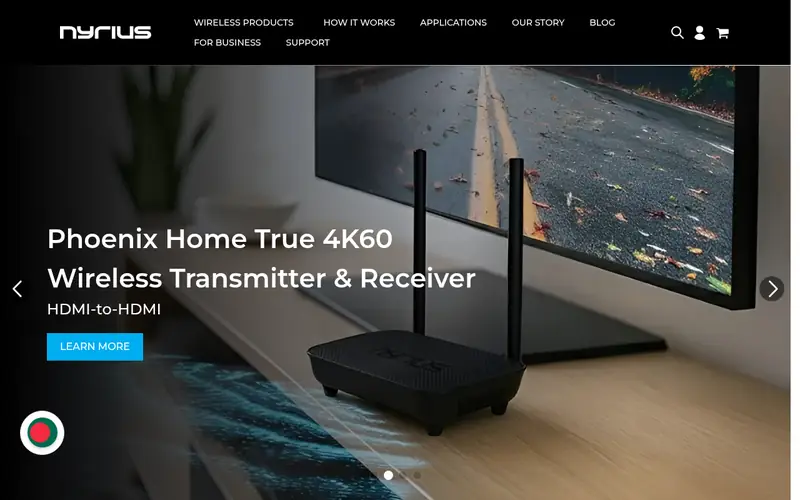
The Nyrius Aries Pro is a 1080p wireless HDMI kit aimed at home and small-office use. The vendor lists a transmitter and receiver pair that connects a laptop, console or set-top box to a display without a cable run. It is one of the more established kits in this category and is sold through major retailers.
According to the vendor, the kit supports 1080p video and passes audio over the same link. Setup is a matter of plugging the transmitter into the source and the receiver into the display, then pairing. There is no software to install.
The main catch is that it is a 1080p product. If you need 4K or HDR, look at the Hollyland or Accsoon options below. Range and stability depend on walls and interference, so check the vendor's stated range for your room.
Where the price comes from
Check current retail price (single kit). Hardware prices move often, so check the Nyrius Aries Pro maker page or a retailer before you buy.
Benefits
- Widely stocked
- simple plug-and-play setup
- compact transmitter and receiver
Drawbacks
- 1080p class
- needs a reasonably clear line of sight
Use case to skip: this limit matters to you: 1080p class.
Our take. A sensible pick for simple laptop to TV or projector link.
If it does not fit, compare Hollyland Mars 4K or Accsoon CineView SE in this list.
- Best for
- 4K camera to monitor and TV work
- Standout
- 4K support
- Starting price
- Check current retail price (transmitter and receiver set)
- Free plan or trial
- One-time hardware purchase
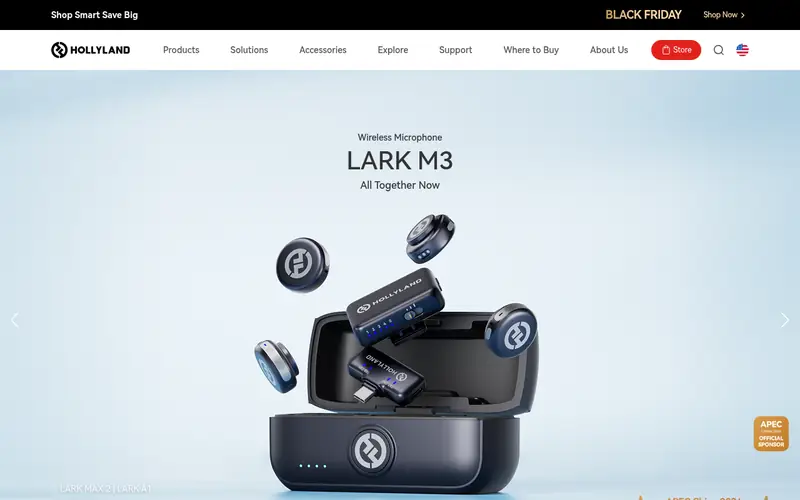
The Hollyland Mars 4K is a wireless video transmission system built for cameras, monitors and small production setups. It supports 4K input and output and is designed for low-latency monitoring, which makes it useful when a director or client needs to see a feed away from the camera.
The vendor lists HDMI and SDI options across the Mars line, and the 4K model is the higher-resolution member of the family. It can also feed a phone or tablet through the companion app, which helps when you do not have a spare monitor.
The catch is price and complexity. This is a production tool, not a plug-and-play TV accessory. If you only need to mirror a laptop to a projector, a 1080p kit is cheaper and simpler.
Where the price comes from
Check current retail price (transmitter and receiver set). Hardware prices move often, so check the Hollyland Mars 4K maker page or a retailer before you buy.
Benefits
- 4K support
- low-latency design for video work
- app monitoring option
Drawbacks
- Pricier than 1080p kits
- aimed at production rather than casual use
Use case to skip: this limit matters to you: pricier than 1080p kits.
Our take. A sensible pick for 4K camera to monitor and TV work.
If it does not fit, compare Nyrius Aries Pro or Accsoon CineView SE in this list.
- Best for
- On-set monitoring with app support
- Standout
- Supports 1080p monitoring
- Starting price
- Check current retail price (kit)
- Free plan or trial
- One-time hardware purchase
The Accsoon CineView SE is a wireless video transmitter and receiver pair for on-set monitoring. It is designed to send a clean feed from a camera to a monitor or to a phone or tablet running the Accsoon app, which is handy for small crews.
The vendor positions the CineView line around low latency and stable links for video work. The SE model is a 1080p-class unit, so it suits monitoring rather than 4K delivery.
The main catch is that it is built for production workflows. If your goal is to connect a laptop to a conference room TV, you are paying for features you will not use. Check the vendor's compatibility notes for your camera and monitor before buying.
Where the price comes from
Check current retail price (kit). Hardware prices move often, so check the Accsoon CineView SE maker page or a retailer before you buy.
Benefits
- Supports 1080p monitoring
- app-based viewing
- compact design
Drawbacks
- Not a 4K kit
- production-focused feature set
Use case to skip: this limit matters to you: not a 4K kit.
Our take. A sensible pick for on-set monitoring with app support.
If it does not fit, compare Nyrius Aries Pro or Hollyland Mars 4K in this list.
- Best for
- Meeting room presentations
- Standout
- Button-based pairing for guests
- Starting price
- Check current retail price (base unit and buttons)
- Free plan or trial
- One-time hardware purchase
The BenQ InstaShow is a wireless presentation system for meeting rooms. Guests plug a button into their laptop and press it to share to the room display, with no software install and no dongle hunting.
The vendor designs the system around multi-user switching, so several people can take turns presenting. It is sold as a base unit plus buttons, and the current generation supports common laptop ports.
The catch is that it is a room-scale product with a business price. For home use, a simple 1080p kit is cheaper. For a conference room where guests arrive with mixed laptops, the button workflow is the point.
Where the price comes from
Check current retail price (base unit and buttons). Hardware prices move often, so check the BenQ InstaShow maker page or a retailer before you buy.
Benefits
- Button-based pairing for guests
- no software install
- designed for conference rooms
Drawbacks
- Room-scale range
- priced for business buyers
Use case to skip: this limit matters to you: room-scale range.
Our take. A sensible pick for meeting room presentations.
If it does not fit, compare Nyrius Aries Pro or Hollyland Mars 4K in this list.

- Best for
- Budget 1080p link
- Standout
- Affordable entry point
- Starting price
- Check current retail price (kit)
- Free plan or trial
- One-time hardware purchase
The IOGear GWHD11KIT is a 1080p wireless HDMI transmitter and receiver kit. It is one of the more affordable ways to cut the cable between a source and a display, and it is sold through common retail channels.
The vendor lists a straightforward pair-and-play setup with HDMI pass-through on the transmitter, so you can keep a local display connected while sending the signal wirelessly.
The catch is the same as other 1080p kits: no 4K, and stability depends on walls and interference. Check the vendor's stated range and return policy before buying for a long run.
Where the price comes from
Check current retail price (kit). Hardware prices move often, so check the IOGear GWHD11KIT maker page or a retailer before you buy.
Benefits
- Affordable entry point
- simple pair
- compact
Drawbacks
- 1080p only
- range depends on line of sight
Use case to skip: this limit matters to you: 1080p only.
Our take. A sensible pick for budget 1080p link.
If it does not fit, compare Nyrius Aries Pro or Hollyland Mars 4K in this list.
What specs matter most when buying a wireless HDMI transmitter?
Resolution, latency and range are the three specs to check first, followed by port type and how the kit handles interference. Match the resolution to your source and display: a 1080p kit cannot show a 4K signal at full quality, and a 4K kit costs more.
Latency is the delay between the source and the display. For presentations and video watching, a small delay is fine. For gaming or live camera monitoring, check the vendor's stated latency figure, because a slow link makes controls feel laggy.
Range is usually quoted for line of sight. Walls, furniture and Wi-Fi traffic cut that number, so plan for less than the headline figure. Also check the HDMI version and HDCP support, since protected content from streaming boxes needs HDCP handling on both ends. Finally, look at the power setup: some transmitters need USB power, and some receivers need a wall adapter.
Which kit should I buy for a conference room versus a home theater?
For a conference room, the BenQ InstaShow is the pick because guests can share with a button and no software. For a home theater or a simple laptop-to-TV link, the Nyrius Aries Pro or the IOGear GWHD11KIT is enough.
If you need 4K for a home theater projector, step up to the Hollyland Mars 4K. Match the kit to the room, not the other way around.
Questions worth answering first
Buying checklist
- Confirm the resolution you need and check that both the transmitter and receiver support it.
- Check the vendor's stated latency if you plan to game or monitor a live camera.
- Measure the distance and count the walls between source and display, then compare with the line-of-sight range.
- Confirm HDCP support if you will send protected content from a streaming device.
- Check the port types on your laptop, camera or console and match them to the kit.
- Read the return policy, since wireless performance varies a lot between rooms.
FAQ
Do wireless HDMI transmitters work through walls?
They can, but range drops sharply. Most vendors quote a line-of-sight figure, and walls, furniture and Wi-Fi traffic reduce it. For a signal that must pass through several walls, a coax or IP-based extender is usually more reliable than a point-to-point wireless kit.
Is there a wireless HDMI transmitter with no lag?
No consumer kit is truly zero-lag. Vendors quote low latency for production models like the Hollyland Mars 4K and Accsoon CineView SE, but some delay remains. For presentations and video, a small delay is not noticeable. For competitive gaming, a cable is still the safer choice.
Can I use a wireless HDMI kit with a projector?
Yes, provided the projector has an HDMI input and the kit supports the projector's resolution. Check that the receiver can be powered near the projector, and keep the receiver and transmitter in reasonable line of sight for a stable link.
What is the difference between wireless HDMI and HDMI over IP?
Wireless HDMI sends the signal directly between a paired transmitter and receiver. HDMI over IP sends it over a network, so you can use a switch to reach multiple displays. IP setups scale better but need network configuration.
Do these kits support 4K?
Only some do. The Hollyland Mars 4K is the 4K option on this list. Most 1080p kits, including the Nyrius Aries Pro and IOGear GWHD11KIT, top out at 1080p. Check the spec sheet before buying for a 4K display.
Are wireless HDMI kits good for gaming?
They are workable for casual play but not ideal for competitive gaming. Latency and occasional dropouts matter more in fast games. If you need a stable, low-latency link, a cable or a wired extender is the better choice.
Sources we checked
Change log: First published 27 Nov 2026.