7 Best Cell Signal Boosters for Home and Car in 2026
The weBoost Home MultiRoom is the safest first pick for most homes: it is a carrier-agnostic booster with a published coverage claim of up to 5,000 sq ft and broad retail availability. For vehicles, the weBoost Drive Reach is the better fit because it targets a single phone at the cradle. If you need multi-carrier coverage in a large building, the Cel-Fi QUATRA line is the model to research first.
 By Shihab Mia · Published 27 Nov 2026
We run no ads and no affiliate links at launch. The order of a list follows our published method. How lists are ordered: how we score.
Prices are the starting prices vendors list publicly. Plans change, so confirm the current price on the vendor page before you buy.
Key takeaways
- Consumer boosters must be certified and registered with your carrier in the US; check the FCC label before buying.
- Prices below are manufacturer list prices in USD and move with retail promotions, so confirm at checkout.
- A booster cannot create signal that does not exist outdoors; the outdoor antenna placement matters more than the amplifier.
- Wi-Fi calling is free and often solves indoor coverage without any hardware purchase.
- Vehicle kits usually boost one device at a time; multi-device vehicle coverage costs more.
Side-by-side
Grouped by fit and cost. Tap a product to jump to its full entry.
| Fit | Cost | |||
|---|---|---|---|---|
| Product | Best for | Standout feature | Listed starting price | Free plan or trial |
| 1weBoost Home MultiRoom | Whole-home coverage across carriers | Works with all major US carriers | Check current retail price | One-time hardware purchase |
| 2weBoost Drive Reach | One phone in a vehicle | Designed for vehicle mounting | Check current retail price | One-time hardware purchase |
| 3SureCall Fusion2Go 3.0 | Multiple passengers in a vehicle | Multi-user vehicle design | Check current retail price | One-time hardware purchase |
| 4SureCall Flare 3.0 | Apartments and small homes | Smaller indoor footprint than whole-home kits | Check current retail price | One-time hardware purchase |
| 5Cel-Fi QUATRA 1000 | Offices and large buildings | Built for commercial multi-room coverage | See vendor site | One-time hardware purchase |
| 6Cel-Fi GO G41 | RVs, fleets and remote sites | Rugged design for mobile and remote use | See vendor site | One-time hardware purchase |
| 7weBoost Home Studio | A single room or small apartment | Lowest-cost entry into the weBoost home line | Check current retail price | One-time hardware purchase |
How we picked
We compared these boosters using manufacturer product pages, published spec sheets, carrier compatibility lists and list prices from weBoost, SureCall and Cel-Fi. Coverage figures are the vendors' own claims, quoted as claims rather than measured results. We checked which kits are self-install and which are sold through dealers, and we noted US registration requirements. No hands-on testing was performed, and prices should be confirmed at the vendor or retailer before purchase.
The 7 picks in detail
- Best for
- Whole-home coverage across carriers
- Standout
- Works with all major US carriers
- Starting price
- Check current retail price
- Free plan or trial
- One-time hardware purchase
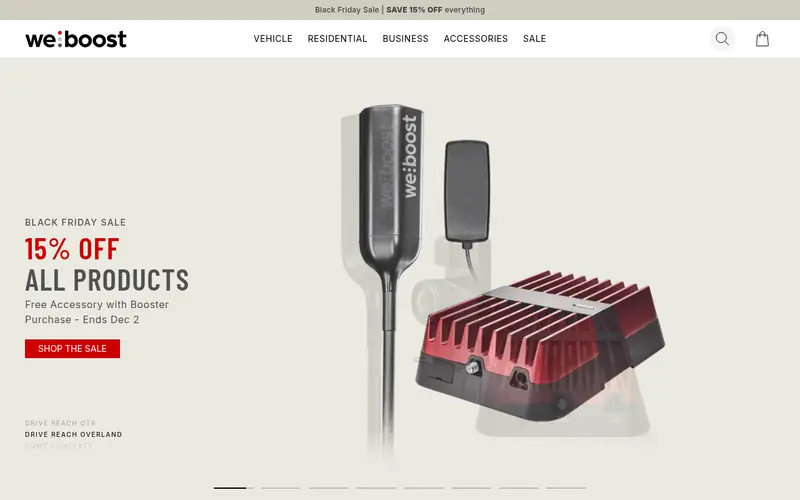
The Home MultiRoom is weBoost's mainstream indoor kit. The vendor lists coverage up to 5,000 sq ft and support for all major US carriers, which makes it the least complicated choice if you switch networks or have several people on different plans. The box includes the outside antenna, the amplifier and an indoor antenna, so you are not buying parts separately.
The main catch is physical. The outdoor antenna has to point at a tower with usable signal, and the indoor and outdoor antennas must be separated enough to avoid feedback. If your best outdoor signal is weak, the booster amplifies a weak signal rather than fixing it. Check the FCC certification label and register the device with your carrier after install, as US rules require.
Where the price comes from
Check current retail price. Hardware prices move often, so check the weBoost Home MultiRoom maker page or a retailer before you buy.
Benefits
- Works with all major US carriers
- vendor claims up to 5,000 sq ft coverage
- includes outdoor antenna, amplifier and indoor antenna
Drawbacks
- Needs a good outdoor signal to work well
- professional installation may be needed for long cable runs
Use case to skip: this limit matters to you: needs a good outdoor signal to work well.
Our take. A sensible pick for whole-home coverage across carriers.
If it does not fit, compare weBoost Drive Reach or SureCall Fusion2Go 3.0 in this list.
- Best for
- One phone in a vehicle
- Standout
- Designed for vehicle mounting
- Starting price
- Check current retail price
- Free plan or trial
- One-time hardware purchase
The Drive Reach is a vehicle kit built around a phone cradle, so the boosted signal goes to the device sitting in it. That design is efficient for a driver or a single passenger, and it is the model most people mean when they ask about a car booster. The kit includes the outside antenna, amplifier and interior cradle.
It is not a whole-cabin solution. Other passengers on their own phones will not get the same benefit unless they use the cradle. Installation means running an antenna cable from outside the vehicle to the amplifier inside, which is straightforward but takes an afternoon. Confirm your carrier's bands are supported and register the booster as required.
Where the price comes from
Check current retail price. Hardware prices move often, so check the weBoost Drive Reach maker page or a retailer before you buy.
Benefits
- Designed for vehicle mounting
- supports all major US carriers
- includes cradle and outside antenna
Drawbacks
- Focused on a single device at the cradle
- cable routing takes some planning
Use case to skip: this limit matters to you: focused on a single device at the cradle.
Our take. A sensible pick for one phone in a vehicle.
If it does not fit, compare weBoost Home MultiRoom or SureCall Fusion2Go 3.0 in this list.
- Best for
- Multiple passengers in a vehicle
- Standout
- Multi-user vehicle design
- Starting price
- Check current retail price
- Free plan or trial
- One-time hardware purchase
SureCall's Fusion2Go line is aimed at vehicles where more than one person needs coverage. Unlike a cradle kit, it is designed to serve multiple devices in the cabin, which suits family cars and work trucks. SureCall publishes carrier compatibility for the major US networks.
The trade-off is that multi-device vehicle boosters generally cost more than single-phone kits, and performance still depends on the signal at the outside antenna. Mount the exterior antenna as high and as clear of the roof as the instructions allow. Check the current retail price, since SureCall kits are often discounted below list.
Where the price comes from
Check current retail price. Hardware prices move often, so check the SureCall Fusion2Go 3.0 maker page or a retailer before you buy.
Benefits
- Multi-user vehicle design
- works with all major US carriers
- compact amplifier
Drawbacks
- Price varies by retailer
- still depends on outdoor signal quality
Use case to skip: this limit matters to you: price varies by retailer.
Our take. A sensible pick for multiple passengers in a vehicle.
If it does not fit, compare weBoost Home MultiRoom or weBoost Drive Reach in this list.
- Best for
- Apartments and small homes
- Standout
- Smaller indoor footprint than whole-home kits
- Starting price
- Check current retail price
- Free plan or trial
- One-time hardware purchase
The Flare 3.0 is SureCall's compact indoor option. It suits renters and apartment dwellers who cannot run long cable runs or mount a large antenna array. The kit pairs an outdoor antenna with a combined amplifier and indoor antenna unit, which reduces the number of boxes.
Coverage is the limitation. A compact unit will not fill a large house, and the vendor's claimed area is smaller than the big multi-room kits. For a single room or a small apartment, that is usually enough. Check the current retail price and confirm the unit is certified for your carrier before ordering.
Where the price comes from
Check current retail price. Hardware prices move often, so check the SureCall Flare 3.0 maker page or a retailer before you buy.
Benefits
- Smaller indoor footprint than whole-home kits
- all-carrier design
- simpler install than multi-antenna systems
Drawbacks
- Coverage claim is smaller than large-home kits
- retail pricing fluctuates
Use case to skip: this limit matters to you: coverage claim is smaller than large-home kits.
Our take. A sensible pick for apartments and small homes.
If it does not fit, compare weBoost Home MultiRoom or weBoost Drive Reach in this list.
- Best for
- Offices and large buildings
- Standout
- Built for commercial multi-room coverage
- Starting price
- See vendor site
- Free plan or trial
- One-time hardware purchase
Cel-Fi, made by Nextivity, is the brand to look at when a house kit is not enough. The QUATRA 1000 is a commercial system with a network unit and separate coverage units, designed for offices, warehouses and large buildings. It is not a plug-and-play retail box.
Because it is sold through authorized installers, pricing is quoted per project rather than published as a single retail figure. That is normal for commercial signal distribution. If you manage an office, ask an installer for a site survey first. The survey determines whether a booster will help at all and how many coverage units you need.
Where the price comes from
See vendor site. Hardware prices move often, so check the Cel-Fi QUATRA 1000 maker page or a retailer before you buy.
Benefits
- Built for commercial multi-room coverage
- vendor publishes carrier-specific configurations
- scalable network unit and coverage unit design
Drawbacks
- Priced and sold through installers, not retail
- needs professional planning
Use case to skip: this limit matters to you: priced and sold through installers, not retail.
Our take. A sensible pick for offices and large buildings.
If it does not fit, compare weBoost Home MultiRoom or weBoost Drive Reach in this list.
- Best for
- RVs, fleets and remote sites
- Standout
- Rugged design for mobile and remote use
- Starting price
- See vendor site
- Free plan or trial
- One-time hardware purchase
The GO G41 is Cel-Fi's rugged mobile booster, aimed at RVs, work vehicles and remote sites rather than a family car. It is built for harsher conditions than a typical consumer kit, and Nextivity publishes carrier-specific versions so the device matches the network you use.
The catch is model selection. Buying the wrong carrier variant wastes money, so confirm the exact model against your carrier before ordering. These units are typically sold through dealers and installers, so pricing comes as a quote. For a single driver, a consumer vehicle kit is simpler and cheaper.
Where the price comes from
See vendor site. Hardware prices move often, so check the Cel-Fi GO G41 maker page or a retailer before you buy.
Benefits
- Rugged design for mobile and remote use
- carrier-specific models available
- suited to fleet and RV installs
Drawbacks
- Carrier-specific versions mean you must pick the right model
- sold through dealers
Use case to skip: this limit matters to you: carrier-specific versions mean you must pick the right model.
Our take. A sensible pick for RVs, fleets and remote sites.
If it does not fit, compare weBoost Home MultiRoom or weBoost Drive Reach in this list.
- Best for
- A single room or small apartment
- Standout
- Lowest-cost entry into the weBoost home line
- Starting price
- Check current retail price
- Free plan or trial
- One-time hardware purchase
The Home Studio is the budget entry in weBoost's home range. It covers a smaller area than the Home MultiRoom, which makes it a reasonable fit for a studio, a single room or a small apartment where the problem is one workspace rather than the whole house.
It uses the same principle as the larger kits: an outdoor antenna feeds an amplifier that rebroadcasts inside. If the outdoor signal is marginal, the result will be marginal too. For a bigger home or several rooms, spend the extra on the MultiRoom. Register the unit with your carrier after installation.
Where the price comes from
Check current retail price. Hardware prices move often, so check the weBoost Home Studio maker page or a retailer before you buy.
Benefits
- Lowest-cost entry into the weBoost home line
- all-carrier design
- compact indoor unit
Drawbacks
- Smaller coverage area than MultiRoom
- still needs a usable outdoor signal
Use case to skip: this limit matters to you: smaller coverage area than MultiRoom.
Our take. A sensible pick for A single room or small apartment.
If it does not fit, compare weBoost Home MultiRoom or weBoost Drive Reach in this list.
What specs matter most when buying a cell signal booster?
The three that decide whether a booster helps are the bands it supports, the gain it provides and the quality of the outdoor signal at your location. Coverage area claims are marketing summaries of those three, so treat square footage as a rough guide, not a guarantee.
Band support comes first. US carriers use different frequency bands, and a booster must cover the bands your phone actually uses. All-carrier models from weBoost and SureCall list the major networks, while Cel-Fi sells carrier-specific versions. Check the vendor datasheet against your carrier's bands before paying.
Gain is the amplification figure, usually published in dB. Higher gain helps more, but only if the outdoor signal is usable. A booster cannot rescue a location with almost no signal, and too much gain with poorly separated antennas causes feedback that the unit will detect and reduce.
Finally, look at the installation requirements: cable length, antenna separation, and whether the kit includes everything. Commercial systems like the Cel-Fi QUATRA need a site survey and an installer. Consumer kits are designed for self-installation, but the outdoor antenna placement still decides the outcome.
Which booster should I buy if I only need coverage in one room?
Buy the weBoost Home Studio if the problem is a single room or small apartment, or the SureCall Flare 3.0 if you want a compact all-carrier unit and can find it at a good retail price. Both are cheaper and simpler than whole-home kits.
Do not buy a large multi-room kit for one room. You would pay for coverage you cannot use, and the install is more involved. If the single room still has no usable outdoor signal, no booster will fix it, and Wi-Fi calling is the free alternative worth testing first.
Questions worth answering first
Buying checklist
- Check your phone's signal outdoors first, because a booster needs a usable source signal.
- Confirm the booster supports your carrier's bands on the vendor datasheet.
- Verify the unit carries FCC certification and register it with your carrier after install.
- Measure the cable run from the planned outdoor antenna to the indoor unit.
- Plan antenna separation to avoid feedback that reduces gain.
- Compare the kit price against a Wi-Fi calling setup, which costs nothing.
FAQ
Do cell signal boosters really work?
Yes, when there is a usable signal outdoors to amplify. They rebroadcast that signal inside. If the outdoor signal is very weak, results are limited. Placement of the outdoor antenna matters more than the amplifier's rated gain.
Do I need to register a signal booster with my carrier?
In the US, yes. FCC rules require consumer boosters to be certified and registered with your carrier. The process is usually online and free. Keep the registration confirmation, and check the label on the box before buying.
What is the difference between weBoost and Cel-Fi?
weBoost sells consumer kits for homes and vehicles, mostly all-carrier and self-install. Cel-Fi, by Nextivity, focuses on commercial and rugged systems sold through dealers and installers, often with carrier-specific models. Home users usually start with weBoost or SureCall.
Can one booster cover a whole office building?
Only a commercial system sized for the building. The Cel-Fi QUATRA 1000 uses a network unit with separate coverage units and needs a site survey. A consumer home kit will not cover an office floor reliably.
Is a vehicle booster worth it compared with a phone cradle?
A vehicle booster helps when you drive through weak coverage areas regularly. A passive cradle only holds the phone and does not amplify. If you need hands-free calls in poor coverage, a booster kit is the more effective option.
How much should I expect to spend?
Consumer home kits from weBoost list around $350 to $570 depending on coverage. Vehicle kits are in a similar range. Commercial systems like Cel-Fi QUATRA are quoted per project through installers, so ask for a site survey quote.
Sources we checked
Change log: First published 27 Nov 2026.