6 Best Gaming Mice for Small Hands in 2026
The Logitech G Pro X Superlight 2 is the safest pick for most small hands: it is light, narrow and well supported by software. If you want an even smaller shell for fingertip grip, look at the Razer Viper Mini Signature Edition.
 By Shihab Mia · Published 27 Nov 2026
We run no ads and no affiliate links at launch. The order of a list follows our published method. How lists are ordered: how we score.
Prices are the starting prices vendors list publicly. Plans change, so confirm the current price on the vendor page before you buy.
Key takeaways
- Small-hand mice usually measure under 120 mm long and under 60 mm wide, so check dimensions before weight.
- Weight classes differ a lot: the Viper Mini Signature Edition is one of the lightest mainstream shells, while budget picks sit near 60 g.
- Most of these mice need no subscription; configuration software is free from the vendor.
- Prices range from roughly 50 USD for budget wired models to well over 150 USD for premium magnesium shells.
- Grip style matters more than sensor specs: claw and fingertip grips suit short, narrow shells.
Side-by-side
Grouped by fit and cost. Tap a product to jump to its full entry.
| Fit | Cost | |||
|---|---|---|---|---|
| Product | Best for | Standout feature | Listed starting price | Free plan or trial |
| 1Logitech G Pro X Superlight 2 | All-round small-hand pick | Light symmetrical shell | Check current retail price | One-time hardware purchase |
| 2Razer Viper Mini Signature Edition | Fingertip grip, lowest weight | Very light magnesium alloy shell | See vendor site | One-time hardware purchase |
| 3Pulsar X2 V2 Mini | Symmetrical claw grip | Short symmetrical shape | See vendor site | One-time hardware purchase |
| 4Endgame Gear OP1 8K | Wired competitive play | High polling rate wired connection | See vendor site | One-time hardware purchase |
| 5Zowie EC3-C | Right-handed ergonomic comfort | Proven ergonomic EC shape in a smaller size | See vendor site | One-time hardware purchase |
| 6Logitech G305 Lightspeed | Budget wireless | Affordable wireless | Check current retail price | One-time hardware purchase |
How we picked
We compared these mice using manufacturer product pages, published spec sheets and current list prices. Dimensions, weight, sensor model and polling rate were taken from vendor documentation where listed. We checked that each model was released between 2023 and 2025 and is still sold at the time of writing. Grip-style notes are based on shell shape and vendor descriptions, not lab measurement. Where a vendor does not publish a firm price, we point to the vendor site rather than estimate.
The 6 picks in detail

- Best for
- All-round small-hand pick
- Standout
- Light symmetrical shell
- Starting price
- Check current retail price
- Free plan or trial
- One-time hardware purchase
The G Pro X Superlight 2 is Logitech's flagship symmetrical wireless mouse. The vendor lists it at 60 g with the HERO 2 sensor and a USB-C charging port. Its low profile and narrow waist make it easier to control with smaller hands than many full-size ergonomic shells.
It uses Logitech's Lightspeed wireless and ships with PTFE feet. The main catch is price: at 159 USD it costs more than most small-hand buyers need to spend, and the shape is neutral rather than molded for palm support.
It suits players who want one mouse for claw or fingertip grip across shooters and general use, and who value software support and warranty coverage over exotic materials.
Where the price comes from
Check current retail price. Hardware prices move often, so check the Logitech G Pro X Superlight 2 maker page or a retailer before you buy.
Benefits
- Light symmetrical shell
- strong wireless battery life
- mature Logitech G HUB software
Drawbacks
- Premium price
- shape suits claw and fingertip more than full palm
Use case to skip: this limit matters to you: premium price.
Our take. A sensible pick for all-round small-hand pick.
If it does not fit, compare Razer Viper Mini Signature Edition or Pulsar X2 V2 Mini in this list.

- Best for
- Fingertip grip, lowest weight
- Standout
- Very light magnesium alloy shell
- Starting price
- See vendor site
- Free plan or trial
- One-time hardware purchase
The Viper Mini Signature Edition takes the short Viper Mini shape and rebuilds it in a magnesium alloy exoskeleton. Razer lists it as one of its lightest mice, and the compact length suits hands that struggle with full-size shells.
It uses the Focus Pro 30K optical sensor and supports Razer HyperPolling with a compatible dongle. The catch is availability and price: it is a limited-run product, so stock and pricing vary. Check the Razer site for current status.
It suits fingertip-grip players with small hands who want the lightest possible shell and do not mind paying for it.
Where the price comes from
See vendor site. Hardware prices move often, so check the Razer Viper Mini Signature Edition maker page or a retailer before you buy.
Benefits
- Very light magnesium alloy shell
- compact Viper Mini dimensions
- high polling rate support
Drawbacks
- Limited availability
- expensive for most buyers
Use case to skip: this limit matters to you: limited availability.
Our take. A sensible pick for fingertip grip, lowest weight.
If it does not fit, compare Logitech G Pro X Superlight 2 or Pulsar X2 V2 Mini in this list.
- Best for
- Symmetrical claw grip
- Standout
- Short symmetrical shape
- Starting price
- See vendor site
- Free plan or trial
- One-time hardware purchase
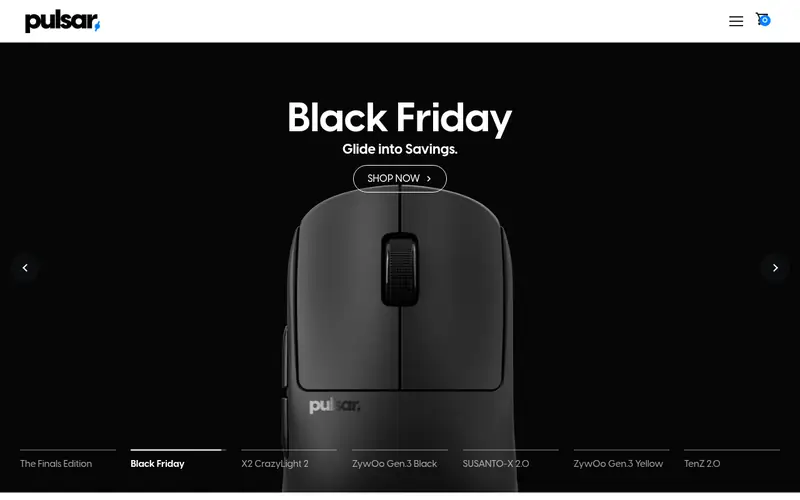
The X2 V2 Mini is Pulsar's compact symmetrical wireless mouse, aimed at claw and fingertip grips. Pulsar lists it with the PAW3395 sensor and a lightweight shell, and it is sold in several finishes.
Its short length and flat sides give small hands more room to maneuver than a long ergonomic shell. The trade-off is brand support: Pulsar is smaller than Logitech or Razer, so warranty service and regional availability can be less predictable.
It suits players who want a light symmetrical shape and are comfortable buying from a specialist mouse brand. Check the Pulsar site for current pricing and stock.
Where the price comes from
See vendor site. Hardware prices move often, so check the Pulsar X2 V2 Mini maker page or a retailer before you buy.
Benefits
- Short symmetrical shape
- low weight
- multiple color and coating options
Drawbacks
- Smaller brand support network
- stock varies by region
Use case to skip: this limit matters to you: smaller brand support network.
Our take. A sensible pick for symmetrical claw grip.
If it does not fit, compare Logitech G Pro X Superlight 2 or Razer Viper Mini Signature Edition in this list.

- Best for
- Wired competitive play
- Standout
- High polling rate wired connection
- Starting price
- See vendor site
- Free plan or trial
- One-time hardware purchase
The OP1 8K is Endgame Gear's wired symmetrical mouse built around an 8000 Hz polling rate. The vendor lists it with the PAW3395 sensor and a compact shell that suits claw and fingertip grips.
Because it is wired, there is no battery weight or charging routine. That makes it a practical pick for competitive players who want a small shell and do not want to think about wireless latency or battery levels.
The catch is that high polling rates put more load on the CPU, and the software is more basic than Logitech G HUB or Razer Synapse. It suits players who already run a capable system and prefer a cable.
Where the price comes from
See vendor site. Hardware prices move often, so check the Endgame Gear OP1 8K maker page or a retailer before you buy.
Benefits
- High polling rate wired connection
- compact symmetrical shape
- no battery to manage
Drawbacks
- Wired only
- software is simpler than mainstream suites
Use case to skip: this limit matters to you: wired only.
Our take. A sensible pick for wired competitive play.
If it does not fit, compare Logitech G Pro X Superlight 2 or Razer Viper Mini Signature Edition in this list.
- Best for
- Right-handed ergonomic comfort
- Standout
- Proven ergonomic EC shape in a smaller size
- Starting price
- See vendor site
- Free plan or trial
- One-time hardware purchase
The EC3-C is the smallest version of Zowie's EC ergonomic line. It is a wired right-handed mouse with the classic EC curve, designed for palm and claw grips, and it uses a 3360-class sensor per Zowie's spec sheet.
Zowie's approach is deliberately simple: DPI and polling rate are set with buttons on the underside, so no driver is needed. That appeals to buyers who dislike background software.
The catch is that it lacks the wireless option and high polling rates of newer rivals. For small hands that want a comfortable right-handed shape for long sessions, though, it remains a solid choice.
Where the price comes from
See vendor site. Hardware prices move often, so check the Zowie EC3-C maker page or a retailer before you buy.
Benefits
- Proven ergonomic EC shape in a smaller size
- no software required for core settings
- durable build
Drawbacks
- Wired
- modest feature set versus newer rivals
Use case to skip: this limit matters to you: wired.
Our take. A sensible pick for right-handed ergonomic comfort.
If it does not fit, compare Logitech G Pro X Superlight 2 or Razer Viper Mini Signature Edition in this list.
- Best for
- Budget wireless
- Standout
- Affordable wireless
- Starting price
- Check current retail price
- Free plan or trial
- One-time hardware purchase
The G305 Lightspeed is Logitech's budget wireless mouse, listed at 59.99 USD. It uses a compact symmetrical shell and runs on a single AA battery, which Logitech rates for a long life in Lightspeed mode.
It is heavier than the premium picks here because of the battery, and its sensor is an older generation than the HERO 2 in the Superlight 2. For small hands on a budget, though, it offers wireless freedom at a low entry price.
It suits casual and mid-level players who want a small wireless mouse without spending over 100 USD. Buyers chasing the lowest weight should look elsewhere.
Where the price comes from
Check current retail price. Hardware prices move often, so check the Logitech G305 Lightspeed maker page or a retailer before you buy.
Benefits
- Affordable wireless
- compact symmetrical shape
- long battery life on one AA cell
Drawbacks
- Heavier than premium rivals
- older sensor generation
Use case to skip: this limit matters to you: heavier than premium rivals.
Our take. A sensible pick for budget wireless.
If it does not fit, compare Logitech G Pro X Superlight 2 or Razer Viper Mini Signature Edition in this list.
What specs matter most when buying a gaming mouse for small hands?
Dimensions and grip style matter more than sensor numbers. Start with length and width: many small-hand buyers do well with shells under about 120 mm long, and width at the grip point matters as much as overall size. Then match the shape to your grip. Fingertip grip favors short, low shells. Claw grip likes a defined hump near the back. Palm grip needs a shape that fills the hand without forcing your fingers to stretch.
Weight is the next factor. Lighter mice are easier to move quickly, but very light shells can feel twitchy if you are used to more resistance. Wireless adds freedom but also battery weight and charging routines. Wired mice avoid both, at the cost of cable drag unless you use a bungee.
Finally, check the sensor and polling rate only after the shape fits. Modern optical sensors from Logitech, Razer, Pulsar and Endgame Gear are all accurate enough for most players. High polling rates help only if your PC can handle the extra load. Software support and warranty matter too, especially for small brands.
Which of these should I buy if I have very small hands and play shooters?
Start with the Razer Viper Mini Signature Edition if you can find it in stock, because its short shell and low weight suit fingertip grip in shooters. If it is unavailable, the Pulsar X2 V2 Mini is the next smallest symmetrical option. For a wired setup, the Endgame Gear OP1 8K gives you a compact shell with a high polling rate. If you prefer a right-handed shape, the Zowie EC3-C in its smallest size is the comfortable choice. Budget buyers can start with the Logitech G305 and upgrade later.
Questions worth answering first
Buying checklist
- Measure your hand length and width, then compare against the vendor's published dimensions.
- Confirm your grip style (palm, claw or fingertip) before choosing a shell shape.
- Check whether the mouse is wired or wireless and whether you need a charging routine.
- Verify the sensor model and polling rate on the vendor spec sheet.
- Confirm warranty length and regional service options for smaller brands.
- Check current retail price, since list prices and street prices often differ.
FAQ
Are lightweight gaming mice good for small hands?
Yes, in most cases. A lighter shell is easier to control when your hand is small, because you rely more on finger movement. Very light mice can feel twitchy at first, so give yourself time to adjust. Weight is secondary to shape: a well-fitting 60 g mouse beats a poorly fitting 50 g one.
What is a good mouse size for small hands?
Many small-hand buyers do well with shells under about 120 mm long, but width and hump height matter too. Check the vendor's published dimensions and compare them with a mouse you already find comfortable. Grip style changes the answer, so try to match the shape to how you hold the mouse.
Do I need a high polling rate mouse?
Not necessarily. High polling rates can reduce input latency, but they also increase CPU load and are most useful to competitive players. For general gaming, a standard polling rate is fine. Choose a high polling rate model only if your system can handle it and you play latency-sensitive games.
Is wireless or wired better for small-hand gaming mice?
Both work. Wireless removes cable drag and gives freedom of movement, but adds battery weight and charging. Wired mice are usually lighter and need no charging, but cable drag can affect aim unless you use a bungee. Pick based on whether weight or convenience matters more to you.
Are expensive gaming mice worth it for small hands?
Only if the shape fits. Premium prices usually buy lighter materials, better wireless and newer sensors. A cheaper mouse with the right shape can perform well. Set a budget, shortlist two or three shapes, and check the vendor spec sheet before paying extra.
Can I use these mice for work as well as gaming?
Yes. All the mice listed are standard USB or wireless mice that work for general computing. The main difference is shape and weight: very light gaming shells may feel less comfortable for long office sessions.
Sources we checked
Change log: First published 27 Nov 2026.