5 Best Hall Effect Keyboards in 2026
The Wooting 60HE+ is the top pick for most buyers who want proven analog firmware and rapid trigger in a compact 60 percent layout. If you prefer a full-size board with a volume knob and per-key RGB, the Corsair K70 MAX suits you. For a lower price with a TKL layout, the SteelSeries Apex Pro TKL is the practical alternative.
 By Shihab Mia · Published 27 Nov 2026
We run no ads and no affiliate links at launch. The order of a list follows our published method. How lists are ordered: how we score.
Prices are the starting prices vendors list publicly. Plans change, so confirm the current price on the vendor page before you buy.
Key takeaways
- Hall effect switches use magnetic sensing, so you can set each key's actuation point in software instead of a fixed mechanical point.
- Rapid trigger resets a key the moment it moves up, which helps in fast games but takes practice to use well.
- Prices run from about $100 for entry models to around $200 for flagship boards with aluminum cases.
- Most boards need vendor software for actuation and rapid trigger tuning, so check that the app runs on your OS.
- Layout matters: 60 percent saves desk space, TKL keeps arrow keys, and full-size adds a number pad.
Side-by-side
Grouped by fit and cost. Tap a product to jump to its full entry.
| Fit | Cost | |||
|---|---|---|---|---|
| Product | Best for | Standout feature | Listed starting price | Free plan or trial |
| 1Wooting 60HE+ | Competitive players who want mature analog firmware | Well documented analog firmware with rapid trigger | Check current retail price | One-time hardware purchase |
| 2Corsair K70 MAX | Full-size users who want a volume knob and per-key RGB | Full-size layout with media controls | Check current retail price | One-time hardware purchase |
| 3SteelSeries Apex Pro TKL | TKL buyers who want adjustable actuation at a lower price | Tenkeyless layout keeps arrow keys | Check current retail price | One-time hardware purchase |
| 4Razer Huntsman V3 Pro TKL | Razer ecosystem users who want fast actuation tuning | Analog optical switches with adjustable actuation | Check current retail price | One-time hardware purchase |
| 5Keychron Q1 HE | Mac and Windows users who want a 75 percent layout | 75 percent layout with knob | Check current retail price | One-time hardware purchase |
How we picked
We compared these boards using vendor product pages, published spec sheets, firmware documentation and listed prices. We checked layout, switch type, documented actuation and rapid trigger support, case material and software requirements. We did not run hands-on tests. Where a vendor did not publish a clear figure, we described the feature qualitatively instead of guessing. Prices change often, so we point to the vendor site or current retail listings rather than quoting a fixed number we cannot confirm.
The 5 picks in detail
- Best for
- Competitive players who want mature analog firmware
- Standout
- Well documented analog firmware with rapid trigger
- Starting price
- Check current retail price
- Free plan or trial
- One-time hardware purchase
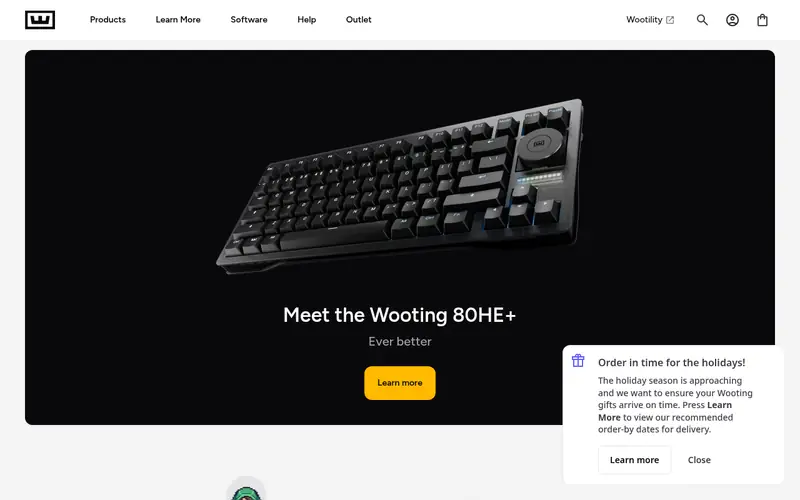
The 60HE+ is a 60 percent board built around Wooting's Lekker magnetic switches. Wooting publishes actuation ranges and rapid trigger settings in its documentation, and the board supports per-key actuation points set in the Wootility app. The firmware is the main draw: it has been refined over several product generations and is widely documented.
The catch is that the base price covers the module. You add a case and keycaps, so the final cost is higher than the sticker. It also drops the arrow cluster and function row, which some buyers miss. It suits players who want a small board and are willing to tune settings carefully.
Where the price comes from
Check current retail price. Hardware prices move often, so check the Wooting 60HE+ maker page or a retailer before you buy.
Benefits
- Well documented analog firmware with rapid trigger
- compact 60 percent layout
- strong community config sharing
Drawbacks
- Case and keycaps cost extra
- no arrow keys or function row
Use case to skip: this limit matters to you: case and keycaps cost extra.
Our take. A sensible pick for competitive players who want mature analog firmware.
If it does not fit, compare Corsair K70 MAX or SteelSeries Apex Pro TKL in this list.
- Best for
- Full-size users who want a volume knob and per-key RGB
- Standout
- Full-size layout with media controls
- Starting price
- Check current retail price
- Free plan or trial
- One-time hardware purchase
The K70 MAX uses Corsair's MGX magnetic switches and supports adjustable actuation per key through Corsair iCUE. Corsair lists a dual-point actuation feature, so a single key can register two different travel depths. The board has an aluminum top plate, a volume roller and dedicated media keys.
It is a big board, so it needs desk space. Actuation and rapid trigger settings live in iCUE, which means you should confirm the software supports your operating system. It suits buyers who want a number pad and media controls on the same board.
Where the price comes from
Check current retail price. Hardware prices move often, so check the Corsair K70 MAX maker page or a retailer before you buy.
Benefits
- Full-size layout with media controls
- aluminum frame
- per-key RGB lighting
Drawbacks
- Large footprint
- software required for actuation tuning
Use case to skip: this limit matters to you: large footprint.
Our take. A sensible pick for full-size users who want a volume knob and per-key RGB.
If it does not fit, compare Wooting 60HE+ or SteelSeries Apex Pro TKL in this list.

- Best for
- TKL buyers who want adjustable actuation at a lower price
- Standout
- Tenkeyless layout keeps arrow keys
- Starting price
- Check current retail price
- Free plan or trial
- One-time hardware purchase
The Apex Pro TKL uses SteelSeries OmniPoint adjustable switches. SteelSeries documents an actuation range that you set per key in the SteelSeries GG software. The board includes an OLED screen for profile switching and a metal top plate on some versions.
It keeps the arrow keys and function row that a 60 percent board drops, which suits players who use those keys. The standard model uses a plastic frame, so buyers who want a metal case should check the specific version. It is a common pick for TKL users who want analog switches without a flagship price.
Where the price comes from
Check current retail price. Hardware prices move often, so check the SteelSeries Apex Pro TKL maker page or a retailer before you buy.
Benefits
- Tenkeyless layout keeps arrow keys
- adjustable actuation per key
- OLED display for profiles
Drawbacks
- Plastic frame on standard model
- software needed for tuning
Use case to skip: this limit matters to you: plastic frame on standard model.
Our take. A sensible pick for TKL buyers who want adjustable actuation at a lower price.
If it does not fit, compare Wooting 60HE+ or Corsair K70 MAX in this list.

- Best for
- Razer ecosystem users who want fast actuation tuning
- Standout
- Analog optical switches with adjustable actuation
- Starting price
- Check current retail price
- Free plan or trial
- One-time hardware purchase
The Huntsman V3 Pro TKL uses Razer's analog optical switches. Razer documents adjustable actuation and rapid trigger in Razer Synapse, and the board has on-board controls for changing settings without opening the app. It includes a metal top plate and a detachable cable.
The switch type is optical analog rather than magnetic, but the tuning behavior is similar: you set actuation depth and rapid trigger per key. It suits buyers already using Razer peripherals who want one software ecosystem. The main catch is price and dependence on Synapse for full tuning.
Where the price comes from
Check current retail price. Hardware prices move often, so check the Razer Huntsman V3 Pro TKL maker page or a retailer before you buy.
Benefits
- Analog optical switches with adjustable actuation
- rapid trigger support
- on-board adjustment controls
Drawbacks
- Premium price
- tuning is tied to Razer Synapse
Use case to skip: this limit matters to you: premium price.
Our take. A sensible pick for razer ecosystem users who want fast actuation tuning.
If it does not fit, compare Wooting 60HE+ or Corsair K70 MAX in this list.
- Best for
- Mac and Windows users who want a 75 percent layout
- Standout
- 75 percent layout with knob
- Starting price
- Check current retail price
- Free plan or trial
- One-time hardware purchase
The Q1 HE is a 75 percent board with an aluminum case, a rotary knob and Hall effect switches. Keychron documents QMK and VIA support, so you can remap keys in the browser and adjust settings without a vendor app. It ships with both Mac and Windows keycaps.
The aluminum case makes it heavy, so it stays on the desk. It suits buyers who want a compact layout with arrow keys and prefer open firmware over a closed vendor app. Check the Keychron page for the current switch options and firmware details.
Where the price comes from
Check current retail price. Hardware prices move often, so check the Keychron Q1 HE maker page or a retailer before you buy.
Benefits
- 75 percent layout with knob
- aluminum case
- QMK and VIA support
Drawbacks
- Heavy
- higher price than plastic boards
Use case to skip: this limit matters to you: heavy.
Our take. A sensible pick for mac and Windows users who want a 75 percent layout.
If it does not fit, compare Wooting 60HE+ or Corsair K70 MAX in this list.
What specs matter most when buying a Hall effect keyboard?
The two specs that matter most are the actuation range and whether the board supports rapid trigger. After that, look at layout, case material and firmware support. A wide actuation range lets you set very shallow or deep key presses, and rapid trigger lets a key reset as soon as it moves up.
Check the vendor's documented actuation range rather than a marketing number. Some boards let you set actuation per key, which matters if you want light presses on movement keys and deeper presses elsewhere. Rapid trigger sensitivity is usually adjustable too, so confirm the software exposes that setting.
Firmware is the other big factor. Boards with open firmware like QMK and VIA let you remap keys in a browser and keep settings without a vendor app. Closed vendor apps can be fine, but confirm they run on your operating system and that settings save to the board's onboard memory. Also check the polling rate the vendor lists, the case material and whether the board is hot-swappable if you plan to change switches.
Which Hall effect keyboard should I buy if I want a full-size layout?
Buy the Corsair K70 MAX if you want a full-size board with a volume knob and per-key RGB. Both keep the number pad that compact boards drop.
The K70 MAX adds an aluminum frame and media controls, which suits buyers who want a heavier desk board. The L5 HE keeps the price down and supports QMK remapping, which suits buyers who care more about firmware than build materials. If you do not need a number pad, the SteelSeries Apex Pro TKL or Keychron Q1 HE save desk space while keeping arrow keys.
Questions worth answering first
Buying checklist
- Confirm the board supports per-key actuation and rapid trigger in the vendor's documented software.
- Check that the vendor app runs on your operating system and saves settings to onboard memory.
- Decide on layout first: 60 percent, TKL, 75 percent or full-size changes desk space and key access.
- Check the case material and weight if the board will stay on one desk.
- Confirm the switch type is magnetic Hall effect if you want analog sensing, since some analog boards use optical switches.
- Look up the return policy and warranty length on the vendor or retailer page before paying.
FAQ
Do Hall effect keyboards really improve gaming performance?
They can help, but results depend on the player. Rapid trigger and shallow actuation reduce key travel time, which some players notice in fast games. The gain is small and takes practice. Treat these features as tuning options rather than a guaranteed advantage.
What is the difference between rapid trigger and adjustable actuation?
Adjustable actuation sets how far a key must travel to register a press. Rapid trigger resets the key as soon as it moves up, so repeated presses register faster. Most Hall effect boards support both, and you set each one separately in the vendor software.
Are Hall effect keyboards louder than mechanical keyboards?
Not necessarily. Noise depends on the case, mounting and keycaps more than the sensing method. A gasket-mounted board with dampening tends to sound softer. Check sound tests and reviews for the specific model, since switch feel varies between brands.
Can I use a Hall effect keyboard on a Mac?
Many models work on Mac, but software support varies. Keychron lists Mac and Windows keycaps and QMK support for its boards. For other brands, check the vendor page for macOS software before buying, since some tuning apps are Windows only.
Do I need vendor software to change actuation settings?
Usually yes, unless the board has onboard controls or open firmware. Razer and some others offer on-board adjustment. Boards with QMK and VIA let you remap keys in a browser. Check how settings are stored before you buy.
Is a cheaper Hall effect keyboard good enough for competitive play?
Yes, for most players. The main features, adjustable actuation and rapid trigger, appear on lower-priced boards too. Flagship models add metal cases, displays and extra controls. If you mainly want analog tuning, a mid-range board covers the core features.
Sources we checked
Change log: First published 27 Nov 2026.