7 Best Hardware Security Keys in 2026
The YubiKey 5 NFC is the safest default for most people: it covers USB-A and NFC, works with FIDO2, U2F, smart-card and TOTP use cases, and is widely supported. If you only have USB-C ports, the YubiKey 5C NFC is the closer fit. If you want a low-cost backup key, the YubiKey Security Key NFC is the simpler FIDO2-only choice.
 By Shihab Mia · Published 21 Nov 2026
We run no ads and no affiliate links at launch. The order of a list follows our published method. How lists are ordered: how we score.
Prices are the starting prices vendors list publicly. Plans change, so confirm the current price on the vendor page before you buy.
Key takeaways
- Buy at least two keys: one primary and one backup stored somewhere safe.
- FIDO2-only keys cost less but skip smart-card and TOTP features.
- USB-C and NFC support depend on the exact model, so check the datasheet.
- Register both keys on every account before you rely on either one.
- Keep recovery codes offline; a lost key alone should not lock you out.
Side-by-side
Grouped by fit and cost. Tap a product to jump to its full entry.
| Fit | Cost | |||
|---|---|---|---|---|
| Product | Best for | Standout feature | Listed starting price | Free plan or trial |
| 1YubiKey 5 NFC | General use with USB-A ports and NFC phones | USB-A plus NFC | $55 (single key, vendor list price) | One-time hardware purchase |
| 2YubiKey 5C NFC | USB-C laptops and NFC phones | USB-C plus NFC | $55 (single key, vendor list price) | One-time hardware purchase |
| 3YubiKey Security Key NFC | Low-cost FIDO2 and passkey logins | Lower price | $29 (single key, vendor list price) | One-time hardware purchase |
| 4YubiKey 5 Nano | Leaving a key plugged into a desktop | Flush USB-A fit | $55 (single key, vendor list price) | One-time hardware purchase |
| 5YubiKey 5C Nano | Fixed USB-C workstations | Flush USB-C fit | $55 (single key, vendor list price) | One-time hardware purchase |
| 6Google Titan Security Key | Google account users who want a bundled option | FIDO2 support | Check current retail price | One-time hardware purchase |
| 7Feitian ePass FIDO2 K9 | NFC phone-first users | FIDO2 and U2F support | Check current retail price | One-time hardware purchase |
How we picked
We compared models using vendor product pages, published datasheets, FIDO certification listings and official setup documentation. We checked port type, NFC support, listed protocols, form factor and the vendor's own published price where available. We did not run hands-on tests. Where a price or spec was not clear from the vendor, we marked it as check current retail price rather than estimate it. The ranking favors broad protocol support, clear documentation and practical backup options.
The 7 picks in detail
- Best for
- General use with USB-A ports and NFC phones
- Standout
- USB-A plus NFC
- Starting price
- $55 (single key, vendor list price)
- Free plan or trial
- One-time hardware purchase
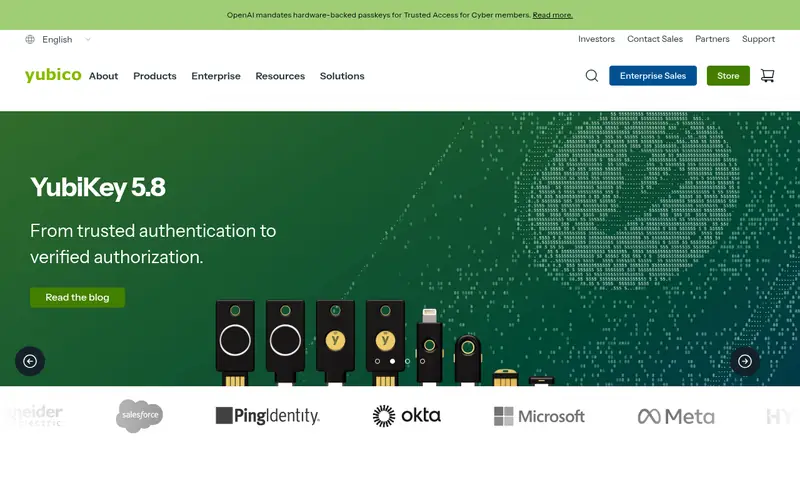
This is Yubico's mainstream key. It plugs into USB-A and works over NFC with supported phones. According to the vendor, it supports FIDO2/WebAuthn, U2F, PIV smart-card, OATH-HOTP and TOTP. That range makes it useful beyond simple logins, for example with certificate-based systems.
The main catch is price and size. A FIDO2-only key does the core job for less. The USB-A body also sticks out, which matters on a laptop you carry daily. For a desk setup or a bag key, it is a solid primary.
Where the price comes from
$55 (single key, vendor list price). Hardware prices move often, so check the YubiKey 5 NFC maker page or a retailer before you buy.
Benefits
- USB-A plus NFC
- supports FIDO2, U2F, smart-card and TOTP
- broad service support
Drawbacks
- Pricier than FIDO2-only keys
- USB-A plug is bulky on some laptops
Use case to skip: this limit matters to you: pricier than FIDO2-only keys.
Our take. A sensible pick for general use with USB-A ports and NFC phones.
If it does not fit, compare YubiKey 5C NFC or YubiKey Security Key NFC in this list.
- Best for
- USB-C laptops and NFC phones
- Standout
- USB-C plus NFC
- Starting price
- $55 (single key, vendor list price)
- Free plan or trial
- One-time hardware purchase
This is the USB-C version of the 5 NFC. The vendor lists the same protocol support: FIDO2, U2F, PIV, OATH-HOTP and TOTP, with NFC for phones. If your laptop and phone are both USB-C, this is the cleaner choice.
The catch is compatibility with older hardware. A USB-A port needs an adapter, and some desktop front panels are tight. Buy this only if USB-C is your main port, or pair it with a USB-A key as backup.
Where the price comes from
$55 (single key, vendor list price). Hardware prices move often, so check the YubiKey 5C NFC maker page or a retailer before you buy.
Benefits
- USB-C plus NFC
- same protocol range as the 5 NFC
- fits modern laptops
Drawbacks
- No USB-A plug
- costs the same as the USB-A model
Use case to skip: this limit matters to you: no USB-A plug.
Our take. A sensible pick for USB-C laptops and NFC phones.
If it does not fit, compare YubiKey 5 NFC or YubiKey Security Key NFC in this list.
- Best for
- Low-cost FIDO2 and passkey logins
- Standout
- Lower price
- Starting price
- $29 (single key, vendor list price)
- Free plan or trial
- One-time hardware purchase
This is the budget line. It focuses on FIDO2/WebAuthn and U2F, with USB-A and NFC. For most people who only need passkeys and two-factor logins, that is enough.
The trade-off is features. If you need PIV smart-card certificates or on-key TOTP codes, this key will not do it. It is best as a cheap second key or for family members who only need basic logins.
Where the price comes from
$29 (single key, vendor list price). Hardware prices move often, so check the YubiKey Security Key NFC maker page or a retailer before you buy.
Benefits
- Lower price
- USB-A plus NFC
- simple FIDO2/U2F focus
Drawbacks
- No smart-card or TOTP features
- fewer protocols than the 5 series
Use case to skip: this limit matters to you: no smart-card or TOTP features.
Our take. A sensible pick for low-cost FIDO2 and passkey logins.
If it does not fit, compare YubiKey 5 NFC or YubiKey 5C NFC in this list.
- Best for
- Leaving a key plugged into a desktop
- Standout
- Flush USB-A fit
- Starting price
- $55 (single key, vendor list price)
- Free plan or trial
- One-time hardware purchase
The Nano sits almost flush in a USB-A port. That makes it good for a desktop or a dock where the key stays put. The vendor lists the same 5-series protocol support as the standard 5 NFC.
The catch is portability. There is no NFC, and pulling it out of a tight port is fiddly. It suits a fixed workstation, not a keyring.
Where the price comes from
$55 (single key, vendor list price). Hardware prices move often, so check the YubiKey 5 Nano maker page or a retailer before you buy.
Benefits
- Flush USB-A fit
- same 5-series protocol support
- hard to knock out
Drawbacks
- No NFC
- awkward to move between devices
Use case to skip: this limit matters to you: no NFC.
Our take. A sensible pick for leaving a key plugged into a desktop.
If it does not fit, compare YubiKey 5 NFC or YubiKey 5C NFC in this list.
- Best for
- Fixed USB-C workstations
- Standout
- Flush USB-C fit
- Starting price
- $55 (single key, vendor list price)
- Free plan or trial
- One-time hardware purchase
This is the USB-C Nano. It stays in a port and supports the same 5-series protocols per the vendor. It is a good fit for a laptop dock or a desk you do not share.
The catch is the same as the USB-A Nano: no NFC, and it is easy to leave behind. Use a backup key and keep recovery codes.
Where the price comes from
$55 (single key, vendor list price). Hardware prices move often, so check the YubiKey 5C Nano maker page or a retailer before you buy.
Benefits
- Flush USB-C fit
- 5-series protocol support
- good for docks
Drawbacks
- No NFC
- easy to forget in a shared machine
Use case to skip: this limit matters to you: no NFC.
Our take. A sensible pick for fixed USB-C workstations.
If it does not fit, compare YubiKey 5 NFC or YubiKey 5C NFC in this list.
- Best for
- Google account users who want a bundled option
- Standout
- FIDO2 support
- Starting price
- Check current retail price
- Free plan or trial
- One-time hardware purchase
Google sells Titan keys in USB-A and USB-C forms. They work as FIDO2 security keys and are aimed at Google account protection. The vendor documents setup through Google Account security settings.
The catch is regional availability and a narrower feature set. If you need smart-card or TOTP features, look at the YubiKey 5 series. For plain passkey and two-factor use, Titan is a reasonable pick.
Where the price comes from
Check current retail price. Hardware prices move often, so check the Google Titan Security Key maker page or a retailer before you buy.
Benefits
- FIDO2 support
- sold in USB-A and USB-C variants
- works with Google accounts
Drawbacks
- Availability varies by region
- fewer extra protocols than YubiKey 5
Use case to skip: this limit matters to you: availability varies by region.
Our take. A sensible pick for google account users who want a bundled option.
If it does not fit, compare YubiKey 5 NFC or YubiKey 5C NFC in this list.
- Best for
- NFC phone-first users
- Standout
- FIDO2 and U2F support
- Starting price
- Check current retail price
- Free plan or trial
- One-time hardware purchase
Feitian makes FIDO-certified keys, and the ePass FIDO2 K9 is one of its USB-A plus NFC models. It targets FIDO2/WebAuthn and U2F logins, with NFC for phones.
The catch is availability and documentation. Check the vendor page for the exact model, firmware and supported services before buying. It suits users who want NFC on a phone and a USB-A plug for a laptop.
Where the price comes from
Check current retail price. Hardware prices move often, so check the Feitian ePass FIDO2 K9 maker page or a retailer before you buy.
Benefits
- FIDO2 and U2F support
- NFC plus USB-A
- compact body
Drawbacks
- Less retail presence in some regions
- check firmware and vendor docs
Use case to skip: this limit matters to you: less retail presence in some regions.
Our take. A sensible pick for NFC phone-first users.
If it does not fit, compare YubiKey 5 NFC or YubiKey 5C NFC in this list.
What specs matter when you buy
Start with ports. A USB-A key fits older laptops and desktops; a USB-C key fits newer machines and phones. Some keys offer both through NFC, which lets a phone tap the key. Match the key to the devices you actually log in from, and buy a second key for the port type you use least.
Next, check protocols. FIDO2/WebAuthn is the baseline for passkeys and modern two-factor. U2F is the older standard and still works on many sites. Some keys add PIV smart-card, OATH-HOTP or TOTP. Only pay for those if you know a system that needs them. For most people, FIDO2 plus U2F is enough.
Then look at durability and form. A flush Nano key suits a fixed desk; a standard key suits a keyring. Check the vendor datasheet for water resistance, temperature range and warranty rather than guessing. Finally, confirm the key is FIDO Certified and that the vendor publishes setup guides for your main services. Buy two keys and register both before you depend on either.
Questions worth answering first
Buying checklist
- Confirm the key's port type matches your main laptop and phone.
- Check the vendor datasheet for FIDO2 and U2F support.
- Decide whether you need PIV, OATH-HOTP or TOTP before paying more.
- Buy two keys so you have a registered backup.
- Read the vendor's setup guide for your main accounts.
- Save account recovery codes offline before you rely on the key.
FAQ
Do I need two hardware security keys?
Yes, in most cases. Register a primary key and a backup key on every important account. If one key is lost or damaged, the backup keeps you signed in. Store the backup somewhere separate from the primary.
Are hardware keys the same as passkeys?
They are related but not identical. A hardware key is a physical FIDO2 authenticator. Passkeys are credentials that can live on a hardware key, a phone or a password manager. A FIDO2 key can hold passkeys for supported services.
Does a security key work with my phone?
Only if the key supports NFC or your phone has the right port. Check the vendor page for NFC support. Many USB-C keys also work with newer phones over NFC or a direct connection.
Can I use one key for many accounts?
Yes. A single FIDO2 key can be registered with many services. Each service stores its own credential on the key. You still need a backup key registered on the same accounts.
What happens if I lose my key?
You use your backup key or account recovery codes. This is why registering two keys matters. Some services also allow account recovery by email or phone, but do not rely on that alone.
Are cheaper FIDO2-only keys enough?
For most people, yes. A FIDO2-only key handles passkeys and two-factor logins. Pay more only if you need smart-card certificates, on-key TOTP codes or extra protocols listed on the vendor datasheet.
Sources we checked
Change log: First published 21 Nov 2026.