7 Best Surveillance Hard Drives for NVRs in 2026
The WD Purple 8TB (WD85PURZ) is the safest first pick for most home and small business NVRs: it is widely stocked, rated for 24/7 write-heavy recording, and priced sensibly per terabyte. If you run a large multi-bay recorder, step up to the WD Purple Pro or Seagate SkyHawk AI, which carry higher workload ratings and longer warranties. On a tight budget with four or fewer cameras, the Toshiba S300 is the value alternative.
 By Shihab Mia · Published 28 Nov 2026
We run no ads and no affiliate links at launch. The order of a list follows our published method. How lists are ordered: how we score.
Prices are the starting prices vendors list publicly. Plans change, so confirm the current price on the vendor page before you buy.
Key takeaways
- Surveillance drives are tuned for constant writing, not desktop bursts, and most carry workload ratings of 180TB per year or more.
- Drive bays matter: check how many HDDs your NVR supports before buying a high-capacity model.
- Prices below are manufacturer list prices in USD; retail pricing moves, so check current retail price before ordering.
- Buy from the surveillance line, not the desktop line: desktop drives often void warranty in always-on NVR use.
- Match capacity to camera count and retention days, not to the biggest number you can afford.
Side-by-side
Grouped by fit and cost. Tap a product to jump to its full entry.
| Fit | Cost | |||
|---|---|---|---|---|
| Product | Best for | Standout feature | Listed starting price | Free plan or trial |
| 1WD Purple 8TB (WD85PURZ) | Most home and small business NVRs | Broad retail availability | Check current retail price | One-time hardware purchase |
| 2Seagate SkyHawk 8TB | Mixed-brand NVRs and DVRs | ImagePerfect firmware tuned for surveillance | Check current retail price | One-time hardware purchase |
| 3Toshiba S300 6TB | Budget 4-camera builds | Usually the lowest cost per terabyte in the surveillance class | Check current retail price | One-time hardware purchase |
| 4WD Purple Pro 12TB | Large multi-bay recorders | Higher workload rating than standard Purple | Check current retail price | One-time hardware purchase |
| 5Seagate SkyHawk AI 16TB | AI-enabled NVRs with many cameras | Designed for AI-enabled NVR workloads | Check current retail price | One-time hardware purchase |
| 6Toshiba S300 Pro 8TB | Small business NVRs needing longer warranty | Longer warranty than standard S300 | Check current retail price | One-time hardware purchase |
| 7WD Purple 4TB (WD43PURZ) | Small 2 to 4 camera setups | Low entry cost | Check current retail price | One-time hardware purchase |
How we picked
We compared these drives using vendor datasheets, product pages and published list prices from WD, Seagate and Toshiba. We checked form factor, interface, workload rating, warranty length and the features each vendor lists for surveillance use. We did not run hands-on tests. Where a figure was not clear from the vendor documentation, we described it qualitatively instead of guessing. Prices are manufacturer list prices in USD where published; otherwise we point you to current retail pricing.
The 7 picks in detail

- Best for
- Most home and small business NVRs
- Standout
- Broad retail availability
- Starting price
- Check current retail price
- Free plan or trial
- One-time hardware purchase
The WD Purple line is WD's mainstream surveillance family, and the 8TB model sits in the sweet spot for a single-drive NVR recording four to eight cameras. WD lists it with AllFrame technology, which is designed to reduce frame loss during recording. It uses a SATA interface and a 3.5-inch form factor, so it drops into most NVR bays. The workload rating is lower than the Pro line, which matters if you plan to run many cameras at high bitrates. For a typical home or shop setup, it is the least risky choice because it is stocked almost everywhere and documented clearly. The main catch is that it is not built for multi-drive RAID or very high camera counts.
Where the price comes from
Check current retail price. Hardware prices move often, so check the WD Purple 8TB (WD85PURZ) maker page or a retailer before you buy.
Benefits
- Broad retail availability
- tuned for 24/7 surveillance writes
- works with most NVR brands without firmware fuss
Drawbacks
- Lower workload rating than Purple Pro
- not intended for large RAID arrays
Use case to skip: this limit matters to you: lower workload rating than Purple Pro.
Our take. A sensible pick for most home and small business NVRs.
If it does not fit, compare Seagate SkyHawk 8TB or Toshiba S300 6TB in this list.
- Best for
- Mixed-brand NVRs and DVRs
- Standout
- ImagePerfect firmware tuned for surveillance
- Starting price
- Check current retail price
- Free plan or trial
- One-time hardware purchase
SkyHawk is Seagate's surveillance line, and the 8TB model is the mainstream pick. Seagate lists ImagePerfect firmware, which is designed to handle the constant write pattern of camera recording and reduce dropped frames. It is a 3.5-inch SATA drive and fits most NVRs and DVRs. Seagate also publishes a workload rating and a limited warranty on the datasheet, so check the exact model number for the current figures. It suits buyers who want a well-documented drive with wide compatibility. The catch is that the standard SkyHawk has a lower workload rating than the AI variant, so very large camera counts should look at the AI model instead.
Where the price comes from
Check current retail price. Hardware prices move often, so check the Seagate SkyHawk 8TB maker page or a retailer before you buy.
Benefits
- ImagePerfect firmware tuned for surveillance
- broad NVR compatibility
- widely available
Drawbacks
- Workload rating below SkyHawk AI
- pricing varies a lot by retailer
Use case to skip: this limit matters to you: workload rating below SkyHawk AI.
Our take. A sensible pick for mixed-brand NVRs and DVRs.
If it does not fit, compare WD Purple 8TB (WD85PURZ) or Toshiba S300 6TB in this list.
- Best for
- Budget 4-camera builds
- Standout
- Usually the lowest cost per terabyte in the surveillance class
- Starting price
- Check current retail price
- Free plan or trial
- One-time hardware purchase
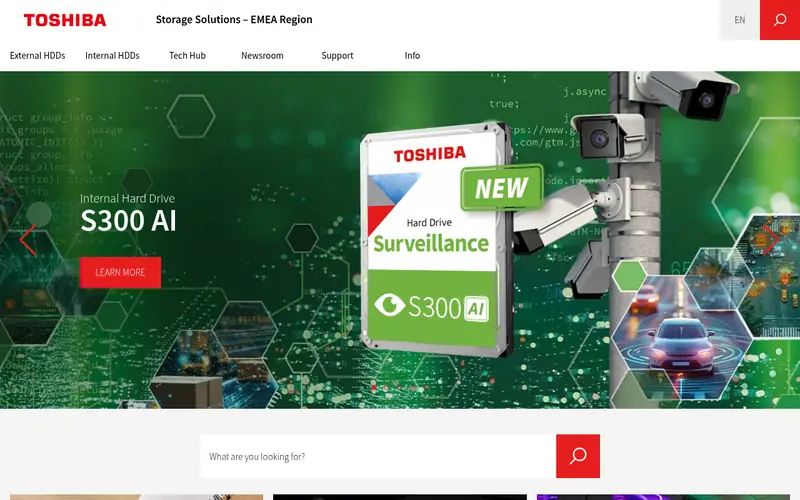
The Toshiba S300 is Toshiba's mainstream surveillance drive. It is a 3.5-inch SATA HDD built for always-on recording, and it is often the cheapest way into a surveillance-rated drive. The 6TB model suits a small NVR with four cameras and a modest retention window. Toshiba publishes workload and warranty details on the datasheet, so confirm the current figures for the exact model. It is a sensible pick if budget is the main constraint and you do not need huge capacity. The catch is that the S300 family tops out below the largest WD and Seagate models, and availability is thinner in some markets.
Where the price comes from
Check current retail price. Hardware prices move often, so check the Toshiba S300 6TB maker page or a retailer before you buy.
Benefits
- Usually the lowest cost per terabyte in the surveillance class
- designed for 24/7 operation
- quiet for a surveillance drive
Drawbacks
- Smaller capacity ceiling than rivals
- fewer retail listings in some regions
Use case to skip: this limit matters to you: smaller capacity ceiling than rivals.
Our take. A sensible pick for budget 4-camera builds.
If it does not fit, compare WD Purple 8TB (WD85PURZ) or Seagate SkyHawk 8TB in this list.
- Best for
- Large multi-bay recorders
- Standout
- Higher workload rating than standard Purple
- Starting price
- Check current retail price
- Free plan or trial
- One-time hardware purchase
WD Purple Pro is the step-up surveillance line. It is aimed at larger NVRs and multi-drive systems where the write load is heavier. WD lists a higher workload rating and a longer warranty than the standard Purple, plus features aimed at always-on recording. The 12TB model suits a recorder with many cameras or a long retention window. It is a 3.5-inch SATA drive and fits standard NVR bays. The catch is cost: you pay more per terabyte, and a single-drive home NVR will not use the extra headroom. Buy it when your camera count or retention days justify it.
Where the price comes from
Check current retail price. Hardware prices move often, so check the WD Purple Pro 12TB maker page or a retailer before you buy.
Benefits
- Higher workload rating than standard Purple
- built for multi-bay NVRs
- longer warranty than the base line
Drawbacks
- Pricier per terabyte
- overkill for a single-drive home NVR
Use case to skip: this limit matters to you: pricier per terabyte.
Our take. A sensible pick for large multi-bay recorders.
If it does not fit, compare WD Purple 8TB (WD85PURZ) or Seagate SkyHawk 8TB in this list.
- Best for
- AI-enabled NVRs with many cameras
- Standout
- Designed for AI-enabled NVR workloads
- Starting price
- Check current retail price
- Free plan or trial
- One-time hardware purchase
SkyHawk AI is Seagate's surveillance drive for AI-enabled recorders. It is built for the heavier write patterns that come with analytics and many camera streams. The 16TB model gives a lot of capacity per bay, which matters when your NVR has few drive slots. Seagate lists a higher workload rating than the standard SkyHawk and a warranty on the datasheet. It suits installers running many cameras with analytics turned on. The catch is price and relevance: a small home NVR with four cameras will not stress it, so the extra cost buys headroom you may never use.
Where the price comes from
Check current retail price. Hardware prices move often, so check the Seagate SkyHawk AI 16TB maker page or a retailer before you buy.
Benefits
- Designed for AI-enabled NVR workloads
- high capacity per bay
- higher workload rating than standard SkyHawk
Drawbacks
- Expensive
- benefits only show up on busy multi-camera systems
Use case to skip: this limit matters to you: expensive.
Our take. A sensible pick for AI-enabled NVRs with many cameras.
If it does not fit, compare WD Purple 8TB (WD85PURZ) or Seagate SkyHawk 8TB in this list.
- Best for
- Small business NVRs needing longer warranty
- Standout
- Longer warranty than standard S300
- Starting price
- Check current retail price
- Free plan or trial
- One-time hardware purchase
The Toshiba S300 Pro is the higher tier of Toshiba's surveillance line. It targets small business NVRs with more cameras and a longer warranty than the base S300. The 8TB model is a 3.5-inch SATA drive built for always-on recording. Toshiba publishes workload and warranty details on the datasheet, so confirm the current figures for the exact model number. It suits a shop or office NVR that wants a step up from the budget S300 without jumping to the largest capacities. The catch is availability: it is less widely stocked than WD Purple or Seagate SkyHawk, so check current retail price and stock before committing.
Where the price comes from
Check current retail price. Hardware prices move often, so check the Toshiba S300 Pro 8TB maker page or a retailer before you buy.
Benefits
- Longer warranty than standard S300
- built for multi-stream recording
- solid capacity for small business NVRs
Drawbacks
- Fewer retail listings than WD or Seagate
- pricing less consistent
Use case to skip: this limit matters to you: fewer retail listings than WD or Seagate.
Our take. A sensible pick for small business NVRs needing longer warranty.
If it does not fit, compare WD Purple 8TB (WD85PURZ) or Seagate SkyHawk 8TB in this list.
- Best for
- Small 2 to 4 camera setups
- Standout
- Low entry cost
- Starting price
- Check current retail price
- Free plan or trial
- One-time hardware purchase
The 4TB WD Purple is the entry point to WD's surveillance line. It uses the same AllFrame tuning as the larger models and is a 3.5-inch SATA drive that fits most NVRs. It suits a small setup with two to four cameras and a short retention window, such as a home or small office. WD publishes workload and warranty details on the datasheet. The catch is capacity: with several cameras recording continuously, 4TB fills quickly, and you may need to lower bitrates or shorten retention. If you expect to add cameras later, buy a larger drive now rather than replacing this one.
Where the price comes from
Check current retail price. Hardware prices move often, so check the WD Purple 4TB (WD43PURZ) maker page or a retailer before you buy.
Benefits
- Low entry cost
- same surveillance tuning as larger Purple drives
- easy to find
Drawbacks
- Short retention window with several cameras
- limited upgrade headroom
Use case to skip: this limit matters to you: short retention window with several cameras.
Our take. A sensible pick for small 2 to 4 camera setups.
If it does not fit, compare WD Purple 8TB (WD85PURZ) or Seagate SkyHawk 8TB in this list.
What specs matter most when buying a surveillance hard drive?
The three that matter most are workload rating, capacity per bay and warranty length. Workload rating tells you how much data the drive is designed to write per year; surveillance drives are rated for constant writing, unlike desktop drives. Capacity per bay matters because NVRs have a fixed number of drive slots, so a bigger single drive can be cheaper than adding a second one. Warranty length separates budget and pro lines: the pro models from WD, Seagate and Toshiba generally carry longer coverage than the base lines.
Also check the interface and form factor. All the drives here are 3.5-inch SATA, which fits most NVRs, but confirm your recorder's supported drive size and capacity ceiling before buying. Some older NVRs cap the maximum drive size in firmware. Check the NVR manual for the largest supported drive and the number of bays.
Finally, look at the firmware features the vendor lists. WD's AllFrame and Seagate's ImagePerfect are both aimed at reducing dropped frames during recording. Toshiba's S300 line is positioned similarly. These features are documented on vendor pages, so read the datasheet for the exact model rather than the family name. Model numbers change, and a drive sold under the same family name can have different specs at different capacities.
Which surveillance drive should I buy if I have four cameras and a tight budget?
Buy the Toshiba S300 6TB if cost is the priority, or the WD Purple 4TB if you want the easiest availability. Both are surveillance-rated and fit a four-camera NVR. If you plan to keep more than a week of footage, spend a little more on the WD Purple 8TB or Seagate SkyHawk 8TB, because 4TB to 6TB fills fast with continuous recording.
For a four-camera setup, the drive you choose matters less than getting the capacity right. Estimate your daily data rate from camera bitrates, multiply by retention days, and add headroom. A surveillance-rated drive from any of the three brands will handle the write pattern; the difference is capacity, warranty and price. Avoid desktop drives for NVR use, since many carry warranty terms that exclude always-on recording.
Questions worth answering first
Buying checklist
- Confirm your NVR's maximum supported drive capacity in its manual before buying.
- Count the drive bays in your recorder and decide whether one large drive or two smaller ones is better.
- Estimate your daily data rate from camera bitrates and multiply by the retention days you need.
- Check the exact model number on the vendor datasheet, not just the family name.
- Confirm the drive is a 3.5-inch SATA surveillance model, not a desktop or NAS drive.
- Check the warranty terms for always-on NVR use before you pay.
FAQ
Are surveillance hard drives worth it over regular desktop drives?
Yes, for NVR use. Surveillance drives are designed for constant writing and carry workload ratings for always-on recording. Desktop drives are built for bursts of activity and many warranties exclude continuous operation. The price gap is small compared with the risk of early failure or a voided warranty.
How many days of recording can I get from an 8TB surveillance drive?
It depends on camera count and bitrate. With four cameras at moderate bitrates, 8TB can hold several weeks of continuous recording. With eight or more cameras at high bitrates, expect far fewer days. Calculate from your own bitrates rather than relying on a general figure.
Can I use a WD Purple in a Synology or QNAP NAS?
WD positions Purple for surveillance recorders, not general NAS use. For a NAS that also runs a surveillance app, check the vendor's compatibility list and workload guidance. A NAS-rated drive may be the better fit if the box does more than camera recording.
Do surveillance drives need special formatting or firmware?
No special firmware is needed. They are standard SATA drives that the NVR formats itself. Some NVRs prefer specific drive families, so check the recorder's compatibility list. Firmware updates come from the NVR vendor, not the drive.
Is a higher workload rating always better?
Not always. A higher rating means more headroom for heavy recording, but you pay for it. Match the rating to your camera count and retention. A small home NVR rarely needs a pro-tier drive, while a busy multi-camera recorder benefits from the extra margin.
What is the difference between WD Purple and WD Purple Pro?
Purple is the mainstream surveillance line; Purple Pro is the step-up line for larger multi-bay systems. Pro models generally carry a higher workload rating and a longer warranty. For a single-drive home NVR, standard Purple is usually enough.
Sources we checked
Change log: First published 28 Nov 2026.