6 Best 2.5GbE Network Adapters in 2026
The TP-Link TX201 is the best 2.5GbE network card for most desktop builds: a single-port PCIe adapter with broad driver support and a low price. If you need two ports for a router or NAS, look at the QNAP QXG-2G2T-I225. For laptops and mini PCs without a free slot, the Cable Matters USB 2.5G adapter is the simpler choice.
 By Shihab Mia · Published 22 Nov 2026
We run no ads and no affiliate links at launch. The order of a list follows our published method. How lists are ordered: how we score.
Prices are the starting prices vendors list publicly. Plans change, so confirm the current price on the vendor page before you buy.
Key takeaways
- 2.5GbE needs Cat5e or better cabling and a 2.5G-capable switch or router to reach full speed.
- PCIe cards cost less per port than USB adapters and add no cable clutter.
- Most 2.5GbE adapters use an Intel I225 or Realtek RTL8125 chipset; check driver support for your OS.
- USB adapters are limited by the USB link: USB 3.2 Gen 1 is enough for one 2.5G port.
- Multi-port cards suit NAS, firewall and virtualization builds more than typical desktops.
Side-by-side
Grouped by fit and cost. Tap a product to jump to its full entry.
| Fit | Cost | |||
|---|---|---|---|---|
| Product | Best for | Standout feature | Listed starting price | Free plan or trial |
| 1TP-Link TX201 | Most desktop upgrades | Low-cost single-port PCIe card | Check current retail price (single-port PCIe card) | One-time hardware purchase |
| 2QNAP QXG-2G2T-I225 | NAS and router builds | Two 2.5GbE ports on one card | Check current retail price (dual-port PCIe card) | One-time hardware purchase |
| 3Cable Matters USB 2.5G Adapter | Laptops and mini PCs | No PCIe slot needed | Check current retail price (USB-A to 2.5GbE) | One-time hardware purchase |
| 4StarTech ST2GPEX | Business desktops | Intel I225 controller | Check current retail price (single-port PCIe card) | One-time hardware purchase |
| 5UGREEN USB-C 2.5G Adapter | USB-C laptops | USB-C connector for modern laptops | Check current retail price (USB-C to 2.5GbE) | One-time hardware purchase |
| 6TRENDnet TEG-25GECTX | Budget PCIe builds | Low-cost single-port card | Check current retail price (single-port PCIe card) | One-time hardware purchase |
How we picked
We compared these adapters from vendor product pages, published spec sheets and support documentation. We checked interface type, port count, chipset family, listed OS support, bracket options and published prices where available. We did not run hands-on throughput tests. The ranking reflects fit for common buyer cases: desktop upgrade, NAS or router build, and laptop use, plus how clearly each vendor documents drivers and compatibility.
The 6 picks in detail

- Best for
- Most desktop upgrades
- Standout
- Low-cost single-port PCIe card
- Starting price
- Check current retail price (single-port PCIe card)
- Free plan or trial
- One-time hardware purchase
The TX201 is a PCIe x1 card with one 2.5GbE RJ45 port, aimed at desktop users moving up from 1GbE. TP-Link lists it as backward compatible with 10/100/1000Mbps networks, so it drops to the slower link when the switch or router is not 2.5G-capable. The card uses a Realtek chipset and ships with a low-profile bracket for small cases.
It suits a mainstream desktop where one fast port is enough. The catch is that it is a single-port design, so it is not the right pick for a NAS or firewall that needs two links or link aggregation.
Where the price comes from
Check current retail price (single-port PCIe card). Hardware prices move often, so check the TP-Link TX201 maker page or a retailer before you buy.
Benefits
- Low-cost single-port PCIe card
- works with Windows and Linux via the Realtek driver
- standard low-profile bracket included
Drawbacks
- Single port only
- no built-in status display
Use case to skip: this limit matters to you: single port only.
Our take. A sensible pick for most desktop upgrades.
If it does not fit, compare QNAP QXG-2G2T-I225 or Cable Matters USB 2.5G Adapter in this list.
- Best for
- NAS and router builds
- Standout
- Two 2.5GbE ports on one card
- Starting price
- Check current retail price (dual-port PCIe card)
- Free plan or trial
- One-time hardware purchase
The QXG-2G2T-I225 is a dual-port 2.5GbE PCIe card built around the Intel I225 controller. QNAP positions it for its NAS units and for PCs, and two ports allow link aggregation or a separate LAN and storage link. It uses a PCIe x4 interface, so check your slot and lane availability before buying.
It fits home labs, small NAS builds and router or firewall boxes. The main catch is cost: two ports and an Intel controller push the price above basic single-port cards.
Where the price comes from
Check current retail price (dual-port PCIe card). Hardware prices move often, so check the QNAP QXG-2G2T-I225 maker page or a retailer before you buy.
Benefits
- Two 2.5GbE ports on one card
- Intel I225 controller
- designed for QNAP NAS and PC use
Drawbacks
- Higher price than single-port cards
- needs a free PCIe slot with enough lanes
Use case to skip: this limit matters to you: higher price than single-port cards.
Our take. A sensible pick for NAS and router builds.
If it does not fit, compare TP-Link TX201 or Cable Matters USB 2.5G Adapter in this list.
- Best for
- Laptops and mini PCs
- Standout
- No PCIe slot needed
- Starting price
- Check current retail price (USB-A to 2.5GbE)
- Free plan or trial
- One-time hardware purchase
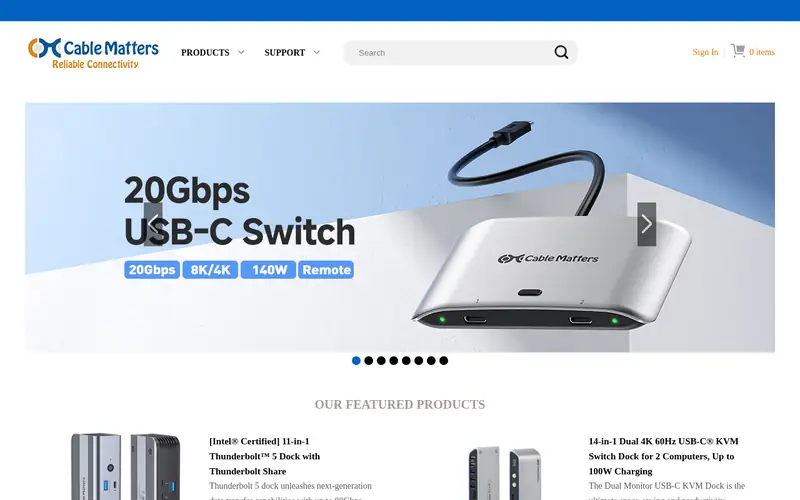
This is a USB-A to 2.5GbE RJ45 adapter for machines without a free slot. Cable Matters lists it as USB 3.2 Gen 1, which provides enough bandwidth for one 2.5G port. It is bus-powered, so no separate power supply is needed, and it works with Windows, macOS and Linux through the chipset driver.
It suits laptops, mini PCs and thin clients. The catch is that the fixed cable and USB link make it less tidy than a PCIe card in a desktop, and performance depends on the host USB controller.
Where the price comes from
Check current retail price (USB-A to 2.5GbE). Hardware prices move often, so check the Cable Matters USB 2.5G Adapter maker page or a retailer before you buy.
Benefits
- No PCIe slot needed
- USB 3.2 Gen 1 interface
- compact aluminium housing
Drawbacks
- USB link adds a small overhead
- cable is fixed
Use case to skip: this limit matters to you: USB link adds a small overhead.
Our take. A sensible pick for laptops and mini PCs.
If it does not fit, compare TP-Link TX201 or QNAP QXG-2G2T-I225 in this list.

- Best for
- Business desktops
- Standout
- Intel I225 controller
- Starting price
- Check current retail price (single-port PCIe card)
- Free plan or trial
- One-time hardware purchase
The ST2GPEX is a single-port 2.5GbE PCIe card using the Intel I225 controller. StarTech lists support for Windows, Windows Server and Linux, which makes it a common pick for office and small-server builds. It ships with both standard and low-profile brackets and uses a PCIe x1 slot.
It suits business desktops and small servers where driver support matters more than price. The catch is the premium over consumer cards with similar specs.
Where the price comes from
Check current retail price (single-port PCIe card). Hardware prices move often, so check the StarTech ST2GPEX maker page or a retailer before you buy.
Benefits
- Intel I225 controller
- broad OS support including Windows Server and Linux
- low-profile bracket included
Drawbacks
- Pricier than consumer cards
- single port
Use case to skip: this limit matters to you: pricier than consumer cards.
Our take. A sensible pick for business desktops.
If it does not fit, compare TP-Link TX201 or QNAP QXG-2G2T-I225 in this list.

- Best for
- USB-C laptops
- Standout
- USB-C connector for modern laptops
- Starting price
- Check current retail price (USB-C to 2.5GbE)
- Free plan or trial
- One-time hardware purchase
UGREEN's USB-C 2.5GbE adapter connects a modern laptop or tablet to a 2.5G wired network. It is bus-powered and uses the USB-C port, so it adds no power brick. UGREEN lists compatibility with Windows, macOS and Linux, and the adapter falls back to 1G and slower links when needed.
It suits USB-C laptops and docks. The catch is that older USB-A-only machines need a separate adapter, and the fixed cable limits placement.
Where the price comes from
Check current retail price (USB-C to 2.5GbE). Hardware prices move often, so check the UGREEN USB-C 2.5G Adapter maker page or a retailer before you buy.
Benefits
- USB-C connector for modern laptops
- bus-powered
- compact metal body
Drawbacks
- Needs a USB-C port or adapter
- fixed cable
Use case to skip: this limit matters to you: needs a USB-C port or adapter.
Our take. A sensible pick for USB-C laptops.
If it does not fit, compare TP-Link TX201 or QNAP QXG-2G2T-I225 in this list.
- Best for
- Budget PCIe builds
- Standout
- Low-cost single-port card
- Starting price
- Check current retail price (single-port PCIe card)
- Free plan or trial
- One-time hardware purchase
The TEG-25GECTX is a single-port 2.5GbE PCIe card from TRENDnet, aimed at budget desktop upgrades. It uses a PCIe x1 slot and ships with a low-profile bracket. TRENDnet lists Windows and Linux support, and the card falls back to 1G and 100Mbps links.
It suits cost-focused builds where one fast port is enough. The catch is that it is a basic single-port card, so it does not help NAS or router builds that need two links.
Where the price comes from
Check current retail price (single-port PCIe card). Hardware prices move often, so check the TRENDnet TEG-25GECTX maker page or a retailer before you buy.
Benefits
- Low-cost single-port card
- standard PCIe x1 interface
- low-profile bracket included
Drawbacks
- Single port
- driver support varies by OS version
Use case to skip: this limit matters to you: single port.
Our take. A sensible pick for budget PCIe builds.
If it does not fit, compare TP-Link TX201 or QNAP QXG-2G2T-I225 in this list.
What specs matter when you buy
Start with the slot or port you have free. A PCIe card needs an open x1 slot (or larger) and gives the cleanest install in a desktop. A USB adapter needs USB 3.2 Gen 1 or better for one 2.5G port; a USB 2.0 port will not reach 2.5G speeds. Laptops and mini PCs usually have no free slot, so USB is the practical route.
Check the chipset and driver support. Intel I225 and Realtek RTL8125 are the common 2.5GbE controllers. Intel-based cards tend to have broader server and Linux support; Realtek cards are usually cheaper. Confirm drivers exist for your exact OS version, especially on Windows Server or older Linux kernels.
Count the ports you need. One port suits a normal desktop. Two ports suit a NAS, firewall or router build where you want link aggregation or separate links. Multi-port cards cost more and may need a wider PCIe slot.
Finally, check the rest of the chain. You need Cat5e or better cable, a 2.5G-capable switch or router, and a device at the other end that also runs 2.5G. Without those, the adapter will fall back to 1G and you will see no gain.
Questions worth answering first
Buying checklist
- Confirm you have a free PCIe x1 slot, or a USB 3.2 Gen 1 port for a USB adapter.
- Check the chipset and that drivers exist for your exact OS version.
- Verify your switch or router has a 2.5G port, or plan to add one.
- Use Cat5e or better cable for the run to the switch.
- Check whether a low-profile bracket is included if you have a small case.
- Confirm the card fits your NAS model's compatibility list if it is a NAS expansion card.
FAQ
Do I need a special cable for 2.5GbE?
No. Cat5e or better works for 2.5GbE at typical home distances. Cat6 is a safe choice for longer runs or future 10G upgrades. The adapter, switch and other device must all support 2.5G to get the full speed.
Is USB fast enough for 2.5GbE?
Yes, for one port. USB 3.2 Gen 1 provides more bandwidth than a single 2.5G link needs. A USB 2.0 port is too slow. Performance also depends on the host USB controller and the adapter's chipset.
Will a 2.5GbE card work in a 1GbE network?
Yes. The card falls back to 1G, and usually to 100Mbps, when the switch or router is slower. You will not get 2.5G speeds until every device in the link supports it.
What is the difference between Intel I225 and Realtek RTL8125?
Both are 2.5GbE controllers. Intel I225 cards often list broader server and Linux support and cost more. Realtek RTL8125 cards are usually cheaper and common in consumer adapters. Check driver availability for your OS before choosing.
Do I need two ports?
Only if you plan link aggregation, a separate LAN and storage link, or a router or firewall build. A normal desktop needs one port. Dual-port cards cost more and may need a wider PCIe slot.
Can I use a 2.5GbE adapter with a NAS?
Yes, if the NAS has a free PCIe slot and the card is on its compatibility list, or if you use a USB adapter where the NAS supports it. Check the NAS vendor's list first, since not every card is supported.
Sources we checked
Change log: First published 22 Nov 2026.