7 Best 4G LTE Routers for Backup and Rural Internet in 2026
The Peplink Balance 20X suits most buyers who need a reliable wired-and-cellular failover router for a home office or small branch. For a simpler plug-in setup, the NETGEAR Nighthawk LAX20 is a straightforward choice. If you want a rugged outdoor unit for a rural site, the Teltonika RUT956 is worth a look. Each model below targets a different mix of ports, mounting and management needs.
 By Shihab Mia · Published 22 Nov 2026
We run no ads and no affiliate links at launch. The order of a list follows our published method. How lists are ordered: how we score.
Prices are the starting prices vendors list publicly. Plans change, so confirm the current price on the vendor page before you buy.
Key takeaways
- Cellular routers range from simple plug-in units to rack-mount failover devices; match the form factor to your site.
- Check the LTE bands your carrier uses before buying; band support varies by model and region.
- Most models need a separate SIM plan; the router price does not include data service.
- Wired WAN plus LTE failover is the common backup pattern; confirm the router supports both.
- Outdoor and DIN-rail units cost more but survive heat, dust and vibration better than desktop units.
Side-by-side
Grouped by fit and cost. Tap a product to jump to its full entry.
| Fit | Cost | |||
|---|---|---|---|---|
| Product | Best for | Standout feature | Listed starting price | Free plan or trial |
| 1Peplink Balance 20X | Branch failover with wired WAN | Wired WAN plus cellular failover in one box | Check current retail price (router only, SIM plan separate) | One-time hardware purchase |
| 2NETGEAR Nighthawk LAX20 | Simple home backup | Simple setup through the Nighthawk app | Check current retail price (router only, SIM plan separate) | One-time hardware purchase |
| 3Teltonika RUT956 | Rugged industrial sites | DIN-rail mounting and wide input voltage | Check current retail price (router only, SIM plan separate) | One-time hardware purchase |
| 4Cradlepoint E300 | Managed enterprise edge | Cloud management through NetCloud | Check current retail price (router only, SIM plan separate) | One-time hardware purchase |
| 5TP-Link Archer MR600 | Budget rural internet | Low price for a 4G router | Check current retail price (router only, SIM plan separate) | One-time hardware purchase |
| 6Zyxel LTE5398-M904 | Home office with VoIP | VoIP ports for landline replacement | Check current retail price (router only, SIM plan separate) | One-time hardware purchase |
| 7MikroTik Chateau LTE12 | Advanced routing setups | Full RouterOS feature set | Check current retail price (router only, SIM plan separate) | One-time hardware purchase |
How we picked
This guide is based on vendor documentation, published datasheets and public product pages, not hands-on lab testing. We compared each model on LTE band support, port layout, failover capability, mounting options, management software and published pricing. We favored models released between 2023 and 2025 that vendors still list as current. Where a vendor sells regional variants, we noted that buyers must confirm the exact model number. Prices are shown as "check current retail price" because cellular router pricing varies widely by channel and region.
The 7 picks in detail
- Best for
- Branch failover with wired WAN
- Standout
- Wired WAN plus cellular failover in one box
- Starting price
- Check current retail price (router only, SIM plan separate)
- Free plan or trial
- One-time hardware purchase
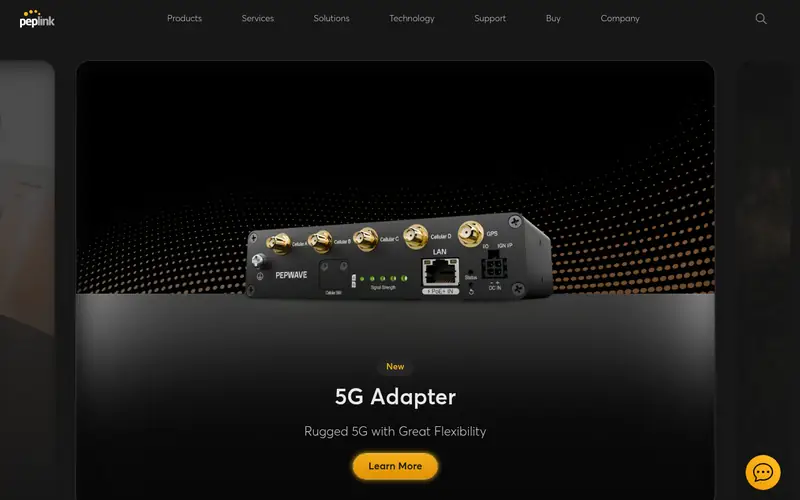
The Balance 20X is a branch router with a built-in cellular modem option and a wired WAN port. Peplink positions it for small offices that want automatic failover when the primary line drops. It supports SpeedFusion bonding across links, which matters if you need to combine a slow DSL line with LTE. The vendor lists multiple Ethernet LAN ports and Wi-Fi on some SKUs.
The catch is configuration depth. This is a business router, so expect a learning curve and a price well above consumer units. Confirm which modem module and region variant you are buying, because band support depends on the SKU. It suits a home office or small branch that already has a wired connection and wants a dependable backup path.
Where the price comes from
Check current retail price (router only, SIM plan separate). Hardware prices move often, so check the Peplink Balance 20X maker page or a retailer before you buy.
Benefits
- Wired WAN plus cellular failover in one box
- Peplink InControl management
- multiple Ethernet ports
Drawbacks
- Higher cost than consumer units
- needs a separate LTE modem module in some configurations
Use case to skip: this limit matters to you: higher cost than consumer units.
Our take. A sensible pick for branch failover with wired WAN.
If it does not fit, compare NETGEAR Nighthawk LAX20 or Teltonika RUT956 in this list.
- Best for
- Simple home backup
- Standout
- Simple setup through the Nighthawk app
- Starting price
- Check current retail price (router only, SIM plan separate)
- Free plan or trial
- One-time hardware purchase
The LAX20 is a consumer LTE router that also accepts a wired WAN connection. NETGEAR markets it for homes that want a cellular fallback when the cable or fiber line fails. It broadcasts Wi-Fi and includes Ethernet LAN ports for wired devices. Setup runs through the Nighthawk app, which keeps configuration simple for non-technical users.
The trade-off is depth. You get basic failover and parental controls rather than VLANs, policy routing or central management. Band support is fixed to the model variant, so check it against your carrier before buying. It suits a household that wants a backup path without learning router administration.
Where the price comes from
Check current retail price (router only, SIM plan separate). Hardware prices move often, so check the NETGEAR Nighthawk LAX20 maker page or a retailer before you buy.
Benefits
- Simple setup through the Nighthawk app
- combined Wi-Fi and LTE in one unit
- Ethernet WAN port for failover
Drawbacks
- Consumer-grade management
- limited advanced routing features
Use case to skip: this limit matters to you: consumer-grade management.
Our take. A sensible pick for simple home backup.
If it does not fit, compare Peplink Balance 20X or Teltonika RUT956 in this list.
- Best for
- Rugged industrial sites
- Standout
- DIN-rail mounting and wide input voltage
- Starting price
- Check current retail price (router only, SIM plan separate)
- Free plan or trial
- One-time hardware purchase
The RUT956 is an industrial cellular router built for cabinets, kiosks and remote sites. Teltonika lists DIN-rail mounting, a metal housing and a wide DC input range, which suits solar and battery installations. It includes Ethernet ports, digital inputs and outputs, and serial interfaces for legacy equipment. Remote management is available through Teltonika RMS.
This is not a plug-and-play home unit. Configuration happens through a web interface with firewall, VPN and routing options aimed at integrators. The main catch is cost and complexity: you pay for ruggedness and I/O you may not need. It suits a rural site, farm or utility install where heat, dust and vibration are real concerns.
Where the price comes from
Check current retail price (router only, SIM plan separate). Hardware prices move often, so check the Teltonika RUT956 maker page or a retailer before you buy.
Benefits
- DIN-rail mounting and wide input voltage
- multiple wired ports and serial interfaces
- remote management via RMS
Drawbacks
- Industrial pricing
- setup assumes networking knowledge
Use case to skip: this limit matters to you: industrial pricing.
Our take. A sensible pick for rugged industrial sites.
If it does not fit, compare Peplink Balance 20X or NETGEAR Nighthawk LAX20 in this list.
- Best for
- Managed enterprise edge
- Standout
- Cloud management through NetCloud
- Starting price
- Check current retail price (router only, SIM plan separate)
- Free plan or trial
- One-time hardware purchase
The E300 is a Cradlepoint edge router for branch and IoT deployments. It combines a wired WAN with cellular and is managed through the NetCloud platform, which handles configuration, firmware and monitoring across many sites. Cradlepoint lists enterprise security features and support for multiple WAN links.
The catch is the subscription model. NetCloud plans add recurring cost on top of the hardware, and the router is priced for organizations rather than homes. It suits a business with several locations that wants one console for all of them. For a single home line, it is more device than you need.
Where the price comes from
Check current retail price (router only, SIM plan separate). Hardware prices move often, so check the Cradlepoint E300 maker page or a retailer before you buy.
Benefits
- Cloud management through NetCloud
- wired and cellular WAN
- enterprise security features
Drawbacks
- Subscription needed for full management
- higher total cost
Use case to skip: this limit matters to you: subscription needed for full management.
Our take. A sensible pick for managed enterprise edge.
If it does not fit, compare Peplink Balance 20X or NETGEAR Nighthawk LAX20 in this list.
- Best for
- Budget rural internet
- Standout
- Low price for a 4G router
- Starting price
- Check current retail price (router only, SIM plan separate)
- Free plan or trial
- One-time hardware purchase
The Archer MR600 is a mainstream 4G router aimed at homes that rely on cellular as their main connection. TP-Link lists dual-band Wi-Fi, Ethernet LAN ports and a SIM slot, with setup through the TP-Link app or web interface. It is one of the cheaper ways to get a working LTE network in a rural property.
Check the variant carefully. Some versions include a LAN/WAN port for wired failover, others do not, and band support differs by region. Management is basic compared with business routers. It suits a household that wants rural internet at low cost and does not need advanced routing.
Where the price comes from
Check current retail price (router only, SIM plan separate). Hardware prices move often, so check the TP-Link Archer MR600 maker page or a retailer before you buy.
Benefits
- Low price for a 4G router
- dual-band Wi-Fi
- Ethernet ports for wired devices
Drawbacks
- No wired WAN failover on all variants
- basic management
Use case to skip: this limit matters to you: no wired WAN failover on all variants.
Our take. A sensible pick for budget rural internet.
If it does not fit, compare Peplink Balance 20X or NETGEAR Nighthawk LAX20 in this list.
- Best for
- Home office with VoIP
- Standout
- VoIP ports for landline replacement
- Starting price
- Check current retail price (router only, SIM plan separate)
- Free plan or trial
- One-time hardware purchase
The LTE5398-M904 is a 4G router with telephone ports, which matters if you want to keep a landline handset running over LTE. Zyxel lists dual-band Wi-Fi, Ethernet ports and support for bridge mode, so it can sit behind another router if needed. It is aimed at home offices and small premises.
The main catch is availability. Zyxel sells different LTE models by region, so confirm the exact model number and band support locally. Wi-Fi coverage is modest for large homes. It suits a home office that needs a phone line and a cellular data connection from one box.
Where the price comes from
Check current retail price (router only, SIM plan separate). Hardware prices move often, so check the Zyxel LTE5398-M904 maker page or a retailer before you buy.
Benefits
- VoIP ports for landline replacement
- dual-band Wi-Fi
- bridge and router modes
Drawbacks
- Limited retail availability in some regions
- modest Wi-Fi coverage
Use case to skip: this limit matters to you: limited retail availability in some regions.
Our take. A sensible pick for home office with VoIP.
If it does not fit, compare Peplink Balance 20X or NETGEAR Nighthawk LAX20 in this list.
- Best for
- Advanced routing setups
- Standout
- Full RouterOS feature set
- Starting price
- Check current retail price (router only, SIM plan separate)
- Free plan or trial
- One-time hardware purchase
The Chateau LTE12 is a MikroTik router with an integrated LTE modem, running RouterOS. That gives you firewall rules, VPNs, queues, VLANs and scripting on a cellular connection. MikroTik lists dual-band Wi-Fi and several Ethernet ports, and the unit is designed for desktop or wall placement.
The catch is RouterOS itself. It is powerful but unforgiving, and a misconfiguration can lock you out. Band support depends on the model variant, so check it against your carrier. It suits a technical user who wants full control over routing and traffic shaping on a rural LTE link.
Where the price comes from
Check current retail price (router only, SIM plan separate). Hardware prices move often, so check the MikroTik Chateau LTE12 maker page or a retailer before you buy.
Benefits
- Full RouterOS feature set
- dual-band Wi-Fi
- multiple Ethernet ports
Drawbacks
- Steep learning curve
- documentation assumes networking experience
Use case to skip: this limit matters to you: steep learning curve.
Our take. A sensible pick for advanced routing setups.
If it does not fit, compare Peplink Balance 20X or NETGEAR Nighthawk LAX20 in this list.
What specs matter when you buy
Band support is the first thing to check. LTE bands differ by carrier and country, and a router that lacks your carrier's main bands will fall back to slower ones or fail to connect. Look up the bands your carrier uses, then compare them with the vendor datasheet for the exact model variant. Model numbers that look similar can have different band sets for different regions.
Ports and failover come next. A backup router needs a wired WAN port so it can detect when the primary line drops and switch to LTE. Check how many Ethernet LAN ports you get and whether any are gigabit. If you run a landline handset, look for VoIP ports. For industrial sites, check DIN-rail mounting, input voltage range and operating temperature range on the datasheet.
Management and firmware support decide long-term value. Consumer units rely on an app; business units offer cloud consoles, VPNs and central firmware updates. Check how long the vendor commits to firmware updates and whether remote management needs a paid subscription. Wi-Fi standard matters too, but for a backup link the cellular modem and failover logic matter more than peak Wi-Fi speed.
Questions worth answering first
Buying checklist
- Confirm the exact model variant supports the LTE bands your carrier uses.
- Check that the router has a wired WAN port if you want automatic failover.
- Verify the SIM form factor and whether the plan is data-only or includes voice.
- Read the datasheet for operating temperature if the unit goes in a shed or cabinet.
- Confirm firmware update policy and whether remote management needs a subscription.
- Check the return window in case band support or carrier compatibility falls short.
FAQ
Do I need a separate SIM plan for a 4G LTE router?
Yes. The router price does not include data service. You need a SIM and a data plan from a carrier, and some carriers sell router-specific plans. Check whether the plan allows tethering or router use, and confirm the SIM size the router accepts.
Can a 4G LTE router replace a wired connection entirely?
It can in areas without cable or fiber. Speeds depend on signal strength, band and network congestion. A router with an external antenna port can help in weak-signal locations. For critical work, keep a second connection or a larger data plan as a buffer.
What is the difference between failover and load balancing?
Failover switches all traffic to LTE when the primary line drops. Load balancing spreads traffic across both links at once. Failover is simpler and cheaper on data; load balancing needs more configuration and can use more cellular data.
Will a 4G router work with an external antenna?
Many models include antenna ports, usually SMA or TS9. Check the connector type on the datasheet before buying an antenna. An outdoor directional antenna can improve signal in rural areas, but you must aim it at the nearest tower.
Are 5G routers a better choice than 4G?
5G routers cost more and need 5G coverage to help. In rural areas, 4G coverage is often more widespread. If your carrier has strong 5G where you live, a 5G model may be worth it; otherwise 4G is the practical choice.
How long do vendors support these routers with firmware updates?
It varies. Business vendors typically publish end-of-life policies and support windows; consumer vendors are less explicit. Check the vendor's support page for your exact model before buying, especially if the router will run unattended at a remote site.
Sources we checked
Change log: First published 22 Nov 2026.