6 Best DNS Ad Blockers in 2026
Pi-hole is the best starting point for most people who want a self-hosted, network-wide DNS ad blocker. It is free, open source, and runs on modest hardware or a Raspberry Pi. Choose AdGuard Home if you want a simpler setup with built-in encrypted DNS support. Choose NextDNS if you would rather not run any hardware and want cloud-based filtering with per-device profiles.
 By Shihab Mia · Published 21 Nov 2026
We run no ads and no affiliate links at launch. The order of a list follows our published method. How lists are ordered: how we score.
Prices are the starting prices vendors list publicly. Plans change, so confirm the current price on the vendor page before you buy.
Key takeaways
- Pi-hole and AdGuard Home are free and open source, so your only cost is the hardware or a small VPS.
- NextDNS is a hosted service with a free tier and paid plans listed on its site; no local hardware is needed.
- AdGuard Home and Pi-hole both support blocklists and local DNS records, but their setup and UI differ.
- Blocky and Technitium DNS Server suit users who want more control or a single-binary setup.
- pfBlockerNG is an add-on for pfSense, not a standalone DNS server, so it fits existing firewall users.
Side-by-side
Grouped by fit and cost. Tap a product to jump to its full entry.
| Fit | Cost | |||
|---|---|---|---|---|
| Product | Best for | Standout feature | Listed starting price | Free plan or trial |
| 1Pi-hole | Most self-hosted home networks | Widely documented | Free (open source, hardware sold separately) | Free and open source |
| 2AdGuard Home | Simple setup with encrypted DNS built in | Built-in support for encrypted upstream DNS | Free (open source, hardware sold separately) | Free and open source |
| 3NextDNS | Cloud filtering without local hardware | No hardware to maintain | See vendor site | Free plan |
| 4Blocky | Lightweight single-binary DNS filtering | Single binary with a small footprint | Free (open source, hardware sold separately) | Free and open source |
| 5Technitium DNS Server | Advanced DNS control and features | Broad feature set beyond blocking | Free (open source, hardware sold separately) | Free and open source |
| 6pfBlockerNG | Existing pfSense firewall users | Integrates with pfSense | Free (open source, requires pfSense) | Free and open source |
How we picked
This comparison is based on research, not lab testing. We reviewed each project's official documentation, vendor feature pages, and published pricing, and checked which DNS protocols, blocklist options, and management interfaces each tool documents. Hardware requirements and free-tier limits were taken from vendor sources where stated. Where a figure was not confirmed on an official page, we described it qualitatively instead of quoting a number. No hands-on benchmarks were run.
The 6 picks in detail

- Best for
- Most self-hosted home networks
- Standout
- Widely documented
- Starting price
- Free (open source, hardware sold separately)
- Free plan or trial
- Free and open source
Pi-hole is a DNS sinkhole that runs on Linux and blocks queries to known ad and tracker domains for every device on your network. It provides a web dashboard with query logs and per-client statistics. The project documents installation on a Raspberry Pi and other Linux systems, and it is commonly run in a container.
It relies on blocklists that you add yourself, and the community maintains many public lists. Pi-hole handles local DNS records and DHCP in recent versions. The main catch is that you manage updates, backups, and the host system yourself, and encrypted DNS to upstream resolvers needs separate configuration.
Where the price comes from
Free (open source, hardware sold separately), as listed by the vendor (Pi-hole website). Confirm the current plan price before you buy.
Benefits
- Widely documented
- large blocklist ecosystem
- runs on low-power hardware
Drawbacks
- Web UI is functional rather than polished
- no built-in encrypted upstream DNS by default
Use case to skip: this limit matters to you: web UI is functional rather than polished.
Our take. A sensible pick for most self-hosted home networks.
If it does not fit, compare AdGuard Home or NextDNS in this list.
- Best for
- Simple setup with encrypted DNS built in
- Standout
- Built-in support for encrypted upstream DNS
- Starting price
- Free (open source, hardware sold separately)
- Free plan or trial
- Free and open source
AdGuard Home is a network-wide DNS server with ad and tracker blocking, developed by AdGuard. It ships as a single binary for multiple platforms and includes a setup wizard. The vendor documents support for DNS-over-HTTPS, DNS-over-TLS, and DNS-over-QUIC upstreams, plus per-client settings.
It supports filter lists, custom rules, and query logging through a web UI. It suits people who want encrypted DNS without extra tools. The catch is that some advanced options are less covered by third-party guides than Pi-hole's, and the project sits within a commercial company's product line.
Where the price comes from
Free (open source, hardware sold separately), as listed by the vendor (AdGuard Home website). Confirm the current plan price before you buy.
Benefits
- Built-in support for encrypted upstream DNS
- clean web interface
- cross-platform binaries
Drawbacks
- Advanced features can be less documented than Pi-hole
- tied to AdGuard's ecosystem
Use case to skip: this limit matters to you: advanced features can be less documented than Pi-hole.
Our take. A sensible pick for simple setup with encrypted DNS built in.
If it does not fit, compare Pi-hole or NextDNS in this list.
- Best for
- Cloud filtering without local hardware
- Standout
- No hardware to maintain
- Starting price
- See vendor site
- Free plan or trial
- Free plan
NextDNS is a hosted DNS filtering service rather than software you install. You create a configuration, pick blocklists, and point devices or your router at NextDNS resolvers. Because it is cloud-based, filtering follows devices outside the home network when you use its apps or profiles.
The vendor lists a free tier with a monthly query cap and paid plans for higher limits, with exact figures on its pricing page. It supports encrypted DNS protocols and per-device settings. The catch is that you rely on an external provider, and heavy networks may exceed the free allowance.
Where the price comes from
See vendor site, as listed by the vendor (NextDNS website). Confirm the current plan price before you buy.
Benefits
- No hardware to maintain
- per-device profiles
- works on and off the home network
Drawbacks
- Filtering depends on a third party
- free tier has query limits
Use case to skip: this limit matters to you: filtering depends on a third party.
Our take. A sensible pick for cloud filtering without local hardware.
If it does not fit, compare Pi-hole or AdGuard Home in this list.
- Best for
- Lightweight single-binary DNS filtering
- Standout
- Single binary with a small footprint
- Starting price
- Free (open source, hardware sold separately)
- Free plan or trial
- Free and open source
Blocky is an open-source DNS proxy and ad blocker written in Go. It runs as a single binary or container and is configured through a YAML file. The project documents blocklists, per-client groups, caching, and support for encrypted DNS upstreams.
It suits users who prefer file-based configuration and a minimal footprint over a graphical interface. It offers a basic web UI for query display but not the full management dashboard some rivals provide. The catch is that setup assumes comfort with config files and command-line work.
Where the price comes from
Free (open source, hardware sold separately), as listed by the vendor (Blocky website). Confirm the current plan price before you buy.
Benefits
- Single binary with a small footprint
- configuration by file
- supports multiple upstreams
Drawbacks
- No full web dashboard
- configuration is less friendly for beginners
Use case to skip: this limit matters to you: no full web dashboard.
Our take. A sensible pick for lightweight single-binary DNS filtering.
If it does not fit, compare Pi-hole or AdGuard Home in this list.
- Best for
- Advanced DNS control and features
- Standout
- Broad feature set beyond blocking
- Starting price
- Free (open source, hardware sold separately)
- Free plan or trial
- Free and open source
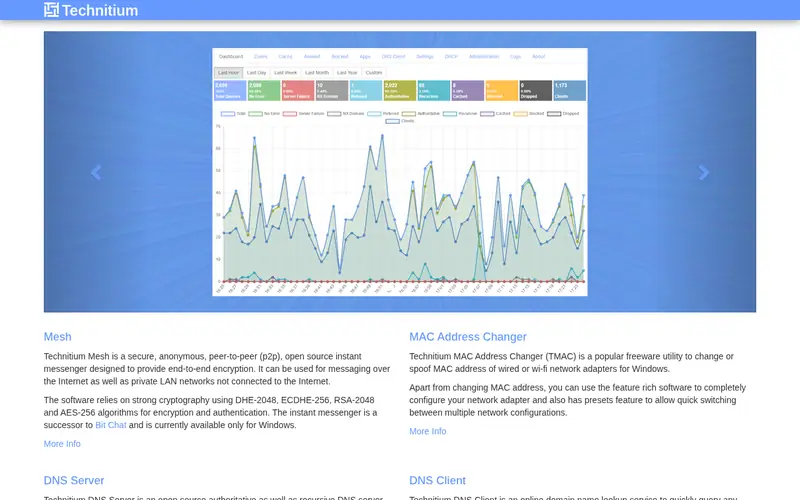
Technitium DNS Server is an open-source DNS server for Windows, Linux, macOS, and containers. Beyond ad blocking, it supports authoritative zones, forwarding, conditional forwarders, and encrypted DNS protocols. The vendor documents a web console for management and query logging.
It suits users who want one tool for both recursive resolution and filtering, or who run local DNS zones. Blocking works through blocklists and custom rules. The catch is a larger feature surface than a simple sinkhole, which means more settings to review before it behaves as expected.
Where the price comes from
Free (open source, hardware sold separately), as listed by the vendor (Technitium DNS Server website). Confirm the current plan price before you buy.
Benefits
- Broad feature set beyond blocking
- cross-platform
- web-based management
Drawbacks
- More options to learn
- overkill for a basic home setup
Use case to skip: this limit matters to you: more options to learn.
Our take. A sensible pick for advanced DNS control and features.
If it does not fit, compare Pi-hole or AdGuard Home in this list.
- Best for
- Existing pfSense firewall users
- Standout
- Integrates with pfSense
- Starting price
- Free (open source, requires pfSense)
- Free plan or trial
- Free and open source
pfBlockerNG is a package for pfSense, the open-source firewall distribution. It adds DNS blocking and IP-based blocking to an existing pfSense deployment, managed from the pfSense web interface. It supports subscription lists and per-interface rules.
It suits homes or small offices already running pfSense as their router and firewall, since filtering then lives on hardware they already maintain. The catch is that it is not a standalone product: without pfSense it is not usable, and its configuration is tied to the firewall's release cycle.
Where the price comes from
Free (open source, requires pfSense), as listed by the vendor (pfBlockerNG website). Confirm the current plan price before you buy.
Benefits
- Integrates with pfSense
- blocks by DNS and IP
- centralized firewall management
Drawbacks
- Requires a pfSense install
- not a standalone DNS server
Use case to skip: this limit matters to you: requires a pfSense install.
Our take. A sensible pick for existing pfSense firewall users.
If it does not fit, compare Pi-hole or AdGuard Home in this list.
What to look for
Start with where the filtering runs. A self-hosted tool such as Pi-hole or AdGuard Home needs a always-on device: a Raspberry Pi, a small mini PC, a NAS container, or a VPS. If you do not want to maintain that device, a hosted service like NextDNS removes the hardware but adds a subscription and a dependency on a third party.
Next, check protocol support. Encrypted upstream DNS (DNS-over-HTTPS or DNS-over-TLS) keeps queries private between your resolver and the upstream server. AdGuard Home and Technitium document this directly; Pi-hole needs extra configuration. Also confirm whether the tool handles DHCP and local DNS records, since replacing your router's DNS is easier when one device does both.
Then look at blocklist management and logging. All the self-hosted options accept public blocklists, but the effort to add, update, and troubleshoot them varies. Query logs help you find false positives, so check how much history each tool keeps and whether per-client statistics are available.
Finally, consider maintenance. Self-hosted tools need OS updates, backups, and a plan for what happens when the device goes down. A second resolver or a fallback DNS setting avoids losing internet access. Hosted services shift that work to the provider but limit how much you can customize.
Questions worth answering first
Buying checklist
- Confirm the tool runs on hardware you already own or are willing to keep powered on.
- Check whether encrypted upstream DNS is built in or needs separate configuration.
- Verify the tool supports the blocklists you plan to use and how often they update.
- Decide whether you need DHCP and local DNS records handled by the same device.
- Plan a fallback DNS so the network keeps working if the blocker goes offline.
- For hosted services, read the free-tier query limit and paid plan terms on the vendor site.
FAQ
Do I need a Raspberry Pi to run a DNS ad blocker?
No. Pi-hole and AdGuard Home run on many Linux systems, containers, and small PCs. A Raspberry Pi is a common low-cost choice because it stays on and draws little power, but any always-on device on your network can host the software.
Is a self-hosted DNS blocker better than a hosted service?
It depends on your priorities. Self-hosted tools give you full control and no subscription, but you handle updates and outages. Hosted services like NextDNS remove maintenance but depend on a third party and may have query limits on free tiers.
Will a DNS blocker stop all ads?
No. DNS filtering blocks requests to known ad and tracker domains, so it misses ads served from the same domain as content and cannot inspect page content. It works best alongside browser-based blocking rather than as a complete replacement.
Can I use these tools on a router instead of a separate device?
Some routers support DNS filtering packages or custom firmware, and pfBlockerNG runs on pfSense. Otherwise you can point your router's DNS setting at a separate blocker device, which keeps configuration in one place.
What happens if my DNS blocker goes down?
Devices that rely only on that resolver may lose name resolution and appear offline. Setting a secondary DNS server, or keeping a backup resolver, reduces the risk. Some tools also support a fallback mode.
Are these tools free?
Pi-hole, AdGuard Home, Blocky, Technitium DNS Server, and pfBlockerNG are free and open source; you pay only for hardware or hosting. NextDNS has a free tier with limits and paid plans, with current prices listed on its site.
Sources we checked
Change log: First published 21 Nov 2026.