7 Best Firewall Appliances for Home and Small Office in 2026
The Netgate 4200 is the top pick for most home and small office buyers who want a maintained, open-source-based firewall with published specs. It suits people comfortable with pfSense software and VLAN setup. For a simpler managed option, the Ubiquiti UniFi Dream Machine Special Edition bundles firewall, switching and storage. For very small networks on a budget, the GL.iNet Flint 2 offers firewall features in a router form factor.
 By Shihab Mia · Published 22 Nov 2026
We run no ads and no affiliate links at launch. The order of a list follows our published method. How lists are ordered: how we score.
Prices are the starting prices vendors list publicly. Plans change, so confirm the current price on the vendor page before you buy.
Key takeaways
- The Netgate 4200 lists at USD 599 on the vendor site and runs pfSense Plus with no per-device licence fee.
- The Ubiquiti UniFi Dream Machine SE lists at USD 499 and includes a built-in switch and drive bay.
- The GL.iNet Flint 2 is the cheapest pick here, aimed at small networks rather than high throughput.
- Firewall throughput figures depend on packet size and features enabled, so compare vendor datasheets carefully.
- Most appliances here need separate access points unless the model includes Wi-Fi.
Side-by-side
Grouped by fit and cost. Tap a product to jump to its full entry.
| Fit | Cost | |||
|---|---|---|---|---|
| Product | Best for | Standout feature | Listed starting price | Free plan or trial |
| 1Netgate 4200 | pfSense users who want a maintained appliance | Runs pfSense Plus with no per-device licence | USD 599 (vendor list) | One-time hardware purchase |
| 2Ubiquiti UniFi Dream Machine SE | All-in-one firewall, switching and storage | Combines gateway, switch and drive bay | USD 499 (vendor list) | One-time hardware purchase |
| 3GL.iNet Flint 2 | Budget small-network firewall and router | Router form factor with built-in Wi-Fi | Check current retail price | One-time hardware purchase |
| 4Firewalla Gold Plus | Simple app-managed home firewall | Managed from a phone app | Check current retail price | One-time hardware purchase |
| 5Protectli Vault VP2420 | Custom firewall builds with OPNsense or pfSense | Fanless design | Check current retail price | One-time hardware purchase |
| 6Netgate 8200 | Higher-throughput small office networks | Higher published throughput than the 4200 | USD 1,295 (vendor list) | One-time hardware purchase |
| 7Ubiquiti UniFi Cloud Gateway Ultra | Compact UniFi-managed gateway | Low entry price | USD 129 (vendor list) | One-time hardware purchase |
How we picked
This comparison is based on research, not hands-on testing. We read vendor product pages and datasheets for port layout, published throughput, power and warranty details. We checked which firewall software each appliance ships with or supports, and whether advanced features require a paid subscription. Prices are vendor list prices where the manufacturer publishes them; otherwise we point you to current retail pricing. We favoured models released in 2023-2025 that the vendor still sells, and we excluded appliances without a public datasheet.
The 7 picks in detail
- Best for
- pfSense users who want a maintained appliance
- Standout
- Runs pfSense Plus with no per-device licence
- Starting price
- USD 599 (vendor list)
- Free plan or trial
- One-time hardware purchase
The Netgate 4200 is a desktop and rack-mountable firewall appliance from the company behind pfSense software. It ships with pfSense Plus and is aimed at home labs, branch offices and small businesses that want a full firewall feature set without a subscription per user. The vendor publishes firewall, VPN and IPS throughput figures on the product datasheet.
Ports and expansion are listed on the vendor page, so check those against your WAN and LAN layout. The main catch is that pfSense is powerful but not plug-and-play. You need to understand interface assignment, firewall rules and VLANs, or be willing to learn. There is no Wi-Fi radio, so you pair it with separate access points.
Where the price comes from
USD 599 (vendor list). Hardware prices move often, so check the Netgate 4200 maker page or a retailer before you buy.
Benefits
- Runs pfSense Plus with no per-device licence
- published throughput figures on the datasheet
- rack-mountable form factor
Drawbacks
- Requires networking knowledge to configure
- no built-in Wi-Fi
Use case to skip: this limit matters to you: requires networking knowledge to configure.
Our take. A sensible pick for pfSense users who want a maintained appliance.
If it does not fit, compare Ubiquiti UniFi Dream Machine SE or GL.iNet Flint 2 in this list.
- Best for
- All-in-one firewall, switching and storage
- Standout
- Combines gateway, switch and drive bay
- Starting price
- USD 499 (vendor list)
- Free plan or trial
- One-time hardware purchase
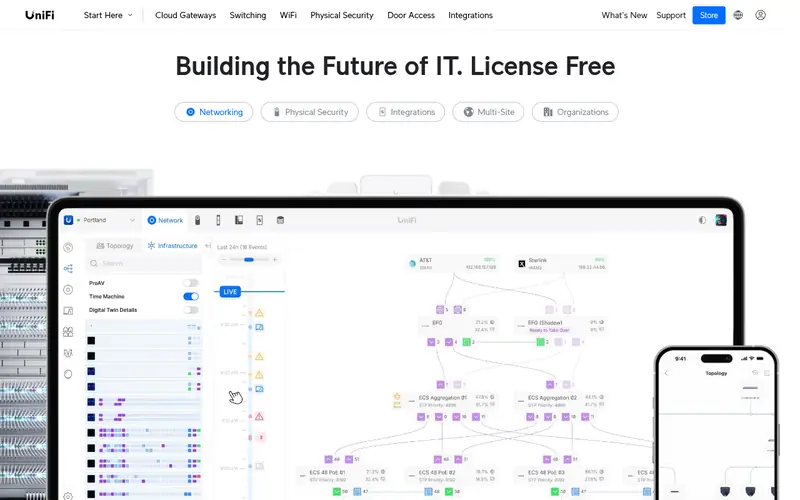
The UniFi Dream Machine Special Edition is a rack-mountable gateway that bundles firewall, switching and a drive bay for UniFi Protect recordings. It is managed through the UniFi Network application, which gives a single dashboard for firewall rules, VLANs and device adoption. The vendor lists the port layout and throughput on the product page.
It suits buyers who want one box and one interface rather than a separate router, switch and controller. The catch is ecosystem lock-in. Access points and cameras work best when they are UniFi gear, and advanced routing features are less granular than what pfSense offers. Check the datasheet for the exact port count and PoE budget before buying.
Where the price comes from
USD 499 (vendor list). Hardware prices move often, so check the Ubiquiti UniFi Dream Machine SE maker page or a retailer before you buy.
Benefits
- Combines gateway, switch and drive bay
- managed from the UniFi console
- no recurring licence for core features
Drawbacks
- Best value only inside the UniFi ecosystem
- advanced routing is less flexible than pfSense
Use case to skip: this limit matters to you: best value only inside the UniFi ecosystem.
Our take. A sensible pick for all-in-one firewall, switching and storage.
If it does not fit, compare Netgate 4200 or GL.iNet Flint 2 in this list.
- Best for
- Budget small-network firewall and router
- Standout
- Router form factor with built-in Wi-Fi
- Starting price
- Check current retail price
- Free plan or trial
- One-time hardware purchase
The GL.iNet Flint 2 is a Wi-Fi router built on OpenWrt-derived firmware, which means it can do firewall rules, VLANs and VPN client or server duties without a separate appliance. It suits a small home or a tiny office that wants one device to handle routing, Wi-Fi and basic firewall work.
The trade-off is headroom. A router-class device will not match a dedicated appliance for high-throughput inspection or large VPN loads. Check the vendor spec sheet for the exact port speeds and Wi-Fi standard. It is a good starting point for buyers who want firewall features without buying a separate access point.
Where the price comes from
Check current retail price. Hardware prices move often, so check the GL.iNet Flint 2 maker page or a retailer before you buy.
Benefits
- Router form factor with built-in Wi-Fi
- OpenWrt-based firmware
- low entry price
Drawbacks
- Lower throughput ceiling than dedicated appliances
- fewer advanced firewall features
Use case to skip: this limit matters to you: lower throughput ceiling than dedicated appliances.
Our take. A sensible pick for budget small-network firewall and router.
If it does not fit, compare Netgate 4200 or Ubiquiti UniFi Dream Machine SE in this list.
- Best for
- Simple app-managed home firewall
- Standout
- Managed from a phone app
- Starting price
- Check current retail price
- Free plan or trial
- One-time hardware purchase
Firewalla Gold Plus is a multi-port firewall appliance aimed at home users who want strong default rules without learning a full router OS. Setup and monitoring happen through the Firewalla app, which shows device-level traffic and lets you block or allow flows. The vendor lists port layout and throughput on the product page.
It suits families and small offices that want segmentation and alerts without a networking background. The catch is that some advanced features sit behind a paid subscription, and the rule engine is less flexible than pfSense or OPNsense. Check the vendor site for the current feature split between free and paid tiers.
Where the price comes from
Check current retail price. Hardware prices move often, so check the Firewalla Gold Plus maker page or a retailer before you buy.
Benefits
- Managed from a phone app
- designed for non-specialists
- multiple ports for network segmentation
Drawbacks
- Some advanced features need a subscription
- less configurable than pfSense
Use case to skip: this limit matters to you: some advanced features need a subscription.
Our take. A sensible pick for simple app-managed home firewall.
If it does not fit, compare Netgate 4200 or Ubiquiti UniFi Dream Machine SE in this list.
- Best for
- Custom firewall builds with OPNsense or pfSense
- Standout
- Fanless design
- Starting price
- Check current retail price
- Free plan or trial
- One-time hardware purchase
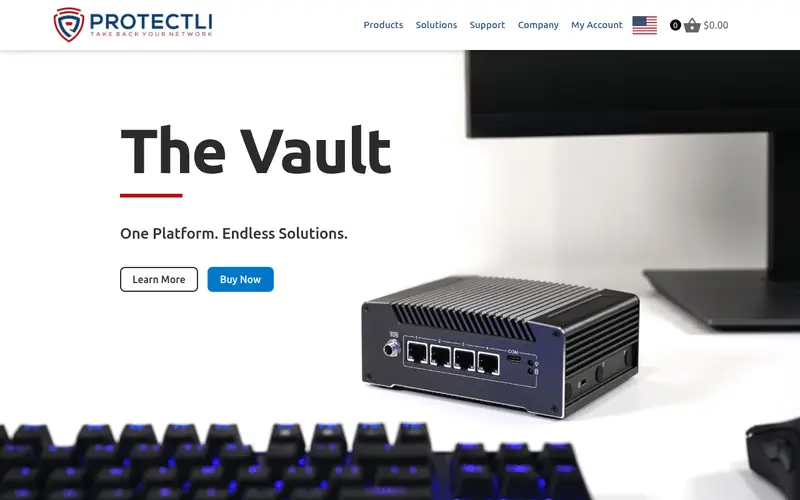
The Protectli Vault VP2420 is a fanless mini appliance with multiple network ports, sold as bare hardware for buyers who want to install OPNsense, pfSense or another firewall distribution themselves. The vendor publishes the CPU, memory and port configuration on the product page.
It suits tinkerers who want full control over the software stack and a silent, low-power box. The catch is that Protectli sells hardware, not a managed firewall. You install and maintain the OS, and support for firewall features comes from the software project, not the hardware vendor. Confirm the port count and storage options on the vendor site.
Where the price comes from
Check current retail price. Hardware prices move often, so check the Protectli Vault VP2420 maker page or a retailer before you buy.
Benefits
- Fanless design
- multiple Intel network ports
- can run the firewall OS of your choice
Drawbacks
- Ships without firewall software configured
- you handle updates and support
Use case to skip: this limit matters to you: ships without firewall software configured.
Our take. A sensible pick for custom firewall builds with OPNsense or pfSense.
If it does not fit, compare Netgate 4200 or Ubiquiti UniFi Dream Machine SE in this list.
- Best for
- Higher-throughput small office networks
- Standout
- Higher published throughput than the 4200
- Starting price
- USD 1,295 (vendor list)
- Free plan or trial
- One-time hardware purchase
The Netgate 8200 is the step-up appliance in Netgate's lineup, aimed at small offices and branch sites that need more throughput than the 4200. It runs pfSense Plus and is rack-mountable. The vendor datasheet lists firewall, VPN and IPS throughput figures, which you should compare against your WAN speed and how many inspection features you plan to enable.
It suits a small business with a fast internet connection and several VLANs. The catch is price and complexity. For a typical home connection the 4200 is usually enough, and both require the same pfSense configuration work. Check the vendor page for port layout and expansion options.
Where the price comes from
USD 1,295 (vendor list). Hardware prices move often, so check the Netgate 8200 maker page or a retailer before you buy.
Benefits
- Higher published throughput than the 4200
- rack-mountable
- pfSense Plus included
Drawbacks
- Expensive for home use
- still requires pfSense knowledge
Use case to skip: this limit matters to you: expensive for home use.
Our take. A sensible pick for higher-throughput small office networks.
If it does not fit, compare Netgate 4200 or Ubiquiti UniFi Dream Machine SE in this list.
- Best for
- Compact UniFi-managed gateway
- Standout
- Low entry price
- Starting price
- USD 129 (vendor list)
- Free plan or trial
- One-time hardware purchase
The UniFi Cloud Gateway Ultra is a compact desktop gateway for small UniFi networks. It handles firewall, routing and the UniFi Network application in one device, and the vendor lists its port layout and throughput on the product page. It is the cheapest way into the UniFi management model.
It suits a flat or small home with a handful of wired devices and one or two access points. The catch is limited expansion. Port count is small, and there is no drive bay or PoE switching built in. Check the datasheet to confirm it covers your WAN speed with the firewall features you plan to turn on.
Where the price comes from
USD 129 (vendor list). Hardware prices move often, so check the Ubiquiti UniFi Cloud Gateway Ultra maker page or a retailer before you buy.
Benefits
- Low entry price
- managed from the UniFi console
- compact desktop size
Drawbacks
- Limited port count
- needs UniFi access points for Wi-Fi
Use case to skip: this limit matters to you: limited port count.
Our take. A sensible pick for compact UniFi-managed gateway.
If it does not fit, compare Netgate 4200 or Ubiquiti UniFi Dream Machine SE in this list.
What specs matter when you buy
Start with throughput, not port count. Vendors publish several numbers: raw routing, firewall throughput and threat-inspection throughput. The inspection figure is usually much lower than the raw figure, and it is the one that matters if you plan to enable IPS or deep packet inspection. Match that number to your internet plan with headroom to spare.
Next, count ports and plan segmentation. A home firewall should have at least one WAN and one LAN port, but two or more LAN ports let you separate trusted devices, guests and IoT gear into different networks. If you need PoE for access points or cameras, check whether the appliance supplies it or whether you need a separate switch.
Then consider the software model. Open-source options like pfSense and OPNsense give you full control with no per-device fee, but you configure everything yourself. Vendor-managed options like UniFi and Firewalla are easier to run but tie you to that ecosystem. Check whether advanced features need a subscription, and confirm the vendor still publishes firmware updates for the model you pick.
Finally, check the physical fit. Fanless desktop units suit a shelf or cupboard. Rack-mount units need a rack or a shelf with clearance. Look at power draw, noise and warranty terms on the datasheet before you commit.
Questions worth answering first
Buying checklist
- Confirm the firewall throughput figure on the datasheet exceeds your internet plan speed with headroom.
- Count the LAN ports you need for separate trusted, guest and IoT networks.
- Check whether the appliance includes Wi-Fi or needs separate access points.
- Verify whether advanced firewall features require a paid subscription.
- Confirm the vendor still publishes firmware updates for the specific model.
- Check the warranty length and return policy on the vendor site before paying.
FAQ
Do I need a hardware firewall if my router has one?
Most home routers include a basic stateful firewall. A dedicated appliance adds features like VLAN segmentation, per-rule logging, IPS and VPN options, and usually more throughput. If you only browse and stream, a router firewall is often enough. If you run a home office, IoT devices or remote access, a dedicated appliance gives more control.
Is pfSense or OPNsense better for a home firewall?
Both are maintained open-source firewall distributions with large feature sets. pfSense Plus ships on Netgate appliances and has a free community edition. OPNsense is fully open source and runs on hardware like Protectli Vaults. The better choice depends on which interface and support model you prefer. Try the free editions before buying hardware.
How much should I spend on a home firewall appliance?
Budget router-style devices cost the least but have lower throughput ceilings. Dedicated appliances with published inspection throughput generally cost more. Set your budget after checking your internet speed and how many devices you need to segment. Spending more only helps if the throughput and features match your actual network.
Can a firewall appliance replace my router?
Many firewall appliances handle routing as well as firewalling, so they can replace a router. You still need a modem from your ISP and, unless the appliance has a Wi-Fi radio, separate access points. Check that the appliance supports your WAN connection type, such as DHCP, PPPoE or a static address.
Do these appliances include Wi-Fi?
Most dedicated firewall appliances here do not include Wi-Fi. The GL.iNet Flint 2 is the exception in this list. For the others, plan for one or more access points, ideally managed from the same console if you pick a vendor ecosystem like UniFi.
Are subscriptions required?
Not for core firewalling on pfSense, OPNsense or UniFi. Some vendors charge for advanced features, threat feeds or cloud management. Check the vendor's feature comparison before buying so you know which capabilities sit behind a paid tier.
Sources we checked
Change log: First published 22 Nov 2026.