7 Best Gaming Routers in 2026
The ASUS ROG Rapture GT-BE98 Pro is the top pick for buyers who want the fastest current Wi-Fi standard and can pay for it. It suits large homes and heavy multi-device use. For most people, the TP-Link Archer BE800 offers Wi-Fi 7 at a lower price. If you want a simpler, proven Wi-Fi 6 setup, the ASUS ROG Rapture GT-AX6000 is a solid alternative.
 By Shihab Mia · Published 22 Nov 2026
We run no ads and no affiliate links at launch. The order of a list follows our published method. How lists are ordered: how we score.
Prices are the starting prices vendors list publicly. Plans change, so confirm the current price on the vendor page before you buy.
Key takeaways
- Wi-Fi 7 models cost more but add Multi-Link Operation and wider channels; Wi-Fi 6 units remain cheaper and widely sold.
- Prices range from roughly $200 for Wi-Fi 6 gaming routers to over $600 for flagship Wi-Fi 7 units.
- Most gaming routers include a free trial of vendor network security; ongoing subscriptions are separate.
- Port count and multi-gig WAN support matter more than marketing labels for wired gaming.
- Mesh support varies by brand, so check compatibility before mixing models.
Side-by-side
Grouped by fit and cost. Tap a product to jump to its full entry.
| Fit | Cost | |||
|---|---|---|---|---|
| Product | Best for | Standout feature | Listed starting price | Free plan or trial |
| 1ASUS ROG Rapture GT-BE98 Pro | Top-tier Wi-Fi 7 performance | Quad-band Wi-Fi 7 design | Check current retail price | One-time hardware purchase |
| 2TP-Link Archer BE800 | Wi-Fi 7 on a budget | Tri-band Wi-Fi 7 | Check current retail price | One-time hardware purchase |
| 3Netgear Nighthawk RS700S | High-end single-router coverage | Tri-band Wi-Fi 7 | Check current retail price | One-time hardware purchase |
| 4ASUS ROG Rapture GT-AX6000 | Proven Wi-Fi 6 gaming | Dual-band Wi-Fi 6 | Check current retail price | One-time hardware purchase |
| 5TP-Link Archer AXE300 | Wi-Fi 6E with many ports | Tri-band Wi-Fi 6E | Check current retail price | One-time hardware purchase |
| 6Netgear Nighthawk RAXE500 | Wi-Fi 6E tri-band | Tri-band Wi-Fi 6E | Check current retail price | One-time hardware purchase |
| 7Linksys Hydra Pro 6E | Simple Wi-Fi 6E setup | Tri-band Wi-Fi 6E | Check current retail price | One-time hardware purchase |
How we picked
We selected routers released between 2023 and 2025 that vendors still list as current. We read official product pages and datasheets for Wi-Fi standard, band count, port types, and published features. We noted which security and parental-control tools are free versus subscription. Prices were not tested in a lab; we point readers to current retail listings because router prices move often. Rankings reflect feature fit for gaming use, port flexibility, and value at the listed tier, based on vendor documentation only.
The 7 picks in detail
- Best for
- Top-tier Wi-Fi 7 performance
- Standout
- Quad-band Wi-Fi 7 design
- Starting price
- Check current retail price
- Free plan or trial
- One-time hardware purchase
The GT-BE98 Pro is ASUS's flagship gaming router. It uses a quad-band Wi-Fi 7 design with 2.4 GHz, two 5 GHz, and 6 GHz radios. The vendor lists multi-gig Ethernet ports and a 10G WAN option for fast fiber connections. ASUS includes its Game Acceleration features, including adaptive QoS and a VPN Fusion mode that routes some traffic through a VPN while keeping gaming traffic direct.
It suits buyers with multi-gig internet and many devices. The main catch is cost and size; it is a large desktop unit. Check the vendor page for the exact port layout and firmware features you need.
Where the price comes from
Check current retail price. Hardware prices move often, so check the ASUS ROG Rapture GT-BE98 Pro maker page or a retailer before you buy.
Benefits
- Quad-band Wi-Fi 7 design
- multiple multi-gig ports
- gaming-focused QoS and VPN features
Drawbacks
- High price
- large footprint
Use case to skip: this limit matters to you: high price.
Our take. A sensible pick for top-tier Wi-Fi 7 performance.
If it does not fit, compare TP-Link Archer BE800 or Netgear Nighthawk RS700S in this list.

- Best for
- Wi-Fi 7 on a budget
- Standout
- Tri-band Wi-Fi 7
- Starting price
- Check current retail price
- Free plan or trial
- One-time hardware purchase
The Archer BE800 is a tri-band Wi-Fi 7 router aimed at gamers who want the new standard without flagship pricing. TP-Link lists multi-gig Ethernet ports and its HomeShield security and parental controls, with a free basic tier and paid upgrades. It includes a gaming accelerator that prioritizes game traffic.
It suits mid-size homes and buyers upgrading from Wi-Fi 5 or 6. The catch is that regional versions differ in port count and firmware, so confirm the model number on the vendor site before buying.
Where the price comes from
Check current retail price. Hardware prices move often, so check the TP-Link Archer BE800 maker page or a retailer before you buy.
Benefits
- Tri-band Wi-Fi 7
- multi-gig ports
- built-in gaming accelerator
Drawbacks
- Fewer bands than flagship models
- feature set varies by region
Use case to skip: this limit matters to you: fewer bands than flagship models.
Our take. A sensible pick for wi-Fi 7 on a budget.
If it does not fit, compare ASUS ROG Rapture GT-BE98 Pro or Netgear Nighthawk RS700S in this list.

- Best for
- High-end single-router coverage
- Standout
- Tri-band Wi-Fi 7
- Starting price
- Check current retail price
- Free plan or trial
- One-time hardware purchase
The Nighthawk RS700S is Netgear's Wi-Fi 7 flagship for homes that need one router to cover a large area. The vendor lists a tri-band design, a multi-gig WAN port, and a compact tower shape. Netgear Armor security is included as a trial and continues as a paid subscription.
It suits buyers who want a single strong router rather than a mesh. The catch is the price and the subscription for full security features. Check the vendor page for the current trial terms.
Where the price comes from
Check current retail price. Hardware prices move often, so check the Netgear Nighthawk RS700S maker page or a retailer before you buy.
Benefits
- Tri-band Wi-Fi 7
- strong antenna design for coverage
- multi-gig WAN port
Drawbacks
- Premium price
- advanced security needs a subscription
Use case to skip: this limit matters to you: premium price.
Our take. A sensible pick for high-end single-router coverage.
If it does not fit, compare ASUS ROG Rapture GT-BE98 Pro or TP-Link Archer BE800 in this list.
- Best for
- Proven Wi-Fi 6 gaming
- Standout
- Dual-band Wi-Fi 6
- Starting price
- Check current retail price
- Free plan or trial
- One-time hardware purchase
The GT-AX6000 is a dual-band Wi-Fi 6 gaming router that remains widely sold. ASUS lists dual 2.5G Ethernet ports and its Game Acceleration suite, including adaptive QoS and a dedicated gaming port. The firmware is mature and receives regular updates.
It suits gamers with Wi-Fi 6 devices who do not need 6 GHz. The catch is that it lacks the newer bands and Wi-Fi 7 features, so it is a value choice rather than a future-proof one.
Where the price comes from
Check current retail price. Hardware prices move often, so check the ASUS ROG Rapture GT-AX6000 maker page or a retailer before you buy.
Benefits
- Dual-band Wi-Fi 6
- dual 2.5G ports
- mature gaming firmware
Drawbacks
- No 6 GHz band
- older standard
Use case to skip: this limit matters to you: no 6 GHz band.
Our take. A sensible pick for proven Wi-Fi 6 gaming.
If it does not fit, compare ASUS ROG Rapture GT-BE98 Pro or TP-Link Archer BE800 in this list.
- Best for
- Wi-Fi 6E with many ports
- Standout
- Tri-band Wi-Fi 6E
- Starting price
- Check current retail price
- Free plan or trial
- One-time hardware purchase
The Archer AXE300 is a tri-band Wi-Fi 6E router with a strong port selection. TP-Link lists multi-gig Ethernet ports and support for flexible WAN/LAN assignment. It includes HomeShield with a free basic tier.
It suits buyers with 6E devices and wired gear who want many ports. The catch is that Wi-Fi 7 models now sit above it, so compare prices before deciding.
Where the price comes from
Check current retail price. Hardware prices move often, so check the TP-Link Archer AXE300 maker page or a retailer before you buy.
Benefits
- Tri-band Wi-Fi 6E
- multiple multi-gig ports
- flexible configuration
Drawbacks
- Wi-Fi 6E rather than Wi-Fi 7
- large unit
Use case to skip: this limit matters to you: wi-Fi 6E rather than Wi-Fi 7.
Our take. A sensible pick for wi-Fi 6E with many ports.
If it does not fit, compare ASUS ROG Rapture GT-BE98 Pro or TP-Link Archer BE800 in this list.
- Best for
- Wi-Fi 6E tri-band
- Standout
- Tri-band Wi-Fi 6E
- Starting price
- Check current retail price
- Free plan or trial
- One-time hardware purchase
The RAXE500 is a tri-band Wi-Fi 6E router with a dedicated 6 GHz band. Netgear lists multi-gig Ethernet and its Armor security trial. It has been on the market for several years and remains sold.
It suits buyers who want 6 GHz without paying Wi-Fi 7 prices. The catch is its age; check the vendor page for current firmware support and warranty terms.
Where the price comes from
Check current retail price. Hardware prices move often, so check the Netgear Nighthawk RAXE500 maker page or a retailer before you buy.
Benefits
- Tri-band Wi-Fi 6E
- 6 GHz band for less congestion
- established firmware
Drawbacks
- Older model
- security subscription for full features
Use case to skip: this limit matters to you: older model.
Our take. A sensible pick for wi-Fi 6E tri-band.
If it does not fit, compare ASUS ROG Rapture GT-BE98 Pro or TP-Link Archer BE800 in this list.
- Best for
- Simple Wi-Fi 6E setup
- Standout
- Tri-band Wi-Fi 6E
- Starting price
- Check current retail price
- Free plan or trial
- One-time hardware purchase
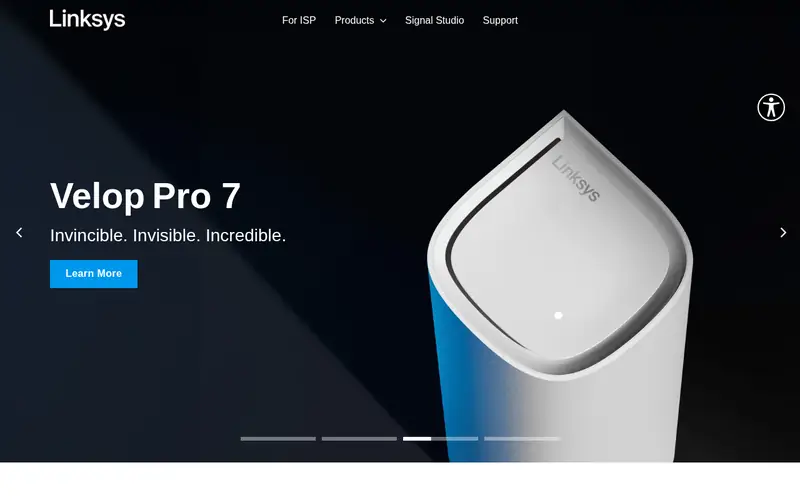
The Hydra Pro 6E is a tri-band Wi-Fi 6E router with a focus on simple setup through the Linksys app. It supports mesh pairing with compatible Linksys nodes. The vendor lists a modest port set compared with gaming-focused rivals.
It suits buyers who want 6 GHz and easy management rather than deep tuning. The catch is fewer gaming QoS options, so check the feature list if prioritization matters to you.
Where the price comes from
Check current retail price. Hardware prices move often, so check the Linksys Hydra Pro 6E maker page or a retailer before you buy.
Benefits
- Tri-band Wi-Fi 6E
- straightforward app setup
- mesh-compatible
Drawbacks
- Fewer gaming-specific features
- limited port count
Use case to skip: this limit matters to you: fewer gaming-specific features.
Our take. A sensible pick for simple Wi-Fi 6E setup.
If it does not fit, compare ASUS ROG Rapture GT-BE98 Pro or TP-Link Archer BE800 in this list.
What specs matter when you buy
Start with the Wi-Fi standard. Wi-Fi 6 (802.11ax) is mature and cheaper. Wi-Fi 6E adds a 6 GHz band for less congestion. Wi-Fi 7 (802.11be) adds wider channels and Multi-Link Operation, but only helps if your devices support it. Match the router to your clients, not the other way around.
Look at the WAN and LAN ports. A multi-gig WAN port matters if your internet plan exceeds 1 Gbps. Count the LAN ports you need for consoles and PCs, and check whether any are 2.5G or 10G. For wired gaming, port speed and count often matter more than wireless claims.
Check the CPU and memory only if the vendor publishes them; many do not. Instead, look at supported features: adaptive QoS, a dedicated gaming port, VPN support, and mesh compatibility. Confirm the warranty length and firmware update policy on the vendor page. Finally, compare the physical size and placement needs, since flagship routers are large.
Questions worth answering first
Buying checklist
- Confirm your devices support the Wi-Fi standard you are paying for.
- Check that the WAN port speed matches or exceeds your internet plan.
- Count the LAN ports you need for consoles, PCs, and accessories.
- Verify whether security features are free or need a subscription.
- Confirm mesh compatibility if you plan to add nodes later.
- Check the warranty length and firmware update policy on the vendor site.
FAQ
Do I need Wi-Fi 7 for gaming?
Not necessarily. Wi-Fi 6 and 6E routers still handle gaming well, and most devices do not yet use Wi-Fi 7 features. Buy Wi-Fi 7 if you have compatible devices and multi-gig internet, or if you want the longest useful life from the purchase.
Does a gaming router lower ping?
A gaming router can prioritize game traffic through QoS, which helps when other devices compete for bandwidth. It cannot reduce the latency of your internet path beyond your ISP. Wired Ethernet remains the most reliable way to lower in-home latency.
Are the security subscriptions required?
No. Basic security and parental controls are usually free, while advanced features need a paid subscription. Check the vendor page for what each tier includes before you rely on it.
How many LAN ports do I need?
Count every wired device: console, PC, and any streaming box. Add one spare. Many gaming routers offer four or more LAN ports, and some include multi-gig ports for fast connections.
Can I use a gaming router in a mesh?
Some models support mesh with same-brand nodes. Check compatibility on the vendor site before mixing brands, since mesh systems usually require matching hardware.
Is a flagship router worth it for a small home?
Usually not. A smaller home may be better served by a mid-range Wi-Fi 6 or 6E router. Flagship models add bands and ports that only help in large homes or heavy-device setups.
Sources we checked
Change log: First published 22 Nov 2026.