7 Best Mesh Wi-Fi Systems in 2026
The TP-Link Deco BE65 is the strongest all-round pick for most homes: a tri-band Wi-Fi 7 kit with two 2.5 Gbps ports per unit and a published price that undercuts most rivals. Choose the Netgear Orbi 970 if you need maximum throughput and can pay for it, or the Amazon eero 6+ if you want the simplest setup and a lower entry price.
 By Shihab Mia · Published 21 Nov 2026
We run no ads and no affiliate links at launch. The order of a list follows our published method. How lists are ordered: how we score.
Prices are the starting prices vendors list publicly. Plans change, so confirm the current price on the vendor page before you buy.
Key takeaways
- Mesh kits are sold as multi-packs; a two-pack usually covers a flat or small house, and three-packs suit larger multi-floor homes.
- Wi-Fi 7 models are now widely sold, but most client devices still connect on Wi-Fi 6 or 6E, so a Wi-Fi 6E kit can be enough.
- Dedicated backhaul radios keep node-to-node traffic off the channels your devices use; dual-band kits share one band for both.
- Prices below are manufacturer list prices for the base kit; multi-pack and single-unit pricing varies by retailer.
- Every system here is managed through a phone app, and none requires a subscription for basic setup or parental controls.
Side-by-side
Grouped by fit and cost. Tap a product to jump to its full entry.
| Fit | Cost | |||
|---|---|---|---|---|
| Product | Best for | Standout feature | Listed starting price | Free plan or trial |
| 1TP-Link Deco BE65 | Best overall Wi-Fi 7 value | Tri-band Wi-Fi 7 with a dedicated backhaul band | $299.99 (2-pack, manufacturer list price) | One-time hardware purchase |
| 2Netgear Orbi 970 | Large homes needing top throughput | Quad-band design with a dedicated backhaul | $1,699.99 (3-pack, manufacturer list price) | One-time hardware purchase |
| 3Amazon eero 6+ | Simple setup on a budget | Very easy app setup | $139.99 (2-pack, manufacturer list price) | One-time hardware purchase |
| 4Asus ZenWiFi BT10 | Power users who want tuning options | Tri-band Wi-Fi 7 with a dedicated backhaul | $399.99 (2-pack, manufacturer list price) | One-time hardware purchase |
| 5Google Nest Wifi Pro | Homes already using Google services | Tri-band Wi-Fi 6E | $199.99 (1-pack, manufacturer list price) | One-time hardware purchase |
| 6Linksys Velop Pro 7 | Straightforward Wi-Fi 7 upgrade | Tri-band Wi-Fi 7 | $399.99 (2-pack, manufacturer list price) | One-time hardware purchase |
| 7Ubiquiti UniFi Express | Small setups with pro-grade management | Managed through the UniFi Network application | $149.00 (single unit, manufacturer list price) | One-time hardware purchase |
How we picked
This guide is based on vendor documentation, published spec sheets, and manufacturer list prices gathered in late 2026. We compared each system on wireless standard, band layout, backhaul design, Ethernet port speeds, stated coverage, and app features. We did not run throughput or range tests. Prices are the manufacturer's published figures for the base kit and can differ at retail.
The 7 picks in detail
- Best for
- Best overall Wi-Fi 7 value
- Standout
- Tri-band Wi-Fi 7 with a dedicated backhaul band
- Starting price
- $299.99 (2-pack, manufacturer list price)
- Free plan or trial
- One-time hardware purchase
The Deco BE65 is a tri-band Wi-Fi 7 mesh kit. TP-Link lists support for the 6 GHz band, 320 MHz channels, and multi-link operation. Each unit carries two 2.5 Gbps Ethernet ports, so a wired backhaul between nodes is possible without a separate switch. The vendor rates the two-pack for coverage in the range of a large apartment or a small house.
Setup runs through the Deco app, which handles network naming, guest access, and parental controls. Advanced users will find fewer knobs than on Asus or Ubiquiti gear. The main catch is that Wi-Fi 7 gains only appear with Wi-Fi 7 clients; older phones and laptops will connect on Wi-Fi 6 or 6E and see no speed jump.
Where the price comes from
$299.99 (2-pack, manufacturer list price). Hardware prices move often, so check the TP-Link Deco BE65 maker page or a retailer before you buy.
Benefits
- Tri-band Wi-Fi 7 with a dedicated backhaul band
- two 2.5 Gbps ports per unit
- lower price than most tri-band rivals
Drawbacks
- App-only management with limited advanced controls
- large units that need open shelf space
Use case to skip: this limit matters to you: app-only management with limited advanced controls.
Our take. A sensible pick for best overall Wi-Fi 7 value.
If it does not fit, compare Netgear Orbi 970 or Amazon eero 6+ in this list.
- Best for
- Large homes needing top throughput
- Standout
- Quad-band design with a dedicated backhaul
- Starting price
- $1,699.99 (3-pack, manufacturer list price)
- Free plan or trial
- One-time hardware purchase
The Orbi 970 is Netgear's flagship Wi-Fi 7 mesh system. It uses a quad-band layout with a dedicated backhaul, which keeps node-to-node traffic separate from client traffic. Netgear lists a 10 Gbps Ethernet port and multiple 2.5 Gbps ports on the router unit, plus 2.5 Gbps ports on the satellites. That makes it a fit for multi-gig internet plans and wired devices like NAS boxes.
Coverage per node is generous, so a three-pack suits a large multi-floor home. The catch is cost: this is one of the most expensive mesh kits on the market, and most households will not use its full throughput. It also takes up real shelf space.
Where the price comes from
$1,699.99 (3-pack, manufacturer list price). Hardware prices move often, so check the Netgear Orbi 970 maker page or a retailer before you buy.
Benefits
- Quad-band design with a dedicated backhaul
- 10 Gbps and 2.5 Gbps ports
- strong coverage per node
Drawbacks
- Very high price
- large, conspicuous units
Use case to skip: this limit matters to you: very high price.
Our take. A sensible pick for large homes needing top throughput.
If it does not fit, compare TP-Link Deco BE65 or Amazon eero 6+ in this list.
- Best for
- Simple setup on a budget
- Standout
- Very easy app setup
- Starting price
- $139.99 (2-pack, manufacturer list price)
- Free plan or trial
- One-time hardware purchase
The eero 6+ is a dual-band Wi-Fi 6 system aimed at people who want the network to disappear into the background. Amazon lists support for a 160 MHz channel, which helps compatible clients reach higher speeds, and coverage of roughly 3,000 square feet for the two-pack. Each unit has two Ethernet ports.
Setup is guided entirely by the eero app, and the system updates itself. The catch is that some features, such as advanced security and ad blocking, require an optional eero Plus subscription. There is no 6 GHz radio, so it will not match Wi-Fi 6E or Wi-Fi 7 kits on a crowded network.
Where the price comes from
$139.99 (2-pack, manufacturer list price). Hardware prices move often, so check the Amazon eero 6+ maker page or a retailer before you buy.
Benefits
- Very easy app setup
- compact units
- dual-band Wi-Fi 6 with a 160 MHz channel
Drawbacks
- No 6 GHz band
- advanced features tied to an optional subscription
Use case to skip: this limit matters to you: no 6 GHz band.
Our take. A sensible pick for simple setup on a budget.
If it does not fit, compare TP-Link Deco BE65 or Netgear Orbi 970 in this list.
- Best for
- Power users who want tuning options
- Standout
- Tri-band Wi-Fi 7 with a dedicated backhaul
- Starting price
- $399.99 (2-pack, manufacturer list price)
- Free plan or trial
- One-time hardware purchase
The ZenWiFi BT10 is Asus's tri-band Wi-Fi 7 mesh kit. Asus documents a dedicated backhaul band, a 10 Gbps WAN/LAN port on the main unit, and 2.5 Gbps ports on the nodes. The firmware exposes settings most mesh systems hide, including VLANs, VPN server and client modes, and per-band control.
That makes it a good fit for someone who wants mesh convenience without giving up router features. The trade-off is complexity: the Asus app and web interface assume some networking knowledge, and the price sits above mainstream tri-band kits. Coverage is rated for a large home with the two-pack.
Where the price comes from
$399.99 (2-pack, manufacturer list price). Hardware prices move often, so check the Asus ZenWiFi BT10 maker page or a retailer before you buy.
Benefits
- Tri-band Wi-Fi 7 with a dedicated backhaul
- extensive firmware options
- 10 Gbps port on the router
Drawbacks
- Interface is dense for beginners
- costs more than mainstream kits
Use case to skip: this limit matters to you: interface is dense for beginners.
Our take. A sensible pick for power users who want tuning options.
If it does not fit, compare TP-Link Deco BE65 or Netgear Orbi 970 in this list.

- Best for
- Homes already using Google services
- Standout
- Tri-band Wi-Fi 6E
- Starting price
- $199.99 (1-pack, manufacturer list price)
- Free plan or trial
- One-time hardware purchase
Nest Wifi Pro is Google's Wi-Fi 6E mesh system. Each unit is tri-band and includes the 6 GHz band, which gives compatible devices a cleaner channel. Google lists two Ethernet ports per unit and management through the Google Home app, including device prioritization and a guest network.
It suits households already using Nest speakers or Chromecast, since everything lives in one app. The catch is flexibility: there are only two ports per unit, no USB, and few advanced controls. Google sells it as single units and multi-packs, so you can start small and add nodes later.
Where the price comes from
$199.99 (1-pack, manufacturer list price). Hardware prices move often, so check the Google Nest Wifi Pro maker page or a retailer before you buy.
Benefits
- Tri-band Wi-Fi 6E
- tidy design
- simple Google Home app management
Drawbacks
- No USB or extra LAN ports beyond two per unit
- limited advanced settings
Use case to skip: this limit matters to you: no USB or extra LAN ports beyond two per unit.
Our take. A sensible pick for homes already using Google services.
If it does not fit, compare TP-Link Deco BE65 or Netgear Orbi 970 in this list.
- Best for
- Straightforward Wi-Fi 7 upgrade
- Standout
- Tri-band Wi-Fi 7
- Starting price
- $399.99 (2-pack, manufacturer list price)
- Free plan or trial
- One-time hardware purchase
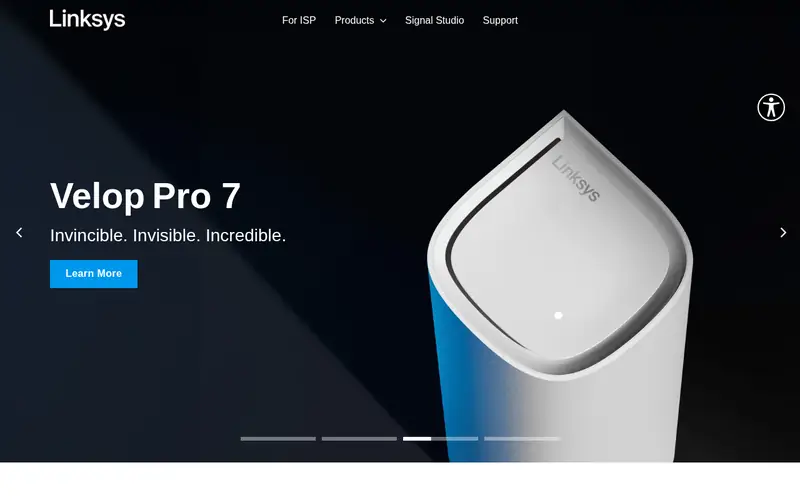
The Velop Pro 7 is Linksys's mainstream Wi-Fi 7 mesh kit. Linksys lists a tri-band design with the 6 GHz band, 2.5 Gbps Ethernet ports, and app-based setup through the Linksys app. It supports wired backhaul if you can run cable between nodes.
It is aimed at buyers who want Wi-Fi 7 without the flagship price. The catch is port count and tuning: there are fewer LAN ports than on Asus or Netgear units, and the app keeps advanced settings minimal. For most homes that is fine, but power users should look elsewhere.
Where the price comes from
$399.99 (2-pack, manufacturer list price). Hardware prices move often, so check the Linksys Velop Pro 7 maker page or a retailer before you buy.
Benefits
- Tri-band Wi-Fi 7
- simple app setup
- supports wired backhaul
Drawbacks
- Fewer LAN ports than rivals
- advanced features are limited
Use case to skip: this limit matters to you: fewer LAN ports than rivals.
Our take. A sensible pick for straightforward Wi-Fi 7 upgrade.
If it does not fit, compare TP-Link Deco BE65 or Netgear Orbi 970 in this list.

- Best for
- Small setups with pro-grade management
- Standout
- Managed through the UniFi Network application
- Starting price
- $149.00 (single unit, manufacturer list price)
- Free plan or trial
- One-time hardware purchase
The UniFi Express is a compact Wi-Fi 6 unit that works as a standalone gateway or as a mesh access point within a UniFi network. Ubiquiti lists management through the UniFi Network application, which runs locally on the device or on separate UniFi hardware, and gives detailed client, VLAN, and firewall controls.
It suits small homes and prosumers who already use UniFi gear or want that level of visibility. The catch is that it is sold one unit at a time, so covering a large house means buying several, and the interface assumes you understand networking terms. It is not a plug-in-and-forget consumer kit.
Where the price comes from
$149.00 (single unit, manufacturer list price). Hardware prices move often, so check the Ubiquiti UniFi Express maker page or a retailer before you buy.
Benefits
- Managed through the UniFi Network application
- compact
- can act as a mesh node or gateway
Drawbacks
- Sold as single units, so a mesh needs several
- assumes some networking knowledge
Use case to skip: this limit matters to you: sold as single units, so a mesh needs several.
Our take. A sensible pick for small setups with pro-grade management.
If it does not fit, compare TP-Link Deco BE65 or Netgear Orbi 970 in this list.
What specs matter when you buy
Start with the wireless standard. Wi-Fi 6 (802.11ax) is the baseline for current kits, Wi-Fi 6E adds the 6 GHz band, and Wi-Fi 7 adds wider channels and multi-link operation. A newer standard only helps if your devices support it; otherwise you pay for radios your phone and laptop cannot use.
Next, look at band layout and backhaul. Tri-band kits usually reserve one band for node-to-node traffic, which keeps client speeds steadier. Dual-band kits share both bands, so throughput drops at each hop. If your home has Ethernet runs, check that the nodes have enough ports for wired backhaul, since a cable beats any radio link.
Then check ports and coverage claims. A 2.5 Gbps or 10 Gbps WAN port matters only if your internet plan exceeds 1 Gbps. Vendor coverage figures assume open space and few walls, so treat them as a ceiling, not a promise. Finally, confirm what the app can do without a subscription: parental controls, guest networks, and device prioritization are sometimes paywalled.
Questions worth answering first
Buying checklist
- Measure your home and count floors, then compare that against the vendor's coverage claim for the pack size you are considering.
- Confirm your internet plan speed and check that the router unit's WAN port is fast enough for it.
- List your devices and note which support Wi-Fi 6E or Wi-Fi 7 before paying extra for those radios.
- Check how many Ethernet ports each unit has if you plan a wired backhaul or need to connect a NAS or console.
- Read what the companion app offers for free, especially parental controls and security features.
- Verify the warranty length and return window on the vendor site before ordering.
FAQ
Do I need Wi-Fi 7 for a mesh system?
No. Wi-Fi 7 helps only if you have Wi-Fi 7 clients and a fast internet plan. A Wi-Fi 6 or 6E kit will serve most homes well and costs less. Buy Wi-Fi 7 if you want the system to last through several device upgrades.
How many mesh units do I need?
One unit per roughly 1,500 to 2,000 square feet is a common starting point, but walls and floors matter more than raw area. A two-pack suits most flats and small houses. Add a third node only if you have a dead zone the first two cannot reach.
Is a dedicated backhaul worth it?
Yes, if you can afford a tri-band kit. A dedicated backhaul radio carries node-to-node traffic separately, so client devices keep more airtime. Dual-band kits still work well in smaller homes where nodes are close together.
Can I mix mesh units from different brands?
Generally no. Mesh systems use proprietary links between nodes, so units from different vendors will not form one mesh. You can usually add more units of the same model, and some brands sell single add-on nodes for that purpose.
Does a mesh system replace my router?
Yes. A mesh kit's main unit acts as the router, handling DHCP and NAT, so you remove or bridge your old router. If you have an ISP modem-router combo, put it in bridge mode to avoid double NAT.
Do mesh systems need a subscription?
Most do not for basic operation. Some brands tie advanced security, ad blocking, or extended parental controls to an optional subscription. Check the vendor's feature list before buying if those matter to you.
Sources we checked
Change log: First published 21 Nov 2026.