6 Best UPS Management Software in 2026
APC PowerChute Serial Shutdown is the safest starting point for most APC UPS owners: it is free, vendor-supported, and handles graceful shutdown on Windows and Linux. For mixed-brand fleets, NUT (Network UPS Tools) is the open source choice and covers hundreds of models. If you run a data center and need multi-device dashboards, Eaton Intelligent Power Manager or Vertiv Power Insight are the paid-class options to evaluate.
 By Shihab Mia · Published 21 Nov 2026
We run no ads and no affiliate links at launch. The order of a list follows our published method. How lists are ordered: how we score.
Prices are the starting prices vendors list publicly. Plans change, so confirm the current price on the vendor page before you buy.
Key takeaways
- APC PowerChute Serial Shutdown is free and covers USB and serial APC models; PowerChute Network Shutdown is the separate free tool for network cards.
- NUT is free and open source, runs on Linux and other Unix-like systems, and supports a long list of UPS brands.
- Eaton Intelligent Power Manager is licensed software; Eaton publishes a free version with reduced device limits.
- CyberPower PowerPanel Business has a free edition and a paid edition with more features.
- Vertiv Power Insight is free to download; check the vendor site for the current supported device list.
Side-by-side
Grouped by fit and cost. Tap a product to jump to its full entry.
| Fit | Cost | |||
|---|---|---|---|---|
| Product | Best for | Standout feature | Listed starting price | Free plan or trial |
| 1APC PowerChute Serial Shutdown | Single APC UPS connected by USB or serial | Free from the vendor | Free (vendor download) | Free plan |
| 2NUT (Network UPS Tools) | Mixed-brand UPS fleets on Linux and Unix | Supports many UPS brands and models | Free (open source) | Free and open source |
| 3Eaton Intelligent Power Manager | Managing many Eaton UPS units from one console | Central dashboard for multiple devices | See vendor site (licensed; free edition available) | Yes (free edition with reduced device limits) |
| 4CyberPower PowerPanel Business | CyberPower UPS on small business networks | Free edition for basic monitoring and shutdown | See vendor site (free and paid editions) | Free plan |
| 5Vertiv Power Insight | Monitoring Vertiv and Liebert UPS units | Free from the vendor | Free (vendor download) | Free plan |
| 6APC PowerChute Network Shutdown | APC UPS with a network management card | Free | Free (vendor download) | Free plan |
How we picked
This guide is based on vendor documentation, published spec sheets, official product pages, and the public documentation of the open source NUT project. We checked which connection types each tool supports, which UPS families each vendor lists as compatible, and what each vendor publishes about free versus paid editions. Prices are the vendor's own published figures where available; where licensing is quoted per site, we say so. No hands-on lab testing was performed, and no benchmark results are claimed.
The 6 picks in detail
- Best for
- Single APC UPS connected by USB or serial
- Standout
- Free from the vendor
- Starting price
- Free (vendor download)
- Free plan or trial
- Free plan
This is APC's current software for UPS units attached directly to a computer by USB or serial cable. It replaces the older PowerChute Business Edition for many models. The main job is simple: watch the battery, run a graceful shutdown before power is lost, and log power events. APC publishes the supported operating systems and UPS model list on its site, so check your exact model before installing. The catch is scope. It manages one host and its attached UPS, not a fleet, and it will not talk to a network management card. For a home office or a single server, that is usually enough.
Where the price comes from
Free (vendor download), as listed by the vendor (APC PowerChute Serial Shutdown website). Confirm the current plan price before you buy.
Benefits
- Free from the vendor
- handles graceful shutdown and battery events
- supports Windows and Linux
Drawbacks
- APC hardware only
- serial/USB connection only, not network cards
Use case to skip: this limit matters to you: APC hardware only.
Our take. A sensible pick for single APC UPS connected by USB or serial.
If it does not fit, compare NUT (Network UPS Tools) or Eaton Intelligent Power Manager in this list.
- Best for
- Mixed-brand UPS fleets on Linux and Unix
- Standout
- Supports many UPS brands and models
- Starting price
- Free (open source)
- Free plan or trial
- Free and open source
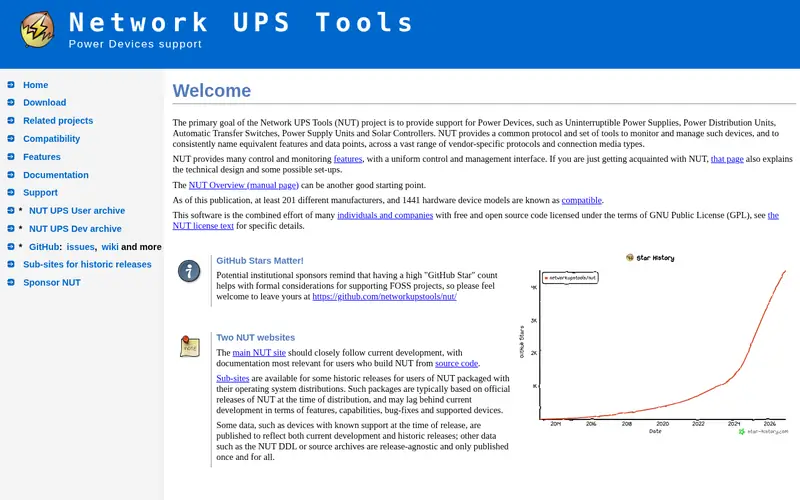
NUT is the reference open source UPS daemon. It speaks to UPS units over USB, serial, and SNMP, exposes status through a driver-and-server model, and can trigger shutdown scripts on one or many hosts. The project maintains a hardware compatibility list, and that list is the first thing to check: support depends on the protocol your UPS uses, not on the brand alone. Configuration lives in text files, so it suits admins comfortable with a terminal. There is no paid support from the project. For a mixed fleet of APC, Eaton, CyberPower, and other units on Linux servers, it is often the only tool that covers everything in one place.
Where the price comes from
Free (open source), as listed by the vendor (NUT (Network UPS Tools) website). Confirm the current plan price before you buy.
Benefits
- Supports many UPS brands and models
- runs on Linux and other Unix-like systems
- scriptable and well documented
Drawbacks
- Command-line configuration
- no vendor support line
Use case to skip: this limit matters to you: command-line configuration.
Our take. A sensible pick for mixed-brand UPS fleets on Linux and Unix.
If it does not fit, compare APC PowerChute Serial Shutdown or Eaton Intelligent Power Manager in this list.
- Best for
- Managing many Eaton UPS units from one console
- Standout
- Central dashboard for multiple devices
- Starting price
- See vendor site (licensed; free edition available)
- Free plan or trial
- Yes (free edition with reduced device limits)
Eaton's IPM is a monitoring and shutdown suite aimed at servers, virtualization hosts, and small data centers. It discovers UPS units on the network, shows status in one view, and can trigger shutdown or migration of virtual machines. Eaton publishes a free edition with a device limit and a licensed edition for larger environments; the exact limits and prices are on Eaton's site, so confirm them for your device count. The obvious catch is that it is built around Eaton hardware. It can monitor some third-party devices, but the deepest features assume Eaton UPS units and network cards. If your fleet is mostly Eaton, it is the natural pick.
Where the price comes from
See vendor site (licensed; free edition available), as listed by the vendor (Eaton Intelligent Power Manager website). Confirm the current plan price before you buy.
Benefits
- Central dashboard for multiple devices
- integrates with virtualization platforms
- free edition for small setups
Drawbacks
- Best value inside Eaton hardware
- licensing quoted per site
Use case to skip: this limit matters to you: best value inside Eaton hardware.
Our take. A sensible pick for managing many Eaton UPS units from one console.
If it does not fit, compare APC PowerChute Serial Shutdown or NUT (Network UPS Tools) in this list.

- Best for
- CyberPower UPS on small business networks
- Standout
- Free edition for basic monitoring and shutdown
- Starting price
- See vendor site (free and paid editions)
- Free plan or trial
- Free plan
PowerPanel Business is CyberPower's management application. It comes in editions that differ in how many nodes they manage and which features they unlock; CyberPower lists the current edition matrix on its site. The core functions are UPS status, event logs, scheduled self-tests, and graceful shutdown of connected machines. A client/server layout lets one console watch several hosts. The catch is the same as with other vendor tools: it is tuned for CyberPower UPS units, and the free edition has limits. Read the edition table before you plan a deployment, because the difference between free and paid is mostly about scale, not core monitoring.
Where the price comes from
See vendor site (free and paid editions), as listed by the vendor (CyberPower PowerPanel Business website). Confirm the current plan price before you buy.
Benefits
- Free edition for basic monitoring and shutdown
- client/server design for multiple hosts
- supports local and network connections
Drawbacks
- CyberPower hardware focus
- edition differences need checking
Use case to skip: this limit matters to you: cyberPower hardware focus.
Our take. A sensible pick for cyberPower UPS on small business networks.
If it does not fit, compare APC PowerChute Serial Shutdown or NUT (Network UPS Tools) in this list.

- Best for
- Monitoring Vertiv and Liebert UPS units
- Standout
- Free from the vendor
- Starting price
- Free (vendor download)
- Free plan or trial
- Free plan
Vertiv Power Insight is a free monitoring application for Vertiv and Liebert UPS units, including network-connected models. It collects status and alarms into one view and is intended for facilities and IT teams already running Vertiv power gear. Vertiv publishes the supported device list and the current release notes on its site; check both, because features depend on the UPS model and its communication card. The catch is reach. This is not a general-purpose tool for a mixed-brand fleet, and it is not a replacement for a full DCIM platform. If your UPS units are Vertiv, it is a sensible free starting point before you consider paid management layers.
Where the price comes from
Free (vendor download), as listed by the vendor (Vertiv Power Insight website). Confirm the current plan price before you buy.
Benefits
- Free from the vendor
- central view of multiple UPS units
- aimed at Liebert and Vertiv hardware
Drawbacks
- Narrow hardware focus
- feature set varies by model
Use case to skip: this limit matters to you: narrow hardware focus.
Our take. A sensible pick for monitoring Vertiv and Liebert UPS units.
If it does not fit, compare APC PowerChute Serial Shutdown or NUT (Network UPS Tools) in this list.
- Best for
- APC UPS with a network management card
- Standout
- Free
- Starting price
- Free (vendor download)
- Free plan or trial
- Free plan
This is the companion tool for APC UPS units fitted with a network management card. Instead of a USB cable, the software talks to the card over the network and can coordinate shutdown across several servers that share the same UPS. APC documents the supported card firmware and operating systems, and those versions matter: mismatches are the usual cause of failed shutdowns. The catch is the hardware requirement. Without a network management card, this tool has nothing to talk to, and it will not manage other brands. For a small server room with one APC UPS and a network card, it is the standard free choice.
Where the price comes from
Free (vendor download), as listed by the vendor (APC PowerChute Network Shutdown website). Confirm the current plan price before you buy.
Benefits
- Free
- works over the network without a direct cable
- can shut down multiple servers
Drawbacks
- Requires an APC network management card
- APC hardware only
Use case to skip: this limit matters to you: requires an APC network management card.
Our take. A sensible pick for APC UPS with a network management card.
If it does not fit, compare APC PowerChute Serial Shutdown or NUT (Network UPS Tools) in this list.
What to look for
Start with the connection type. A UPS attached by USB or serial cable needs local software on each host. A UPS with a network management card needs network-aware software that can see the card and coordinate shutdown across machines. Buying the wrong class of tool is the most common mistake, and no amount of features fixes it.
Next, check the supported model list, not just the brand. Vendors publish compatibility lists, and open source projects publish hardware compatibility pages. A tool that supports your UPS family today may drop older models in a later release, so note the version you plan to run and keep the installer.
Then look at shutdown behavior. You want graceful shutdown of the operating system, configurable delays, and the ability to run a script before power is cut. For virtualized hosts, check whether the tool can shut down or migrate guests. For multi-server setups, confirm how many hosts one license or one free edition covers.
Finally, weigh support and updates. Vendor tools come with documentation and sometimes a support contract; open source tools come with community lists and no hotline. Match that to your team. A free tool with clear logs is better than a paid console nobody configures.
Questions worth answering first
Buying checklist
- Confirm your UPS connection type: USB, serial, or network management card.
- Check the vendor's supported model list for your exact UPS model.
- Confirm the supported operating system versions for your servers.
- Note the device or node limit of any free edition before you plan a rollout.
- Check whether the tool can run scripts or shut down virtual machines.
- Keep the installer for the version you validate, in case later releases drop your model.
FAQ
Is there free UPS management software?
Yes. APC PowerChute Serial Shutdown and PowerChute Network Shutdown are free from APC, Vertiv Power Insight is free, and NUT is free and open source. CyberPower and Eaton also publish free editions with limits. Free tools usually cover one brand or a reduced device count.
Can one tool manage UPS units from different brands?
NUT is the most brand-agnostic option because it works through UPS protocols rather than one vendor's stack. Vendor tools are tuned for their own hardware and may monitor third-party units only in a limited way. For a mixed fleet, check the NUT hardware compatibility list first.
Do I need a network management card?
Only if you want network-based monitoring and shutdown without a direct cable. A card lets network software see the UPS and coordinate shutdown across several servers. Without a card, you use local USB or serial software on each host.
Does UPS software shut down virtual machines?
Some tools can. Eaton Intelligent Power Manager and APC PowerChute Network Shutdown document virtualization integrations. Check the vendor's current documentation for your hypervisor version before relying on it, and test the shutdown sequence.
What happens if the software fails?
The UPS still protects hardware from power loss, but the graceful shutdown may not run. That is why you test shutdowns on a schedule and keep logs. A UPS with a network card plus a second monitoring method is a common safeguard.
Is open source UPS software reliable enough for servers?
NUT is widely used on Linux servers and has a long track record, but it depends on correct configuration and a supported UPS protocol. Test it on your hardware, keep the config in version control, and monitor its logs like any other service.
Sources we checked
Change log: First published 21 Nov 2026.