7 Best Wireless Access Points for Homes and Small Offices in 2026
The Ubiquiti UniFi U7 Pro is the best pick for most homes and small offices that want Wi-Fi 7 without a huge budget, because it combines a 2.5 GbE port, 6 GHz support and PoE power in one ceiling-mount unit. For tighter budgets, the TP-Link EAP670 is a solid Wi-Fi 6 choice. For managed multi-AP networks, the EnGenius EWS850AP or Zyxel NWA130BE are worth a look.
 By Shihab Mia · Published 21 Nov 2026
We run no ads and no affiliate links at launch. The order of a list follows our published method. How lists are ordered: how we score.
Prices are the starting prices vendors list publicly. Plans change, so confirm the current price on the vendor page before you buy.
Key takeaways
- Access points need Power over Ethernet or a power injector, and most need a controller app or cloud account to set up.
- Wi-Fi 7 models like the UniFi U7 Pro and Zyxel NWA130BE cost more but add 6 GHz and multi-link operation.
- Ceiling or wall mounting matters more than raw speed for coverage in most homes.
- Prices below are manufacturer list prices in USD; retail prices vary by region and stock.
- Check that your switch or injector supplies enough PoE wattage for the model you pick.
Side-by-side
Grouped by fit and cost. Tap a product to jump to its full entry.
| Fit | Cost | |||
|---|---|---|---|---|
| Product | Best for | Standout feature | Listed starting price | Free plan or trial |
| 1Ubiquiti UniFi U7 Pro | Wi-Fi 7 coverage in homes and small offices | Wi-Fi 7 with 6 GHz support | $189 (list, single unit) | One-time hardware purchase |
| 2TP-Link EAP670 | Budget Wi-Fi 6 with a 2.5 GbE port | Wi-Fi 6 with a 2.5 GbE uplink | $149.99 (list, single unit) | One-time hardware purchase |
| 3Zyxel NWA130BE | Wi-Fi 7 tri-band on a mid budget | Wi-Fi 7 tri-band with 6 GHz | See vendor site | One-time hardware purchase |
| 4EnGenius EWS850AP | Managed multi-AP office networks | Wi-Fi 6 with 6 GHz support | See vendor site | One-time hardware purchase |
| 5Aruba Instant On AP22 | Small businesses that want simple cloud management | Wi-Fi 6 with a clean cloud app | See vendor site | One-time hardware purchase |
| 6Netgear WAX630E | Tri-band Wi-Fi 6E coverage in larger homes | Wi-Fi 6E tri-band with 6 GHz | See vendor site | One-time hardware purchase |
| 7Grandstream GWN7664 | Value tri-band Wi-Fi 6 with free management | Wi-Fi 6 tri-band with 6 GHz | See vendor site | One-time hardware purchase |
How we picked
We built this list from vendor product pages, published datasheets and official documentation, then filtered to access points released between 2023 and 2025 that the manufacturer still lists as current. We compared Wi-Fi standard, band support, uplink port speed, PoE requirements, management options and published list prices. We did not run lab tests or measure throughput. Where a vendor does not publish a price, we say so and point to the vendor site rather than guess.
The 7 picks in detail
- Best for
- Wi-Fi 7 coverage in homes and small offices
- Standout
- Wi-Fi 7 with 6 GHz support
- Starting price
- $189 (list, single unit)
- Free plan or trial
- One-time hardware purchase
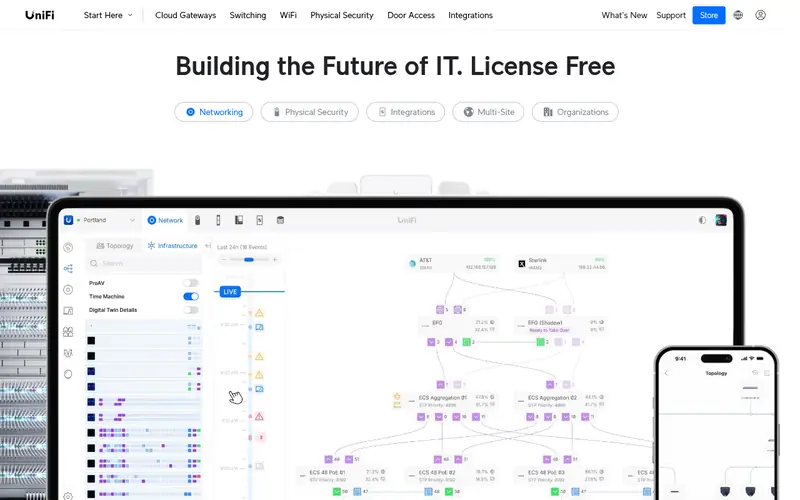
The U7 Pro is a ceiling-mount access point built around Wi-Fi 7. The vendor lists a 2.5 GbE port, support for the 2.4, 5 and 6 GHz bands, and PoE+ power, so a single Ethernet cable carries both data and power. It is aimed at buyers who already use or plan to use the UniFi ecosystem.
Setup runs through the UniFi Network application, which can live on a UniFi console, a Cloud Key or a self-hosted server. That gives central control of multiple APs, VLANs and guest networks, but it also means the AP is not a standalone router. The main catch is ecosystem lock-in and the extra cost of a controller if you do not own one.
Where the price comes from
$189 (list, single unit). Hardware prices move often, so check the Ubiquiti UniFi U7 Pro maker page or a retailer before you buy.
Benefits
- Wi-Fi 7 with 6 GHz support
- 2.5 GbE uplink port
- powered by PoE+ and managed from the UniFi app
Drawbacks
- Needs a UniFi console or hosted controller for full management
- stock and pricing vary
Use case to skip: this limit matters to you: needs a UniFi console or hosted controller for full management.
Our take. A sensible pick for wi-Fi 7 coverage in homes and small offices.
If it does not fit, compare TP-Link EAP670 or Zyxel NWA130BE in this list.
- Best for
- Budget Wi-Fi 6 with a 2.5 GbE port
- Standout
- Wi-Fi 6 with a 2.5 GbE uplink
- Starting price
- $149.99 (list, single unit)
- Free plan or trial
- One-time hardware purchase
The EAP670 is a ceiling-mount Wi-Fi 6 access point. According to the spec sheet it has a 2.5 GbE port and runs on PoE+, which keeps cabling simple. It supports the 2.4 and 5 GHz bands and is managed through TP-Link's Omada system.
Omada software is free to self-host, which makes this a low-cost way to run several APs with one dashboard. The trade-off is that it lacks the 6 GHz band and Wi-Fi 7 features, so it suits buyers who want reliable Wi-Fi 6 rather than the newest standard. It is a good fit for small offices wiring up several rooms.
Where the price comes from
$149.99 (list, single unit). Hardware prices move often, so check the TP-Link EAP670 maker page or a retailer before you buy.
Benefits
- Wi-Fi 6 with a 2.5 GbE uplink
- PoE+ powered
- managed free through the Omada controller software
Drawbacks
- No 6 GHz band
- ceiling mount only
Use case to skip: this limit matters to you: no 6 GHz band.
Our take. A sensible pick for budget Wi-Fi 6 with a 2.5 GbE port.
If it does not fit, compare Ubiquiti UniFi U7 Pro or Zyxel NWA130BE in this list.
- Best for
- Wi-Fi 7 tri-band on a mid budget
- Standout
- Wi-Fi 7 tri-band with 6 GHz
- Starting price
- See vendor site
- Free plan or trial
- One-time hardware purchase
The NWA130BE is a Wi-Fi 7 access point from Zyxel's Nebula line. The vendor lists tri-band operation including 6 GHz and a 2.5 GbE port, aimed at small offices that want newer Wi-Fi without a full enterprise stack.
It can be managed through Zyxel's Nebula cloud platform or a local controller, depending on the model and licence. The main catch is that pricing and availability differ by region, so check the vendor site. Confirm the PoE budget of your switch before buying, since tri-band radios draw more power.
Where the price comes from
See vendor site. Hardware prices move often, so check the Zyxel NWA130BE maker page or a retailer before you buy.
Benefits
- Wi-Fi 7 tri-band with 6 GHz
- 2.5 GbE port
- manageable from Zyxel's cloud or local controller
Drawbacks
- Price varies by region
- needs PoE+ or a suitable injector
Use case to skip: this limit matters to you: price varies by region.
Our take. A sensible pick for wi-Fi 7 tri-band on a mid budget.
If it does not fit, compare Ubiquiti UniFi U7 Pro or TP-Link EAP670 in this list.
- Best for
- Managed multi-AP office networks
- Standout
- Wi-Fi 6 with 6 GHz support
- Starting price
- See vendor site
- Free plan or trial
- One-time hardware purchase
The EWS850AP is a Wi-Fi 6E access point in EnGenius's managed line. The vendor lists tri-band operation with 6 GHz and a 2.5 GbE port, plus PoE power. It is designed for offices that need several APs under one management view.
EnGenius offers cloud and on-premises management options, which suits small IT teams that want remote visibility. The catch is that this is a business-oriented product: pricing is often quote-based and setup assumes some networking knowledge. Home users will likely find it overkill.
Where the price comes from
See vendor site. Hardware prices move often, so check the EnGenius EWS850AP maker page or a retailer before you buy.
Benefits
- Wi-Fi 6 with 6 GHz support
- 2.5 GbE port
- central management through EnGenius cloud or on-prem controller
Drawbacks
- Aimed at business buyers
- pricing not always published
Use case to skip: this limit matters to you: aimed at business buyers.
Our take. A sensible pick for managed multi-AP office networks.
If it does not fit, compare Ubiquiti UniFi U7 Pro or TP-Link EAP670 in this list.
- Best for
- Small businesses that want simple cloud management
- Standout
- Wi-Fi 6 with a clean cloud app
- Starting price
- See vendor site
- Free plan or trial
- One-time hardware purchase
The AP22 is part of Aruba's Instant On line, aimed at small businesses without dedicated IT staff. The vendor lists Wi-Fi 6 support, PoE power and management through the Instant On mobile and web app.
Setup is deliberately simple: you add the AP to a site in the app and it configures itself. That makes it a good fit for shops, clinics and small offices. The catch is that it is a 2.4 and 5 GHz design without 6 GHz, and advanced features are limited compared with full Aruba access points.
Where the price comes from
See vendor site. Hardware prices move often, so check the Aruba Instant On AP22 maker page or a retailer before you buy.
Benefits
- Wi-Fi 6 with a clean cloud app
- PoE powered
- simple setup for non-specialists
Drawbacks
- No 6 GHz band
- fewer advanced controls than enterprise Aruba gear
Use case to skip: this limit matters to you: no 6 GHz band.
Our take. A sensible pick for small businesses that want simple cloud management.
If it does not fit, compare Ubiquiti UniFi U7 Pro or TP-Link EAP670 in this list.
- Best for
- Tri-band Wi-Fi 6E coverage in larger homes
- Standout
- Wi-Fi 6E tri-band with 6 GHz
- Starting price
- See vendor site
- Free plan or trial
- One-time hardware purchase
The WAX630E is a tri-band Wi-Fi 6E access point. The vendor lists 6 GHz support and a 2.5 GbE port, and it can run as a standalone AP or under Netgear Insight cloud management.
For a large home or a small office with heavy device counts, the extra 6 GHz band helps spread clients across channels. The catch is size and the management model: local setup works, but Insight's fuller features sit behind a subscription. Check the current retail price, since it moves with stock.
Where the price comes from
See vendor site. Hardware prices move often, so check the Netgear WAX630E maker page or a retailer before you buy.
Benefits
- Wi-Fi 6E tri-band with 6 GHz
- 2.5 GbE port
- can be managed locally or through Netgear Insight
Drawbacks
- Larger unit
- cloud management is a paid Insight tier
Use case to skip: this limit matters to you: larger unit.
Our take. A sensible pick for tri-band Wi-Fi 6E coverage in larger homes.
If it does not fit, compare Ubiquiti UniFi U7 Pro or TP-Link EAP670 in this list.
- Best for
- Value tri-band Wi-Fi 6 with free management
- Standout
- Wi-Fi 6 tri-band with 6 GHz
- Starting price
- See vendor site
- Free plan or trial
- One-time hardware purchase
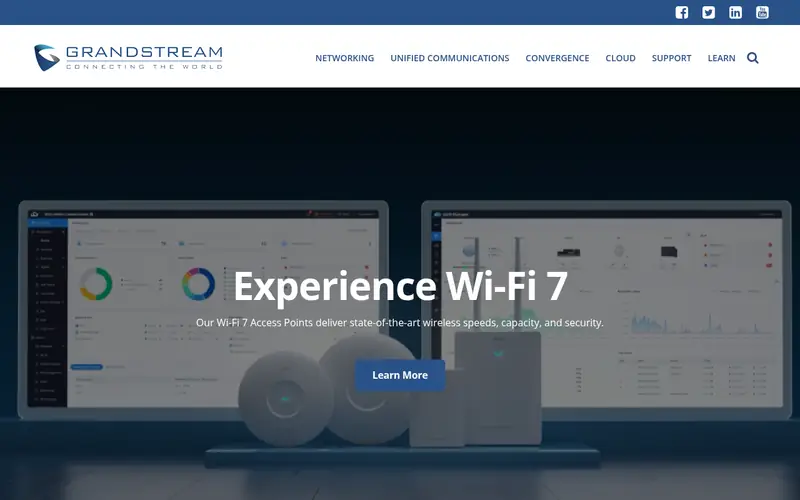
The GWN7664 is a tri-band Wi-Fi 6 access point from Grandstream. The vendor lists 6 GHz support, a 2.5 GbE port and PoE power, and it can be managed with Grandstream's free GWN Manager software or the GWN Cloud.
It suits budget-conscious offices that want tri-band Wi-Fi without subscription fees. The catch is ecosystem size: there are fewer accessories and retail listings than with Ubiquiti or TP-Link, so check availability and warranty terms on the vendor site before ordering.
Where the price comes from
See vendor site. Hardware prices move often, so check the Grandstream GWN7664 maker page or a retailer before you buy.
Benefits
- Wi-Fi 6 tri-band with 6 GHz
- 2.5 GbE port
- free GWN Manager software for on-prem control
Drawbacks
- Smaller ecosystem
- fewer retail listings than bigger brands
Use case to skip: this limit matters to you: smaller ecosystem.
Our take. A sensible pick for value tri-band Wi-Fi 6 with free management.
If it does not fit, compare Ubiquiti UniFi U7 Pro or TP-Link EAP670 in this list.
What specs matter when you buy
Start with the Wi-Fi standard. Wi-Fi 6 (802.11ax) is mature and cheaper. Wi-Fi 6E adds the 6 GHz band, which gives cleaner channels and less interference. Wi-Fi 7 adds wider channels and multi-link operation, but only helps if your client devices support it. For most homes, Wi-Fi 6 or 6E is enough; for new offices planning to keep gear for years, Wi-Fi 7 is worth the premium.
Next, look at the uplink port. A 1 GbE port caps real throughput well below the radio's peak rates, so a 2.5 GbE port is a sensible match for tri-band and Wi-Fi 7 models. Check power too: PoE+ is common, but some tri-band units want more wattage than a basic PoE switch provides. Confirm your switch or injector meets the vendor's listed requirement.
Finally, think about management and mounting. Standalone APs configure through a local web page; managed lines need a controller app, cloud account or console. Cloud management often has a free tier for small sites, but check the limits. Ceiling mounting gives the best coverage in most rooms, so plan cable runs before you buy. One well-placed AP usually beats two badly placed ones.
Questions worth answering first
Buying checklist
- Confirm the AP's Wi-Fi standard matches what your phones and laptops actually support.
- Check the uplink port speed against your internet plan and switch.
- Verify your PoE switch or injector meets the model's listed power requirement.
- Decide whether you need a controller, cloud account or console before buying.
- Plan ceiling or wall mounting and cable runs for the spot with the best line of sight.
- Check the warranty length and regional availability on the vendor site.
FAQ
Do I need a controller to run an access point?
Not always. Many APs have a local web interface for standalone setup. Managed lines like UniFi, Omada and Nebula work best with a controller app, cloud account or console, especially with several APs. Check the vendor documentation for the exact management options on the model you pick.
Is Wi-Fi 7 worth it over Wi-Fi 6E?
Only if your devices support Wi-Fi 7. The newer standard adds features like multi-link operation, but older clients will not use them. For a new office planning a long refresh cycle, Wi-Fi 7 is reasonable. For most homes today, Wi-Fi 6 or 6E covers typical needs at a lower price.
How many access points does a small office need?
It depends on floor area, walls and device density. One AP covers a small open office or a flat, while larger or multi-room spaces usually need two or more for even coverage. Vendors publish coverage guidance, and a site survey gives a firmer answer than guesswork.
Can I use an access point with my existing router?
Yes, in most cases. Connect the AP by Ethernet to your router or switch and disable its routing features, using it purely for Wi-Fi. Some managed APs expect a controller on the same network. Check the vendor setup guide before you buy.
Does PoE matter for home use?
It simplifies installation because one cable carries data and power. If your switch lacks PoE, a single-port injector usually works. Confirm the wattage matches the AP's listed requirement, since tri-band and Wi-Fi 7 models can draw more than basic PoE provides.
Are these access points sold with mounting hardware?
Most ceiling-mount APs ship with a bracket and screws. Check the box contents on the vendor page, since wall-mount kits and ceiling tiles may need separate parts. Power injectors are sometimes included and sometimes not, so confirm before ordering.
Sources we checked
Change log: First published 21 Nov 2026.