5 Best USB-C Power Meters and Testers in 2026
The FNIRSI FNB58 suits most people who want voltage, current and PD protocol decoding in one handheld unit at a modest price. If you need Bluetooth logging and app charts, the FNIRSI FNB48S is the step up. For a simple inline display with no menus, the AVHzY TC66 is a solid alternative. All three read voltage and current and identify USB Power Delivery negotiation.
 By Shihab Mia · Published 27 Nov 2026
We run no ads and no affiliate links at launch. The order of a list follows our published method. How lists are ordered: how we score.
Prices are the starting prices vendors list publicly. Plans change, so confirm the current price on the vendor page before you buy.
Key takeaways
- Prices for these meters sit roughly between 20 and 70 USD depending on brand, display and Bluetooth support.
- Most models handle up to 24V and around 5A, but check the vendor datasheet before testing high-power chargers.
- PD protocol decoding is a separate feature from basic voltage and current metering, so confirm it is listed.
- Bluetooth logging models cost more and usually need a phone app to export data.
- A basic inline meter with no protocol decoding costs the least and is enough for cable and charger checks.
Side-by-side
Grouped by fit and cost. Tap a product to jump to its full entry.
| Fit | Cost | |||
|---|---|---|---|---|
| Product | Best for | Standout feature | Listed starting price | Free plan or trial |
| 1FNIRSI FNB58 | All-round protocol and power testing | Color display with voltage and current graphs | Check current retail price | One-time hardware purchase |
| 2FNIRSI FNB48S | Bluetooth logging and app charts | Bluetooth logging to a phone app | Check current retail price | One-time hardware purchase |
| 3AVHzY TC66 | Simple inline voltage and current checks | Clear display | Check current retail price | One-time hardware purchase |
| 4AVHzY CT-3 | Higher-power bench testing | Built for higher current loads | Check current retail price | One-time hardware purchase |
| 5ChargerLAB POWER-Z KM003C | Detailed PD and protocol analysis | Detailed protocol analysis | Check current retail price | One-time hardware purchase |
How we picked
We compared these meters using vendor product pages, published spec sheets and documentation, plus listed retail prices. We checked which models state USB Power Delivery decoding, what voltage and current ratings the vendor lists, and whether logging needs a phone app or PC software. We did not run hands-on tests. Where a vendor does not publish a figure, we describe the feature qualitatively rather than guess. Prices are the vendor or manufacturer list prices we could confirm and will vary by region and retailer.
The 5 picks in detail
- Best for
- All-round protocol and power testing
- Standout
- Color display with voltage and current graphs
- Starting price
- Check current retail price
- Free plan or trial
- One-time hardware purchase
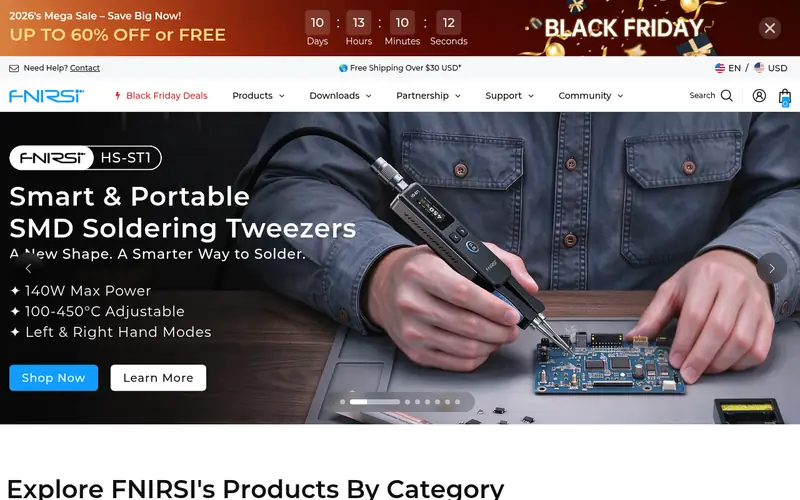
The FNB58 is a handheld meter with a color screen that shows voltage, current, power and protocol information. FNIRSI lists USB Power Delivery decoding alongside other fast-charge protocols, so you can see what a charger and cable negotiate. It also supports Bluetooth for logging to a phone app.
It suits people who want one meter for charger, cable and protocol checks without buying a bench instrument. The main catch is the interface: the menus are deep and the manual matters. Check the vendor datasheet for the exact voltage and current limits before testing high-wattage supplies.
Where the price comes from
Check current retail price. Hardware prices move often, so check the FNIRSI FNB58 maker page or a retailer before you buy.
Benefits
- Color display with voltage and current graphs
- PD protocol decoding listed
- Supports Bluetooth logging
Drawbacks
- Menu system takes time to learn
- App quality varies by phone
Use case to skip: this limit matters to you: menu system takes time to learn.
Our take. A sensible pick for all-round protocol and power testing.
If it does not fit, compare FNIRSI FNB48S or AVHzY TC66 in this list.
- Best for
- Bluetooth logging and app charts
- Standout
- Bluetooth logging to a phone app
- Starting price
- Check current retail price
- Free plan or trial
- One-time hardware purchase
The FNB48S is a smaller meter built around app-based logging. FNIRSI lists Bluetooth support and protocol decoding, and the phone app draws voltage and current over time. That makes it useful for spotting a charger that sags under load or a cable that drops voltage.
It suits people who want records rather than a quick glance. The catch is dependence on the app: if the app is awkward on your phone, the logging feature loses value. Confirm the current and voltage ratings on the vendor page before use with high-power PD chargers.
Where the price comes from
Check current retail price. Hardware prices move often, so check the FNIRSI FNB48S maker page or a retailer before you buy.
Benefits
- Bluetooth logging to a phone app
- Protocol decoding listed
- Compact body
Drawbacks
- Costs more than the FNB58
- Relies on the app for detailed logs
Use case to skip: this limit matters to you: costs more than the FNB58.
Our take. A sensible pick for bluetooth logging and app charts.
If it does not fit, compare FNIRSI FNB58 or AVHzY TC66 in this list.
- Best for
- Simple inline voltage and current checks
- Standout
- Clear display
- Starting price
- Check current retail price
- Free plan or trial
- One-time hardware purchase
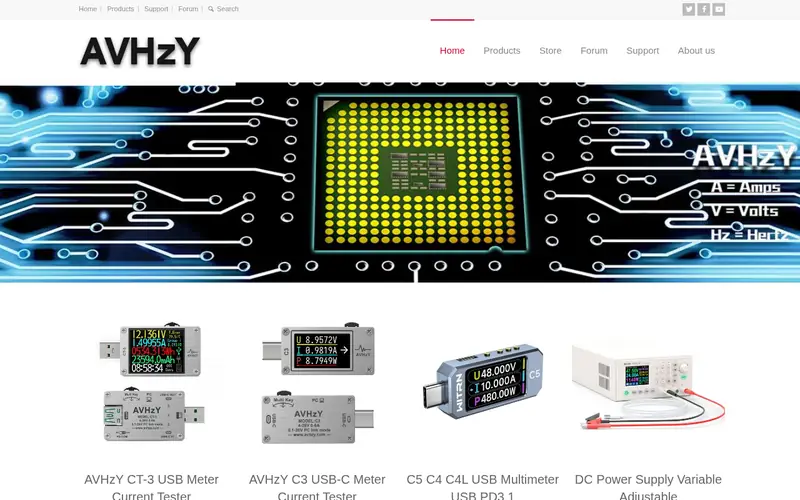
The TC66 is an inline meter with a display for voltage, current and power. AVHzY lists protocol detection on the product page, so it can show what a charger negotiates. Controls are simpler than on the FNIRSI units, which helps if you only want a quick reading.
It suits buyers who check cables and chargers occasionally and do not need charts. The catch is that logging and deep protocol analysis are limited compared with the pricier models. Check the vendor page for the supported protocol list and the rated current.
Where the price comes from
Check current retail price. Hardware prices move often, so check the AVHzY TC66 maker page or a retailer before you buy.
Benefits
- Clear display
- Straightforward controls
- Lower price than logging models
Drawbacks
- Less detailed logging than Bluetooth models
- Protocol depth depends on firmware
Use case to skip: this limit matters to you: less detailed logging than Bluetooth models.
Our take. A sensible pick for simple inline voltage and current checks.
If it does not fit, compare FNIRSI FNB58 or FNIRSI FNB48S in this list.
- Best for
- Higher-power bench testing
- Standout
- Built for higher current loads
- Starting price
- Check current retail price
- Free plan or trial
- One-time hardware purchase
The CT-3 is a larger meter aimed at bench use, with a design that handles more current than the small inline units. AVHzY lists protocol decoding and a display for voltage, current and power. It suits people testing laptop chargers and multi-port supplies.
The catch is size and price. If you only test phones and small accessories, a cheaper inline meter does the same job. Confirm the rated voltage and current on the vendor datasheet before connecting a high-wattage supply.
Where the price comes from
Check current retail price. Hardware prices move often, so check the AVHzY CT-3 maker page or a retailer before you buy.
Benefits
- Built for higher current loads
- Protocol decoding listed
- Desktop-friendly design
Drawbacks
- Higher price
- Bulkier than inline meters
Use case to skip: this limit matters to you: higher price.
Our take. A sensible pick for higher-power bench testing.
If it does not fit, compare FNIRSI FNB58 or FNIRSI FNB48S in this list.
- Best for
- Detailed PD and protocol analysis
- Standout
- Detailed protocol analysis
- Starting price
- Check current retail price
- Free plan or trial
- One-time hardware purchase
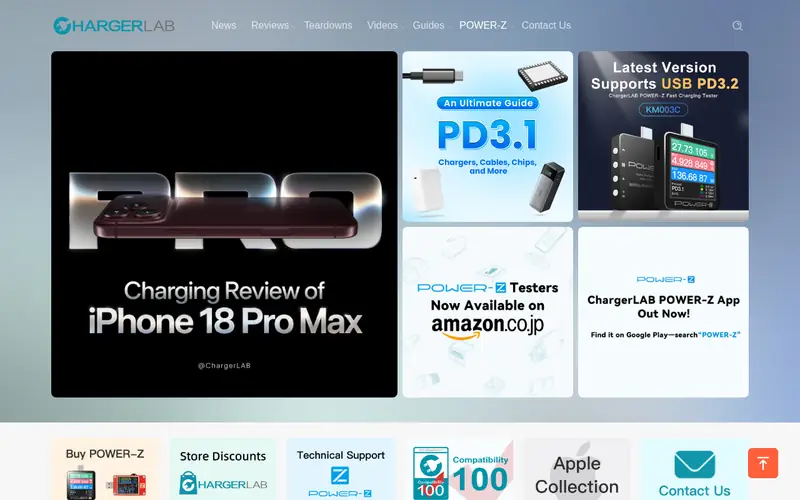
The KM003C is the most feature-heavy meter in this list. ChargerLAB documents PD message capture and protocol analysis, and the meter works with PC software for deeper inspection. That makes it useful for people who debug chargers or write about them.
It suits engineers and serious reviewers. The catch is price and complexity: most buyers checking a cable do not need PD message capture. Confirm the current and voltage limits on the vendor page before testing high-power supplies.
Where the price comes from
Check current retail price. Hardware prices move often, so check the ChargerLAB POWER-Z KM003C maker page or a retailer before you buy.
Benefits
- Detailed protocol analysis
- PC software support
- Well documented by the vendor
Drawbacks
- Highest price here
- More features than casual buyers need
Use case to skip: this limit matters to you: highest price here.
Our take. A sensible pick for detailed PD and protocol analysis.
If it does not fit, compare FNIRSI FNB58 or FNIRSI FNB48S in this list.
What specs matter most when buying a USB-C power meter?
The three that matter most are the voltage and current rating, the protocol decoding support and the display or logging method. A meter that cannot handle your charger's voltage and current is unsafe to use, so check the vendor datasheet first.
Protocol decoding is what separates a basic meter from a useful one. Look for USB Power Delivery listed explicitly, plus any other fast-charge protocols you care about. Some meters show the negotiated voltage and current but not the PD messages themselves, which matters if you debug chargers.
Display and logging come next. A color screen with graphs helps spot sags under load, while Bluetooth logging lets you keep records. Both add cost. For simple cable checks, a basic inline display is enough. Also check whether the meter needs a phone app or PC software, and whether that software is documented on the vendor site.
Which USB-C power meter should I buy if I only check cables and chargers?
Both show voltage, current and protocol detection at a low price, and neither needs an app for a basic reading. The U3 is the cheapest way to confirm a charger negotiates PD.
If you want a clearer screen and slightly more features, the TC66 is the step up. Skip the Bluetooth and PC-software models unless you plan to log data or debug PD messages. For most cable and charger checks, the basic inline meters cover what you need.
Questions worth answering first
Buying checklist
- Confirm the meter's rated voltage and current exceed what your charger can output.
- Check that USB Power Delivery decoding is listed explicitly on the vendor page.
- Decide whether you need Bluetooth or PC logging before paying more for it.
- Read whether the phone app or PC software is required for the features you want.
- Check the display size and whether readings are easy to see at a glance.
- Confirm the connector type and whether adapters are needed for your cables.
FAQ
Do USB-C power meters show the PD protocol?
Many do, but not all. Check the vendor page for USB Power Delivery decoding. Basic meters may show only voltage and current, while models like the FNIRSI FNB58 and ChargerLAB KM003C list protocol analysis.
How much should I spend on a USB-C power meter?
Expect roughly 20 to 70 USD. Budget inline meters start near 20 USD, mid-range models with color displays sit around 30 to 50 USD, and detailed protocol analyzers cost the most. Prices vary by region.
Can a USB-C power meter measure cable quality?
It can show voltage drop under load, which hints at cable resistance. Compare the voltage at the charger and at the device end. A large drop suggests a thin or long cable. The meter does not measure cable resistance directly.
Are cheap USB-C power meters accurate enough?
For checking whether a charger negotiates PD and roughly how much current flows, budget meters are usually fine. For precise measurements or records, check the vendor's stated accuracy figures. We did not run accuracy tests.
Do I need Bluetooth on a USB-C power meter?
Only if you want logs over time or charts on a phone. For a quick reading, an inline display is enough. Bluetooth models cost more and depend on the app working well on your phone.
What is the difference between a USB tester and a power meter?
The terms overlap. A tester usually checks protocols and basic electrical values, while a power meter focuses on voltage, current and power over time. Many USB-C models do both, so check the feature list rather than the name.
Sources we checked
Change log: First published 27 Nov 2026.