7 Best Budget Mechanical Keyboards in 2026
The Keychron C3 Pro is the top pick for most buyers. It is a wired tenkeyless board with a tray-mount design and a published price well under 100 USD, so it suits people who want a simple, repairable starter keyboard. If you need wireless, look at the Keychron V1 Max or the Royal Kludge RK84. If you want the lowest price, the Redragon K552 is the cheapest option here.
 By Shihab Mia · Published 22 Nov 2026
We run no ads and no affiliate links at launch. The order of a list follows our published method. How lists are ordered: how we score.
Prices are the starting prices vendors list publicly. Plans change, so confirm the current price on the vendor page before you buy.
Key takeaways
- All seven boards here are listed by their makers at under 100 USD; check current retail price before buying.
- Wired boards are cheaper than wireless ones at the same build quality.
- Hot-swap sockets let you change switches later without soldering.
- Layout matters: 60 percent and 65 percent boards drop keys you may miss.
- Budget boards often ship with ABS keycaps; PBT is more durable.
Side-by-side
Grouped by fit and cost. Tap a product to jump to its full entry.
| Fit | Cost | |||
|---|---|---|---|---|
| Product | Best for | Standout feature | Listed starting price | Free plan or trial |
| 1Keychron C3 Pro | Simple wired starter board | Low published price | Check current retail price (wired TKL, under 100 USD) | One-time hardware purchase |
| 2Keychron V1 Max | Wireless with hot-swap | Tri-mode wireless | Check current retail price (75 percent wireless, under 100 USD) | One-time hardware purchase |
| 3Royal Kludge RK84 | Compact wireless with 75 percent layout | Tri-mode connection | Check current retail price (75 percent wireless, under 100 USD) | One-time hardware purchase |
| 4Redragon K552 | Lowest-cost entry | Very low price | Check current retail price (TKL wired, lowest in this list) | One-time hardware purchase |
| 5Akko 5075B Plus | Gasket mount and PBT keycaps | Gasket-mounted case | Check current retail price (75 percent, under 100 USD) | One-time hardware purchase |
| 6Epomaker TH80 Pro | Knob control and 75 percent layout | Rotary knob | Check current retail price (75 percent, under 100 USD) | One-time hardware purchase |
| 7Womier S-K71 | Compact 70 percent with gasket mount | Gasket-mounted design | Check current retail price (70 percent, under 100 USD) | One-time hardware purchase |
How we picked
We compared these boards using vendor product pages, published spec sheets and manufacturer documentation. We checked layout, switch options, hot-swap support, connectivity, case material, keycap material and the price the vendor lists. We did not run hands-on tests. Where a vendor does not publish a figure, such as battery life or warranty length, we describe it qualitatively instead of guessing. Prices change often, so every entry says to check the current retail price.
The 7 picks in detail
- Best for
- Simple wired starter board
- Standout
- Low published price
- Starting price
- Check current retail price (wired TKL, under 100 USD)
- Free plan or trial
- One-time hardware purchase
The C3 Pro is a wired tenkeyless keyboard from Keychron. It uses a tray-mount construction and comes in versions with either soldered or hot-swap switches, so check which one you are buying. The layout is standard TKL, which means you keep function keys, arrows and a navigation cluster.
Keychron lists it with a QMK-compatible firmware option on some versions and adjustable feet. The base model ships with ABS keycaps, which shine faster than PBT. It suits a first mechanical keyboard or a cheap office board. The main catch is the lack of wireless and the plastic case, which feels less solid than metal-bodied boards.
Where the price comes from
Check current retail price (wired TKL, under 100 USD). Hardware prices move often, so check the Keychron C3 Pro maker page or a retailer before you buy.
Benefits
- Low published price
- hot-swap version available
- standard tenkeyless layout
Drawbacks
- Wired only
- ABS keycaps on the base version
Use case to skip: this limit matters to you: wired only.
Our take. A sensible pick for simple wired starter board.
If it does not fit, compare Keychron V1 Max or Royal Kludge RK84 in this list.
- Best for
- Wireless with hot-swap
- Standout
- Tri-mode wireless
- Starting price
- Check current retail price (75 percent wireless, under 100 USD)
- Free plan or trial
- One-time hardware purchase
The V1 Max is a 75 percent board with a knob and tri-mode connectivity: USB-C wired, Bluetooth and a 2.4 GHz dongle. Keychron lists it with hot-swap sockets, so you can swap switches without soldering, and with support for QMK and VIA remapping.
It uses a gasket-mounted design with sound-absorbing foam, according to the vendor. That gives a softer typing feel than a plain tray-mount board. It suits people who want one keyboard for a desktop and a laptop. The catch is the compact layout: you lose the numpad and some keys move position, which takes adjustment.
Where the price comes from
Check current retail price (75 percent wireless, under 100 USD). Hardware prices move often, so check the Keychron V1 Max maker page or a retailer before you buy.
Benefits
- Tri-mode wireless
- hot-swap sockets
- QMK and VIA support
Drawbacks
- 75 percent layout drops the numpad
- price sits near the top of the budget range
Use case to skip: this limit matters to you: 75 percent layout drops the numpad.
Our take. A sensible pick for wireless with hot-swap.
If it does not fit, compare Keychron C3 Pro or Royal Kludge RK84 in this list.
- Best for
- Compact wireless with 75 percent layout
- Standout
- Tri-mode connection
- Starting price
- Check current retail price (75 percent wireless, under 100 USD)
- Free plan or trial
- One-time hardware purchase
The RK84 is a 75 percent keyboard with a removable frame and tri-mode connectivity on the wireless versions. Royal Kludge lists hot-swap sockets on some models, so confirm the exact variant before ordering. It has a function row and arrow keys, which makes it more practical than a 60 percent board for everyday work.
It suits buyers who want a small wireless board at a low price. The catch is refinement: the stock stabilizers and keycaps are not as tight as on pricier boards, and the configuration software is simpler than QMK-based tools. It is a good base for later switch and keycap swaps.
Where the price comes from
Check current retail price (75 percent wireless, under 100 USD). Hardware prices move often, so check the Royal Kludge RK84 maker page or a retailer before you buy.
Benefits
- Tri-mode connection
- hot-swap version sold
- compact footprint
Drawbacks
- Software is basic
- stock stabilizers can rattle
Use case to skip: this limit matters to you: software is basic.
Our take. A sensible pick for compact wireless with 75 percent layout.
If it does not fit, compare Keychron C3 Pro or Keychron V1 Max in this list.
- Best for
- Lowest-cost entry
- Standout
- Very low price
- Starting price
- Check current retail price (TKL wired, lowest in this list)
- Free plan or trial
- One-time hardware purchase
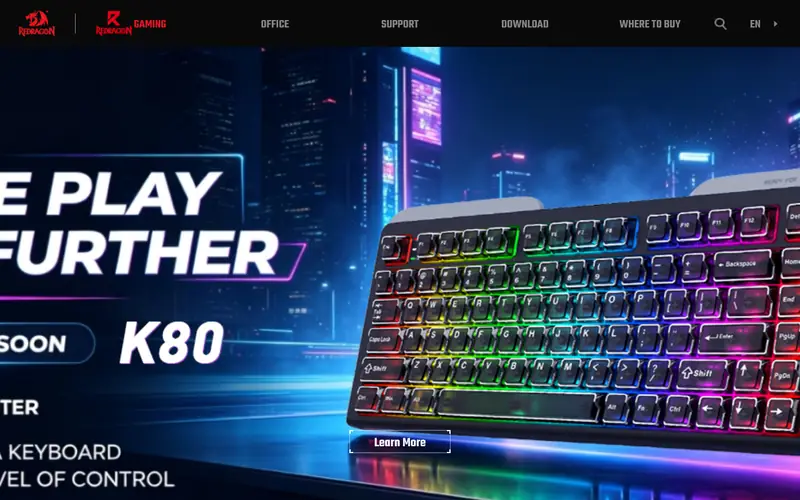
The K552 Kumara is a wired tenkeyless board with a metal top plate and a plastic bottom case. Redragon sells it with several switch options and in both RGB and non-RGB versions. It is one of the cheapest ways to get into a mechanical keyboard with a standard layout.
It suits students and buyers on a tight budget. The catch is upgradeability: most versions have soldered switches, so you cannot swap them without desoldering. The stock keycaps are basic, and the cable is not detachable on all versions. Check the exact model listing for these details.
Where the price comes from
Check current retail price (TKL wired, lowest in this list). Hardware prices move often, so check the Redragon K552 maker page or a retailer before you buy.
Benefits
- Very low price
- metal top plate
- tenkeyless layout
Drawbacks
- Non-hot-swap on most versions
- basic keycaps
Use case to skip: this limit matters to you: non-hot-swap on most versions.
Our take. A sensible pick for lowest-cost entry.
If it does not fit, compare Keychron C3 Pro or Keychron V1 Max in this list.

- Best for
- Gasket mount and PBT keycaps
- Standout
- Gasket-mounted case
- Starting price
- Check current retail price (75 percent, under 100 USD)
- Free plan or trial
- One-time hardware purchase
The 5075B Plus is a 75 percent board from Akko. The vendor lists a gasket-mounted structure, PBT keycaps and hot-swap sockets, plus a knob on the top-right corner. It comes in wired and tri-mode wireless versions, so the price depends on which you pick.
It suits buyers who care about typing sound and keycap feel more than extra features. PBT keycaps resist shine better than ABS. The catch is availability: popular colorways sell out, and the wireless version pushes closer to the 100 USD line. Confirm the switch type, since Akko offers several.
Where the price comes from
Check current retail price (75 percent, under 100 USD). Hardware prices move often, so check the Akko 5075B Plus maker page or a retailer before you buy.
Benefits
- Gasket-mounted case
- PBT keycaps
- hot-swap sockets
Drawbacks
- Wireless versions cost more
- stock availability varies
Use case to skip: this limit matters to you: wireless versions cost more.
Our take. A sensible pick for gasket mount and PBT keycaps.
If it does not fit, compare Keychron C3 Pro or Keychron V1 Max in this list.
- Best for
- Knob control and 75 percent layout
- Standout
- Rotary knob
- Starting price
- Check current retail price (75 percent, under 100 USD)
- Free plan or trial
- One-time hardware purchase
The TH80 Pro is a 75 percent keyboard with a rotary knob and a compact case. Epomaker lists hot-swap sockets and, on wireless versions, Bluetooth and 2.4 GHz options alongside USB-C wired mode. The knob can control volume or other functions depending on configuration.
It suits people who want a small board with a physical volume control. The catch is consistency: keycap and stabilizer quality can vary between batches, and the configuration software is not as mature as QMK or VIA. Read the exact product page for the switch and connectivity of the version you buy.
Where the price comes from
Check current retail price (75 percent, under 100 USD). Hardware prices move often, so check the Epomaker TH80 Pro maker page or a retailer before you buy.
Benefits
- Rotary knob
- hot-swap sockets
- tri-mode wireless on some versions
Drawbacks
- Software less polished than QMK
- keycap quality varies by batch
Use case to skip: this limit matters to you: software less polished than QMK.
Our take. A sensible pick for knob control and 75 percent layout.
If it does not fit, compare Keychron C3 Pro or Keychron V1 Max in this list.
- Best for
- Compact 70 percent with gasket mount
- Standout
- Gasket-mounted design
- Starting price
- Check current retail price (70 percent, under 100 USD)
- Free plan or trial
- One-time hardware purchase
The S-K71 is a 70 percent keyboard, a layout that keeps most of the function row and arrows but drops other keys. Womier lists a gasket-mounted structure and hot-swap sockets, and the board is sold in wired and wireless versions depending on the model.
It suits buyers who want a small board with a softer typing feel and plan to customize switches later. The catch is the layout: 70 percent is less common than 65 or 75 percent, so keycap sets and muscle memory may need adjustment. Check which connectivity version you are ordering.
Where the price comes from
Check current retail price (70 percent, under 100 USD). Hardware prices move often, so check the Womier S-K71 maker page or a retailer before you buy.
Benefits
- Gasket-mounted design
- hot-swap sockets
- compact 70 percent layout
Drawbacks
- Unusual layout takes getting used to
- fewer keys than TKL
Use case to skip: this limit matters to you: unusual layout takes getting used to.
Our take. A sensible pick for compact 70 percent with gasket mount.
If it does not fit, compare Keychron C3 Pro or Keychron V1 Max in this list.
What specs matter when you buy
Switch type is the first decision. Linear switches feel smooth, tactile switches have a bump, and clicky switches make noise. Most budget boards ship with one type, so pick the feel you want. If the board has hot-swap sockets, you can change this later without soldering, which is the single most useful upgrade feature at this price.
Layout is the second decision. Full-size and tenkeyless boards keep the arrow and function keys. 75 percent boards keep most keys in a smaller frame. 65 percent and 70 percent boards drop keys and rely on layers. 60 percent boards drop the most. Smaller boards save desk space but cost you time learning shortcuts.
Build and keycaps come third. A metal top plate adds stiffness. Gasket mounting gives a softer feel. PBT keycaps resist shine better than ABS. Check the cable: a detachable USB-C cable is easier to replace. For wireless boards, confirm the battery capacity and whether the vendor lists a battery life figure. Finally, check the warranty length on the vendor page, since budget boards vary widely.
Questions worth answering first
Buying checklist
- Confirm the exact model and version, because wired and wireless variants often share a name.
- Check whether the switches are hot-swap or soldered before you plan any swap.
- Confirm the layout size and whether it keeps arrow and function keys you use.
- Check the keycap material, since PBT lasts longer than ABS.
- Confirm the connection type and, for wireless, the battery details the vendor lists.
- Read the warranty terms and return policy on the vendor or retailer page.
FAQ
Are budget mechanical keyboards worth it?
Yes, for most people. Under 100 USD you can get a standard layout, a metal plate and sometimes hot-swap sockets. The trade-offs are usually keycap material, stabilizer quality and software. A cheap board with hot-swap sockets is a good base for later upgrades.
What is hot-swap and do I need it?
Hot-swap means the switches pull out without soldering. It lets you change switch feel later without buying a new board. It is not essential, but it is the most useful feature at this price if you are unsure which switch type you like.
Is a 60 percent keyboard good for work?
It depends on your shortcuts. A 60 percent board drops arrow keys and the function row, so you rely on layers. For heavy spreadsheet or coding work, a tenkeyless or 75 percent board is usually easier. Try a smaller layout before committing.
Do I need wireless?
Only if you move the keyboard between devices or want a cleaner desk. Wired boards are cheaper and need no charging. Wireless boards add Bluetooth or a 2.4 GHz dongle, but battery life varies and is worth checking on the vendor page.
Are PBT keycaps better than ABS?
PBT is denser and resists shine from finger oils better over time. ABS is common on cheaper boards and feels smoother at first but wears faster. If the board ships with ABS, check whether replacement keycap sets fit the layout.
How long should a budget mechanical keyboard last?
That depends on build and use. Switches are usually rated for tens of millions of presses by their makers, but the vendor datasheet is the source to check. Keycaps and stabilizers often wear before switches. A board with hot-swap sockets and replaceable keycaps is easier to keep running.
Sources we checked
Change log: First published 22 Nov 2026.