7 Best Conference Room Cameras in 2026
The Logitech Rally Camera is the strongest default for medium and large rooms that need smooth pan, tilt and zoom plus clean USB-C connectivity. Small huddle rooms are better served by the Logitech MeetUp or the Poly Studio, which combine camera, speakers and microphones in one bar. Buyers who need AI framing and multi-participant tracking should look at the Huddly L1 or the Aver CAM570.
 By Shihab Mia · Published 22 Nov 2026
We run no ads and no affiliate links at launch. The order of a list follows our published method. How lists are ordered: how we score.
Prices are the starting prices vendors list publicly. Plans change, so confirm the current price on the vendor page before you buy.
Key takeaways
- Conference room cameras range from compact all-in-one bars to PTZ units with optical zoom.
- Most USB cameras work without a paid software plan; the cost is the hardware itself.
- Check the field of view: wide lenses suit huddle rooms, narrow lenses suit long tables.
- Confirm the camera supports your platform (Zoom Rooms, Microsoft Teams Rooms, Google Meet).
- Mounting, cabling and power are often the hidden costs in a room refresh.
Side-by-side
Grouped by fit and cost. Tap a product to jump to its full entry.
| Fit | Cost | |||
|---|---|---|---|---|
| Product | Best for | Standout feature | Listed starting price | Free plan or trial |
| 1Logitech Rally Camera | Medium and large rooms with a PTZ need | Smooth pan, tilt and zoom | Check current retail price (camera only) | One-time hardware purchase |
| 2Logitech MeetUp | Small rooms and huddle spaces | Camera, speakers and mics in one bar | Check current retail price (all-in-one bar) | One-time hardware purchase |
| 3Poly Studio | All-in-one small room bar | Integrated camera, mics and speakers | Check current retail price (all-in-one bar) | One-time hardware purchase |
| 4Huddly L1 | AI framing in medium rooms | AI-driven framing | Check current retail price (camera only) | One-time hardware purchase |
| 5Aver CAM570 | Large rooms that need speaker tracking | Dual-lens design | Check current retail price (camera only) | One-time hardware purchase |
| 6Jabra PanaCast 50 | Panoramic view in medium rooms | 180-degree panoramic view | Check current retail price (all-in-one bar) | One-time hardware purchase |
| 7Neat Bar | Rooms standardized on Microsoft Teams | Native Teams Rooms device | Check current retail price (all-in-one bar) | One-time hardware purchase |
How we picked
This guide is based on research, not lab testing. We reviewed vendor product pages, published spec sheets and platform certification lists for cameras released between 2023 and 2025 and still sold. We compared field of view, zoom type, resolution, audio integration, mounting and platform support. Prices are shown as "check current retail price" because they change by region and bundle. No hands-on measurements were taken.
The 7 picks in detail

- Best for
- Medium and large rooms with a PTZ need
- Standout
- Smooth pan, tilt and zoom
- Starting price
- Check current retail price (camera only)
- Free plan or trial
- One-time hardware purchase
The Rally Camera is a PTZ unit designed for medium and large rooms. Logitech lists 4K video capture, a 15x HD zoom and a 90-degree field of view. It connects over USB-C and is certified for common meeting platforms. The camera is part of the wider Rally system, so it can be paired with the Rally Speaker and Rally Mic Pods.
It suits rooms where the camera sits at the back and needs to frame a long table. The main catch is that it is a camera only. Budget for audio hardware and mounting separately.
Where the price comes from
Check current retail price (camera only). Hardware prices move often, so check the Logitech Rally Camera maker page or a retailer before you buy.
Benefits
- Smooth pan, tilt and zoom
- USB-C connectivity
- works with major meeting platforms
Drawbacks
- Sold as a camera, so speakers and mics are separate
- premium price
Use case to skip: this limit matters to you: sold as a camera, so speakers and mics are separate.
Our take. A sensible pick for medium and large rooms with a PTZ need.
If it does not fit, compare Logitech MeetUp or Poly Studio in this list.
- Best for
- Small rooms and huddle spaces
- Standout
- Camera, speakers and mics in one bar
- Starting price
- Check current retail price (all-in-one bar)
- Free plan or trial
- One-time hardware purchase
MeetUp is an all-in-one conference camera bar with an integrated speakerphone. Logitech lists a 120-degree field of view and 4K capture, with motorized pan and tilt. It is designed to sit under a display or on a table stand.
It suits huddle rooms and small meeting spaces where a single USB device keeps setup simple. The catch is that the wide lens and modest zoom are not a good fit for long boardroom tables.
Where the price comes from
Check current retail price (all-in-one bar). Hardware prices move often, so check the Logitech MeetUp maker page or a retailer before you buy.
Benefits
- Camera, speakers and mics in one bar
- wide field of view
- simple USB setup
Drawbacks
- Limited optical zoom
- not built for large rooms
Use case to skip: this limit matters to you: limited optical zoom.
Our take. A sensible pick for small rooms and huddle spaces.
If it does not fit, compare Logitech Rally Camera or Poly Studio in this list.
- Best for
- All-in-one small room bar
- Standout
- Integrated camera, mics and speakers
- Starting price
- Check current retail price (all-in-one bar)
- Free plan or trial
- One-time hardware purchase
Poly Studio is a USB video bar for small rooms. Poly lists a 4K camera, a wide field of view and integrated stereo speakers with microphone array. It includes Poly's noise-blocking audio processing, which the vendor says reduces distracting sounds.
It suits teams that want one device on the table or under a screen. The catch is the fixed lens. Rooms that need to zoom into a far speaker should look at a PTZ model instead.
Where the price comes from
Check current retail price (all-in-one bar). Hardware prices move often, so check the Poly Studio maker page or a retailer before you buy.
Benefits
- Integrated camera, mics and speakers
- noise-blocking audio features
- USB plug-and-play
Drawbacks
- Fixed lens rather than PTZ
- check platform certification for your stack
Use case to skip: this limit matters to you: fixed lens rather than PTZ.
Our take. A sensible pick for all-in-one small room bar.
If it does not fit, compare Logitech Rally Camera or Logitech MeetUp in this list.
- Best for
- AI framing in medium rooms
- Standout
- AI-driven framing
- Starting price
- Check current retail price (camera only)
- Free plan or trial
- One-time hardware purchase
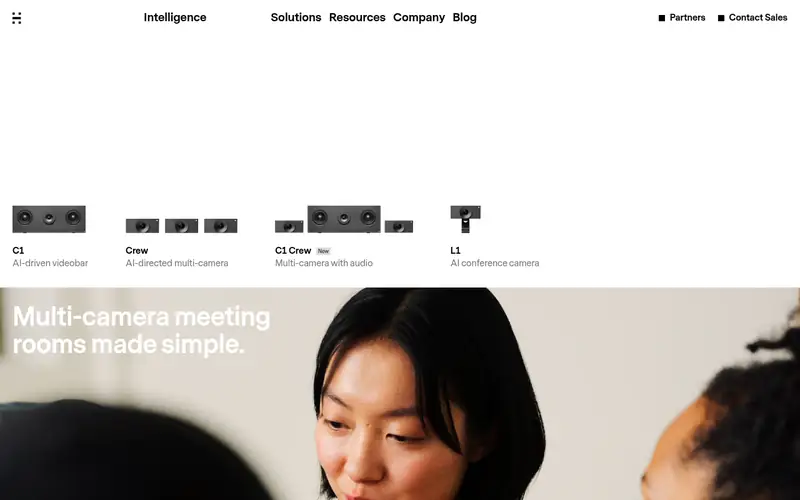
Huddly L1 is a conference camera built around the company's AI framing. Huddly lists a 4K sensor, a wide field of view and automatic framing that follows speakers in the room. The camera is compact and designed to mount above or below a display.
It suits medium rooms where automatic framing reduces the need for a remote control. The catch is that it is a camera only, and the advanced framing features depend on Huddly's software and platform support.
Where the price comes from
Check current retail price (camera only). Hardware prices move often, so check the Huddly L1 maker page or a retailer before you buy.
Benefits
- AI-driven framing
- wide dynamic range
- compact design
Drawbacks
- Camera only, so audio is separate
- relies on Huddly software for full features
Use case to skip: this limit matters to you: camera only, so audio is separate.
Our take. A sensible pick for AI framing in medium rooms.
If it does not fit, compare Logitech Rally Camera or Logitech MeetUp in this list.
- Best for
- Large rooms that need speaker tracking
- Standout
- Dual-lens design
- Starting price
- Check current retail price (camera only)
- Free plan or trial
- One-time hardware purchase
The Aver CAM570 is a PTZ camera with a dual-lens design. Aver lists 4K capture, a wide panoramic lens plus a zoom lens, and audio-based speaker tracking using built-in sensors. It is aimed at medium and large rooms.
It suits spaces where the camera must find and follow whoever is talking. The catch is complexity. Expect more setup work and a higher price than a simple USB bar.
Where the price comes from
Check current retail price (camera only). Hardware prices move often, so check the Aver CAM570 maker page or a retailer before you buy.
Benefits
- Dual-lens design
- audio-based speaker tracking
- strong zoom range
Drawbacks
- Higher cost
- setup is more involved than a USB bar
Use case to skip: this limit matters to you: higher cost.
Our take. A sensible pick for large rooms that need speaker tracking.
If it does not fit, compare Logitech Rally Camera or Logitech MeetUp in this list.

- Best for
- Panoramic view in medium rooms
- Standout
- 180-degree panoramic view
- Starting price
- Check current retail price (all-in-one bar)
- Free plan or trial
- One-time hardware purchase
Jabra PanaCast 50 is a video bar with a 180-degree panoramic view built from multiple camera sensors. Jabra lists 4K output, integrated speakers and a microphone array, plus room occupancy analytics. It mounts under a display or on a wall.
It suits medium rooms where everyone at the table should be visible at once. The catch is that panoramic stitching is not the same as optical zoom, so very long rooms may still need a PTZ unit.
Where the price comes from
Check current retail price (all-in-one bar). Hardware prices move often, so check the Jabra PanaCast 50 maker page or a retailer before you buy.
Benefits
- 180-degree panoramic view
- integrated speakers and mics
- room occupancy data
Drawbacks
- Panoramic view is not a substitute for optical zoom
- check platform support
Use case to skip: this limit matters to you: panoramic view is not a substitute for optical zoom.
Our take. A sensible pick for panoramic view in medium rooms.
If it does not fit, compare Logitech Rally Camera or Logitech MeetUp in this list.
- Best for
- Rooms standardized on Microsoft Teams
- Standout
- Native Teams Rooms device
- Starting price
- Check current retail price (all-in-one bar)
- Free plan or trial
- One-time hardware purchase
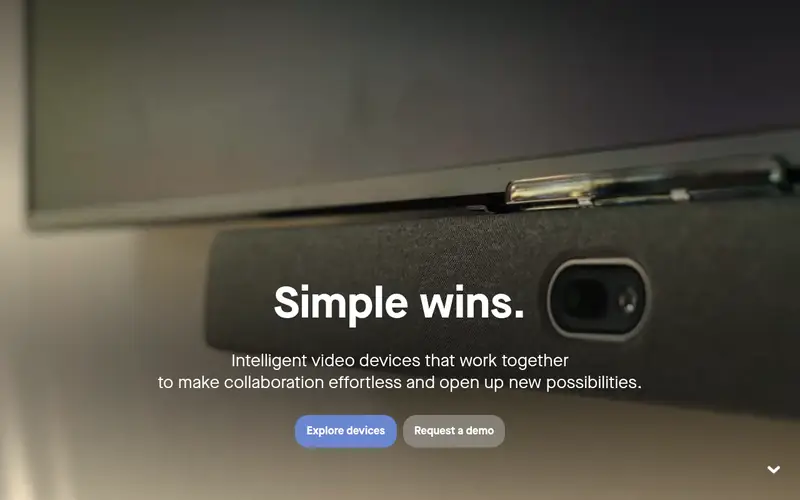
Neat Bar is an all-in-one device for Microsoft Teams Rooms. Neat lists an integrated camera, speaker array and microphone array, plus the compute needed to run the room. It is designed to mount under a display with minimal cabling.
It suits organizations that have standardized on Teams Rooms and want a tidy, single-vendor setup. The catch is ecosystem fit. Rooms running other platforms should confirm compatibility before buying.
Where the price comes from
Check current retail price (all-in-one bar). Hardware prices move often, so check the Neat Bar maker page or a retailer before you buy.
Benefits
- Native Teams Rooms device
- integrated camera, audio and compute
- clean cable management
Drawbacks
- Best value inside the Teams ecosystem
- less flexible for mixed platforms
Use case to skip: this limit matters to you: best value inside the Teams ecosystem.
Our take. A sensible pick for rooms standardized on Microsoft Teams.
If it does not fit, compare Logitech Rally Camera or Logitech MeetUp in this list.
What specs matter when you buy
Field of view is the first number to check. A wide lens, roughly 120 degrees or more, captures a small room in one shot. A narrower lens with optical zoom suits a long table where the camera sits far from the far end. Digital zoom crops the image and loses detail, so treat optical zoom as the spec that matters.
Resolution is usually listed as 4K, but the more useful question is what the meeting platform actually sends. Many services compress video, so a 4K sensor helps with cropping and framing more than with raw output. Check the frame rate the vendor lists for the modes you will use.
Audio is often bundled in a bar and separate in a PTZ camera. If you choose a camera-only model, budget for microphones and speakers, and check how they connect. Also confirm platform certification, mounting options, cabling distance limits and whether the camera needs its own power supply or runs over USB. Finally, check the warranty and support terms the vendor publishes.
Questions worth answering first
Buying checklist
- Measure the room and the distance from the camera position to the farthest seat.
- Confirm the field of view covers every seat without digital cropping.
- Check that the camera is certified for your meeting platform.
- Decide whether you need integrated audio or will buy mics and speakers separately.
- Confirm mounting height, bracket type and cable run length.
- Verify power requirements and whether the camera needs a separate supply.
FAQ
Do conference room cameras need a subscription?
No. The camera is a hardware purchase. Some vendors offer optional management software with a paid plan, but basic USB cameras work without any subscription.
What is the difference between a PTZ camera and a video bar?
A PTZ camera pans, tilts and zooms and usually needs separate audio gear. A video bar combines camera, speakers and microphones in one unit, which simplifies small room setups.
How much field of view do I need?
Small rooms often work with a wide lens around 120 degrees. Long rooms may need a narrower lens with optical zoom so the far end stays sharp.
Are these cameras compatible with Zoom and Teams?
Most models listed here are certified for major platforms, but certification varies by model and firmware. Check the vendor's certification list before buying.
Do I need 4K?
4K helps with cropping and framing, but many platforms compress video. Match resolution to your platform's limits rather than buying on the number alone.
Can I mount a conference camera on a wall or ceiling?
Many models support wall or display mounting with the vendor's bracket. Check the published mounting options and cable length limits for your chosen model.
Sources we checked
Change log: First published 22 Nov 2026.