7 Best DDR4 RAM Kits for Upgrades in 2026
The Corsair Vengeance LPX DDR4 kit is the safest first pick for most DDR4 upgrades: low-profile heatspreaders, wide capacity options and broad motherboard compatibility. Buyers who want RGB lighting should look at the Corsair Vengeance RGB Pro SL, while budget-focused builders can consider the Crucial Pro DDR4 kit for plain, no-frills modules. Confirm your motherboard's QVL and slot count before ordering.
 By Shihab Mia · Published 22 Nov 2026
We run no ads and no affiliate links at launch. The order of a list follows our published method. How lists are ordered: how we score.
Prices are the starting prices vendors list publicly. Plans change, so confirm the current price on the vendor page before you buy.
Key takeaways
- DDR4 is a legacy standard now; confirm your board uses DDR4 and not DDR5 before buying.
- Most kits here are sold in 16GB, 32GB and 64GB capacities, with 2-stick and 4-stick options.
- Speeds range from DDR4-2666 to DDR4-3600; higher speeds need CPU and motherboard support.
- Low-profile kits fit under large air coolers; RGB kits add height and cabling needs.
- Check the vendor's QVL list and your board's maximum memory before paying.
Side-by-side
Grouped by fit and cost. Tap a product to jump to its full entry.
| Fit | Cost | |||
|---|---|---|---|---|
| Product | Best for | Standout feature | Listed starting price | Free plan or trial |
| 1Corsair Vengeance LPX | Most DDR4 upgrades | Low-profile heatspreader fits under large coolers | Check current retail price (varies by capacity and speed) | One-time hardware purchase |
| 2Corsair Vengeance RGB Pro SL | RGB builds | Addressable RGB lighting | Check current retail price (varies by capacity and speed) | One-time hardware purchase |
| 3Crucial Pro DDR4 | Plain, budget builds | Simple heatspreader design | Check current retail price (varies by capacity and speed) | One-time hardware purchase |
| 4Kingston Fury Beast DDR4 | Broad compatibility | Wide capacity and speed range | Check current retail price (varies by capacity and speed) | One-time hardware purchase |
| 5G.Skill Ripjaws V | Value gaming builds | Many speed and timing combinations | Check current retail price (varies by capacity and speed) | One-time hardware purchase |
| 6TeamGroup T-Force Vulcan Z | Low-profile budget kits | Low-profile heatspreader | Check current retail price (varies by capacity and speed) | One-time hardware purchase |
| 7Patriot Viper Steel | High-speed value kits | High-speed kits available | Check current retail price (varies by capacity and speed) | One-time hardware purchase |
How we picked
We compared these kits using vendor product pages, published spec sheets, QVL and compatibility lists, and manufacturer pricing pages. We looked at capacity options, rated speeds and timings, module height, lighting, and how clearly each vendor publishes compatibility data. We did not run hands-on tests. Prices change often, so we point readers to current retail listings rather than quoting fixed figures.
The 7 picks in detail
- Best for
- Most DDR4 upgrades
- Standout
- Low-profile heatspreader fits under large coolers
- Starting price
- Check current retail price (varies by capacity and speed)
- Free plan or trial
- One-time hardware purchase
Corsair's Vengeance LPX is a long-running DDR4 line with a low-profile aluminium heatspreader. Corsair lists kits from 8GB up to 128GB and speeds from DDR4-2133 to DDR4-3600, in both dual-channel and quad-channel packs. The low height is the main draw: it clears most large air coolers that block taller RGB modules.
The catch is that LPX is a family, not one product. Timings and voltages differ between kits, so read the exact part number's spec sheet. It suits buyers who want a simple, compatible upgrade without lighting.
Where the price comes from
Check current retail price (varies by capacity and speed). Hardware prices move often, so check the Corsair Vengeance LPX maker page or a retailer before you buy.
Benefits
- Low-profile heatspreader fits under large coolers
- wide range of capacities and speeds
- widely listed on motherboard QVLs
Drawbacks
- No RGB lighting
- some high-speed kits need XMP tuning
Use case to skip: this limit matters to you: no RGB lighting.
Our take. A sensible pick for most DDR4 upgrades.
If it does not fit, compare Corsair Vengeance RGB Pro SL or Crucial Pro DDR4 in this list.
- Best for
- RGB builds
- Standout
- Addressable RGB lighting
- Starting price
- Check current retail price (varies by capacity and speed)
- Free plan or trial
- One-time hardware purchase
The Vengeance RGB Pro SL is Corsair's lower-profile RGB DDR4 line. Corsair lists it in capacities from 16GB to 128GB and speeds up to DDR4-3600, with ten individually addressable RGB LEDs per module. The "SL" version is shorter than the original RGB Pro, which helps with some cooler clearances.
Lighting is controlled through Corsair iCUE. If you do not want extra software or taller modules, the LPX is the simpler choice. Buyers who want a matching look inside a windowed case are the target here.
Where the price comes from
Check current retail price (varies by capacity and speed). Hardware prices move often, so check the Corsair Vengeance RGB Pro SL maker page or a retailer before you buy.
Benefits
- Addressable RGB lighting
- lower profile than earlier RGB Pro
- available in several capacities and speeds
Drawbacks
- Taller than LPX
- lighting needs Corsair iCUE software
Use case to skip: this limit matters to you: taller than LPX.
Our take. A sensible pick for RGB builds.
If it does not fit, compare Corsair Vengeance LPX or Crucial Pro DDR4 in this list.

- Best for
- Plain, budget builds
- Standout
- Simple heatspreader design
- Starting price
- Check current retail price (varies by capacity and speed)
- Free plan or trial
- One-time hardware purchase
Crucial's Pro DDR4 line is aimed at straightforward upgrades. Crucial lists 16GB and 32GB kits at DDR4-3200 with CL22 timings, in dual-channel packs. The modules use a plain black heatspreader and no lighting.
Crucial provides a compatibility tool on its site to check modules against your system. The trade-off is a narrow range: if you want DDR4-3600 or RGB, look elsewhere. It suits office PCs and general-purpose builds where reliability and simplicity matter more than tuning.
Where the price comes from
Check current retail price (varies by capacity and speed). Hardware prices move often, so check the Crucial Pro DDR4 maker page or a retailer before you buy.
Benefits
- Simple heatspreader design
- sold in common 16GB and 32GB kits
- Crucial publishes compatibility guidance
Drawbacks
- Limited speed options
- no RGB
Use case to skip: this limit matters to you: limited speed options.
Our take. A sensible pick for plain, budget builds.
If it does not fit, compare Corsair Vengeance LPX or Corsair Vengeance RGB Pro SL in this list.
- Best for
- Broad compatibility
- Standout
- Wide capacity and speed range
- Starting price
- Check current retail price (varies by capacity and speed)
- Free plan or trial
- One-time hardware purchase
Kingston's Fury Beast DDR4 is a mainstream line with kits from 8GB to 128GB and speeds from DDR4-2666 to DDR4-3733. Kingston lists XMP profiles for one-step setup on supported boards, plus a memory search tool to match part numbers to systems.
The Fury Beast name covers both plain and RGB variants, so check the exact model. It suits buyers who want a known brand with published compatibility data and a range of capacities.
Where the price comes from
Check current retail price (varies by capacity and speed). Hardware prices move often, so check the Kingston Fury Beast DDR4 maker page or a retailer before you buy.
Benefits
- Wide capacity and speed range
- plug-and-play XMP profiles
- Kingston publishes a compatibility search
Drawbacks
- Heatspreader height varies by kit
- RGB version is a separate line
Use case to skip: this limit matters to you: heatspreader height varies by kit.
Our take. A sensible pick for broad compatibility.
If it does not fit, compare Corsair Vengeance LPX or Corsair Vengeance RGB Pro SL in this list.
- Best for
- Value gaming builds
- Standout
- Many speed and timing combinations
- Starting price
- Check current retail price (varies by capacity and speed)
- Free plan or trial
- One-time hardware purchase
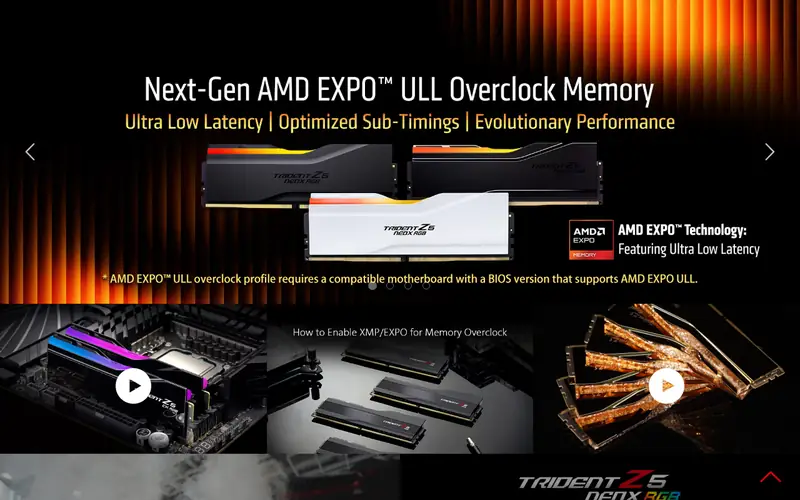
G.Skill's Ripjaws V is one of the broadest DDR4 families, with kits from 8GB to 128GB and speeds up to DDR4-4000 and beyond. G.Skill publishes a QVL list per kit and a memory configurator to check motherboard support.
Because the line is so large, part numbers matter. Two kits with the same capacity can have different speeds and timings. It suits gamers who want to pick a specific speed and timing combination at a competitive price.
Where the price comes from
Check current retail price (varies by capacity and speed). Hardware prices move often, so check the G.Skill Ripjaws V maker page or a retailer before you buy.
Benefits
- Many speed and timing combinations
- low-profile options available
- widely used in DDR4 builds
Drawbacks
- Product line is large and easy to confuse
- no lighting on standard models
Use case to skip: this limit matters to you: product line is large and easy to confuse.
Our take. A sensible pick for value gaming builds.
If it does not fit, compare Corsair Vengeance LPX or Corsair Vengeance RGB Pro SL in this list.
- Best for
- Low-profile budget kits
- Standout
- Low-profile heatspreader
- Starting price
- Check current retail price (varies by capacity and speed)
- Free plan or trial
- One-time hardware purchase
TeamGroup's T-Force Vulcan Z is a low-profile DDR4 line aimed at budget builds. TeamGroup lists 16GB and 32GB dual-channel kits at speeds around DDR4-3200 with CL16 timings, plus some higher-capacity options.
The low height helps with cooler clearance, and the plain design suits builds without a window. The catch is a narrower range than Corsair or G.Skill. It suits buyers who want a simple 16GB or 32GB upgrade at a low price.
Where the price comes from
Check current retail price (varies by capacity and speed). Hardware prices move often, so check the TeamGroup T-Force Vulcan Z maker page or a retailer before you buy.
Benefits
- Low-profile heatspreader
- common 16GB and 32GB kits
- simple design
Drawbacks
- Fewer high-speed options
- limited RGB on this line
Use case to skip: this limit matters to you: fewer high-speed options.
Our take. A sensible pick for low-profile budget kits.
If it does not fit, compare Corsair Vengeance LPX or Corsair Vengeance RGB Pro SL in this list.
- Best for
- High-speed value kits
- Standout
- High-speed kits available
- Starting price
- Check current retail price (varies by capacity and speed)
- Free plan or trial
- One-time hardware purchase
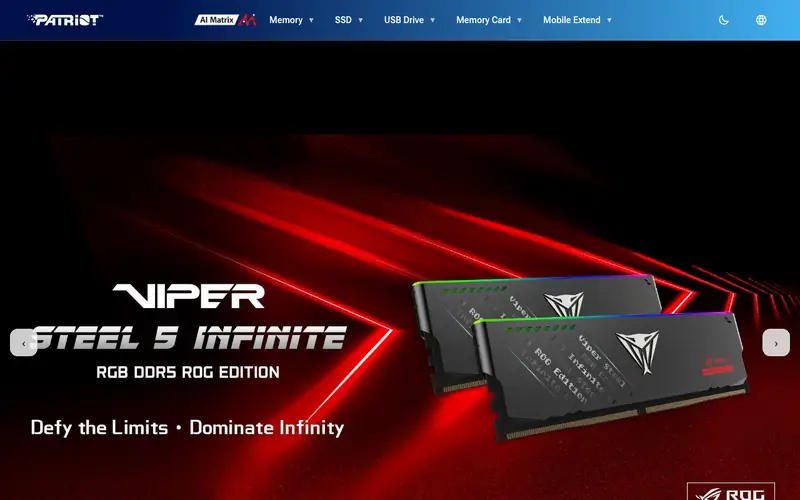
Patriot's Viper Steel DDR4 line includes kits at speeds up to DDR4-4400, with capacities from 8GB to 64GB. Patriot publishes XMP profiles and a compatibility list for its memory lines.
The steel heatspreader is taller than low-profile kits, so check cooler clearance. High-speed kits also depend on the CPU memory controller and motherboard. It suits buyers chasing higher frequencies on a board that supports them.
Where the price comes from
Check current retail price (varies by capacity and speed). Hardware prices move often, so check the Patriot Viper Steel maker page or a retailer before you buy.
Benefits
- High-speed kits available
- steel heatspreader design
- several capacity options
Drawbacks
- Taller modules
- high speeds need board and CPU support
Use case to skip: this limit matters to you: taller modules.
Our take. A sensible pick for high-speed value kits.
If it does not fit, compare Corsair Vengeance LPX or Corsair Vengeance RGB Pro SL in this list.
What specs matter when you buy
First, confirm the standard. DDR4 and DDR5 are not interchangeable, and slots are keyed differently. Check your motherboard manual for the memory type, the number of slots and the maximum capacity. A board with two slots filled may need a full replacement kit rather than an add-on pair.
Second, match speed and timings to your platform. DDR4-3200 CL16 is a common sweet spot for many builds, while DDR4-3600 helps some Ryzen setups. Higher speeds need CPU and motherboard support and often rely on XMP or DOCP profiles. Mixing kits can cause instability, so buy a matched kit.
Third, check physical fit. Tall RGB modules can clash with large air coolers. Low-profile kits avoid this. Also check the vendor's QVL list for your exact board and part number, and note the warranty length on the vendor page.
Questions worth answering first
Buying checklist
- Confirm your motherboard uses DDR4 and note its maximum memory capacity.
- Check how many slots are free and whether you need a full matched kit.
- Look up the exact part number on the vendor's QVL list for your board.
- Measure clearance under your CPU cooler before choosing tall RGB modules.
- Check that your CPU and board support the kit's rated speed via XMP or DOCP.
- Note the warranty length and return policy on the vendor or retailer page.
FAQ
Is DDR4 still worth buying in 2026?
Yes, if your motherboard uses DDR4. DDR5 boards cannot take DDR4 modules, so upgrading an existing DDR4 PC means buying DDR4. Prices and availability vary, so check current listings before ordering.
How much RAM do I need for a DDR4 upgrade?
16GB suits most general use and gaming. 32GB helps with heavy multitasking, virtual machines and content work. Check your board's maximum capacity and slot count before choosing a kit size.
Can I mix DDR4 kits from different brands?
It is possible but not recommended. Mismatched speeds, timings and voltages can cause instability. A single matched kit is the safer choice, especially for higher speeds.
Does faster DDR4 make a noticeable difference?
It depends on the CPU and workload. Some Ryzen builds benefit from DDR4-3600 over DDR4-3200. For many office and general tasks the difference is small. Check benchmarks for your specific CPU.
What is XMP or DOCP?
These are memory profiles stored on the module. Enabling them in the BIOS sets the rated speed and timings. Without them, memory often runs at a slower default speed. Support varies by motherboard.
Do I need low-profile RAM?
Only if your CPU cooler overhangs the memory slots. Low-profile kits like the Vengeance LPX or Vulcan Z avoid clearance problems. Otherwise, taller RGB modules are fine.
Sources we checked
Change log: First published 22 Nov 2026.