7 Best Ergonomic and Split Keyboards in 2026
The Kinesis Advantage360 is the top pick for most people who want a true split, contoured ergonomic keyboard, because it separates the halves and angles the key wells to reduce wrist strain. If you want a flatter split board at a lower price, the ZSA Moonlander Mark I is a strong alternative. For a one-piece board that stays familiar, the Logitech Ergo K860 suits office users who want a gentle step up.
 By Shihab Mia · Published 21 Nov 2026
We run no ads and no affiliate links at launch. The order of a list follows our published method. How lists are ordered: how we score.
Prices are the starting prices vendors list publicly. Plans change, so confirm the current price on the vendor page before you buy.
Key takeaways
- Split keyboards separate the halves so your shoulders and wrists can sit at a natural width.
- Contoured boards like the Kinesis Advantage360 use key wells rather than a flat plane.
- Prices range from roughly $100 for a one-piece ergonomic board to over $400 for premium split models.
- Most split boards are mechanical and support remapping, so layout learning takes time.
- Check return windows carefully, since ergonomic fit is personal and hard to judge from photos.
Side-by-side
Grouped by fit and cost. Tap a product to jump to its full entry.
| Fit | Cost | |||
|---|---|---|---|---|
| Product | Best for | Standout feature | Listed starting price | Free plan or trial |
| 1Kinesis Advantage360 | Contoured split typing with key wells | Separates into two halves | Check current retail price (varies by switch and configuration) | One-time hardware purchase |
| 2ZSA Moonlander Mark I | Flat split board with thumb clusters | Fully split design | Check current retail price (varies by switch and accessories) | One-time hardware purchase |
| 3Logitech Ergo K860 | Office users moving to ergonomic typing | Curved one-piece design | Check current retail price | One-time hardware purchase |
| 4Microsoft Sculpt Ergonomic Desktop | Budget one-piece ergonomic set | Includes matching mouse | Check current retail price | One-time hardware purchase |
| 5Keychron Q11 | Split mechanical at a lower price | Split mechanical design | Check current retail price (varies by switch and version) | One-time hardware purchase |
| 6Kinesis Freestyle2 | Simple adjustable split for desks | Adjustable separation | Check current retail price (varies by version) | One-time hardware purchase |
| 7ZSA Voyager | Low-profile split for travel | Low-profile split design | Check current retail price (varies by switch and accessories) | One-time hardware purchase |
How we picked
This guide is based on research, not lab testing. We reviewed vendor product pages, published spec sheets and documentation for each model, and compared layout type, split design, switch options, programmability and listed price. We prioritized models released or refreshed between 2023 and 2025 that vendors still list as current. We did not run hands-on tests, so fit and feel should be judged from the vendor's own details and, where possible, a trial or return window.
The 7 picks in detail
- Best for
- Contoured split typing with key wells
- Standout
- Separates into two halves
- Starting price
- Check current retail price (varies by switch and configuration)
- Free plan or trial
- One-time hardware purchase
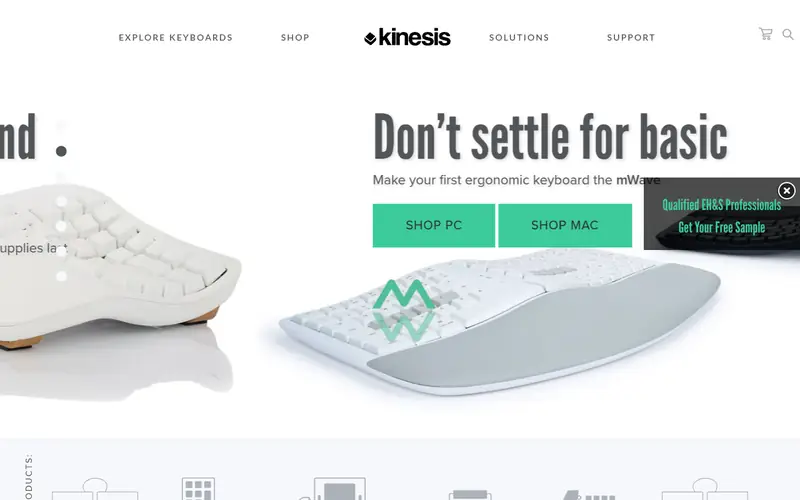
The Advantage360 is Kinesis's contoured split keyboard. Each half holds a curved key well that places keys at different heights, which the vendor says is intended to reduce finger travel. The halves connect and can be positioned at the width and angle you prefer. It uses mechanical switches and supports onboard programming so you can remap keys.
It suits experienced typists who want a serious ergonomic change and are willing to relearn key positions. The main catch is cost and adaptation time. Many users report needing weeks to adjust, and the contoured layout is very different from a standard row-staggered board. Check the vendor page for the exact switch options and warranty terms.
Where the price comes from
Check current retail price (varies by switch and configuration). Hardware prices move often, so check the Kinesis Advantage360 maker page or a retailer before you buy.
Benefits
- Separates into two halves
- contoured key wells
- programmable layout
Drawbacks
- High price
- steep learning curve
Use case to skip: this limit matters to you: high price.
Our take. A sensible pick for contoured split typing with key wells.
If it does not fit, compare ZSA Moonlander Mark I or Logitech Ergo K860 in this list.
- Best for
- Flat split board with thumb clusters
- Standout
- Fully split design
- Starting price
- Check current retail price (varies by switch and accessories)
- Free plan or trial
- One-time hardware purchase
The Moonlander Mark I is a split mechanical keyboard with two independent halves, column-staggered keys and thumb clusters. ZSA provides its own configuration software for remapping and layering, and the board supports per-key customization. The halves can be tented and angled using the included hardware.
It suits users who want a flat, portable split rather than a contoured well, and who are comfortable editing their layout. The catch is the price and the adjustment period. Column stagger and thumb keys are different from a standard keyboard, so plan for a learning phase. Confirm current switch and accessory options on the ZSA site.
Where the price comes from
Check current retail price (varies by switch and accessories). Hardware prices move often, so check the ZSA Moonlander Mark I maker page or a retailer before you buy.
Benefits
- Fully split design
- column-staggered keys
- strong remapping software
Drawbacks
- Premium price
- requires layout learning
Use case to skip: this limit matters to you: premium price.
Our take. A sensible pick for flat split board with thumb clusters.
If it does not fit, compare Kinesis Advantage360 or Logitech Ergo K860 in this list.

- Best for
- Office users moving to ergonomic typing
- Standout
- Curved one-piece design
- Starting price
- Check current retail price
- Free plan or trial
- One-time hardware purchase
The Ergo K860 is a one-piece ergonomic keyboard with a curved layout and a pillowed wrist rest. It connects wirelessly and supports pairing with multiple devices. Logitech lists it as part of its ergonomic line, aimed at reducing wrist extension compared with a flat board.
It suits office workers who want a gentler transition and do not want to relearn a split layout. The catch is that it is not a true split keyboard, so shoulder width is fixed, and it uses membrane keys rather than mechanical switches. Check the vendor page for current compatibility and warranty details.
Where the price comes from
Check current retail price. Hardware prices move often, so check the Logitech Ergo K860 maker page or a retailer before you buy.
Benefits
- Curved one-piece design
- built-in wrist rest
- wireless connection
Drawbacks
- Not a true split
- membrane keys
Use case to skip: this limit matters to you: not a true split.
Our take. A sensible pick for office users moving to ergonomic typing.
If it does not fit, compare Kinesis Advantage360 or ZSA Moonlander Mark I in this list.
- Best for
- Budget one-piece ergonomic set
- Standout
- Includes matching mouse
- Starting price
- Check current retail price
- Free plan or trial
- One-time hardware purchase
The Sculpt Ergonomic Desktop bundles a domed keyboard with a separate number pad and a mouse. The keyboard has a raised center and a negative tilt, which Microsoft describes as a more natural wrist position. The detached number pad lets you place it where it suits you.
It suits buyers who want an affordable ergonomic set for general office work. The catch is that it is a membrane board with limited remapping, and availability varies by region. Check the Microsoft site for current stock and warranty terms before buying.
Where the price comes from
Check current retail price. Hardware prices move often, so check the Microsoft Sculpt Ergonomic Desktop maker page or a retailer before you buy.
Benefits
- Includes matching mouse
- domed layout
- separate number pad
Drawbacks
- Membrane keys
- limited programmability
Use case to skip: this limit matters to you: membrane keys.
Our take. A sensible pick for budget one-piece ergonomic set.
If it does not fit, compare Kinesis Advantage360 or ZSA Moonlander Mark I in this list.
- Best for
- Split mechanical at a lower price
- Standout
- Split mechanical design
- Starting price
- Check current retail price (varies by switch and version)
- Free plan or trial
- One-time hardware purchase
The Keychron Q11 is a split mechanical keyboard with an aluminum frame and support for QMK/VIA remapping. It uses a flat, column-staggered layout with two halves connected by a cable. Keychron offers several switch options and versions.
It suits users who want a split mechanical board without the premium price of contoured models. The catch is that it is flat rather than contoured, and the aluminum case makes it heavier than a travel board. Confirm the exact switch and layout version on the Keychron site.
Where the price comes from
Check current retail price (varies by switch and version). Hardware prices move often, so check the Keychron Q11 maker page or a retailer before you buy.
Benefits
- Split mechanical design
- aluminum case
- QMK/VIA support
Drawbacks
- No contoured wells
- heavier than travel boards
Use case to skip: this limit matters to you: no contoured wells.
Our take. A sensible pick for split mechanical at a lower price.
If it does not fit, compare Kinesis Advantage360 or ZSA Moonlander Mark I in this list.
- Best for
- Simple adjustable split for desks
- Standout
- Adjustable separation
- Starting price
- Check current retail price (varies by version)
- Free plan or trial
- One-time hardware purchase
The Freestyle2 is a split keyboard whose halves connect by a flexible cable, letting you set the separation to suit your shoulder width. Kinesis sells several versions, including variants with different tenting accessories. It uses a familiar row-staggered layout, so the learning curve is lower than on column-staggered boards.
It suits office users who want split separation without relearning key positions. The catch is that the base model uses membrane keys and offers fewer programming options than mechanical boards. Check the Kinesis site for the version that matches your needs.
Where the price comes from
Check current retail price (varies by version). Hardware prices move often, so check the Kinesis Freestyle2 maker page or a retailer before you buy.
Benefits
- Adjustable separation
- low learning curve
- multiple versions
Drawbacks
- Membrane keys on base model
- fewer programming options
Use case to skip: this limit matters to you: membrane keys on base model.
Our take. A sensible pick for simple adjustable split for desks.
If it does not fit, compare Kinesis Advantage360 or ZSA Moonlander Mark I in this list.
- Best for
- Low-profile split for travel
- Standout
- Low-profile split design
- Starting price
- Check current retail price (varies by switch and accessories)
- Free plan or trial
- One-time hardware purchase
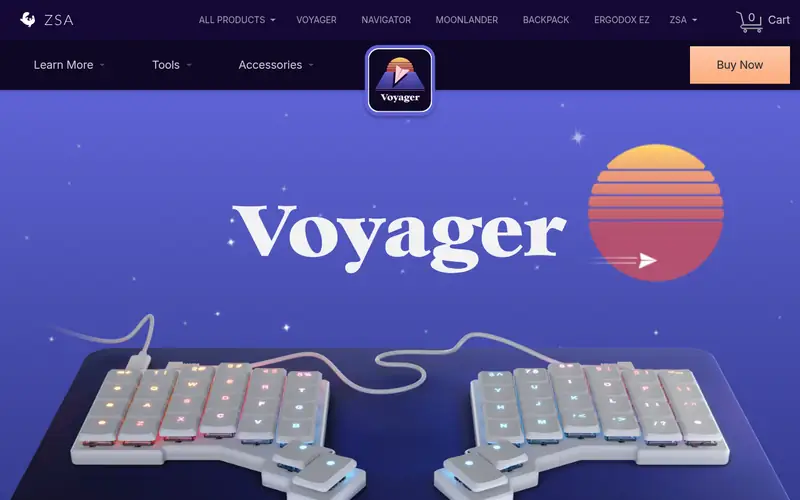
The Voyager is ZSA's low-profile split keyboard, designed to be thinner and more portable than the Moonlander. It uses a column-staggered layout and supports ZSA's configuration software for remapping and layers. The low-profile switches keep the board slim.
It suits users who want a split board they can carry between home and office. The catch is a reduced key count, which means relying on layers, plus a premium price. Check the ZSA site for current switch options and accessory details.
Where the price comes from
Check current retail price (varies by switch and accessories). Hardware prices move often, so check the ZSA Voyager maker page or a retailer before you buy.
Benefits
- Low-profile split design
- portable
- remapping software
Drawbacks
- Fewer keys
- premium price
Use case to skip: this limit matters to you: fewer keys.
Our take. A sensible pick for low-profile split for travel.
If it does not fit, compare Kinesis Advantage360 or ZSA Moonlander Mark I in this list.
What specs matter when you buy
The first decision is split versus one-piece. A split board lets you set the distance between halves to match your shoulder width, which is the main ergonomic advantage. A one-piece ergonomic board is easier to adopt but fixes the width. If you have never used a split, a board with a familiar row-staggered layout is a gentler start.
The second decision is key layout. Column-staggered and contoured boards place keys in vertical columns or curved wells, which changes finger travel. These designs usually require relearning typing, so allow weeks of adjustment. Flat row-staggered boards are easier to adopt but offer less shape variation.
Switch type matters too. Mechanical switches are common on premium split boards and are often hot-swappable, so you can change feel later. Membrane boards are usually cheaper and quieter. Check whether the board supports remapping, since split users often move keys like Enter and Backspace to thumb clusters. Also check connectivity, warranty length and whether tenting or wrist rests are included, because these affect the real cost.
Questions worth answering first
Buying checklist
- Confirm the board is a true split if shoulder width adjustment matters to you.
- Check whether the layout is row-staggered, column-staggered or contoured, and whether you are ready to relearn.
- Verify switch type and whether switches are hot-swappable.
- Confirm remapping support and whether the software runs on your operating system.
- Check what is included, such as tenting kits, wrist rests and cables.
- Read the return window and warranty terms before paying.
FAQ
Are split keyboards better for your wrists?
Split keyboards let you set the halves at shoulder width, which can reduce shoulder and wrist strain compared with a fixed board. The benefit depends on your setup and posture. A split board is not a medical treatment, so consult a professional if you have pain.
Do I need to relearn typing on an ergonomic keyboard?
On a row-staggered split like the Kinesis Freestyle2, the change is small. On column-staggered or contoured boards like the Moonlander or Advantage360, expect to relearn key positions over days or weeks. Plan for a slower period before you reach your usual speed.
Are mechanical switches required for ergonomics?
No. Membrane boards such as the Logitech Ergo K860 and Microsoft Sculpt are ergonomic in shape. Mechanical switches mainly change feel, sound and repairability. Choose based on comfort and noise rather than ergonomics alone.
Can I use a split keyboard with a laptop?
Yes, most split boards connect by USB and work with laptops. Some models also offer wireless or Bluetooth. Check the vendor page for the connection types and whether the board supports switching between devices.
How much should I budget for an ergonomic keyboard?
One-piece ergonomic boards are often the cheapest option, while premium split and contoured boards cost more. Prices vary by switch and accessories, so check the vendor site for the exact configuration. Budget for a wrist rest or tenting kit if it is not included.
Are these keyboards good for programming?
Many split boards support remapping and layers, which programmers often use for shortcuts and symbols. Column-staggered layouts can suit touch typing once learned. Check that the remapping software supports your operating system and workflow before buying.
Sources we checked
Change log: First published 21 Nov 2026.