7 Best Gaming Monitors in 2026
The LG 27GR93U is the best all-round pick for most buyers: a 27-inch 4K IPS panel with a 144 Hz refresh rate that suits mixed gaming and desktop work. If you want maximum motion clarity for competitive shooters, look at the ASUS ROG Swift Pro PG248QP. If you prefer a large curved OLED for immersive single-player games, the Samsung Odyssey OLED G9 is the alternative.
 By Shihab Mia · Published 21 Nov 2026
We run no ads and no affiliate links at launch. The order of a list follows our published method. How lists are ordered: how we score.
Prices are the starting prices vendors list publicly. Plans change, so confirm the current price on the vendor page before you buy.
Key takeaways
- Panel type drives the experience: IPS for balance, VA for contrast, OLED for black levels and response.
- Refresh rate and resolution trade off against each other; 4K at high refresh needs a strong GPU and DisplayPort.
- OLED monitors can show static-image burn-in risk, so check the vendor's warranty terms for panel coverage.
- Check which ports and cable version the monitor ships with; some high-refresh modes need DisplayPort, not HDMI.
- Prices below are manufacturer list prices in USD; check current retail price before buying.
Side-by-side
Grouped by fit and cost. Tap a product to jump to its full entry.
| Fit | Cost | |||
|---|---|---|---|---|
| Product | Best for | Standout feature | Listed starting price | Free plan or trial |
| 1LG 27GR93U | All-round 4K gaming and desktop work | 4K resolution on a 27-inch IPS panel | Check current retail price | One-time hardware purchase |
| 2ASUS ROG Swift Pro PG248QP | Competitive esports and fast motion | Very high refresh rate for motion clarity | Check current retail price | One-time hardware purchase |
| 3Samsung Odyssey OLED G9 | Immersive ultrawide single-player gaming | Large curved QD-OLED panel | Check current retail price | One-time hardware purchase |
| 4Dell Alienware AW3423DWF | Curved QD-OLED at a lower tier | 34-inch curved QD-OLED panel | Check current retail price | One-time hardware purchase |
| 5Gigabyte M27Q X | Budget high-refresh 1440p | 1440p at a high refresh rate | Check current retail price | One-time hardware purchase |
| 6LG 27GR95QE | OLED contrast at 1440p | 27-inch OLED panel with deep blacks | Check current retail price | One-time hardware purchase |
| 7Samsung Odyssey Neo G7 | Bright mini-LED VA gaming | Mini-LED backlight for high brightness | Check current retail price | One-time hardware purchase |
How we picked
This guide is based on research, not hands-on testing. We reviewed vendor product pages, datasheets and published specifications for monitors released between 2023 and 2025 that manufacturers still list as current. We compared panel type, resolution, refresh rate, port selection, adaptive sync support and stated warranty terms, and noted the main trade-off for each model. Prices are manufacturer list prices where available; otherwise we point you to current retail pricing.
The 7 picks in detail

- Best for
- All-round 4K gaming and desktop work
- Standout
- 4K resolution on a 27-inch IPS panel
- Starting price
- Check current retail price
- Free plan or trial
- One-time hardware purchase
The 27GR93U is a 27-inch UltraGear model with a 3840x2160 IPS panel and a 144 Hz refresh rate. LG lists DisplayPort and HDMI inputs plus a USB hub. Adaptive sync is supported, which helps reduce tearing when frame rates vary.
It suits players who want one screen for both games and productivity, since 4K text rendering is sharp. The catch is that hitting high frame rates at 4K requires a strong graphics card, and IPS black levels are weaker than OLED.
Where the price comes from
Check current retail price. Hardware prices move often, so check the LG 27GR93U maker page or a retailer before you buy.
Benefits
- 4K resolution on a 27-inch IPS panel
- 144 Hz refresh with adaptive sync support
- USB hub and DisplayPort included
Drawbacks
- IPS contrast is modest next to VA or OLED
- 4K at high frame rates needs a powerful GPU
Use case to skip: this limit matters to you: IPS contrast is modest next to VA or OLED.
Our take. A sensible pick for all-round 4K gaming and desktop work.
If it does not fit, compare ASUS ROG Swift Pro PG248QP or Samsung Odyssey OLED G9 in this list.

- Best for
- Competitive esports and fast motion
- Standout
- Very high refresh rate for motion clarity
- Starting price
- Check current retail price
- Free plan or trial
- One-time hardware purchase
This is a 24.1-inch 1080p esports monitor built around a very high refresh rate, aimed at players who prioritise frame rate and motion clarity over resolution. ASUS lists a G-SYNC processor and a fast TN-style panel.
It suits competitive players on a strong CPU and mid-range GPU, because 1080p is easy to drive to high frame rates. The catch is that 1080p on a small screen looks soft for work and single-player games.
Where the price comes from
Check current retail price. Hardware prices move often, so check the ASUS ROG Swift Pro PG248QP maker page or a retailer before you buy.
Benefits
- Very high refresh rate for motion clarity
- 1080p panel is easy to drive
- built-in NVIDIA G-SYNC processor
Drawbacks
- 1080p resolution limits desktop sharpness
- small screen size suits esports more than immersion
Use case to skip: this limit matters to you: 1080p resolution limits desktop sharpness.
Our take. A sensible pick for competitive esports and fast motion.
If it does not fit, compare LG 27GR93U or Samsung Odyssey OLED G9 in this list.
- Best for
- Immersive ultrawide single-player gaming
- Standout
- Large curved QD-OLED panel
- Starting price
- Check current retail price
- Free plan or trial
- One-time hardware purchase
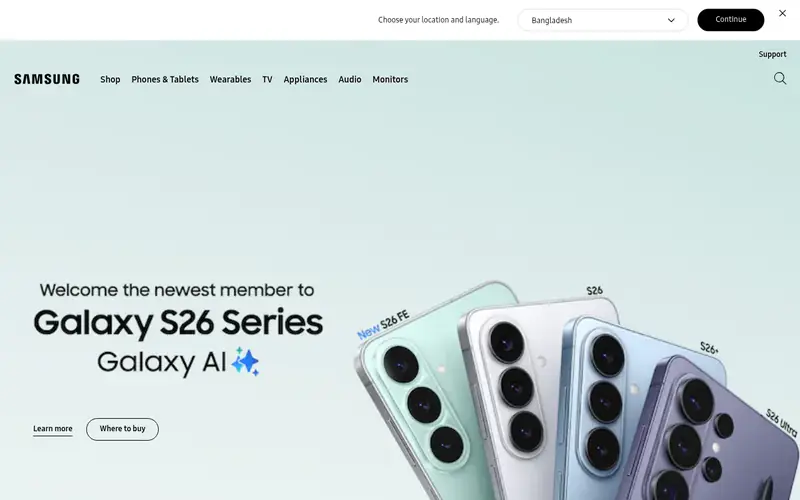
The Odyssey OLED G9 is a super-ultrawide curved QD-OLED monitor. Samsung lists a high refresh rate and a wide 32:9-style aspect ratio, which wraps the view around the player.
It suits players who want a cinematic, immersive setup for racing and open-world games. The catch is price, the desk space required, and OLED burn-in risk if static UI elements stay on screen for long periods.
Where the price comes from
Check current retail price. Hardware prices move often, so check the Samsung Odyssey OLED G9 maker page or a retailer before you buy.
Benefits
- Large curved QD-OLED panel
- very wide aspect ratio for immersion
- high refresh rate for smooth motion
Drawbacks
- Expensive
- OLED burn-in risk with static content
- needs desk space and a strong GPU
Use case to skip: this limit matters to you: expensive.
Our take. A sensible pick for immersive ultrawide single-player gaming.
If it does not fit, compare LG 27GR93U or ASUS ROG Swift Pro PG248QP in this list.

- Best for
- Curved QD-OLED at a lower tier
- Standout
- 34-inch curved QD-OLED panel
- Starting price
- Check current retail price
- Free plan or trial
- One-time hardware purchase
The AW3423DWF is a 34-inch curved QD-OLED ultrawide. Dell lists a high refresh rate and adaptive sync support, and the QD-OLED panel gives deep blacks and wide colour coverage.
It suits players who want OLED contrast in a more manageable ultrawide size than a super-ultrawide. The catch is the same as any OLED: static elements can leave marks over time, so check Dell's panel warranty terms.
Where the price comes from
Check current retail price. Hardware prices move often, so check the Dell Alienware AW3423DWF maker page or a retailer before you buy.
Benefits
- 34-inch curved QD-OLED panel
- strong contrast and black levels
- high refresh rate with adaptive sync
Drawbacks
- OLED burn-in risk
- ultrawide resolution needs a capable GPU
Use case to skip: this limit matters to you: OLED burn-in risk.
Our take. A sensible pick for curved QD-OLED at a lower tier.
If it does not fit, compare LG 27GR93U or ASUS ROG Swift Pro PG248QP in this list.

- Best for
- Budget high-refresh 1440p
- Standout
- 1440p at a high refresh rate
- Starting price
- Check current retail price
- Free plan or trial
- One-time hardware purchase
The M27Q X is a 27-inch 1440p IPS monitor with a high refresh rate and a built-in KVM switch, which lets one keyboard and mouse control two connected computers. Gigabyte lists adaptive sync support.
It suits buyers who want smooth 1440p gaming without paying 4K or OLED prices. The catch is that IPS contrast and HDR brightness are modest, so it is a value pick rather than a premium one.
Where the price comes from
Check current retail price. Hardware prices move often, so check the Gigabyte M27Q X maker page or a retailer before you buy.
Benefits
- 1440p at a high refresh rate
- KVM switch for multiple devices
- usually priced below 4K and OLED options
Drawbacks
- IPS contrast is average
- HDR performance is limited
Use case to skip: this limit matters to you: IPS contrast is average.
Our take. A sensible pick for budget high-refresh 1440p.
If it does not fit, compare LG 27GR93U or ASUS ROG Swift Pro PG248QP in this list.
- Best for
- OLED contrast at 1440p
- Standout
- 27-inch OLED panel with deep blacks
- Starting price
- Check current retail price
- Free plan or trial
- One-time hardware purchase
The 27GR95QE is a 27-inch 1440p OLED monitor with a high refresh rate. LG lists adaptive sync support and a matte panel finish.
It suits players who want OLED black levels and fast response in a standard 27-inch size. The catch is burn-in risk with static content and lower full-screen brightness than bright LCD panels.
Where the price comes from
Check current retail price. Hardware prices move often, so check the LG 27GR95QE maker page or a retailer before you buy.
Benefits
- 27-inch OLED panel with deep blacks
- high refresh rate
- good motion handling
Drawbacks
- OLED burn-in risk
- lower peak brightness than some LCDs
Use case to skip: this limit matters to you: OLED burn-in risk.
Our take. A sensible pick for OLED contrast at 1440p.
If it does not fit, compare LG 27GR93U or ASUS ROG Swift Pro PG248QP in this list.
- Best for
- Bright mini-LED VA gaming
- Standout
- Mini-LED backlight for high brightness
- Starting price
- Check current retail price
- Free plan or trial
- One-time hardware purchase
The Odyssey Neo G7 is a curved VA monitor with a mini-LED backlight, which Samsung lists as delivering high brightness and local dimming. It has a high refresh rate for gaming.
It suits players in bright rooms who want punchy HDR without OLED burn-in concerns. The catch is narrower VA viewing angles and possible blooming, where light bleeds around bright objects on dark backgrounds.
Where the price comes from
Check current retail price. Hardware prices move often, so check the Samsung Odyssey Neo G7 maker page or a retailer before you buy.
Benefits
- Mini-LED backlight for high brightness
- curved VA panel with strong contrast
- high refresh rate
Drawbacks
- VA viewing angles are narrower
- mini-LED can show blooming around bright objects
Use case to skip: this limit matters to you: VA viewing angles are narrower.
Our take. A sensible pick for bright mini-LED VA gaming.
If it does not fit, compare LG 27GR93U or ASUS ROG Swift Pro PG248QP in this list.
What specs matter when you buy
Panel type is the first decision. IPS gives balanced colour and viewing angles but modest contrast. VA gives deeper blacks but narrower viewing angles and possible smearing in dark scenes. OLED gives near-perfect blacks and fast response but carries burn-in risk and often lower full-screen brightness.
Resolution and refresh rate trade off against your GPU. 1080p is easy to drive to high frame rates, 1440p is the common middle ground, and 4K needs a strong card to stay smooth. Higher refresh rates help motion clarity, but only if your system can produce the frames.
Check the ports and cable version. Some monitors only reach their top refresh rate over DisplayPort, not HDMI, and the included cable may not support the full mode. Also check adaptive sync support (FreeSync or G-Sync compatibility), stand ergonomics, and the warranty terms, especially panel coverage on OLED models.
Questions worth answering first
Buying checklist
- Confirm your GPU can drive the resolution and refresh rate you want in the games you play.
- Check whether the top refresh rate needs DisplayPort rather than HDMI, and whether the right cable is included.
- Verify adaptive sync support matches your graphics card brand.
- For OLED, read the vendor's burn-in and panel warranty terms before paying.
- Measure your desk space, especially for curved and ultrawide models.
- Check the return policy and dead-pixel policy for the retailer you buy from.
FAQ
What is the best gaming monitor overall?
The LG 27GR93U is a strong all-round choice because it combines 4K resolution with a 144 Hz IPS panel, suiting both games and desktop work. Buyers who mainly play competitive shooters may prefer a higher-refresh 1080p or 1440p model instead.
Is OLED worth it for gaming?
OLED gives deep blacks and fast response, which suits dark, cinematic games. The trade-off is burn-in risk with static content and often lower full-screen brightness. Check the vendor's panel warranty before buying.
Do I need 4K for gaming?
Not necessarily. 1440p at a high refresh rate is easier to drive and looks sharp on a 27-inch screen. 4K suits buyers with a strong GPU who also want sharp text for work.
What refresh rate should I aim for?
Match the refresh rate to the frame rates your GPU can produce. A 144 Hz or higher panel helps motion clarity, but only if your system can feed it enough frames in your games.
Does adaptive sync matter?
Yes. Adaptive sync (FreeSync or G-Sync compatibility) reduces tearing and stutter when frame rates vary. Check that the monitor's supported version matches your graphics card.
Are curved monitors better for gaming?
Curved panels can improve immersion on wide and ultrawide screens. On smaller 27-inch monitors the benefit is minor, and curved screens take more desk space, so measure before buying.
Sources we checked
Change log: First published 21 Nov 2026.