7 Best Laser Printers for Home Office in 2026
The Brother HL-L2460DW is the top pick for most home offices. It is a compact monochrome laser with automatic duplex printing, wireless connectivity and a low list price, which suits single users who mostly print text. If you need colour, the Brother HL-L3280CDW covers documents and light graphics. If you want an all-in-one with a scanner and copier, the HP LaserJet MFP M234dwe is the practical alternative.
 By Shihab Mia · Published 22 Nov 2026
We run no ads and no affiliate links at launch. The order of a list follows our published method. How lists are ordered: how we score.
Prices are the starting prices vendors list publicly. Plans change, so confirm the current price on the vendor page before you buy.
Key takeaways
- Monochrome laser printers usually cost less to buy and run than colour models, and they suit text-heavy home offices.
- Automatic duplex printing saves paper; check the spec sheet because some budget models print single-sided only.
- Toner yield and price per page matter more than the printer price over several years of use.
- Wireless and Ethernet support vary by model; confirm the connection you need before buying.
- Check current retail price, since laser printer prices move with promotions and stock.
Side-by-side
Grouped by fit and cost. Tap a product to jump to its full entry.
| Fit | Cost | |||
|---|---|---|---|---|
| Product | Best for | Standout feature | Listed starting price | Free plan or trial |
| 1Brother HL-L2460DW | Most home offices with text-heavy printing | Automatic duplex printing | Check current retail price | One-time hardware purchase |
| 2Brother HL-L3280CDW | Colour documents and light graphics | Colour laser printing | Check current retail price | One-time hardware purchase |
| 3HP LaserJet MFP M234dwe | Print, scan and copy in one compact unit | Print, scan and copy in one device | Check current retail price | One-time hardware purchase |
| 4Canon imageCLASS LBP247dw | Fast single-function monochrome printing | Fast monochrome output | Check current retail price | One-time hardware purchase |
| 5Xerox B230/DNI | Small desks and basic wireless printing | Compact monochrome design | Check current retail price | One-time hardware purchase |
| 6Pantum P2500W | Tight budgets and light duty | Low purchase price | Check current retail price | One-time hardware purchase |
| 7Lexmark MS331dn | Heavier monthly volume and Ethernet setups | Built for higher monthly volume | Check current retail price | One-time hardware purchase |
How we picked
We compared these printers using vendor product pages, published spec sheets and list prices. We checked print technology, colour support, duplex printing, connectivity, paper capacity and toner information for each model. We focused on models released in recent years and still listed as current by the manufacturer. We did not run lab tests. Prices and specs can change, so confirm them on the vendor site before buying.
The 7 picks in detail
- Best for
- Most home offices with text-heavy printing
- Standout
- Automatic duplex printing
- Starting price
- Check current retail price
- Free plan or trial
- One-time hardware purchase
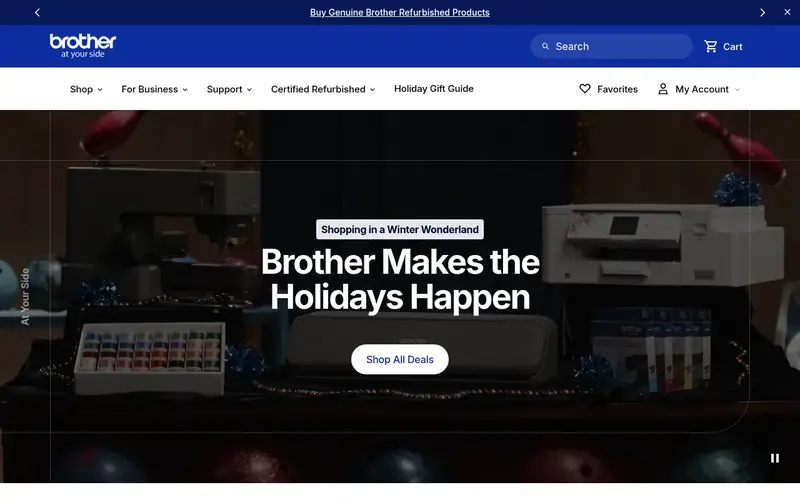
The HL-L2460DW is a single-function monochrome laser printer aimed at small offices and home workers. Brother lists automatic two-sided printing, a paper tray for letter and legal sizes, and support for wireless, Ethernet and USB connections. Print speeds are in the mid-range for this class, which is fine for a home office that prints documents rather than batches.
It suits one or two people who mostly print text, invoices and forms. The main catch is that it cannot scan or copy, so you need a separate scanner if you handle contracts or receipts. It also prints in black only, so colour presentations are out. Check the current retail price and the cost of a replacement toner cartridge before you commit.
Where the price comes from
Check current retail price. Hardware prices move often, so check the Brother HL-L2460DW maker page or a retailer before you buy.
Benefits
- Automatic duplex printing
- wireless and Ethernet connectivity
- compact footprint
Drawbacks
- Monochrome only
- no scanner or copier
Use case to skip: this limit matters to you: monochrome only.
Our take. A sensible pick for most home offices with text-heavy printing.
If it does not fit, compare Brother HL-L3280CDW or HP LaserJet MFP M234dwe in this list.
- Best for
- Colour documents and light graphics
- Standout
- Colour laser printing
- Starting price
- Check current retail price
- Free plan or trial
- One-time hardware purchase
The HL-L3280CDW is a colour laser printer for home offices that need occasional colour, such as charts, labels and simple marketing sheets. Brother lists automatic duplex printing, wireless and Ethernet connectivity, and a front-access toner design that makes cartridge changes easier.
It suits small teams that print a mix of black text and colour pages but do not need photo-quality output. The catch is cost: colour laser printers and their toner sets cost more than monochrome equivalents, and colour pages use more consumables. If most of your printing is text, a mono model is cheaper to run. Confirm the current retail price and the yield of the included starter cartridges.
Where the price comes from
Check current retail price. Hardware prices move often, so check the Brother HL-L3280CDW maker page or a retailer before you buy.
Benefits
- Colour laser printing
- automatic duplex
- wireless and Ethernet
Drawbacks
- Higher purchase price than mono models
- larger body
Use case to skip: this limit matters to you: higher purchase price than mono models.
Our take. A sensible pick for colour documents and light graphics.
If it does not fit, compare Brother HL-L2460DW or HP LaserJet MFP M234dwe in this list.
- Best for
- Print, scan and copy in one compact unit
- Standout
- Print, scan and copy in one device
- Starting price
- Check current retail price
- Free plan or trial
- One-time hardware purchase
The HP LaserJet MFP M234dwe is a monochrome multifunction laser printer with a flatbed scanner and copier. HP lists automatic duplex printing, wireless connectivity and support for mobile printing. It is designed for small offices that want one device for documents, scans and copies.
It suits a home office that handles contracts, receipts and forms and wants to avoid a separate scanner. The catch is that it prints in black only, and HP sells some toner through subscription plans, so check what the printer includes and what a standard cartridge costs. Read the spec sheet for scan resolution and paper capacity if you scan often. Check the current retail price before buying.
Where the price comes from
Check current retail price. Hardware prices move often, so check the HP LaserJet MFP M234dwe maker page or a retailer before you buy.
Benefits
- Print, scan and copy in one device
- automatic duplex
- wireless setup
Drawbacks
- Monochrome only
- toner subscription options can confuse buyers
Use case to skip: this limit matters to you: monochrome only.
Our take. A sensible pick for print, scan and copy in one compact unit.
If it does not fit, compare Brother HL-L2460DW or Brother HL-L3280CDW in this list.
- Best for
- Fast single-function monochrome printing
- Standout
- Fast monochrome output
- Starting price
- Check current retail price
- Free plan or trial
- One-time hardware purchase
The Canon imageCLASS LBP247dw is a single-function monochrome laser printer for home offices that print a lot of text. Canon lists automatic duplex printing, wireless and Ethernet connectivity, and a compact desktop design. It is built for speed rather than features, so it suits a desk where documents go out quickly.
It fits a user who prints invoices, drafts and shipping labels and already has a scanner. The catch is the same as other single-function units: no copying or scanning, and no colour. Check the toner yield and price per page, because a fast printer with expensive toner can cost more over time. Confirm the current retail price and whether a starter cartridge is included.
Where the price comes from
Check current retail price. Hardware prices move often, so check the Canon imageCLASS LBP247dw maker page or a retailer before you buy.
Benefits
- Fast monochrome output
- automatic duplex
- wireless and Ethernet
Drawbacks
- No scanner or copier
- mono only
Use case to skip: this limit matters to you: no scanner or copier.
Our take. A sensible pick for fast single-function monochrome printing.
If it does not fit, compare Brother HL-L2460DW or Brother HL-L3280CDW in this list.
- Best for
- Small desks and basic wireless printing
- Standout
- Compact monochrome design
- Starting price
- Check current retail price
- Free plan or trial
- One-time hardware purchase
The Xerox B230/DNI is a compact monochrome laser printer for small home offices. Xerox lists wireless and Ethernet connectivity, automatic duplex printing and a simple control panel. It is aimed at low-volume users who want a reliable text printer without a large footprint.
It suits a desk with limited space and a user who prints a few documents a day. The catch is capacity: the paper tray is small, so heavy print runs need refilling. It also prints in black only. Check the current retail price and the cost of Xerox toner, and confirm the warranty terms on the vendor page.
Where the price comes from
Check current retail price. Hardware prices move often, so check the Xerox B230/DNI maker page or a retailer before you buy.
Benefits
- Compact monochrome design
- wireless and Ethernet
- automatic duplex
Drawbacks
- Mono only
- limited paper capacity
Use case to skip: this limit matters to you: mono only.
Our take. A sensible pick for small desks and basic wireless printing.
If it does not fit, compare Brother HL-L2460DW or Brother HL-L3280CDW in this list.
- Best for
- Tight budgets and light duty
- Standout
- Low purchase price
- Starting price
- Check current retail price
- Free plan or trial
- One-time hardware purchase
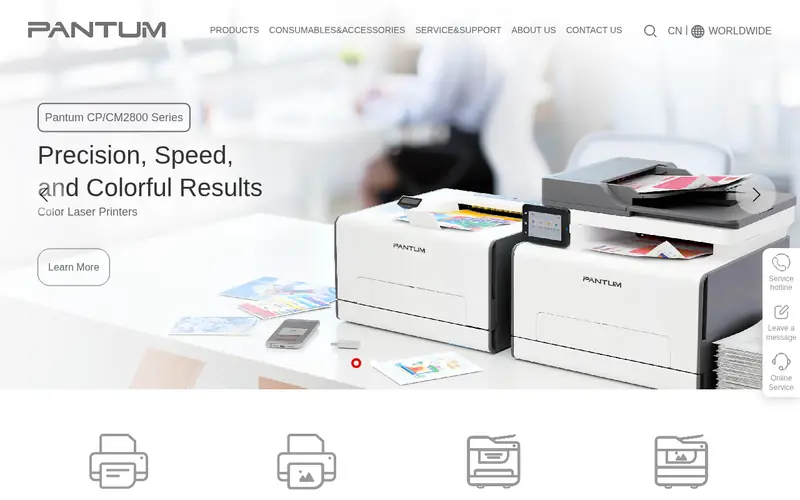
The Pantum P2500W is an entry-level monochrome laser printer for light home office use. Pantum lists wireless connectivity and a compact design, and the printer is often sold at a low price. It is a simple device for basic text printing.
It suits a buyer on a tight budget who prints occasionally and does not need duplex or scanning. The catch is that this model does not offer automatic two-sided printing, so duplex jobs need manual flipping. Toner availability and support vary by region, so check local stock. Confirm the current retail price and read the spec sheet for paper size support.
Where the price comes from
Check current retail price. Hardware prices move often, so check the Pantum P2500W maker page or a retailer before you buy.
Benefits
- Low purchase price
- wireless printing
- compact body
Drawbacks
- Mono only
- no automatic duplex on this model
Use case to skip: this limit matters to you: mono only.
Our take. A sensible pick for tight budgets and light duty.
If it does not fit, compare Brother HL-L2460DW or Brother HL-L3280CDW in this list.
- Best for
- Heavier monthly volume and Ethernet setups
- Standout
- Built for higher monthly volume
- Starting price
- Check current retail price
- Free plan or trial
- One-time hardware purchase
The Lexmark MS331dn is a monochrome laser printer aimed at small workgroups that print more than a typical home user. Lexmark lists Ethernet and USB connectivity, automatic duplex printing and a durable design for business use. It is a single-function printer, so scanning and copying need separate hardware.
It suits a home office that runs a wired network and prints a steady volume of documents. The catch is size and price: it is larger and costs more than budget mono models, and it prints in black only. Check the vendor page for the recommended monthly page volume and the toner yield. Confirm the current retail price before buying.
Where the price comes from
Check current retail price. Hardware prices move often, so check the Lexmark MS331dn maker page or a retailer before you buy.
Benefits
- Built for higher monthly volume
- Ethernet and USB
- automatic duplex
Drawbacks
- Mono only
- larger and heavier than budget models
Use case to skip: this limit matters to you: mono only.
Our take. A sensible pick for heavier monthly volume and Ethernet setups.
If it does not fit, compare Brother HL-L2460DW or Brother HL-L3280CDW in this list.
What specs matter when you buy
Start with colour versus monochrome. A monochrome laser printer is cheaper to buy and run for text documents. A colour laser costs more up front and uses four toner cartridges, so it only makes sense if you print colour charts, labels or simple graphics. If you need to scan or copy, choose a multifunction model instead of adding a separate scanner.
Next, look at duplex printing. Automatic two-sided printing halves paper use and is standard on most business-oriented models, but some budget printers leave it out. Check the spec sheet rather than the product photo. Also check paper capacity: a small tray means more refilling during long print runs.
Then compare running costs. Toner yield and cartridge price determine cost per page, and that matters more than the printer price over several years. Check the yield of the included starter cartridge, which is often lower than a full replacement. Finally, confirm connectivity: wireless is convenient, but Ethernet is more stable for a fixed desk. Check the vendor datasheet for supported connections and mobile printing.
Questions worth answering first
Buying checklist
- Confirm the printer is monochrome or colour based on the documents you actually print.
- Check whether automatic duplex printing is listed on the spec sheet.
- Compare toner yield and cartridge price to estimate cost per page.
- Confirm the connections you need, such as wireless, Ethernet or USB.
- Check the paper tray capacity and supported paper sizes.
- Read the warranty terms and toner subscription details on the vendor page.
FAQ
Do I need a colour laser printer for a home office?
Only if you print colour documents regularly. Monochrome laser printers cost less to buy and run, and most home office work is text. Colour models use four toner cartridges, which raises running costs. Choose colour if you print charts, labels or simple marketing sheets.
Is automatic duplex printing worth it?
Yes for most offices. Automatic duplex printing halves paper use and saves time on long documents. Some budget models leave it out, so check the spec sheet. If you print multi-page documents often, choose a model that lists automatic two-sided printing.
How much does toner cost to run?
It depends on the model and cartridge yield. Compare the cartridge price with its stated page yield to estimate cost per page. Starter cartridges included with a new printer often have lower yield than full replacements. Check the vendor page for current toner prices.
Can a laser printer scan and copy?
Only multifunction models can scan and copy. Single-function printers like the Brother HL-L2460DW print only. If you handle contracts or receipts, choose a multifunction model such as the HP LaserJet MFP M234dwe, or keep a separate scanner.
Do these printers work with wireless networks?
Most models listed here support wireless connectivity, and several also offer Ethernet. Check the spec sheet for the exact connections. Ethernet is more stable for a fixed desk, while wireless suits shared spaces. Confirm mobile printing support if you print from a phone.
What monthly volume suits a home office laser printer?
Light home offices print a few hundred pages a month, which suits most models here. Heavier users should check the vendor's recommended monthly page volume. The Lexmark MS331dn is built for higher volume than budget models. Match the printer to your actual output.
Sources we checked
Change log: First published 22 Nov 2026.