7 Best Mechanical Keyboards in 2026
The Keychron Q1 Pro is the best all-round pick for most buyers. It pairs a gasket-mounted aluminum case with hot-swappable switches, wireless support and QMK/VIA remapping at a mid-range price. If you want a low-cost entry point, the Keychron V6 is a solid wired option. For a compact, premium board with a distinctive look, the Lofree Flow offers a low-profile aluminum build.
 By Shihab Mia · Published 21 Nov 2026
We run no ads and no affiliate links at launch. The order of a list follows our published method. How lists are ordered: how we score.
Prices are the starting prices vendors list publicly. Plans change, so confirm the current price on the vendor page before you buy.
Key takeaways
- The Keychron Q1 Pro is a 75% aluminum board with hot-swap sockets and QMK/VIA support; check the vendor site for the current price.
- Hot-swappable sockets let you change switches without soldering, which matters if you want to tune feel later.
- Layout choice (full-size, TKL, 75%, 65%) affects desk space and which keys you lose; decide this before anything else.
- Wireless boards use Bluetooth or 2.4 GHz dongles; wired-only boards are usually cheaper and need no charging.
- Software support varies: QMK/VIA boards remap in the browser, while some brands require their own app.
Side-by-side
Grouped by fit and cost. Tap a product to jump to its full entry.
| Fit | Cost | |||
|---|---|---|---|---|
| Product | Best for | Standout feature | Listed starting price | Free plan or trial |
| 1Keychron Q1 Pro | All-round desktop use with remapping | Gasket-mounted aluminum case | Check current retail price (wireless aluminum 75%) | One-time hardware purchase |
| 2Keychron V6 | Budget wired full-size typing | Full-size layout with numpad | Check current retail price (wired full-size) | One-time hardware purchase |
| 3Lofree Flow | Low-profile premium design | Low-profile aluminum build | Check current retail price (low-profile aluminum) | One-time hardware purchase |
| 4ASUS ROG Azoth | Gaming with hot-swap and wireless | Hot-swappable switches | Check current retail price (75% gaming board) | One-time hardware purchase |
| 5Ducky One 3 | Durable wired daily typing | Multiple layout sizes | Check current retail price (wired, multiple sizes) | One-time hardware purchase |
| 6NuPhy Air75 V2 | Compact wireless travel | Low-profile 75% layout | Check current retail price (75% low-profile wireless) | One-time hardware purchase |
| 7GMMK Pro | Customization and modding | Hot-swap sockets | Check current retail price (75% barebones or prebuilt) | One-time hardware purchase |
How we picked
This guide is based on research, not hands-on testing. We reviewed manufacturer product pages, published spec sheets and vendor documentation for each board, focusing on layout, switch options, hot-swap support, connectivity, case material and software. We cross-checked which models were released in 2023-2025 and remain listed as current products. Prices are shown as "Check current retail price" because retail pricing changes often. We did not benchmark latency, sound or durability; those claims should come from the vendor or independent testers.
The 7 picks in detail
- Best for
- All-round desktop use with remapping
- Standout
- Gasket-mounted aluminum case
- Starting price
- Check current retail price (wireless aluminum 75%)
- Free plan or trial
- One-time hardware purchase
The Q1 Pro is a 75% board with a full aluminum body and a gasket mount that the vendor lists as softening keystrokes. It supports both Bluetooth and wired USB-C, and the hot-swap sockets accept 3-pin and 5-pin switches. QMK and VIA support means you can remap keys in a browser without installing vendor software.
It suits buyers who want a sturdy board they can tune over time. The main catch is weight and cost: an aluminum case is not a travel item, and the price is well above entry-level mechanical boards. Check the vendor page for the exact switch options and current price.
Where the price comes from
Check current retail price (wireless aluminum 75%). Hardware prices move often, so check the Keychron Q1 Pro maker page or a retailer before you buy.
Benefits
- Gasket-mounted aluminum case
- hot-swappable switches
- QMK/VIA remapping
Drawbacks
- Heavier than plastic boards
- price sits above budget options
Use case to skip: this limit matters to you: heavier than plastic boards.
Our take. A sensible pick for all-round desktop use with remapping.
If it does not fit, compare Keychron V6 or Lofree Flow in this list.
- Best for
- Budget wired full-size typing
- Standout
- Full-size layout with numpad
- Starting price
- Check current retail price (wired full-size)
- Free plan or trial
- One-time hardware purchase
The V6 is a full-size wired board aimed at buyers who want a numpad and a lower price. It uses a plastic case, offers hot-swap sockets, and supports QMK/VIA remapping like the Q series. The vendor lists a gasket-style mounting design for a softer feel.
It fits office and spreadsheet work where a numpad saves time. The trade-off is no wireless and a plastic body, so it is less portable and less premium in feel than aluminum boards. Confirm the switch type and keycap material on the vendor page before ordering.
Where the price comes from
Check current retail price (wired full-size). Hardware prices move often, so check the Keychron V6 maker page or a retailer before you buy.
Benefits
- Full-size layout with numpad
- hot-swap sockets
- QMK/VIA support
Drawbacks
- Wired only
- plastic case
Use case to skip: this limit matters to you: wired only.
Our take. A sensible pick for budget wired full-size typing.
If it does not fit, compare Keychron Q1 Pro or Lofree Flow in this list.
- Best for
- Low-profile premium design
- Standout
- Low-profile aluminum build
- Starting price
- Check current retail price (low-profile aluminum)
- Free plan or trial
- One-time hardware purchase
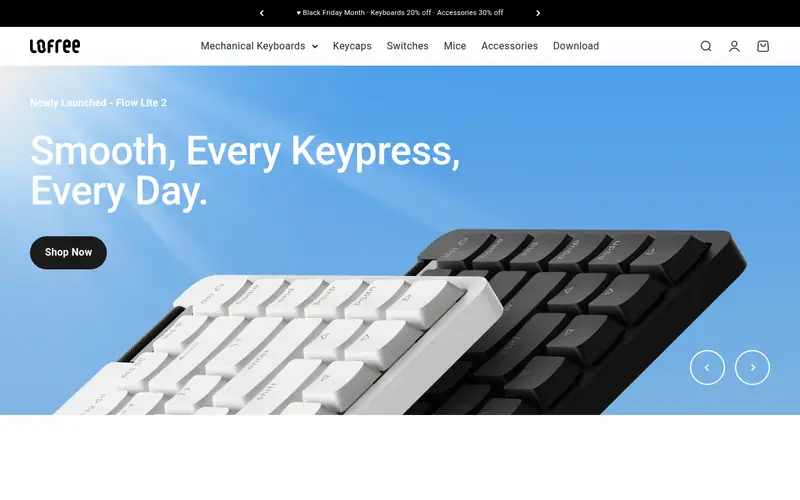
The Flow is a low-profile mechanical board with an aluminum frame and a slim profile the vendor markets for portability. It uses low-profile switches, which change the typing feel compared with standard-height boards. It supports wireless use and ships in compact layouts.
It suits buyers who want a thin, good-looking board for a tidy desk or a bag. The catch is compatibility: low-profile switches and keycaps are a smaller ecosystem, so swapping parts is harder than on standard boards. Check the vendor site for layout and switch options.
Where the price comes from
Check current retail price (low-profile aluminum). Hardware prices move often, so check the Lofree Flow maker page or a retailer before you buy.
Benefits
- Low-profile aluminum build
- slim travel-friendly profile
- wireless support
Drawbacks
- Low-profile switches limit keycap swaps
- premium price
Use case to skip: this limit matters to you: low-profile switches limit keycap swaps.
Our take. A sensible pick for low-profile premium design.
If it does not fit, compare Keychron Q1 Pro or Keychron V6 in this list.

- Best for
- Gaming with hot-swap and wireless
- Standout
- Hot-swappable switches
- Starting price
- Check current retail price (75% gaming board)
- Free plan or trial
- One-time hardware purchase
The ROG Azoth is a 75% gaming board with a gasket mount, hot-swap sockets and both wireless and wired connections. ASUS lists an OLED display and a control knob for volume and settings. It includes pre-lubed switches and stabilizers per the vendor.
It suits gamers who want a compact board with customization and a screen. The catch is price and software: some features rely on ASUS Armoury Crate, and the board costs more than plain typing-focused options. Verify the exact switch and connectivity details on the product page.
Where the price comes from
Check current retail price (75% gaming board). Hardware prices move often, so check the ASUS ROG Azoth maker page or a retailer before you buy.
Benefits
- Hot-swappable switches
- wireless and wired modes
- gasket mount
Drawbacks
- Gaming-brand pricing
- software needed for some features
Use case to skip: this limit matters to you: gaming-brand pricing.
Our take. A sensible pick for gaming with hot-swap and wireless.
If it does not fit, compare Keychron Q1 Pro or Keychron V6 in this list.
- Best for
- Durable wired daily typing
- Standout
- Multiple layout sizes
- Starting price
- Check current retail price (wired, multiple sizes)
- Free plan or trial
- One-time hardware purchase
The Ducky One 3 comes in several sizes, from full-size to compact, and the vendor offers hot-swap variants. It is a wired board aimed at durability and clean typing, with double-shot keycaps listed on the spec sheet. Ducky provides onboard controls for some settings rather than a full remapping suite.
It suits buyers who want a dependable wired board and do not need wireless. The catch is limited software: remapping is less flexible than QMK/VIA boards. Check which size and switch variant you are ordering, since the lineup is broad.
Where the price comes from
Check current retail price (wired, multiple sizes). Hardware prices move often, so check the Ducky One 3 maker page or a retailer before you buy.
Benefits
- Multiple layout sizes
- hot-swap versions available
- solid stock keycaps
Drawbacks
- Wired only on most models
- software is limited
Use case to skip: this limit matters to you: wired only on most models.
Our take. A sensible pick for durable wired daily typing.
If it does not fit, compare Keychron Q1 Pro or Keychron V6 in this list.

- Best for
- Compact wireless travel
- Standout
- Low-profile 75% layout
- Starting price
- Check current retail price (75% low-profile wireless)
- Free plan or trial
- One-time hardware purchase
The Air75 V2 is a low-profile 75% board built for portability. NuPhy lists wireless connectivity with multi-device pairing, hot-swap support and a slim aluminum frame. The compact layout keeps function keys while saving desk space.
It suits people who move between a laptop and a desk and want one small board. The catch is the low-profile ecosystem and battery management: you need to charge it, and keycap choices are narrower than standard-height boards. Check the vendor page for switch and connectivity details.
Where the price comes from
Check current retail price (75% low-profile wireless). Hardware prices move often, so check the NuPhy Air75 V2 maker page or a retailer before you buy.
Benefits
- Low-profile 75% layout
- wireless with multiple device pairing
- hot-swap support
Drawbacks
- Low-profile keycaps limit options
- small battery needs charging
Use case to skip: this limit matters to you: low-profile keycaps limit options.
Our take. A sensible pick for compact wireless travel.
If it does not fit, compare Keychron Q1 Pro or Keychron V6 in this list.

- Best for
- Customization and modding
- Standout
- Hot-swap sockets
- Starting price
- Check current retail price (75% barebones or prebuilt)
- Free plan or trial
- One-time hardware purchase
The GMMK Pro is a 75% aluminum board sold either prebuilt or as a barebones kit. Glorious lists hot-swap sockets, a gasket mount and a rotary knob. The barebones option lets you choose your own switches and keycaps, which is the main appeal for hobbyists.
It suits buyers who enjoy tuning stabilizers and picking parts. The catch is total cost and effort: a barebones kit needs switches and keycaps, and the final price can exceed a prebuilt board. Check what the kit includes on the vendor page before buying.
Where the price comes from
Check current retail price (75% barebones or prebuilt). Hardware prices move often, so check the GMMK Pro maker page or a retailer before you buy.
Benefits
- Hot-swap sockets
- aluminum case
- sold barebones for custom builds
Drawbacks
- Heavier and pricier once you add switches and keycaps
- setup effort
Use case to skip: this limit matters to you: heavier and pricier once you add switches and keycaps.
Our take. A sensible pick for customization and modding.
If it does not fit, compare Keychron Q1 Pro or Keychron V6 in this list.
What specs matter when you buy
Start with layout. Full-size boards keep the numpad, TKL drops it, and 75% and 65% compress the arrow and function clusters. Pick the layout that matches your daily work before comparing anything else, because it decides how much desk space you use and which keys you give up.
Next, look at switches and mounting. Linear, tactile and clicky switches feel different, and the vendor usually lists the exact switch model. Hot-swap sockets let you change switches later without soldering, which is worth paying for if you are unsure. Gasket mounts and plate materials affect sound and softness, but descriptions vary, so read the spec sheet rather than marketing copy.
Finally, check connectivity, software and build. Wireless boards need charging and may add latency, while wired boards are simpler. QMK/VIA support means browser-based remapping; vendor apps vary in quality. Case material (plastic versus aluminum) affects weight and price. Confirm keycap material, warranty length and what is in the box, since barebones kits ship without switches or keycaps.
Questions worth answering first
Buying checklist
- Confirm the layout size and whether it includes a numpad, arrow keys and function row.
- Check whether the board is hot-swappable and which switch pin types the sockets accept.
- Verify connectivity: wired only, Bluetooth, or 2.4 GHz dongle, and how many devices pair.
- Read the software support: QMK/VIA, vendor app, or onboard-only remapping.
- Confirm what ships in the box, especially for barebones kits that lack switches and keycaps.
- Check the warranty length and return policy on the manufacturer site before paying.
FAQ
What is the best mechanical keyboard overall?
The Keychron Q1 Pro is a strong all-round choice for most buyers. It combines an aluminum case, hot-swap sockets, wireless support and QMK/VIA remapping. If budget matters more, the Keychron V6 offers a wired full-size option at a lower price. Match the layout to your work first.
Are hot-swappable keyboards worth it?
Yes, if you might change switch feel later. Hot-swap sockets let you pull switches without soldering, so you can try linear or tactile types. Boards without hot-swap require desoldering to change switches. Check that the sockets accept both 3-pin and 5-pin switches if you plan to experiment.
Should I pick a wireless or wired keyboard?
Choose wireless if you move between devices or want a clean desk, and accept charging and possible latency. Choose wired if you want the lowest cost and no battery upkeep. Many boards offer both modes, which gives flexibility. Check the vendor spec for battery life and connection types.
What layout is best for typing?
Full-size suits spreadsheet and data work because of the numpad. TKL and 75% save desk space while keeping most keys. 65% and smaller compress the layout further and rely on layers for some keys. Pick based on which keys you use daily, not on size alone.
Do I need QMK or VIA support?
Only if you want deep remapping. QMK/VIA boards let you change key functions in a browser without vendor software. If you rarely remap keys, onboard controls or a simple vendor app may be enough. Check the product page to confirm which method the board uses.
How much should I budget for a mechanical keyboard?
Budget boards are wired and plastic, while mid-range boards add hot-swap and better cases. Aluminum and wireless boards cost more, and barebones kits need switches and keycaps on top. Set a total budget that includes accessories. Check current retail prices, since they change often.
Sources we checked
Change log: First published 21 Nov 2026.