7 Best Mini PCs for Office and Home Use in 2026
The Apple Mac mini (M4, 2024) is the best mini PC for most office and home buyers who want a quiet, compact machine with strong single-core performance and low power draw. If you need Windows and easy upgrades, the ASUS NUC 14 Pro is the better fit. For a low-cost Windows desktop for browsing and documents, the Beelink SER5 Max offers good value.
 By Shihab Mia · Published 21 Nov 2026
We run no ads and no affiliate links at launch. The order of a list follows our published method. How lists are ordered: how we score.
Prices are the starting prices vendors list publicly. Plans change, so confirm the current price on the vendor page before you buy.
Key takeaways
- The Mac mini (M4) starts at $599 in the US, per Apple's published price, and ships without a keyboard, mouse, or monitor.
- The ASUS NUC 14 Pro is a barebone kit; you add your own SO-DIMM memory and M.2 storage, so the final price depends on parts.
- Most mini PCs use laptop-class CPUs and integrated graphics, so they suit office work, not gaming or heavy video editing.
- Check port counts before buying: many models have limited USB-A ports and rely on USB-C or a dock.
- Memory is often soldered on compact models; confirm whether RAM and storage are upgradeable.
Side-by-side
Grouped by fit and cost. Tap a product to jump to its full entry.
| Fit | Cost | |||
|---|---|---|---|---|
| Product | Best for | Standout feature | Listed starting price | Free plan or trial |
| 1Apple Mac mini (M4) | Quiet macOS desktop for office and home | Very compact chassis | $599 (base M4 configuration, per Apple) | One-time hardware purchase |
| 2ASUS NUC 14 Pro | Windows users who want to choose their own RAM and SSD | Barebone kit lets you pick memory and storage | Check current retail price (barebone kit) | One-time hardware purchase |
| 3Beelink SER5 Max | Budget Windows desktop for documents and browsing | Pre-built and ready to use | Check current retail price (pre-built configuration) | One-time hardware purchase |
| 4Intel NUC 13 Pro | Business deployments with Intel vPro options | Business-oriented manageability options | Check current retail price (barebone or kit) | One-time hardware purchase |
| 5Geekom A8 | Compact Windows system with strong CPU options | Pre-built with memory and storage | Check current retail price (pre-built configuration) | One-time hardware purchase |
| 6Minisforum UM790 Pro | Many ports and AMD performance in a small case | Broad port selection | Check current retail price (pre-built configuration) | One-time hardware purchase |
| 7Lenovo ThinkCentre M90q Gen 4 | Managed office desktops with business support | Business support and warranty options | Check current retail price (configure-to-order) | One-time hardware purchase |
How we picked
This guide is based on research, not hands-on testing. We reviewed vendor product pages, published spec sheets, and official documentation for each model, and compared processor class, memory and storage options, port layouts, and warranty terms. Prices are the vendor's published starting figures where available; otherwise we list "Check current retail price" because configurations and regional pricing change. We prioritized models released between 2023 and 2025 that vendors still list as available.
The 7 picks in detail

- Best for
- Quiet macOS desktop for office and home
- Standout
- Very compact chassis
- Starting price
- $599 (base M4 configuration, per Apple)
- Free plan or trial
- One-time hardware purchase
The Mac mini with the M4 chip is Apple's small desktop, introduced in late 2024. Apple lists a base configuration with 16GB of unified memory and a 256GB SSD, with higher storage and memory tiers available at checkout. The chassis is small enough to sit under a monitor, and Apple rates it for low idle power use.
Ports on the M4 model include Thunderbolt ports, USB-A, HDMI, and an Ethernet option depending on configuration. Because memory is part of the chip package, you cannot add RAM later, so buy the memory tier you expect to need. Storage is internal and not designed for user upgrades.
It suits home and office users who want a quiet, tidy desktop and are comfortable in macOS. The main catch is the price of memory and storage upgrades, which rise quickly above the base model. Check Apple's site for the exact configuration and current price.
Where the price comes from
$599 (base M4 configuration, per Apple). Hardware prices move often, so check the Apple Mac mini (M4) maker page or a retailer before you buy.
Benefits
- Very compact chassis
- low power draw
- strong single-core performance
Drawbacks
- Memory not user-upgradeable
- limited internal expansion
Use case to skip: this limit matters to you: memory not user-upgradeable.
Our take. A sensible pick for quiet macOS desktop for office and home.
If it does not fit, compare ASUS NUC 14 Pro or Beelink SER5 Max in this list.
- Best for
- Windows users who want to choose their own RAM and SSD
- Standout
- Barebone kit lets you pick memory and storage
- Starting price
- Check current retail price (barebone kit)
- Free plan or trial
- One-time hardware purchase
The ASUS NUC 14 Pro is a small-form-factor kit that ASUS sells as a barebone, meaning you supply the SO-DIMM memory and M.2 SSD. It uses Intel Core Ultra processors, according to ASUS documentation, and supports up to four displays depending on the model and ports.
Because it is a kit, the total price depends on the RAM and storage you choose. That flexibility suits buyers who already have spare parts or want to control the specification. ASUS publishes a compatibility list for memory and storage, so check it before ordering.
It fits office users who want Windows, a small footprint, and the ability to upgrade later. The catch is that it is not a plug-and-play purchase: you need to source parts and install them, and warranty terms depend on region. Confirm the exact model number, since ASUS sells several NUC 14 variants.
Where the price comes from
Check current retail price (barebone kit). Hardware prices move often, so check the ASUS NUC 14 Pro maker page or a retailer before you buy.
Benefits
- Barebone kit lets you pick memory and storage
- compact chassis
- business-friendly port layout
Drawbacks
- Final cost depends on parts
- assembly required
Use case to skip: this limit matters to you: final cost depends on parts.
Our take. A sensible pick for windows users who want to choose their own RAM and SSD.
If it does not fit, compare Apple Mac mini (M4) or Beelink SER5 Max in this list.
- Best for
- Budget Windows desktop for documents and browsing
- Standout
- Pre-built and ready to use
- Starting price
- Check current retail price (pre-built configuration)
- Free plan or trial
- One-time hardware purchase
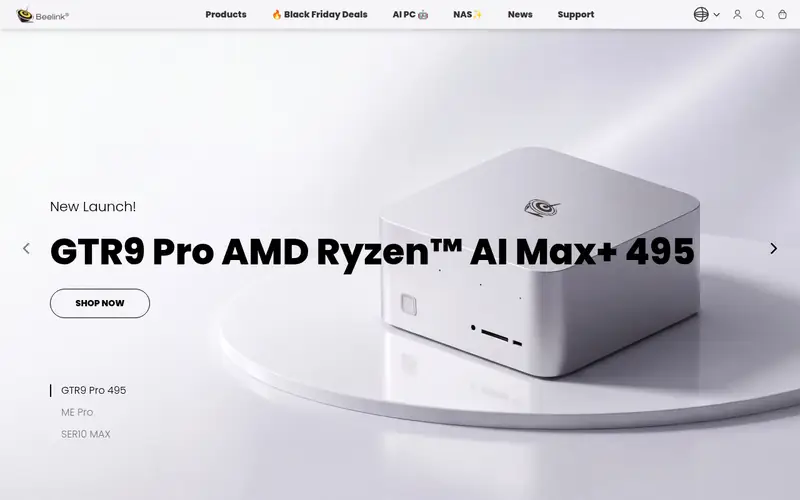
The Beelink SER5 Max is a small Windows PC built around an AMD Ryzen mobile processor, sold as a complete system with memory and storage included. Beelink lists configurations with different Ryzen chips, so confirm the exact CPU in the listing you buy.
It is aimed at everyday tasks: web browsing, office documents, video calls, and light media playback. The integrated graphics are not intended for demanding games or professional 3D work. The case is small and includes a set of USB and display ports, though the exact mix varies by configuration.
It suits home users and small offices that want a low-cost Windows machine without assembly. The main catch is that performance depends heavily on the specific processor and memory tier, and support is handled by the vendor rather than a large OEM. Check the current price and configuration at Beelink's site.
Where the price comes from
Check current retail price (pre-built configuration). Hardware prices move often, so check the Beelink SER5 Max maker page or a retailer before you buy.
Benefits
- Pre-built and ready to use
- AMD Ryzen mobile processor
- accessible memory and storage
Drawbacks
- Integrated graphics only
- limited high-end performance
Use case to skip: this limit matters to you: integrated graphics only.
Our take. A sensible pick for budget Windows desktop for documents and browsing.
If it does not fit, compare Apple Mac mini (M4) or ASUS NUC 14 Pro in this list.
- Best for
- Business deployments with Intel vPro options
- Standout
- Business-oriented manageability options
- Starting price
- Check current retail price (barebone or kit)
- Free plan or trial
- One-time hardware purchase
The Intel NUC 13 Pro is a small business desktop platform built around 13th Gen Intel Core processors. Intel documents vPro options on some models, which support remote management features for IT departments. It is sold as a kit or barebone depending on the model and region.
Port selection is broad for the size, with USB-A, USB-C, HDMI, and DisplayPort options across the range. As with other NUC kits, you supply memory and storage, so the final price depends on parts. Intel publishes a product compatibility list for supported components.
It suits small businesses and IT buyers who want a managed, compact desktop. The catch is that NUC kits require assembly, and ASUS took over the NUC line from Intel in 2023, so support and stock now come through ASUS. Confirm the exact model, warranty, and support status before buying.
Where the price comes from
Check current retail price (barebone or kit). Hardware prices move often, so check the Intel NUC 13 Pro maker page or a retailer before you buy.
Benefits
- Business-oriented manageability options
- compact chassis
- broad port selection
Drawbacks
- Barebone kits need parts
- some models are end-of-life
Use case to skip: this limit matters to you: barebone kits need parts.
Our take. A sensible pick for business deployments with Intel vPro options.
If it does not fit, compare Apple Mac mini (M4) or ASUS NUC 14 Pro in this list.
- Best for
- Compact Windows system with strong CPU options
- Standout
- Pre-built with memory and storage
- Starting price
- Check current retail price (pre-built configuration)
- Free plan or trial
- One-time hardware purchase
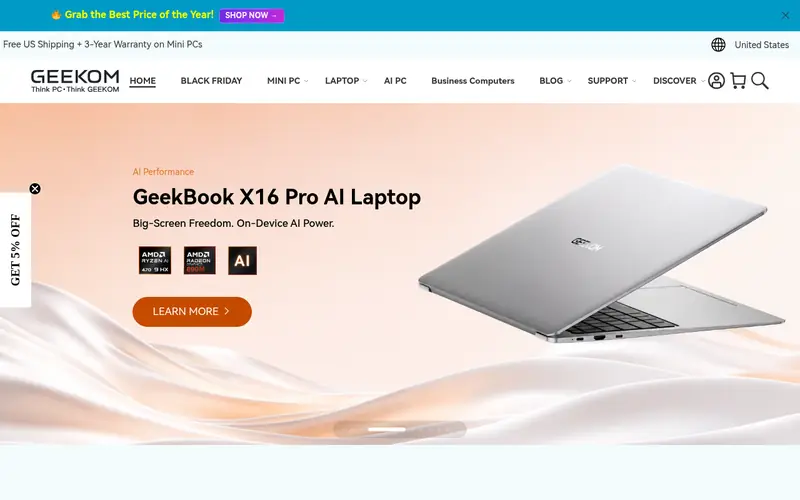
The Geekom A8 is a small Windows desktop sold as a complete system with an AMD Ryzen processor, memory, and SSD. Geekom lists several configurations, so check the exact CPU, RAM, and storage in the listing. The chassis is compact and includes a set of USB and display ports.
It is aimed at office work, browsing, and media, with enough CPU performance for multitasking. The integrated graphics suit everyday use but not demanding games or GPU-heavy software. Geekom documents the port layout and supported display outputs on its product pages.
It suits buyers who want a pre-built Windows mini PC with more CPU headroom than budget models. The catch is that support and warranty service depend on the region, and configuration names can be confusing. Confirm the specification and current price at Geekom's site.
Where the price comes from
Check current retail price (pre-built configuration). Hardware prices move often, so check the Geekom A8 maker page or a retailer before you buy.
Benefits
- Pre-built with memory and storage
- AMD Ryzen processor options
- multiple display outputs
Drawbacks
- Integrated graphics only
- brand support varies by region
Use case to skip: this limit matters to you: integrated graphics only.
Our take. A sensible pick for compact Windows system with strong CPU options.
If it does not fit, compare Apple Mac mini (M4) or ASUS NUC 14 Pro in this list.

- Best for
- Many ports and AMD performance in a small case
- Standout
- Broad port selection
- Starting price
- Check current retail price (pre-built configuration)
- Free plan or trial
- One-time hardware purchase
The Minisforum UM790 Pro is a compact Windows PC built around an AMD Ryzen mobile processor, sold with memory and storage in most configurations. Minisforum lists multiple display outputs and a range of USB ports, which suits users who connect several peripherals.
It is aimed at office work, light content creation, and multitasking. The integrated graphics are not intended for demanding games. Because the case is small, cooling and fan behavior depend on the workload, so read the vendor's specifications for the exact model.
It suits buyers who want a small Windows machine with more ports than typical budget models. The catch is that configuration options change often, and support is handled by the vendor. Check the current listing for the exact CPU, memory, and price before ordering.
Where the price comes from
Check current retail price (pre-built configuration). Hardware prices move often, so check the Minisforum UM790 Pro maker page or a retailer before you buy.
Benefits
- Broad port selection
- AMD Ryzen mobile processor
- supports multiple displays
Drawbacks
- Integrated graphics only
- fan noise under load varies
Use case to skip: this limit matters to you: integrated graphics only.
Our take. A sensible pick for many ports and AMD performance in a small case.
If it does not fit, compare Apple Mac mini (M4) or ASUS NUC 14 Pro in this list.

- Best for
- Managed office desktops with business support
- Standout
- Business support and warranty options
- Starting price
- Check current retail price (configure-to-order)
- Free plan or trial
- One-time hardware purchase
The Lenovo ThinkCentre M90q Gen 4 is a small business desktop in Lenovo's ThinkCentre line, built around Intel Core processors. Lenovo sells it as a configure-to-order system, so you choose the CPU, memory, storage, and warranty at purchase.
It is designed for office deployments, with business-class support options and service access on many models. Port selection and display support vary by configuration, so check the spec sheet for the exact build. Lenovo publishes detailed technical documentation for each model.
It suits businesses that want a managed desktop with vendor support and a predictable warranty. The catch is that the price is higher than consumer mini PCs, and the configuration process takes more care. Confirm the exact model, warranty length, and current price on Lenovo's site.
Where the price comes from
Check current retail price (configure-to-order). Hardware prices move often, so check the Lenovo ThinkCentre M90q Gen 4 maker page or a retailer before you buy.
Benefits
- Business support and warranty options
- tool-less serviceability on many models
- broad configuration choices
Drawbacks
- Higher price than consumer mini PCs
- configuration complexity
Use case to skip: this limit matters to you: higher price than consumer mini PCs.
Our take. A sensible pick for managed office desktops with business support.
If it does not fit, compare Apple Mac mini (M4) or ASUS NUC 14 Pro in this list.
What specs matter when you buy
Start with the processor and memory. Most mini PCs use laptop-class CPUs, which are efficient but limited compared with desktop chips. For office work, 16GB of memory is a sensible baseline; 8GB is workable for light browsing but leaves little headroom. Check whether memory is soldered or upgradeable, because compact models often fix it at purchase.
Look at storage type and capacity. An M.2 NVMe SSD is standard and much faster than older SATA drives. Confirm the number of M.2 slots if you plan to add storage later. Also check the port layout: count USB-A ports for keyboards, mice, and printers, and confirm the display outputs you need. Many mini PCs drive two or more monitors, but the exact mix of HDMI and DisplayPort varies.
Finally, consider power, noise, and warranty. Smaller cases can run fans louder under load, so read the vendor's specifications and user documentation. Check the warranty length and service terms for your region, and confirm whether the model is a barebone kit or a complete system. A kit can be cheaper if you have spare parts, but a pre-built system is simpler.
Questions worth answering first
Buying checklist
- Confirm whether the model is a barebone kit or a complete system with memory and storage included.
- Check that the processor and memory tier match your workload, especially if memory is soldered.
- Count the USB-A and USB-C ports you need for peripherals and confirm the display outputs.
- Verify the warranty length and service terms for your region.
- Confirm the exact model number, since vendors sell several variants under similar names.
- Check the current price and availability at the vendor or a retailer before paying.
FAQ
Do mini PCs work for office tasks?
Yes. Most mini PCs use laptop-class processors that handle documents, email, web browsing, and video calls well. Choose at least 16GB of memory for comfortable multitasking, and confirm the port layout matches your peripherals.
Can I upgrade memory and storage in a mini PC?
It depends on the model. Barebone kits like the ASUS NUC 14 Pro are designed for user-installed memory and storage. Many compact pre-built systems solder memory, so check the vendor's spec sheet before buying.
Are mini PCs good for gaming?
Generally no. Most mini PCs use integrated graphics, which suit light and older games but not demanding titles. If gaming matters, look for a model with a discrete GPU or choose a larger desktop.
Do mini PCs include a monitor and keyboard?
Usually not. Most are sold as the PC alone, so budget for a monitor, keyboard, and mouse. Check the box contents on the vendor's product page before ordering.
What is a barebone mini PC?
A barebone kit includes the chassis, motherboard, and processor but not memory or storage. You buy compatible SO-DIMM memory and an M.2 SSD separately. This can save money if you have spare parts, but it requires assembly.
How long should a mini PC last?
With adequate memory and storage, a mini PC can serve office tasks for several years. Longevity depends on the processor, build quality, and warranty. Check the vendor's warranty terms and support options for your region.
Sources we checked
Change log: First published 21 Nov 2026.