7 Best Split Ergonomic Keyboards in 2026
The Kinesis Advantage360 is the top pick for most buyers who want a true split with a familiar contoured shape and strong warranty support. If you prefer a low-profile, travel-friendly board, the ZSA Voyager suits you. If you want an open-source, fully programmable option at a lower price, the MoErgo Glove80 is the alternative to weigh.
 By Shihab Mia · Published 22 Nov 2026
We run no ads and no affiliate links at launch. The order of a list follows our published method. How lists are ordered: how we score.
Prices are the starting prices vendors list publicly. Plans change, so confirm the current price on the vendor page before you buy.
Key takeaways
- Split keyboards separate into two halves so each hand sits at shoulder width.
- Prices range from roughly $100 for the Keychron Q11 to about $450 for the Kinesis Advantage360 Professional.
- Most models here use open firmware (QMK or ZMK), so layouts are remappable.
- Wired USB-C is common; Bluetooth is optional on several models.
- Column-staggered and contoured shapes cost more than flat row-staggered splits.
Side-by-side
Grouped by fit and cost. Tap a product to jump to its full entry.
| Fit | Cost | |||
|---|---|---|---|---|
| Product | Best for | Standout feature | Listed starting price | Free plan or trial |
| 1Kinesis Advantage360 | Contoured split comfort | Contoured key wells reduce finger travel | Check current retail price | One-time hardware purchase |
| 2ZSA Voyager | Low-profile travel | Very low-profile switches | Check current retail price | One-time hardware purchase |
| 3MoErgo Glove80 | Open-source ergonomics | Contoured key wells with column stagger | Check current retail price | One-time hardware purchase |
| 4ZSA Moonlander | Tentable column stagger | Adjustable tenting legs | Check current retail price | One-time hardware purchase |
| 5Keychron Q11 | Budget aluminum split | Aluminum case at a low price | Check current retail price | One-time hardware purchase |
| 6Kinesis Freestyle2 | Simple office split | Low entry price | Check current retail price | One-time hardware purchase |
| 7Dygma Defy | Wireless tenting | Wireless option | Check current retail price | One-time hardware purchase |
How we picked
We compared these boards using manufacturer product pages, published spec sheets and firmware documentation. We checked layout type, firmware support, connection options, switch type and listed price, and we confirmed each model is a current product still sold by its maker. We did not run hands-on typing tests. Prices are manufacturer list prices in USD and vary with options, so treat them as starting points and confirm on the vendor site.
The 7 picks in detail
- Best for
- Contoured split comfort
- Standout
- Contoured key wells reduce finger travel
- Starting price
- Check current retail price
- Free plan or trial
- One-time hardware purchase
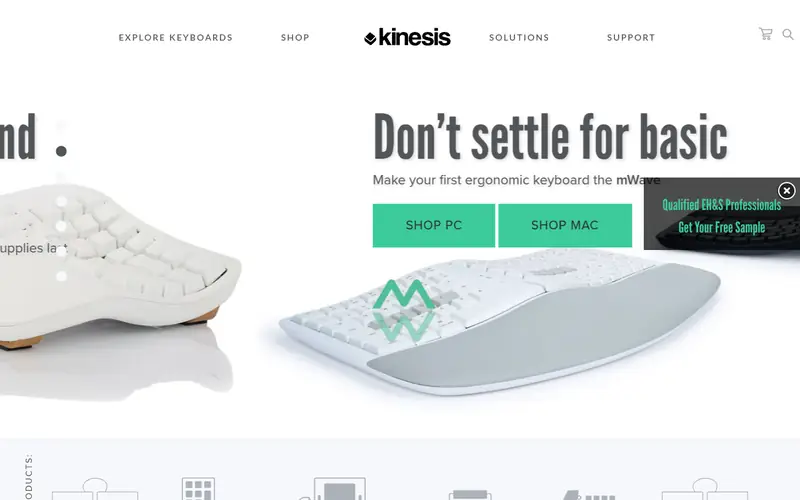
The Advantage360 is Kinesis's split version of its long-running contoured keyboard. Each half holds curved key wells, and the two halves connect so you can set them at the width that suits your shoulders. The Professional model ships with QMK firmware for full remapping and macro support, while the standard model uses Kinesis's own layout tools.
It suits buyers with wrist or forearm discomfort who want a sculpted shape rather than a flat board. The main catch is cost and desk space: two contoured halves take up more room than a standard keyboard, and the price sits at the top of this list.
Where the price comes from
Check current retail price. Hardware prices move often, so check the Kinesis Advantage360 maker page or a retailer before you buy.
Benefits
- Contoured key wells reduce finger travel
- split halves adjust to shoulder width
- QMK firmware on the Professional model
Drawbacks
- High price
- large footprint on a desk
Use case to skip: this limit matters to you: high price.
Our take. A sensible pick for contoured split comfort.
If it does not fit, compare ZSA Voyager or MoErgo Glove80 in this list.
- Best for
- Low-profile travel
- Standout
- Very low-profile switches
- Starting price
- Check current retail price
- Free plan or trial
- One-time hardware purchase
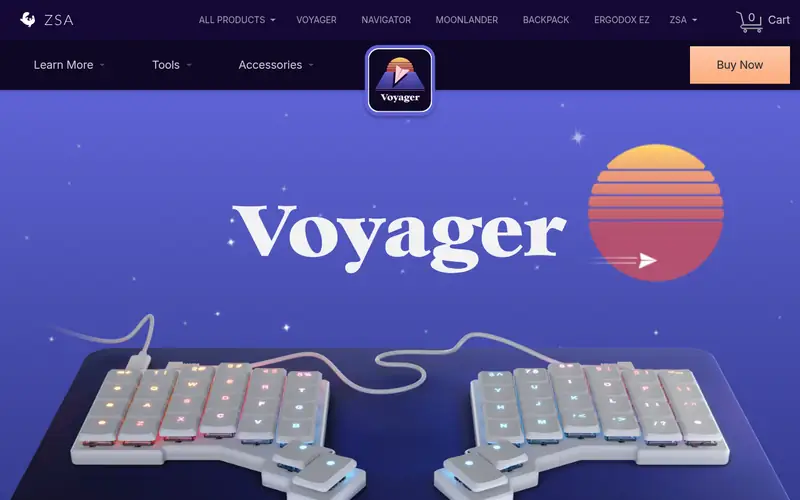
The Voyager is ZSA's low-profile split. It uses flat, low-travel switches and a slim case, so it packs into a bag more easily than contoured boards. The two halves separate and connect with a cable, and ZSA's Oryx web tool lets you build and flash custom layouts without writing firmware code.
It suits people who type on the move or want a shallow key travel. The trade-off is a compact key count that relies on layers for numbers and symbols, which takes adjustment if you are used to a full layout.
Where the price comes from
Check current retail price. Hardware prices move often, so check the ZSA Voyager maker page or a retailer before you buy.
Benefits
- Very low-profile switches
- splits into two halves for travel
- Oryx layout configurator
Drawbacks
- Fewer keys than full-size boards
- premium price
Use case to skip: this limit matters to you: fewer keys than full-size boards.
Our take. A sensible pick for low-profile travel.
If it does not fit, compare Kinesis Advantage360 or MoErgo Glove80 in this list.

- Best for
- Open-source ergonomics
- Standout
- Contoured key wells with column stagger
- Starting price
- Check current retail price
- Free plan or trial
- One-time hardware purchase
The Glove80 is a contoured split with curved key wells and column-staggered columns. It runs ZMK, an open-source firmware, so layouts are remappable and the community shares configuration files. A wireless build is offered alongside the wired version.
It suits tinkerers who want to tune every key and prefer open firmware. The catch is availability: lead times have been long, and the sculpted shape demands an adjustment period before typing speed returns.
Where the price comes from
Check current retail price. Hardware prices move often, so check the MoErgo Glove80 maker page or a retailer before you buy.
Benefits
- Contoured key wells with column stagger
- ZMK firmware is open source
- wireless option
Drawbacks
- Long lead times reported by buyers
- learning curve
Use case to skip: this limit matters to you: long lead times reported by buyers.
Our take. A sensible pick for open-source ergonomics.
If it does not fit, compare Kinesis Advantage360 or ZSA Voyager in this list.
- Best for
- Tentable column stagger
- Standout
- Adjustable tenting legs
- Starting price
- Check current retail price
- Free plan or trial
- One-time hardware purchase
The Moonlander is a column-staggered split with adjustable legs that let you tilt each half. Switches are hot-swappable, so you can change feel without soldering, and ZSA's Oryx tool handles layout changes. It has been on sale for several years and remains a current model.
It suits desk users who want to experiment with tenting angles and switch types. The catch is size: with the legs and wrist rests attached, it takes up more desk space than a flat split.
Where the price comes from
Check current retail price. Hardware prices move often, so check the ZSA Moonlander maker page or a retailer before you buy.
Benefits
- Adjustable tenting legs
- column-staggered keys
- hot-swap switches
Drawbacks
- Bulky for travel
- higher price than flat splits
Use case to skip: this limit matters to you: bulky for travel.
Our take. A sensible pick for tentable column stagger.
If it does not fit, compare Kinesis Advantage360 or ZSA Voyager in this list.
- Best for
- Budget aluminum split
- Standout
- Aluminum case at a low price
- Starting price
- Check current retail price
- Free plan or trial
- One-time hardware purchase
The Q11 is a split 75% board in an aluminum case. The barebone kit ships without switches or keycaps, so you add your own, which keeps the entry price low. It supports QMK and VIA for remapping, and the two halves connect with a cable.
It suits buyers who already have switches and keycaps, or who want to build a split on a budget. The catch is that the barebone price is not the full cost: switches and keycaps add to the total, and the metal case is heavy.
Where the price comes from
Check current retail price. Hardware prices move often, so check the Keychron Q11 maker page or a retailer before you buy.
Benefits
- Aluminum case at a low price
- QMK/VIA support
- 75% split layout
Drawbacks
- Barebone kit needs switches and keycaps
- heavier than plastic boards
Use case to skip: this limit matters to you: barebone kit needs switches and keycaps.
Our take. A sensible pick for budget aluminum split.
If it does not fit, compare Kinesis Advantage360 or ZSA Voyager in this list.
- Best for
- Simple office split
- Standout
- Low entry price
- Starting price
- Check current retail price
- Free plan or trial
- One-time hardware purchase
The Freestyle2 is a two-piece membrane keyboard that separates into left and right halves. It is one of the longest-running split designs and is aimed at office users who want a simple change from a standard board. Accessories add tenting and wrist support.
It suits buyers who want a low-cost split without mechanical switches or firmware tinkering. The catch is that it is not mechanical and offers little remapping, so it is a comfort upgrade rather than a customization platform.
Where the price comes from
Check current retail price. Hardware prices move often, so check the Kinesis Freestyle2 maker page or a retailer before you buy.
Benefits
- Low entry price
- simple two-piece design
- optional tenting and wrist rests
Drawbacks
- Membrane keys, not mechanical
- limited programmability
Use case to skip: this limit matters to you: membrane keys, not mechanical.
Our take. A sensible pick for simple office split.
If it does not fit, compare Kinesis Advantage360 or ZSA Voyager in this list.
- Best for
- Wireless tenting
- Standout
- Wireless option
- Starting price
- Check current retail price
- Free plan or trial
- One-time hardware purchase
The Defy is a column-staggered split with adjustable tenting and an optional wireless build. It uses Dygma's own configuration software for layers and macros. The base price rises as you add wireless, palm pads and other options.
It suits desk users who want a wireless split with strong tenting adjustment. The catch is that the configured price can climb well above the base figure, so budget for the options you actually need.
Where the price comes from
Check current retail price. Hardware prices move often, so check the Dygma Defy maker page or a retailer before you buy.
Benefits
- Wireless option
- adjustable tenting
- column-staggered layout
Drawbacks
- Higher price with add-ons
- configuration adds cost
Use case to skip: this limit matters to you: higher price with add-ons.
Our take. A sensible pick for wireless tenting.
If it does not fit, compare Kinesis Advantage360 or ZSA Voyager in this list.
What specs matter when you buy
Layout shape is the first decision. Flat row-staggered splits like the Freestyle2 are easiest to learn. Column-staggered boards like the Moonlander and Glove80 place keys in vertical columns, which shortens finger travel but requires relearning. Contoured boards like the Advantage360 and Glove80 add curved key wells, which cost more but reduce reach further.
Firmware matters if you want to remap keys. QMK and ZMK are open-source and widely documented, and VIA adds a browser-based editor. Vendor tools like ZSA's Oryx and Dygma's software offer a simpler path if you do not want to write code. Check that the model you pick supports the customization level you need.
Connection and switches come next. Wired USB-C is the most reliable and needs no charging. Bluetooth adds convenience but introduces pairing and battery considerations. Mechanical switches are hot-swappable on some models, which lets you change feel later. Membrane boards are cheaper but fixed. Finally, check tenting and wrist support: adjustable legs and palm rests help, but they add desk space and cost.
Questions worth answering first
Buying checklist
- Confirm the board is still listed as current on the manufacturer's own site.
- Check whether the price is for a barebone kit or a fully assembled board.
- Verify the firmware supports the remapping you need, such as QMK, ZMK or VIA.
- Decide whether you need wireless, and check battery and pairing details if so.
- Measure your desk space against the split width and any tenting legs.
- Confirm the return window and warranty terms before paying.
FAQ
What is a split ergonomic keyboard?
A split keyboard separates into two halves, one for each hand. This lets you set each half at shoulder width and angle it inward, which can reduce wrist strain compared with a single flat board. Splits come in flat, column-staggered and contoured shapes.
Are split keyboards hard to learn?
Most people need days to weeks to adjust, depending on the layout. Flat row-staggered splits are easiest. Column-staggered and contoured boards change key positions more, so expect a longer relearning period before typing speed returns.
Do split keyboards work with Mac and Windows?
Most models here connect over standard USB and work with both systems. Some vendor configuration tools and firmware editors are platform-specific, so check the documentation for your operating system before buying.
Is wireless worth it on a split keyboard?
Wireless adds convenience and removes cables between halves, but it introduces charging and pairing steps. Wired USB-C is simpler and more reliable. Choose wireless only if cable clutter is a real problem for you.
Can I change the switches on these keyboards?
Some models, including the ZSA Moonlander, are hot-swap and let you change switches without soldering. Others are fixed. Check the product page for hot-swap support if switch feel matters to you.
How much should I budget for a split keyboard?
Prices here run from about $99 for a simple membrane split to around $450 for a contoured model with firmware. Budget extra for switches and keycaps on barebone kits, and for accessories like wrist rests and tenting legs.
Sources we checked
Change log: First published 22 Nov 2026.