7 Best Stream Decks and Macro Controllers in 2026
The Elgato Stream Deck MK.2 is the best overall pick for most streamers because it has 15 LCD keys, deep plugin support and a mature software ecosystem. If you need more keys and a bigger screen, the Stream Deck XL suits heavy scene and app control. For a budget-friendly entry point, the Elgato Stream Deck Mini covers the basics with six keys at a lower price.
 By Shihab Mia · Published 21 Nov 2026
We run no ads and no affiliate links at launch. The order of a list follows our published method. How lists are ordered: how we score.
Prices are the starting prices vendors list publicly. Plans change, so confirm the current price on the vendor page before you buy.
Key takeaways
- The Stream Deck MK.2 has 15 customizable LCD keys and works with Elgato's Stream Deck software on Windows and macOS.
- Elgato's Stream Deck XL offers 32 keys, the largest key count in the Stream Deck line.
- The Stream Deck Mini has 6 keys and is the cheapest way into the Elgato ecosystem.
- Loupedeck and Razer models add dials or analog controls for editing and audio work.
- All seven options are hardware only; there is no free plan, but each ships with its own control software.
Side-by-side
Grouped by fit and cost. Tap a product to jump to its full entry.
| Fit | Cost | |||
|---|---|---|---|---|
| Product | Best for | Standout feature | Listed starting price | Free plan or trial |
| 1Elgato Stream Deck MK.2 | All-round streaming and app control | 15 customizable LCD keys | $149.99 (15-key model) | One-time hardware purchase |
| 2Elgato Stream Deck XL | Large scene and application control | 32 LCD keys | $249.99 (32-key model) | One-time hardware purchase |
| 3Elgato Stream Deck Mini | Budget-friendly entry into stream control | Lowest-cost Stream Deck | $79.99 (6-key model) | One-time hardware purchase |
| 4Elgato Stream Deck + | Audio mixing and dial-based control | Combines LCD keys with touch strip and dials | $199.99 (8 keys plus dials) | One-time hardware purchase |
| 5Loupedeck Live S | Creative app and editing control | Combines keys, dials and a touch screen | See vendor site | One-time hardware purchase |
| 6Razer Stream Controller | Users already in the Razer ecosystem | Keys, dials and touch display in one unit | See vendor site | One-time hardware purchase |
| 7Elgato Stream Deck Pedal | Hands-free macro control | Three foot pedals | $89.99 (three pedals) | One-time hardware purchase |
How we picked
This guide is based on research, not hands-on testing. We reviewed vendor product pages, published spec sheets and software documentation for each model, and compared key counts, display types, control types, connection details and published list prices. We also checked which operating systems and plugin ecosystems each vendor documents. Where a manufacturer does not publish a clear list price, we mark it as see vendor site rather than estimate. No benchmark results or lab measurements are claimed.
The 7 picks in detail
- Best for
- All-round streaming and app control
- Standout
- 15 customizable LCD keys
- Starting price
- $149.99 (15-key model)
- Free plan or trial
- One-time hardware purchase
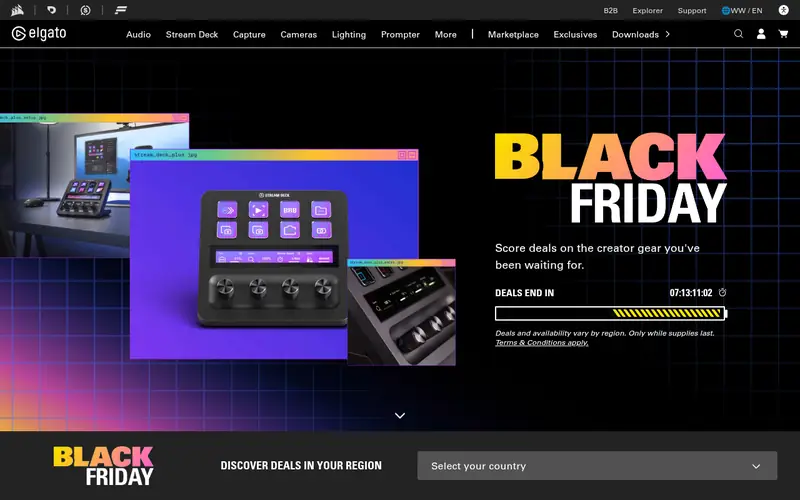
The Stream Deck MK.2 is Elgato's mainstream 15-key controller. Each key has an LCD that shows the assigned action, and the keys can trigger scenes, launch apps, run macros, control audio and send shortcuts. Elgato lists a detachable USB-C cable and an adjustable stand, so the unit can sit at different angles on a desk.
The main strength is the Stream Deck software and its plugin library, which covers streaming tools, chat, smart home and productivity apps. Profiles can switch automatically when you change the active application. It suits streamers and general desktop users who want a proven, well-documented controller.
The catch is that it has no dials or analog inputs, so fine volume or timeline control is done with key presses or separate hardware. Check current retail price, since resellers often differ from the list price.
Where the price comes from
$149.99 (15-key model). Hardware prices move often, so check the Elgato Stream Deck MK.2 maker page or a retailer before you buy.
Benefits
- 15 customizable LCD keys
- strong plugin and profile support
- detachable USB-C cable and adjustable stand
Drawbacks
- No dials or analog controls
- software features vary by plugin
Use case to skip: this limit matters to you: no dials or analog controls.
Our take. A sensible pick for all-round streaming and app control.
If it does not fit, compare Elgato Stream Deck XL or Elgato Stream Deck Mini in this list.
- Best for
- Large scene and application control
- Standout
- 32 LCD keys
- Starting price
- $249.99 (32-key model)
- Free plan or trial
- One-time hardware purchase
The Stream Deck XL is the largest model in the line, with a 32-key grid of LCD keys. The extra keys suit users who run many scenes, sources, audio channels and app shortcuts at once, or who prefer to keep everything visible instead of using folders and pages.
It uses the same Stream Deck software as the smaller models, so profiles and plugins carry over. The larger surface makes it easier to group actions by category, such as one row for scenes and another for audio.
The trade-offs are desk space and price. It is also overkill for casual users who only need a handful of shortcuts. Check current retail price before buying.
Where the price comes from
$249.99 (32-key model). Hardware prices move often, so check the Elgato Stream Deck XL maker page or a retailer before you buy.
Benefits
- 32 LCD keys
- large grid for complex profiles
- same software ecosystem as other Stream Decks
Drawbacks
- Takes significant desk space
- higher price than the MK.2
Use case to skip: this limit matters to you: takes significant desk space.
Our take. A sensible pick for large scene and application control.
If it does not fit, compare Elgato Stream Deck MK.2 or Elgato Stream Deck Mini in this list.
- Best for
- Budget-friendly entry into stream control
- Standout
- Lowest-cost Stream Deck
- Starting price
- $79.99 (6-key model)
- Free plan or trial
- One-time hardware purchase
The Stream Deck Mini is the smallest and cheapest model in the Elgato line, with six LCD keys. It is aimed at new streamers or users who need a few reliable shortcuts for scenes, mute, recording and app launches.
Because it runs the same Stream Deck software, it supports plugins and profiles like the larger units. Users with simple setups can fit their core actions on six keys, often using folders for secondary commands.
The obvious limit is key count. Complex productions will need pages or folders, which adds steps. It suits tight desks and small budgets. Check current retail price, as it is often sold through resellers.
Where the price comes from
$79.99 (6-key model). Hardware prices move often, so check the Elgato Stream Deck Mini maker page or a retailer before you buy.
Benefits
- Lowest-cost Stream Deck
- six LCD keys
- same software as larger models
Drawbacks
- Only six keys
- limited room for complex profiles
Use case to skip: this limit matters to you: only six keys.
Our take. A sensible pick for budget-friendly entry into stream control.
If it does not fit, compare Elgato Stream Deck MK.2 or Elgato Stream Deck XL in this list.
- Best for
- Audio mixing and dial-based control
- Standout
- Combines LCD keys with touch strip and dials
- Starting price
- $199.99 (8 keys plus dials)
- Free plan or trial
- One-time hardware purchase
The Stream Deck + mixes eight LCD keys with a touch strip and four dials. The dials are the key difference: they give analog-style control for volume, brightness, zoom and similar adjustments, while the keys handle discrete actions.
It suits streamers who manage audio levels live, and editors who want dial control for timelines or color tools. Elgato's software supports plugins that map dial functions to specific apps.
The catch is the key count: eight keys is fewer than the MK.2's 15, so heavy shortcut users may need folders. The price is also higher than the MK.2. Check current retail price.
Where the price comes from
$199.99 (8 keys plus dials). Hardware prices move often, so check the Elgato Stream Deck + maker page or a retailer before you buy.
Benefits
- Combines LCD keys with touch strip and dials
- good for audio and timeline control
- same software ecosystem
Drawbacks
- Fewer keys than the MK.2
- higher price
Use case to skip: this limit matters to you: fewer keys than the MK.2.
Our take. A sensible pick for audio mixing and dial-based control.
If it does not fit, compare Elgato Stream Deck MK.2 or Elgato Stream Deck XL in this list.
- Best for
- Creative app and editing control
- Standout
- Combines keys, dials and a touch screen
- Starting price
- See vendor site
- Free plan or trial
- One-time hardware purchase
The Loupedeck Live S is a compact controller aimed at creators and editors. It combines physical keys, dials and a touch interface, and Loupedeck's software provides profiles for common creative applications as well as custom layouts.
It suits users who spend more time in editing, photo and design apps than in streaming software, and who want dial control alongside buttons. The touch strip adds labels and context-sensitive controls.
The main catch is ecosystem size: Elgato's plugin library is broader for streaming-specific tools. Pricing and availability vary, so see vendor site for current details.
Where the price comes from
See vendor site. Hardware prices move often, so check the Loupedeck Live S maker page or a retailer before you buy.
Benefits
- Combines keys, dials and a touch screen
- built for creative software
- supports custom profiles
Drawbacks
- Smaller plugin ecosystem than Elgato
- price varies by region
Use case to skip: this limit matters to you: smaller plugin ecosystem than Elgato.
Our take. A sensible pick for creative app and editing control.
If it does not fit, compare Elgato Stream Deck MK.2 or Elgato Stream Deck XL in this list.

- Best for
- Users already in the Razer ecosystem
- Standout
- Keys, dials and touch display in one unit
- Starting price
- See vendor site
- Free plan or trial
- One-time hardware purchase
The Razer Stream Controller is a broadcast-style controller with programmable keys, dials and a touch display. It is designed for stream control, audio adjustment and app shortcuts, and it integrates with Razer's software ecosystem.
It suits users who already own Razer peripherals and want one control surface that fits that setup. The combination of keys and dials covers both discrete actions and analog adjustments.
The catch is that its strongest value is for people inside the Razer ecosystem; others may prefer Elgato or Loupedeck for plugin breadth. See vendor site for current pricing and availability.
Where the price comes from
See vendor site. Hardware prices move often, so check the Razer Stream Controller maker page or a retailer before you buy.
Benefits
- Keys, dials and touch display in one unit
- integrates with Razer software
- solid build
Drawbacks
- Best value mainly for Razer users
- price varies by region
Use case to skip: this limit matters to you: best value mainly for Razer users.
Our take. A sensible pick for users already in the Razer ecosystem.
If it does not fit, compare Elgato Stream Deck MK.2 or Elgato Stream Deck XL in this list.
- Best for
- Hands-free macro control
- Standout
- Three foot pedals
- Starting price
- $89.99 (three pedals)
- Free plan or trial
- One-time hardware purchase
The Stream Deck Pedal is a different shape of controller: three foot pedals instead of a key grid. It is meant to trigger actions without using your hands, which suits streamers who need push-to-talk, mute, scene changes or macro triggers while typing or playing.
It works with the Stream Deck software, so actions and profiles are managed the same way as the key-based models. Each pedal can be assigned a single action per profile, with profile switching for more.
The catch is the lack of a display and the three-action limit per profile. It complements a key-based deck rather than replacing one. Check current retail price.
Where the price comes from
$89.99 (three pedals). Hardware prices move often, so check the Elgato Stream Deck Pedal maker page or a retailer before you buy.
Benefits
- Three foot pedals
- frees hands for other tasks
- works with Stream Deck software
Drawbacks
- No display
- limited to three actions per profile
Use case to skip: this limit matters to you: no display.
Our take. A sensible pick for hands-free macro control.
If it does not fit, compare Elgato Stream Deck MK.2 or Elgato Stream Deck XL in this list.
What specs matter when you buy
Key count is the first decision. Six keys suit simple setups, 15 covers most streamers, and 32 fits complex productions with many scenes and sources. More keys reduce the need for folders and pages, but they also take more desk space.
Display type matters next. LCD keys show the current action and change labels as profiles switch, which reduces memorization. Touch strips and touchscreens add context but can be harder to use without looking. Dials give analog control for volume, zoom and timelines, which key presses cannot match.
Software and plugin support decide long-term value. Check that the vendor's software runs on your operating system and that plugins exist for the apps you use, such as streaming, chat, audio or editing tools. Also check connection type (usually USB), cable detachability, stand adjustability and whether the unit needs external power. Finally, confirm warranty terms and whether profiles can be exported and backed up.
Questions worth answering first
Buying checklist
- Confirm the key count and layout match the number of actions you trigger regularly.
- Check that the vendor's software supports your operating system version.
- Verify plugins exist for your streaming, chat, audio or editing apps.
- Decide whether you need dials or analog control, not just buttons.
- Measure desk space and check the unit's footprint and cable routing.
- Confirm warranty terms and the return policy before paying.
FAQ
Do stream decks work without the vendor's software?
No. These controllers rely on the manufacturer's software to assign actions and profiles. The software is typically free to download, but the hardware requires it to function.
Can I use a stream deck for non-streaming tasks?
Yes. Most models can launch apps, run macros, send shortcuts and control audio, so they suit productivity, editing and smart home control as well as streaming.
How many keys do I need?
Six keys suit simple setups, 15 covers most streamers, and 32 fits complex productions. Choose based on how many actions you want visible at once without folders.
Are dials better than keys?
Dials suit analog adjustments like volume, zoom and timeline scrubbing. Keys suit discrete actions like scene changes and mute. Many users benefit from both.
Do these controllers need external power?
Most connect over USB and draw power from the computer. Check the vendor spec sheet for each model, since larger units may have different requirements.
Can profiles be backed up?
Elgato and Loupedeck software generally allow profile export and import. Check the vendor documentation for your model before relying on it.
Sources we checked
Change log: First published 21 Nov 2026.