7 Best USB-C Cables for Charging and Data in 2026
The Anker 765 USB-C to USB-C Cable is the safest all-round pick for most people: it is rated for 140W charging and USB 2.0 data, which covers laptops, phones, and handhelds. If you need fast file transfers, choose the Cable Matters USB4 cable for 40Gbps and 240W. If you want a cheap, reliable spare for phones, the Amazon Basics USB-C to USB-C cable is the practical budget option.
 By Shihab Mia · Published 22 Nov 2026
We run no ads and no affiliate links at launch. The order of a list follows our published method. How lists are ordered: how we score.
Prices are the starting prices vendors list publicly. Plans change, so confirm the current price on the vendor page before you buy.
Key takeaways
- Charging speed depends on the cable's wattage rating and the charger, not the connector shape alone.
- USB-C cables look identical but can be USB 2.0, USB 3.2, USB4, or Thunderbolt rated; check the data spec before buying.
- The Anker 765 is rated to 140W and USB 2.0, so it is a charging cable first.
- USB4 and Thunderbolt cables cost far more but carry 40Gbps and high wattage together.
- Buy from the brand's own store or a major retailer to avoid mislabeled cables.
Side-by-side
Grouped by fit and cost. Tap a product to jump to its full entry.
| Fit | Cost | |||
|---|---|---|---|---|
| Product | Best for | Standout feature | Listed starting price | Free plan or trial |
| 1Anker 765 USB-C to USB-C Cable | Fast charging laptops and phones | Rated to 140W charging | Check current retail price (varies by length) | One-time hardware purchase |
| 2Cable Matters USB4 Cable | 40Gbps data plus 240W charging | USB4 rated at 40Gbps | Check current retail price (varies by length) | One-time hardware purchase |
| 3Amazon Basics USB-C to USB-C Cable | Cheap spare charging cables | Low price | Check current retail price (varies by length) | One-time hardware purchase |
| 4Apple 240W USB-C Charge Cable | Apple laptop charging | Rated to 240W | Check current retail price (varies by length) | One-time hardware purchase |
| 5Belkin BoostCharge USB-C to USB-C Cable | Durable everyday charging | Braided build | Check current retail price (varies by length) | One-time hardware purchase |
| 6UGREEN USB-C to USB-C Cable | Value charging and basic sync | Low price | Check current retail price (varies by length) | One-time hardware purchase |
| 7StarTech.com USB-C to USB-C Cable | Business and lab deployments | Clear spec sheets | Check current retail price (varies by length) | One-time hardware purchase |
How we picked
This guide is based on research, not lab testing. We reviewed vendor product pages, published spec sheets, and certification listings for each cable, then compared power ratings, data speeds, build descriptions, and listed prices. We favored cables from established brands with clear documentation and current availability. Where a vendor does not publish a firm price, we mark it as check current retail price rather than guess. No cable here was physically tested by the author.
The 7 picks in detail
- Best for
- Fast charging laptops and phones
- Standout
- Rated to 140W charging
- Starting price
- Check current retail price (varies by length)
- Free plan or trial
- One-time hardware purchase
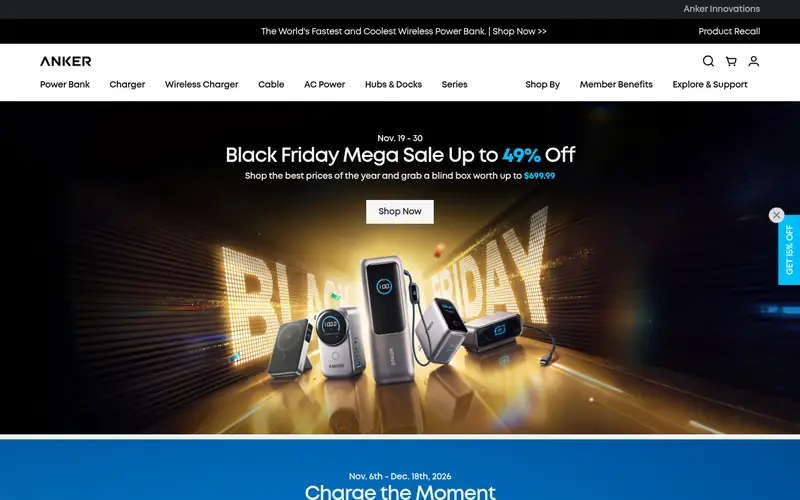
The Anker 765 is a USB-C to USB-C cable sold by Anker with a 140W power rating, which suits modern USB-C laptops and high-wattage phone chargers. Anker lists it as USB-IF certified and built with a braided jacket. Data speed is USB 2.0, so it is not the cable for moving large files between drives. It suits buyers who mainly charge and want a durable cable. The catch is the price and the slow data rate.
Where the price comes from
Check current retail price (varies by length). Hardware prices move often, so check the Anker 765 USB-C to USB-C Cable maker page or a retailer before you buy.
Benefits
- Rated to 140W charging
- braided build
- USB-IF certified
Drawbacks
- USB 2.0 data only
- premium price for a charging cable
Use case to skip: this limit matters to you: USB 2.0 data only.
Our take. A sensible pick for fast charging laptops and phones.
If it does not fit, compare Cable Matters USB4 Cable or Amazon Basics USB-C to USB-C Cable in this list.
- Best for
- 40Gbps data plus 240W charging
- Standout
- USB4 rated at 40Gbps
- Starting price
- Check current retail price (varies by length)
- Free plan or trial
- One-time hardware purchase
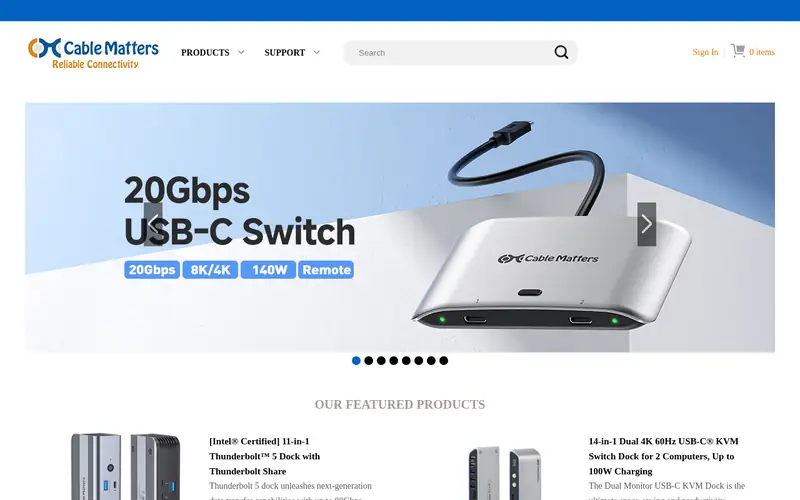
Cable Matters sells USB4-certified USB-C cables rated for 40Gbps data and up to 240W power delivery. That makes them suitable for external SSDs, docks, and high-resolution displays. The cable is backward compatible with USB 3.2 and USB 2.0 devices. It suits buyers who move large files or run a dock from one cable. The main catch is cost: it is far more expensive than a charging-only cable, and most phones cannot use the full speed.
Where the price comes from
Check current retail price (varies by length). Hardware prices move often, so check the Cable Matters USB4 Cable maker page or a retailer before you buy.
Benefits
- USB4 rated at 40Gbps
- supports up to 240W
- works with Thunderbolt and USB-C displays
Drawbacks
- Higher price
- overkill for phone charging
Use case to skip: this limit matters to you: higher price.
Our take. A sensible pick for 40Gbps data plus 240W charging.
If it does not fit, compare Anker 765 USB-C to USB-C Cable or Amazon Basics USB-C to USB-C Cable in this list.
- Best for
- Cheap spare charging cables
- Standout
- Low price
- Starting price
- Check current retail price (varies by length)
- Free plan or trial
- One-time hardware purchase
Amazon Basics offers USB-C to USB-C cables in several lengths at low prices. Amazon lists USB-IF certified versions, which matters because uncertified cables can be mislabeled. Data speed is USB 2.0, so these are charging and basic sync cables. They suit buyers who want a spare for a bag, car, or desk. The catch is basic build quality and no high-speed data.
Where the price comes from
Check current retail price (varies by length). Hardware prices move often, so check the Amazon Basics USB-C to USB-C Cable maker page or a retailer before you buy.
Benefits
- Low price
- widely available in several lengths
- USB-IF certified versions listed
Drawbacks
- Data speed is USB 2.0
- build is basic
Use case to skip: this limit matters to you: data speed is USB 2.0.
Our take. A sensible pick for cheap spare charging cables.
If it does not fit, compare Anker 765 USB-C to USB-C Cable or Cable Matters USB4 Cable in this list.
- Best for
- Apple laptop charging
- Standout
- Rated to 240W
- Starting price
- Check current retail price (varies by length)
- Free plan or trial
- One-time hardware purchase
Apple sells a 240W USB-C Charge Cable with a braided design, intended for MacBook charging. Apple lists it as a charging cable with USB 2.0 data transfer. It suits MacBook owners who want a cable matched to Apple's high-wattage chargers. The catch is that it costs more than third-party 240W cables and does not offer fast data.
Where the price comes from
Check current retail price (varies by length). Hardware prices move often, so check the Apple 240W USB-C Charge Cable maker page or a retailer before you buy.
Benefits
- Rated to 240W
- braided design
- sold by Apple
Drawbacks
- USB 2.0 data
- expensive for the spec
Use case to skip: this limit matters to you: USB 2.0 data.
Our take. A sensible pick for apple laptop charging.
If it does not fit, compare Anker 765 USB-C to USB-C Cable or Cable Matters USB4 Cable in this list.
- Best for
- Durable everyday charging
- Standout
- Braided build
- Starting price
- Check current retail price (varies by length)
- Free plan or trial
- One-time hardware purchase
Belkin's BoostCharge line includes USB-C to USB-C cables with braided jackets and USB-IF certification. Belkin lists them for charging phones and laptops, with USB 2.0 data. They suit buyers who want a sturdy cable from an established accessory brand. The catch is USB 2.0 data and retail pricing that changes by store.
Where the price comes from
Check current retail price (varies by length). Hardware prices move often, so check the Belkin BoostCharge USB-C to USB-C Cable maker page or a retailer before you buy.
Benefits
- Braided build
- USB-IF certified
- several length options
Drawbacks
- Data speed is USB 2.0
- price varies by retailer
Use case to skip: this limit matters to you: data speed is USB 2.0.
Our take. A sensible pick for durable everyday charging.
If it does not fit, compare Anker 765 USB-C to USB-C Cable or Cable Matters USB4 Cable in this list.

- Best for
- Value charging and basic sync
- Standout
- Low price
- Starting price
- Check current retail price (varies by length)
- Free plan or trial
- One-time hardware purchase
UGREEN sells USB-C to USB-C cables in several lengths and builds, including nylon-braided versions. Most are USB 2.0 data cables rated for charging, and UGREEN lists the wattage on each product page. They suit buyers who want a low-cost cable for phones and accessories. The catch is that specs differ between models, so check the listing for the exact wattage and data rating.
Where the price comes from
Check current retail price (varies by length). Hardware prices move often, so check the UGREEN USB-C to USB-C Cable maker page or a retailer before you buy.
Benefits
- Low price
- multiple lengths
- nylon-braided versions listed
Drawbacks
- Data speed is USB 2.0 on most models
- spec varies by model
Use case to skip: this limit matters to you: data speed is USB 2.0 on most models.
Our take. A sensible pick for value charging and basic sync.
If it does not fit, compare Anker 765 USB-C to USB-C Cable or Cable Matters USB4 Cable in this list.
- Best for
- Business and lab deployments
- Standout
- Clear spec sheets
- Starting price
- Check current retail price (varies by length)
- Free plan or trial
- One-time hardware purchase
StarTech.com sells USB-C to USB-C cables across several data and power ratings, and its site publishes detailed spec sheets for each model. That makes it easier to match a cable to a dock, drive, or charger. It suits IT buyers and labs that need documented specs. The catch is price and the need to check each model's rating, since the range covers USB 2.0 up to higher-speed cables.
Where the price comes from
Check current retail price (varies by length). Hardware prices move often, so check the StarTech.com USB-C to USB-C Cable maker page or a retailer before you buy.
Benefits
- Clear spec sheets
- multiple data and power ratings
- business availability
Drawbacks
- Higher price than consumer cables
- data rating depends on model
Use case to skip: this limit matters to you: higher price than consumer cables.
Our take. A sensible pick for business and lab deployments.
If it does not fit, compare Anker 765 USB-C to USB-C Cable or Cable Matters USB4 Cable in this list.
What specs matter when you buy
The first thing to check is the power rating. USB-C cables are sold with wattage ratings such as 60W, 100W, 140W, or 240W. The cable must match or exceed your charger's output, or charging slows down. A 240W cable works with a 65W charger, but a 60W cable limits a 140W laptop charger.
The second is data speed. Many USB-C cables are USB 2.0, which is fine for charging but slow for file transfers. USB 3.2, USB4, and Thunderbolt cables cost more and are labeled with their speed. If you use an external SSD or a dock, buy a cable rated for that speed.
Also check certification and length. USB-IF certification is a useful signal that the cable meets the spec it claims. Longer passive cables can lose signal at high speeds, so check the maker's maximum length for the speed you need. Finally, confirm the connector types: USB-C to USB-C, USB-C to Lightning, and USB-C to USB-A are not interchangeable.
Questions worth answering first
Buying checklist
- Confirm the cable's wattage rating meets or exceeds your charger's output.
- Check the data speed rating if you plan to move files or use a dock.
- Look for USB-IF certification or a clear spec sheet from the maker.
- Match the connector types to your devices before ordering.
- Choose a length that suits your desk or bag without exceeding the rated speed length.
- Buy from the brand's store or a major retailer to reduce the risk of mislabeled cables.
FAQ
Do all USB-C cables charge at the same speed?
No. Charging speed depends on the cable's wattage rating, the charger, and the device. A cable rated for 60W will limit a 100W charger. Check the cable's power rating before buying.
Can a USB-C cable carry both power and data?
Yes, but not always at full speed. Many USB-C cables are rated for charging and USB 2.0 data only. Cables rated for USB 3.2, USB4, or Thunderbolt carry faster data and are labeled as such.
Is a more expensive USB-C cable better?
Not always. Price often reflects data speed and certification. A cheap USB 2.0 cable is fine for charging a phone. Buy a higher-priced cable only if you need fast data or a high wattage rating.
What does USB-IF certification mean?
USB-IF is the industry group that maintains the USB specification. A certified cable has been listed as meeting the spec it claims. It is a useful signal, but check the exact rating on the product page.
Can I use a USB-C cable with a laptop dock?
Yes, if the cable is rated for the dock's data speed and power. Many docks need USB 3.2 or USB4 cables. A USB 2.0 charging cable may not support the dock's display or drive features.
How long should a USB-C cable be?
Choose the shortest length that fits your setup. Longer passive cables can lose signal at high data speeds. Check the maker's stated maximum length for the speed rating you need.
Sources we checked
- Anker 765 USB-C to USB-C Cable (official site)
- Cable Matters USB4 Cable (official site)
- Amazon Basics USB-C to USB-C Cable (official site)
- Apple 240W USB-C Charge Cable (official site)
- Belkin BoostCharge USB-C to USB-C Cable (official site)
- UGREEN USB-C to USB-C Cable (official site)
- StarTech.com USB-C to USB-C Cable (official site)
Change log: First published 22 Nov 2026.