6 Best USB-C Power Banks for Laptops in 2026
The Anker 737 Power Bank (PowerCore 24K) is the top pick for most people who need to charge a laptop on the go, because its vendor-rated 140W USB-C output covers many modern laptops and it has a clear display for remaining charge. For lighter travel, the Anker Prime 20,000mAh suits buyers who want a smaller pack. For high-wattage work laptops, the UGREEN Nexode 250W is the alternative to check.
 By Shihab Mia · Published 22 Nov 2026
We run no ads and no affiliate links at launch. The order of a list follows our published method. How lists are ordered: how we score.
Prices are the starting prices vendors list publicly. Plans change, so confirm the current price on the vendor page before you buy.
Key takeaways
- Laptop charging over USB-C depends on USB Power Delivery wattage, not just capacity; a 140W output suits many 14-inch and 16-inch laptops, while thin ultrabooks often accept less.
- Airline carry-on rules limit lithium batteries, so check the watt-hour rating on the label before flying; many large packs sit near common carrier limits.
- Prices below are manufacturer list prices or vendor-published prices in USD; retail prices change, so confirm before buying.
- Cable quality matters: use a USB-C cable rated for the wattage you need, or the pack may fall back to a lower charge rate.
- None of these are software, so there is no free plan; the only "free" factor is the included cable in the box.
Side-by-side
Grouped by fit and cost. Tap a product to jump to its full entry.
| Fit | Cost | |||
|---|---|---|---|---|
| Product | Best for | Standout feature | Listed starting price | Free plan or trial |
| 1Anker 737 Power Bank (PowerCore 24K) | High-wattage laptop charging with a status display | Vendor-rated 140W USB-C output | Check current retail price | One-time hardware purchase |
| 2Anker Prime 20,000mAh Power Bank | Smaller travel pack for ultrabooks and phones | Lighter than 24,000mAh packs | Check current retail price | One-time hardware purchase |
| 3UGREEN Nexode 250W Power Bank | Demanding work laptops and multiple devices at once | Very high total output for multi-device charging | See vendor site | One-time hardware purchase |
| 4Baseus Blade 2 100W Power Bank | Flat, light carry for thin laptops | Flat shape packs easily against a laptop | See vendor site | One-time hardware purchase |
| 5Sharge Shargeek 170 Power Bank | Transparent design and multi-port flexibility | Distinctive transparent shell | See vendor site | One-time hardware purchase |
| 6Mophie Powerstation Pro XL | Rugged outdoor use with laptop charging | Rugged housing | See vendor site | One-time hardware purchase |
How we picked
This guide is based on research, not lab testing. We reviewed vendor product pages, published spec sheets and manufacturer documentation for USB-C Power Delivery output, capacity, port layout and stated weight, then checked that each model is a current product from an established brand. Prices are manufacturer list prices or vendor-published figures in USD where available; where a vendor does not publish a clear price, we point to the vendor site. We did not benchmark charging speed or run hands-on tests.
The 6 picks in detail
- Best for
- High-wattage laptop charging with a status display
- Standout
- Vendor-rated 140W USB-C output
- Starting price
- Check current retail price
- Free plan or trial
- One-time hardware purchase
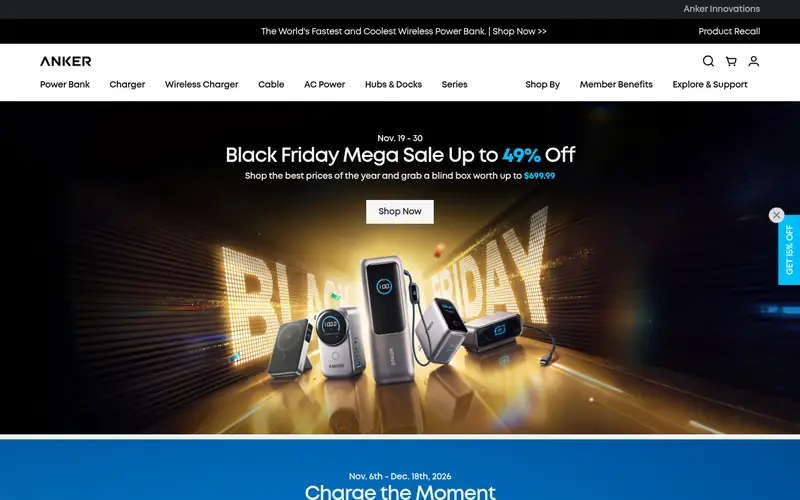
The Anker 737 is a 24,000mAh pack that Anker rates for up to 140W over USB-C, which is enough for many laptops that accept high-wattage USB Power Delivery. It has two USB-C ports and one USB-A port, and a small screen that shows remaining capacity and live output. That display is useful when you want to know how much laptop charge is left before a flight or a long meeting.
It suits people who carry a laptop that draws a lot of power and who want one pack for laptop, phone and accessories. The catch is weight and size: a 24,000mAh pack is not a pocket item, and the list price is higher than smaller packs. Check the watt-hour figure on the label against your airline's carry-on limit.
Where the price comes from
Check current retail price. Hardware prices move often, so check the Anker 737 Power Bank (PowerCore 24K) maker page or a retailer before you buy.
Benefits
- Vendor-rated 140W USB-C output
- built-in display shows charge and output
- large 24,000mAh capacity
Drawbacks
- Heavy for daily carry
- premium price
Use case to skip: this limit matters to you: heavy for daily carry.
Our take. A sensible pick for high-wattage laptop charging with a status display.
If it does not fit, compare Anker Prime 20,000mAh Power Bank or UGREEN Nexode 250W Power Bank in this list.
- Best for
- Smaller travel pack for ultrabooks and phones
- Standout
- Lighter than 24,000mAh packs
- Starting price
- Check current retail price
- Free plan or trial
- One-time hardware purchase
The Anker Prime 20,000mAh is the smaller sibling in Anker's Prime line. Anker rates its USB-C output high enough for many laptops, and the pack includes a display for remaining charge. At 20,000mAh it is easier to pack than the 737, which matters if you mostly top up an ultrabook between meetings rather than run a workstation all day.
It suits travelers who want one pack for a thin laptop and a phone. The trade-off is capacity: fewer full laptop charges than a 24,000mAh pack. Confirm the exact output wattage on Anker's product page for the current revision, since port ratings can differ between models in the same family.
Where the price comes from
Check current retail price. Hardware prices move often, so check the Anker Prime 20,000mAh Power Bank maker page or a retailer before you buy.
Benefits
- Lighter than 24,000mAh packs
- high USB-C output for its size
- display for charge status
Drawbacks
- Lower capacity than the 737
- still a premium price
Use case to skip: this limit matters to you: lower capacity than the 737.
Our take. A sensible pick for smaller travel pack for ultrabooks and phones.
If it does not fit, compare Anker 737 Power Bank (PowerCore 24K) or UGREEN Nexode 250W Power Bank in this list.

- Best for
- Demanding work laptops and multiple devices at once
- Standout
- Very high total output for multi-device charging
- Starting price
- See vendor site
- Free plan or trial
- One-time hardware purchase
UGREEN's Nexode power bank line is aimed at users who charge a laptop and several other devices at the same time. The vendor rates the top model for very high total output across its ports, which helps when a laptop, phone and headphones all need power. It uses USB Power Delivery over USB-C, so compatibility depends on what your laptop accepts.
It suits people who work away from mains power for long stretches and carry more than one device. The catch is portability: high-output packs with large cells are heavy, and the price is not always listed clearly, so check the vendor site for the current figure and port breakdown.
Where the price comes from
See vendor site. Hardware prices move often, so check the UGREEN Nexode 250W Power Bank maker page or a retailer before you buy.
Benefits
- Very high total output for multi-device charging
- large capacity
- multiple USB-C ports
Drawbacks
- Bulky and heavy
- price varies by region
Use case to skip: this limit matters to you: bulky and heavy.
Our take. A sensible pick for demanding work laptops and multiple devices at once.
If it does not fit, compare Anker 737 Power Bank (PowerCore 24K) or Anker Prime 20,000mAh Power Bank in this list.
- Best for
- Flat, light carry for thin laptops
- Standout
- Flat shape packs easily against a laptop
- Starting price
- See vendor site
- Free plan or trial
- One-time hardware purchase
The Baseus Blade 2 is a flat-format pack that Baseus rates for 100W USB-C output. The flat shape is the point: it slides into a laptop sleeve instead of bulging in a bag. It has a display for charge status and multiple ports for phone and accessories.
It suits owners of thin laptops that charge at 65W to 100W, where a flat pack is easier to carry than a brick. The catch is the ceiling: a laptop that wants more than 100W may charge slowly or only while idle. Check your laptop's stated USB-C charging wattage before choosing this class of pack.
Where the price comes from
See vendor site. Hardware prices move often, so check the Baseus Blade 2 100W Power Bank maker page or a retailer before you buy.
Benefits
- Flat shape packs easily against a laptop
- 100W-class USB-C output
- digital charge display
Drawbacks
- 100W may not satisfy high-draw laptops
- capacity limits total charges
Use case to skip: this limit matters to you: 100W may not satisfy high-draw laptops.
Our take. A sensible pick for flat, light carry for thin laptops.
If it does not fit, compare Anker 737 Power Bank (PowerCore 24K) or Anker Prime 20,000mAh Power Bank in this list.
- Best for
- Transparent design and multi-port flexibility
- Standout
- Distinctive transparent shell
- Starting price
- See vendor site
- Free plan or trial
- One-time hardware purchase
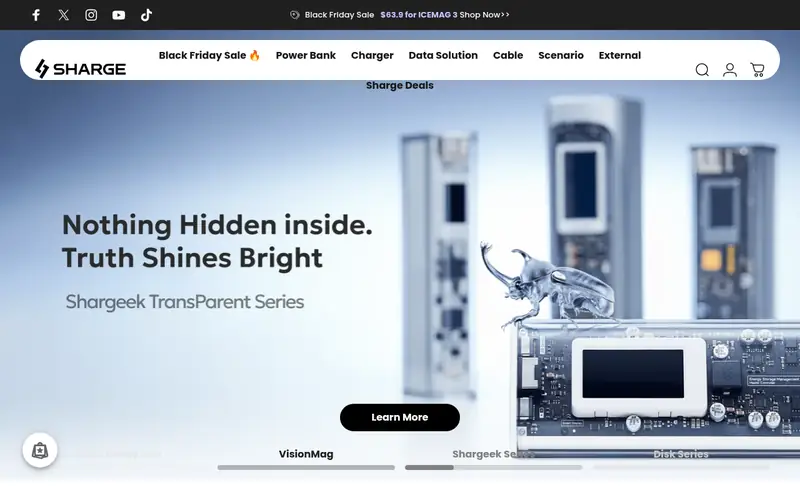
The Shargeek 170 from Sharge is a transparent-shell pack with a display and several ports. Sharge rates it for high USB-C output, and the visible internals are part of the appeal for buyers who like technical-looking gear. It can charge a laptop over USB-C where the laptop accepts the pack's rated profile.
It suits users who want a distinctive pack and charge several devices. The catch is that styling is subjective, and output ratings can change between revisions, so confirm the current wattage and capacity on Sharge's site. It is a larger pack, so treat it as a bag item rather than a pocket one.
Where the price comes from
See vendor site. Hardware prices move often, so check the Sharge Shargeek 170 Power Bank maker page or a retailer before you buy.
Benefits
- Distinctive transparent shell
- multiple ports
- display for output and charge
Drawbacks
- Niche styling may not suit everyone
- check current output rating
Use case to skip: this limit matters to you: niche styling may not suit everyone.
Our take. A sensible pick for transparent design and multi-port flexibility.
If it does not fit, compare Anker 737 Power Bank (PowerCore 24K) or Anker Prime 20,000mAh Power Bank in this list.

- Best for
- Rugged outdoor use with laptop charging
- Standout
- Rugged housing
- Starting price
- See vendor site
- Free plan or trial
- One-time hardware purchase
The Mophie Powerstation Pro XL is a large-capacity pack in a rugged housing, aimed at outdoor and travel use. Mophie rates its USB-C port for Power Delivery, so it can charge laptops that accept the pack's output profile, along with phones and tablets.
It suits campers, field workers and travelers who want a tougher pack and do not mind extra weight. The catch is bulk: rugged shells add mass, and the price moves around by retailer. Check Mophie's page for the current capacity, output wattage and port layout before buying.
Where the price comes from
See vendor site. Hardware prices move often, so check the Mophie Powerstation Pro XL maker page or a retailer before you buy.
Benefits
- Rugged housing
- USB-C Power Delivery output
- established accessory brand
Drawbacks
- Heavier than slim packs
- price varies by retailer
Use case to skip: this limit matters to you: heavier than slim packs.
Our take. A sensible pick for rugged outdoor use with laptop charging.
If it does not fit, compare Anker 737 Power Bank (PowerCore 24K) or Anker Prime 20,000mAh Power Bank in this list.
What specs matter when you buy
Start with output wattage, not capacity. A laptop charges over USB-C only if the pack's USB Power Delivery profile meets or exceeds what the laptop accepts. Many thin laptops charge at 45W to 65W, while larger or performance laptops may want 100W or more. If the pack's output is lower, the laptop may charge slowly, only while idle, or not at all. The vendor datasheet lists the output per port, so read that line carefully.
Capacity is the second number. It is usually given in milliamp-hours (mAh) at the internal cell voltage, and the energy that actually reaches your laptop is lower after conversion losses. A 20,000mAh pack gives fewer full laptop charges than a 24,000mAh pack, but the real count depends on your laptop's battery size and how much power it draws while charging. For air travel, look for the watt-hour (Wh) rating printed on the pack and compare it with your airline's carry-on battery limit.
Ports and cables matter too. Check how many USB-C ports the pack has, whether one port is reserved for high output, and whether the pack can charge itself and a laptop at the same time. Use a USB-C cable rated for the wattage you need; a charge-only cable or a low-rated cable can cap the rate. Finally, check the warranty and the pack's weight, since a high-capacity pack that stays at home is worse than a smaller one you actually carry.
Questions worth answering first
Buying checklist
- Confirm your laptop's required USB-C charging wattage in its manual or vendor spec page.
- Check the pack's per-port output wattage on the vendor datasheet, not just the total.
- Compare the pack's watt-hour rating with your airline's carry-on battery limit.
- Make sure you have a USB-C cable rated for the wattage you plan to use.
- Check the pack's weight and dimensions against how you carry your bag.
- Read the warranty terms and confirm the model is still current on the vendor site.
FAQ
Do all USB-C power banks charge laptops?
No. A laptop charges only if the pack supports USB Power Delivery at a wattage the laptop accepts. Packs rated for phones often output too little, so the laptop may not charge or may charge only slowly. Check the vendor's per-port output rating against your laptop's requirement.
How many laptop charges will a 20,000mAh pack give?
It depends on your laptop's battery size and power draw. A 20,000mAh pack holds less energy than a 24,000mAh pack, and conversion losses reduce what reaches the laptop. Expect fewer than the simple capacity math suggests, and check the watt-hour rating for a clearer energy figure.
Can I take these power banks on a plane?
Many airlines limit lithium batteries in carry-on baggage by watt-hour rating. Check the Wh figure printed on the pack and compare it with your airline's published limit before flying. Large packs may sit near common limits, so confirm with the airline rather than assuming.
Does a higher wattage pack charge my laptop faster?
Only up to what the laptop accepts. If your laptop charges at 65W, a 140W pack will not push more than the laptop's limit. A higher-rated pack helps mainly when you have a laptop that draws more, or when you charge several devices at once.
Do I need a special cable?
Yes, in practice. Use a USB-C cable rated for the wattage you need. A low-rated or charge-only cable can cap the charge rate even if the pack and laptop support more. Check the cable's stated rating before relying on it for laptop charging.
Are these packs good for phones too?
Yes. USB-C Power Delivery packs charge phones, and most phones draw far less than a laptop, so a laptop-class pack works fine for a phone. The reverse is not true: a small phone-focused pack usually cannot charge a laptop at full speed.
Sources we checked
Change log: First published 22 Nov 2026.