6 Best VR Headsets for PC Gaming in 2026
The Meta Quest 3 is the best all-round pick for most PC VR buyers. It works standalone and as a PC headset over Link or Air Link, and it costs far less than dedicated PC-only headsets. If you want the sharpest visuals and have a DisplayPort GPU, look at the Pimax Crystal Light. If comfort and weight matter most, the Bigscreen Beyond 2 is the lightest option here.
 By Shihab Mia · Published 22 Nov 2026
We run no ads and no affiliate links at launch. The order of a list follows our published method. How lists are ordered: how we score.
Prices are the starting prices vendors list publicly. Plans change, so confirm the current price on the vendor page before you buy.
Key takeaways
- The Meta Quest 3 starts at $499 for the 512GB model and needs no PC to run standalone content.
- Dedicated PC headsets like the Bigscreen Beyond 2 require a SteamVR base station setup and a compatible GPU.
- The Pimax Crystal Light uses a DisplayPort connection, which avoids video compression over USB or Wi-Fi.
- Most PC VR headsets need a DisplayPort or USB-C video output, so check your GPU ports first.
Side-by-side
Grouped by fit and cost. Tap a product to jump to its full entry.
| Fit | Cost | |||
|---|---|---|---|---|
| Product | Best for | Standout feature | Listed starting price | Free plan or trial |
| 1Meta Quest 3 | Most PC VR buyers who want one headset for everything | Works standalone and with a PC | Check current retail price | One-time hardware purchase |
| 2Meta Quest 3S | Budget buyers who want Quest software and PC streaming | Lowest entry price in the Quest line | Check current retail price | One-time hardware purchase |
| 3Pimax Crystal Light | Buyers who want sharp native PC visuals | High-resolution displays | Check current retail price | One-time hardware purchase |
| 4Bigscreen Beyond 2 | Comfort-focused buyers with a SteamVR setup | Very small and light body | Check current retail price | One-time hardware purchase |
| 5HTC Vive Focus Vision | Buyers who want standalone use plus PC streaming | Standalone Android headset | Check current retail price | One-time hardware purchase |
| 6Sony PlayStation VR2 | PS5 owners who also want PC VR | Works on PS5 and PC with an adapter | Check current retail price | One-time hardware purchase |
How we picked
This guide is based on research, not lab testing. We read vendor product pages, spec sheets and setup documentation for each headset, then compared connection type, display and lens technology, tracking method, included accessories and published prices. We only included models released between 2023 and 2025 that are still listed for sale by the vendor. Where a current price was not clear from the vendor page, we wrote "Check current retail price" instead of guessing.
The 6 picks in detail

- Best for
- Most PC VR buyers who want one headset for everything
- Standout
- Works standalone and with a PC
- Starting price
- Check current retail price
- Free plan or trial
- One-time hardware purchase
The Quest 3 is a standalone headset that also connects to a PC. Meta lists a Snapdragon XR2 Gen 2 chip, pancake lenses and full-color passthrough cameras for mixed reality. For PC VR you use Link over a USB-C cable or Air Link over Wi-Fi, and SteamVR games run through the Meta Quest Link software.
The main catch is compression. PC video is encoded and sent to the headset, so very fast-moving scenes can show artifacts compared with a native DisplayPort headset. The headset also runs on a battery, so long sessions need a charge or a powered cable. For most buyers the flexibility outweighs these limits.
Where the price comes from
Check current retail price. Hardware prices move often, so check the Meta Quest 3 maker page or a retailer before you buy.
Benefits
- Works standalone and with a PC
- mixed reality passthrough cameras
- large app library
Drawbacks
- PC streaming uses video compression
- battery life limits long sessions
Use case to skip: this limit matters to you: PC streaming uses video compression.
Our take. A sensible pick for most PC VR buyers who want one headset for everything.
If it does not fit, compare Meta Quest 3S or Pimax Crystal Light in this list.
- Best for
- Budget buyers who want Quest software and PC streaming
- Standout
- Lowest entry price in the Quest line
- Starting price
- Check current retail price
- Free plan or trial
- One-time hardware purchase
The Quest 3S is the cheaper model in Meta's current lineup. It uses the same class of processor as the Quest 3 but swaps the pancake lenses for Fresnel lenses and uses a lower-resolution display. It still runs the same store and the same PC streaming features.
For PC VR, the 3S gives you the same Link and Air Link path at a lower price. The trade-off is optical: Fresnel lenses have a smaller clear zone and more glare than pancake lenses. If you mostly play PC VR and want the lowest cost of entry, this is the value pick.
Where the price comes from
Check current retail price. Hardware prices move often, so check the Meta Quest 3S maker page or a retailer before you buy.
Benefits
- Lowest entry price in the Quest line
- same chip family as Quest 3
- works with Link and Air Link
Drawbacks
- Fresnel lenses instead of pancake
- lower display resolution than Quest 3
Use case to skip: this limit matters to you: fresnel lenses instead of pancake.
Our take. A sensible pick for budget buyers who want Quest software and PC streaming.
If it does not fit, compare Meta Quest 3 or Pimax Crystal Light in this list.
- Best for
- Buyers who want sharp native PC visuals
- Standout
- High-resolution displays
- Starting price
- Check current retail price
- Free plan or trial
- One-time hardware purchase
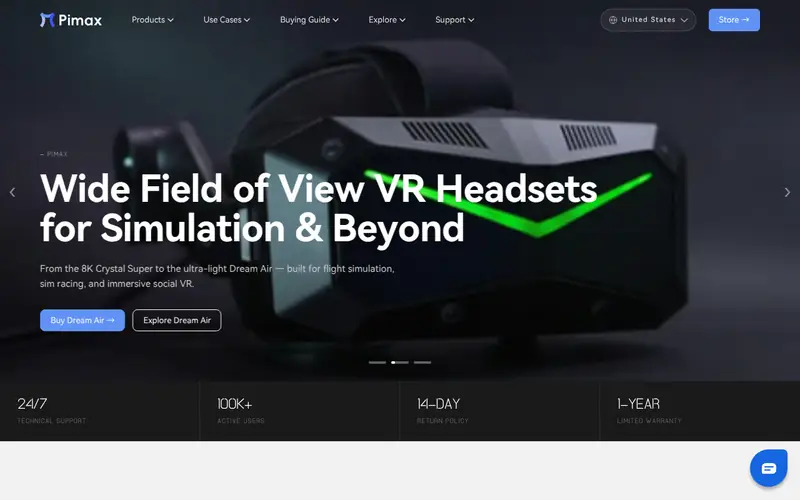
The Pimax Crystal Light is a PC-only headset aimed at sim players and buyers who want detail. Pimax lists high-resolution displays and a DisplayPort connection, which sends uncompressed video from the GPU. That avoids the compression artifacts you get with USB or Wi-Fi streaming.
The catch is weight and power. The headset is larger than the Quest models and needs a capable GPU to drive its resolution at a stable frame rate. Setup is more involved than a standalone headset. It suits buyers who already have a strong desktop PC and mainly play seated games.
Where the price comes from
Check current retail price. Hardware prices move often, so check the Pimax Crystal Light maker page or a retailer before you buy.
Benefits
- High-resolution displays
- DisplayPort connection without compression
- inside-out tracking
Drawbacks
- Heavier than most headsets
- needs a strong GPU
Use case to skip: this limit matters to you: heavier than most headsets.
Our take. A sensible pick for buyers who want sharp native PC visuals.
If it does not fit, compare Meta Quest 3 or Meta Quest 3S in this list.
- Best for
- Comfort-focused buyers with a SteamVR setup
- Standout
- Very small and light body
- Starting price
- Check current retail price
- Free plan or trial
- One-time hardware purchase
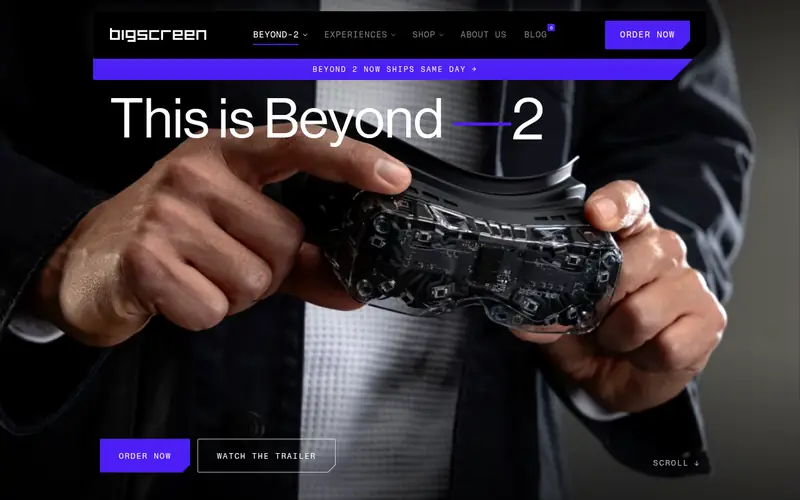
The Bigscreen Beyond 2 is a PC-only headset built around size and weight. Bigscreen lists micro-OLED displays and a body far smaller than a typical headset. Each unit uses a custom face cushion made from a scan of the buyer's face.
It has no inside-out tracking. You need SteamVR base stations and compatible controllers, which adds cost if you do not own them. There is also no built-in audio in the same way as the Quest. It suits buyers who already have a base station setup and want the lightest possible headset for long sessions.
Where the price comes from
Check current retail price. Hardware prices move often, so check the Bigscreen Beyond 2 maker page or a retailer before you buy.
Benefits
- Very small and light body
- custom face cushion
- micro-OLED displays
Drawbacks
- Needs SteamVR base stations and controllers
- no built-in tracking
Use case to skip: this limit matters to you: needs SteamVR base stations and controllers.
Our take. A sensible pick for comfort-focused buyers with a SteamVR setup.
If it does not fit, compare Meta Quest 3 or Meta Quest 3S in this list.

- Best for
- Buyers who want standalone use plus PC streaming
- Standout
- Standalone Android headset
- Starting price
- Check current retail price
- Free plan or trial
- One-time hardware purchase
The Vive Focus Vision is HTC's standalone headset with a focus on enterprise and prosumer use. It runs its own store and can stream PC VR content over a connection to a PC. HTC lists color passthrough and inside-out tracking.
For PC VR it works as a streaming headset, so the same compression caveats apply as with the Quest. The price is higher than Meta's models, and the app library is smaller. It suits buyers who want a standalone device outside the Meta ecosystem or who need HTC's business features.
Where the price comes from
Check current retail price. Hardware prices move often, so check the HTC Vive Focus Vision maker page or a retailer before you buy.
Benefits
- Standalone Android headset
- supports PC streaming
- color passthrough
Drawbacks
- Higher price than Quest models
- PC streaming still uses compression
Use case to skip: this limit matters to you: higher price than Quest models.
Our take. A sensible pick for buyers who want standalone use plus PC streaming.
If it does not fit, compare Meta Quest 3 or Meta Quest 3S in this list.
- Best for
- PS5 owners who also want PC VR
- Standout
- Works on PS5 and PC with an adapter
- Starting price
- Check current retail price
- Free plan or trial
- One-time hardware purchase
The PlayStation VR2 is Sony's headset for the PS5, and Sony supports PC use through a separate PC adapter. It has OLED displays, inside-out tracking and eye tracking. On PS5 it uses features like headset feedback and adaptive triggers on the Sense controllers.
On PC, some of those features are not available, and you need the adapter plus a DisplayPort connection. It suits buyers who already own a PS5 and want one headset for both platforms. If you only play on PC, a dedicated PC headset is simpler.
Where the price comes from
Check current retail price. Hardware prices move often, so check the Sony PlayStation VR2 maker page or a retailer before you buy.
Benefits
- Works on PS5 and PC with an adapter
- OLED displays
- eye tracking
Drawbacks
- PC use needs a separate adapter
- some PS5 features do not carry over to PC
Use case to skip: this limit matters to you: PC use needs a separate adapter.
Our take. A sensible pick for PS5 owners who also want PC VR.
If it does not fit, compare Meta Quest 3 or Meta Quest 3S in this list.
What specs matter when you buy
The connection type is the first thing to check. Standalone headsets like the Quest 3 stream PC video over USB-C or Wi-Fi, which involves compression. Dedicated PC headsets like the Pimax Crystal Light use DisplayPort for uncompressed video. Compression is fine for most games but can show in fast scenes and fine text.
Resolution and lens type decide image clarity. Higher resolution panels show more detail but need a stronger GPU. Pancake lenses are thinner and often have a larger clear zone than Fresnel lenses, which can show glare and a smaller sweet spot. Check the vendor spec sheet for the panel type and per-eye resolution.
Tracking and setup decide how much space and money you need. Inside-out tracking uses cameras on the headset and needs no base stations. SteamVR base station tracking, used by the Valve Index and Bigscreen Beyond 2, needs mounted stations and clear space. Base stations and controllers add cost if they are not included.
Comfort and audio matter for long sessions. Weight, face cushion shape and strap design vary a lot. Some headsets include built-in audio; others need headphones. Check the included accessories on the vendor page before you compare prices.
Questions worth answering first
Buying checklist
- Confirm your GPU has the port the headset needs, such as DisplayPort or USB-C video output.
- Check whether the headset includes controllers, base stations and cables, or sells them separately.
- Measure your play space and confirm the tracking method works in that room.
- Read the vendor spec sheet for per-eye resolution and lens type.
- Check the return window and warranty terms on the vendor site.
- Confirm the headset supports the store or platform where your PC VR games live.
FAQ
Do I need a powerful PC for PC VR?
Yes, for most headsets. A dedicated GPU is recommended, and higher-resolution headsets need more power. Check the vendor's minimum and recommended system requirements before buying, and confirm your GPU has the right video output.
Can the Meta Quest 3 play PC VR games?
Yes. The Quest 3 connects to a PC over a USB-C Link cable or wirelessly with Air Link. You run PC VR games through the Meta Quest Link software and SteamVR. Video is compressed, so image quality depends on your connection quality.
What is the difference between standalone and PC-only headsets?
Standalone headsets have a battery and processor and run their own apps, and can also stream from a PC. PC-only headsets need a PC to work and often use DisplayPort for uncompressed video. PC-only models are usually lighter but need more setup.
Do I need base stations for PC VR?
Only for headsets that use SteamVR base station tracking, such as the Valve Index and Bigscreen Beyond 2. Headsets with inside-out tracking, like the Quest 3 and Pimax Crystal Light, do not need base stations.
Is the PlayStation VR2 a good PC VR headset?
It works on PC with Sony's PC adapter and a DisplayPort connection. It has OLED displays and eye tracking. Some PS5-specific features do not work on PC, so check the adapter requirements before buying if PC is your main platform.
How much should I budget for a PC VR headset?
Prices range from about $299 for the Quest 3S to well over $1,000 for high-end PC-only headsets once base stations and controllers are included. Add the cost of any cables, adapters or base stations the headset does not include.
Sources we checked
Change log: First published 22 Nov 2026.