7 Best Webcams for Mac in 2026
The Logitech MX Brio is the strongest all-round pick for most Mac users. It offers 4K capture, a Sony-based sensor and a magnetic mount that suits MacBook and Studio Display setups. If you want the simplest plug-and-play option, the Apple Studio Display's built-in camera covers basic calls but is not a separate purchase. For budget buyers, the Logitech Brio 500 is a solid 1080p alternative, and the Obsbot Tiny 2 suits people who present or stream and want a gimbal-tracking camera.
 By Shihab Mia · Published 22 Nov 2026
We run no ads and no affiliate links at launch. The order of a list follows our published method. How lists are ordered: how we score.
Prices are the starting prices vendors list publicly. Plans change, so confirm the current price on the vendor page before you buy.
Key takeaways
- Most Mac-compatible webcams are UVC devices that work without drivers; extra features often need vendor software.
- 4K webcams cost more and need good lighting to look better than a good 1080p model.
- Check the mount: clip mounts fit laptop lids, while magnetic or tripod mounts suit desktop displays.
- Privacy shutters and built-in mics vary by model; confirm both on the vendor datasheet.
- Prices below are manufacturer list prices in USD; check current retail price before buying.
Side-by-side
Grouped by fit and cost. Tap a product to jump to its full entry.
| Fit | Cost | |||
|---|---|---|---|---|
| Product | Best for | Standout feature | Listed starting price | Free plan or trial |
| 1Logitech MX Brio | Best overall Mac webcam | 4K capture with a large sensor | Check current retail price | One-time hardware purchase |
| 2Logitech Brio 500 | Budget 1080p calls on a Mac | 1080p at 30 fps | Check current retail price | One-time hardware purchase |
| 3Obsbot Tiny 2 | Presenting and streaming with AI tracking | Two-axis gimbal with subject tracking | Check current retail price | One-time hardware purchase |
| 4Elgato Facecam MK.2 | Streamers who want manual camera control | 1080p at 60 fps | Check current retail price | One-time hardware purchase |
| 5Razer Kiyo Pro Ultra | Low-light 4K capture | Large sensor for low light | Check current retail price | One-time hardware purchase |
| 6Insta360 Link 2 | AI framing for meetings and teaching | 4K sensor | Check current retail price | One-time hardware purchase |
| 7Opal Tadpole | Portable MacBook travel camera | Very small | Check current retail price | One-time hardware purchase |
How we picked
This guide is based on research, not lab testing. We read vendor product pages, spec sheets and support documentation for each model, confirmed macOS compatibility statements, and checked that each camera was released between 2023 and 2025 and is still listed for sale. Prices are manufacturer list prices in USD where published; where a vendor does not publish a stable list price, we say to check the current retail price. We compared resolution, frame rate, sensor and lens details, mounting, privacy features and software support, and noted the main trade-off for each camera.
The 7 picks in detail
- Best for
- Best overall Mac webcam
- Standout
- 4K capture with a large sensor
- Starting price
- Check current retail price
- Free plan or trial
- One-time hardware purchase
The MX Brio is Logitech's flagship consumer webcam. According to the vendor, it captures 4K video at up to 30 fps and 1080p at up to 60 fps, and uses a Sony sensor for better low-light results. It has a built-in privacy shutter and a magnetic mounting system that works with a clip or a tripod thread. Logitech lists macOS support through its Logi Tune and Logi Options+ apps, which handle framing, exposure and image adjustments. It suits people who want one camera for both a MacBook and a desktop display.
The main catch is price. At list price it costs more than most 1080p webcams, and the 4K benefit depends on lighting and on the app you use. Many video-call apps still send 1080p or lower, so the extra resolution mainly helps recordings and streams.
Where the price comes from
Check current retail price. Hardware prices move often, so check the Logitech MX Brio maker page or a retailer before you buy.
Benefits
- 4K capture with a large sensor
- magnetic mount and privacy shutter
- works with Logi Options+ and Logi Tune
- aluminum body
Drawbacks
- Premium price
- advanced settings need Logitech software
Use case to skip: this limit matters to you: premium price.
Our take. A sensible pick for best overall Mac webcam.
If it does not fit, compare Logitech Brio 500 or Obsbot Tiny 2 in this list.
- Best for
- Budget 1080p calls on a Mac
- Standout
- 1080p at 30 fps
- Starting price
- Check current retail price
- Free plan or trial
- One-time hardware purchase
The Brio 500 is a 1080p webcam aimed at everyday meetings. Logitech lists 1080p capture at 30 fps, a privacy shutter that rotates over the lens, and a mounting clip that tilts. With Logi Tune it adds auto-framing and a show mode that flips the image to point at a desk. It connects over USB-C and works on macOS without a driver for basic video.
It is the sensible pick if you mostly join video calls and do not record at high resolution. The catch is that it cannot match 4K models for detail, and the plastic body feels less sturdy than the MX Brio.
Where the price comes from
Check current retail price. Hardware prices move often, so check the Logitech Brio 500 maker page or a retailer before you buy.
Benefits
- 1080p at 30 fps
- built-in privacy shutter
- show mode and auto-framing via software
Drawbacks
- No 4K
- plastic build
Use case to skip: this limit matters to you: no 4K.
Our take. A sensible pick for budget 1080p calls on a Mac.
If it does not fit, compare Logitech MX Brio or Obsbot Tiny 2 in this list.
- Best for
- Presenting and streaming with AI tracking
- Standout
- Two-axis gimbal with subject tracking
- Starting price
- Check current retail price
- Free plan or trial
- One-time hardware purchase
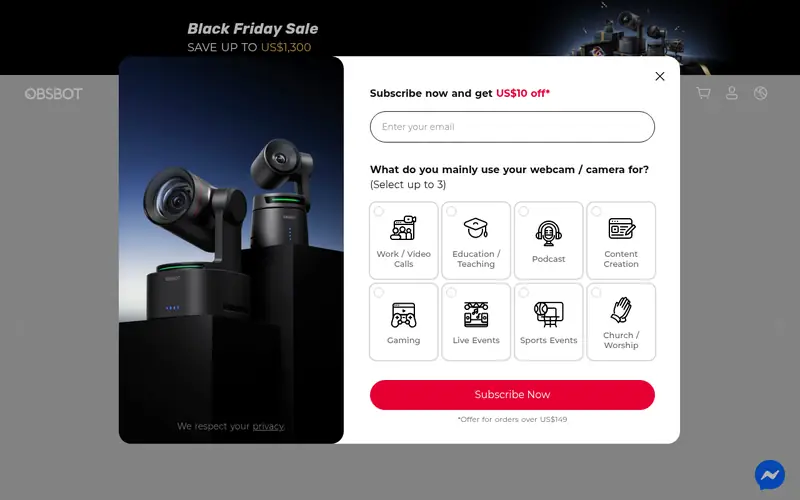
The Tiny 2 is a gimbal webcam that physically turns to follow a speaker. Obsbot lists a 4K sensor, AI tracking, gesture control and a built-in privacy mode that points the lens down. It sits on a small stand and can also mount on a tripod. On macOS, the Obsbot Center app controls tracking, framing and image settings.
It suits teachers, presenters and streamers who move around. The catch is size and setup: it takes more desk space than a clip camera, and the tracking features depend on the vendor app rather than working in every call app.
Where the price comes from
Check current retail price. Hardware prices move often, so check the Obsbot Tiny 2 maker page or a retailer before you buy.
Benefits
- Two-axis gimbal with subject tracking
- 4K sensor
- gesture control
Drawbacks
- Larger than a clip-on camera
- tracking needs Obsbot software
Use case to skip: this limit matters to you: larger than a clip-on camera.
Our take. A sensible pick for presenting and streaming with AI tracking.
If it does not fit, compare Logitech MX Brio or Logitech Brio 500 in this list.
- Best for
- Streamers who want manual camera control
- Standout
- 1080p at 60 fps
- Starting price
- Check current retail price
- Free plan or trial
- One-time hardware purchase
The Facecam MK.2 is Elgato's second-generation streaming camera. Elgato lists 1080p capture at 60 fps, a wide field of view and support for uncompressed video output for capture cards. The Camera Hub app on macOS gives manual control over exposure, white balance and zoom, and can save settings to the camera.
It is a good fit for people who stream or record and want consistent image settings. The catch is that it is 1080p only, and the software is built around Elgato's streaming ecosystem rather than general video calls.
Where the price comes from
Check current retail price. Hardware prices move often, so check the Elgato Facecam MK.2 maker page or a retailer before you buy.
Benefits
- 1080p at 60 fps
- manual exposure and white balance via Camera Hub
- uncompressed video output
Drawbacks
- No 4K
- software is aimed at streamers
Use case to skip: this limit matters to you: no 4K.
Our take. A sensible pick for streamers who want manual camera control.
If it does not fit, compare Logitech MX Brio or Logitech Brio 500 in this list.

- Best for
- Low-light 4K capture
- Standout
- Large sensor for low light
- Starting price
- Check current retail price
- Free plan or trial
- One-time hardware purchase
The Kiyo Pro Ultra is Razer's top webcam. Razer lists a large sensor, 4K capture and a wide aperture lens designed for dim rooms, plus a physical shutter that covers the lens. It connects over USB-C and works with Razer Synapse on macOS for image adjustments.
It suits people who record in poor light or want the most detail. The catch is the price and the size: it is one of the bulkier cameras here and costs more than most Mac users need to spend for video calls.
Where the price comes from
Check current retail price. Hardware prices move often, so check the Razer Kiyo Pro Ultra maker page or a retailer before you buy.
Benefits
- Large sensor for low light
- 4K capture
- physical privacy shutter
Drawbacks
- High price
- large body
Use case to skip: this limit matters to you: high price.
Our take. A sensible pick for low-light 4K capture.
If it does not fit, compare Logitech MX Brio or Logitech Brio 500 in this list.
- Best for
- AI framing for meetings and teaching
- Standout
- 4K sensor
- Starting price
- Check current retail price
- Free plan or trial
- One-time hardware purchase
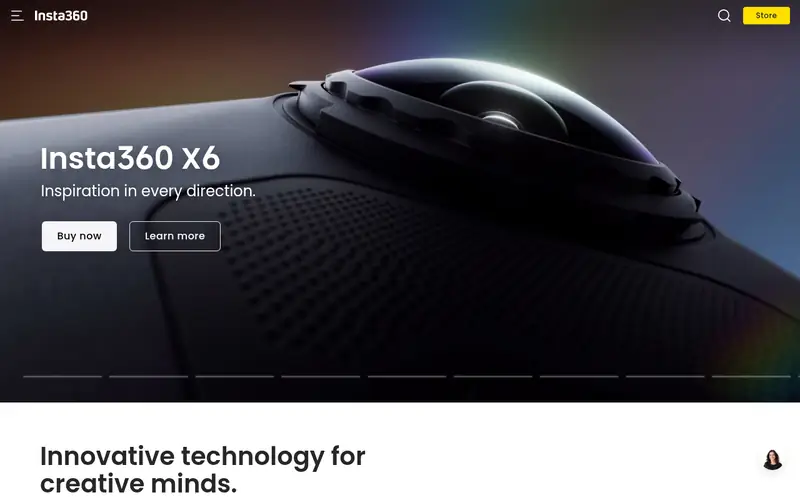
The Link 2 is Insta360's second-generation AI webcam. Insta360 lists a 4K sensor, a two-axis gimbal, AI tracking and gesture control, with a privacy mode that turns the lens down. The Link Controller app on macOS handles tracking, whiteboard mode and framing.
It suits people who teach, demo software or move while talking. The catch is that the best features live in the vendor app, and a moving gimbal is more complex than a fixed camera.
Where the price comes from
Check current retail price. Hardware prices move often, so check the Insta360 Link 2 maker page or a retailer before you buy.
Benefits
- 4K sensor
- AI tracking and gesture control
- compact gimbal design
Drawbacks
- Feature set depends on Insta360 software
- gimbal adds moving parts
Use case to skip: this limit matters to you: feature set depends on Insta360 software.
Our take. A sensible pick for AI framing for meetings and teaching.
If it does not fit, compare Logitech MX Brio or Logitech Brio 500 in this list.
- Best for
- Portable MacBook travel camera
- Standout
- Very small
- Starting price
- Check current retail price
- Free plan or trial
- One-time hardware purchase
The Tadpole is a compact webcam built for laptops. Opal lists a small aluminum body, a clip that grips a laptop lid, and a directional microphone. It is designed to sit on a MacBook screen without blocking the display. It connects over USB-C and works with the Opal Composer app on macOS for image settings.
It suits people who travel and want better video than a built-in laptop camera. The catch is that it is fixed focus and has fewer mounting options than desktop cameras, so it is less suited to a fixed desk setup with a large monitor.
Where the price comes from
Check current retail price. Hardware prices move often, so check the Opal Tadpole maker page or a retailer before you buy.
Benefits
- Very small
- clip designed for laptop lids
- directional mic
Drawbacks
- Fixed focus
- limited mounting options
Use case to skip: this limit matters to you: fixed focus.
Our take. A sensible pick for portable MacBook travel camera.
If it does not fit, compare Logitech MX Brio or Logitech Brio 500 in this list.
What specs matter when you buy
Resolution is the first number people check, but it is not the whole story. A 1080p camera with a good sensor and decent light often looks better on a call than a 4K camera in a dim room. Many meeting apps compress video anyway, so 4K mainly matters if you record or stream. Frame rate matters more for motion: 60 fps looks smoother than 30 fps if you move around or share your screen.
Sensor size and lens aperture affect low-light performance. A larger sensor gathers more light, which reduces grain in dim rooms. The vendor datasheet usually lists sensor size and aperture; if it does not, treat low-light claims as marketing until you see sample footage. Field of view is another practical spec: a wide lens shows more of the room, which is good for groups and bad if you want a tight head-and-shoulders frame.
Connection and mounting decide whether the camera fits your Mac. Most current models use USB-C, and some include a USB-A adapter. Check that the clip opens wide enough for your laptop lid or monitor, or that the camera has a tripod thread. Finally, check software support: macOS compatibility for basic video is common, but features like auto-framing, tracking and manual exposure usually need the vendor's Mac app.
Questions worth answering first
Buying checklist
- Confirm the camera is listed by the vendor as compatible with macOS.
- Check whether the connection is USB-C, USB-A or both, and whether your Mac needs an adapter.
- Measure your laptop lid or monitor thickness against the clip or mount design.
- Decide whether you need 4K or whether 1080p at 60 fps is enough for your calls.
- Confirm the vendor app supports the features you want, such as auto-framing or manual exposure.
- Check for a privacy shutter if the camera sits on your desk permanently.
FAQ
Do webcams work on a Mac without drivers?
Most current webcams use the USB Video Class standard, so macOS recognizes them for basic video without a driver. Extra features such as auto-framing, tracking or manual exposure usually require the vendor's Mac app. Check the vendor support page for the specific model before buying.
Is 4K worth it for video calls?
Usually not for calls alone, because many meeting apps compress video and send lower resolution. 4K helps if you record, stream or crop the frame. A good 1080p camera with decent lighting is often enough for everyday meetings.
Can I use a webcam with a MacBook and a desktop display?
Yes, if the mount fits both. Clip mounts work on laptop lids, while magnetic or tripod mounts suit desktop displays. Some models include adapters for both. Check the mount design and cable length before buying.
Do these webcams have built-in microphones?
Most do, including the models listed here. Quality varies, and a dedicated microphone usually sounds better for recording or streaming. Check the vendor spec sheet for microphone details if audio matters to you.
What is the difference between a gimbal webcam and a fixed webcam?
A gimbal webcam physically moves to follow a subject, which suits presenters and teachers. A fixed webcam stays pointed in one direction and is simpler and usually cheaper. Tracking features on gimbal models depend on the vendor's software.
Do I need special software to use these cameras on macOS?
For basic video, no. For features like auto-framing, tracking, manual exposure or firmware updates, yes. Each vendor offers a Mac app, such as Logi Tune, Obsbot Center, Camera Hub, Razer Synapse, Link Controller or Opal Composer. Confirm the app supports your macOS version.
Sources we checked
Change log: First published 22 Nov 2026.