7 Best Webcams for Streaming and Video Calls in 2026
The Logitech Brio 500 is the best all-round pick for most people doing video calls and casual streaming, thanks to its 1080p sensor, auto-framing and reasonable price. If you stream seriously and want 4K, look at the Logitech MX Brio. If you want a wide field of view and strong low-light handling for less, the Elgato Facecam MK.2 is a solid alternative.
 By Shihab Mia · Published 21 Nov 2026
We run no ads and no affiliate links at launch. The order of a list follows our published method. How lists are ordered: how we score.
Prices are the starting prices vendors list publicly. Plans change, so confirm the current price on the vendor page before you buy.
Key takeaways
- Most webcams here top out at 1080p 30fps; 4K models cost noticeably more and need good lighting to look sharp.
- Built-in microphones are usable for calls but usually weaker than a dedicated USB mic for streaming.
- Prices range from roughly $60 for a basic 1080p camera to around $200 for a 4K model.
- Check the mount: some clip onto monitors, others need a tripod or stand.
- Privacy shutters and software control apps vary by brand, so confirm before buying.
Side-by-side
Grouped by fit and cost. Tap a product to jump to its full entry.
| Fit | Cost | |||
|---|---|---|---|---|
| Product | Best for | Standout feature | Listed starting price | Free plan or trial |
| 1Logitech Brio 500 | All-round video calls and light streaming | 1080p sensor with auto-framing | $129.99 (manufacturer list price) | One-time hardware purchase |
| 2Logitech MX Brio | 4K streaming and recording | 4K sensor with 1080p 60fps option | $199.99 (manufacturer list price) | One-time hardware purchase |
| 3Elgato Facecam MK.2 | Wide-angle low-light streaming | Wide field of view | $149.99 (manufacturer list price) | One-time hardware purchase |
| 4Razer Kiyo Pro Ultra | Large-sensor low-light work | Large sensor for low light | Check current retail price | One-time hardware purchase |
| 5Logitech C920x | Budget 1080p video calls | 1080p at 30fps | Check current retail price | One-time hardware purchase |
| 6Obsbot Tiny 2 | Auto-tracking and gesture control | AI subject tracking | Check current retail price | One-time hardware purchase |
| 7Insta360 Link | Pan/tilt tracking for presenters | 4K sensor | Check current retail price | One-time hardware purchase |
How we picked
This guide is based on research, not hands-on testing. We reviewed vendor product pages, published spec sheets and official documentation for each camera, then compared resolution, frame rate, field of view, mounting, software support and published prices. We prioritized models released between 2023 and 2025 that are still sold by the manufacturer. Where a current price was not confirmed from the vendor, we noted "Check current retail price" instead of guessing.
The 7 picks in detail
- Best for
- All-round video calls and light streaming
- Standout
- 1080p sensor with auto-framing
- Starting price
- $129.99 (manufacturer list price)
- Free plan or trial
- One-time hardware purchase
The Brio 500 is a 1080p webcam aimed at everyday calls and casual streaming. Logitech lists auto-framing, which keeps you centered as you move, plus a physical privacy shutter and a mount that clips to monitors or sits on a stand. It connects over USB-C and works with the Logi Tune app for adjusting field of view and image settings.
It suits people who want reliable 1080p without paying 4K prices. The main catch is that it is not a 4K camera, and its built-in mic is fine for calls but not a substitute for a dedicated streaming microphone.
Where the price comes from
$129.99 (manufacturer list price). Hardware prices move often, so check the Logitech Brio 500 maker page or a retailer before you buy.
Benefits
- 1080p sensor with auto-framing
- built-in privacy shutter
- works with Logi Tune software
Drawbacks
- Not 4K
- microphone is basic
Use case to skip: this limit matters to you: not 4K.
Our take. A sensible pick for all-round video calls and light streaming.
If it does not fit, compare Logitech MX Brio or Elgato Facecam MK.2 in this list.
- Best for
- 4K streaming and recording
- Standout
- 4K sensor with 1080p 60fps option
- Starting price
- $199.99 (manufacturer list price)
- Free plan or trial
- One-time hardware purchase
The MX Brio is Logitech's premium webcam, built around a 4K sensor. According to the vendor, it can also output 1080p at 60fps, which matters for smoother motion in streams. It includes a privacy shutter and works with Logitech's software for framing and image adjustments.
It suits streamers and creators who record or broadcast at higher resolution and already have decent lighting. The catch is cost: it is one of the more expensive mainstream webcams, and 4K output only looks its best with strong, even light.
Where the price comes from
$199.99 (manufacturer list price). Hardware prices move often, so check the Logitech MX Brio maker page or a retailer before you buy.
Benefits
- 4K sensor with 1080p 60fps option
- privacy shutter
- Logi Options+ and Tune support
Drawbacks
- Higher price
- 4K needs good lighting to look sharp
Use case to skip: this limit matters to you: higher price.
Our take. A sensible pick for 4K streaming and recording.
If it does not fit, compare Logitech Brio 500 or Elgato Facecam MK.2 in this list.
- Best for
- Wide-angle low-light streaming
- Standout
- Wide field of view
- Starting price
- $149.99 (manufacturer list price)
- Free plan or trial
- One-time hardware purchase
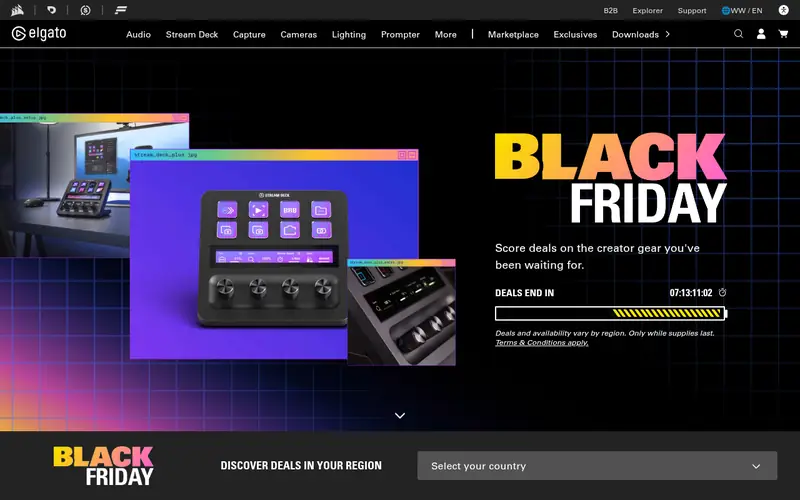
The Facecam MK.2 is Elgato's streaming-focused webcam. The vendor lists a wide field of view and a sensor tuned for low-light rooms, plus the Camera Hub app for adjusting exposure, white balance and other settings. It is built for people who already use a separate microphone.
It suits streamers who want a clean image and manual control. The main catch is that it has no built-in mic, so you need your own audio setup, and it is designed to mount on a stand rather than clip to a laptop.
Where the price comes from
$149.99 (manufacturer list price). Hardware prices move often, so check the Elgato Facecam MK.2 maker page or a retailer before you buy.
Benefits
- Wide field of view
- designed for low-light performance
- Camera Hub software for control
Drawbacks
- No built-in microphone
- needs a stand or mount
Use case to skip: this limit matters to you: no built-in microphone.
Our take. A sensible pick for wide-angle low-light streaming.
If it does not fit, compare Logitech Brio 500 or Logitech MX Brio in this list.

- Best for
- Large-sensor low-light work
- Standout
- Large sensor for low light
- Starting price
- Check current retail price
- Free plan or trial
- One-time hardware purchase
The Kiyo Pro Ultra is Razer's high-end webcam, built around a large sensor that the vendor says improves low-light performance. It supports 4K capture and offers an adjustable field of view, plus Razer Synapse software for settings. It is aimed at streamers who want a strong image in dim rooms.
It suits creators with a dedicated desk setup and a budget to match. The catch is its size and price: it is larger than typical clip-on webcams and costs more than mainstream 1080p models.
Where the price comes from
Check current retail price. Hardware prices move often, so check the Razer Kiyo Pro Ultra maker page or a retailer before you buy.
Benefits
- Large sensor for low light
- 4K capability
- adjustable field of view
Drawbacks
- Bulky
- premium price
Use case to skip: this limit matters to you: bulky.
Our take. A sensible pick for large-sensor low-light work.
If it does not fit, compare Logitech Brio 500 or Logitech MX Brio in this list.
- Best for
- Budget 1080p video calls
- Standout
- 1080p at 30fps
- Starting price
- Check current retail price
- Free plan or trial
- One-time hardware purchase
The C920x is a long-running 1080p webcam that Logitech still sells. It records 1080p at 30fps, clips onto monitors and works with common calling apps without extra software. It is a straightforward choice for meetings and basic streaming.
It suits buyers who want a dependable 1080p camera at a low price. The catch is that it is an older design with simpler low-light handling than newer models, so it performs best in a well-lit room.
Where the price comes from
Check current retail price. Hardware prices move often, so check the Logitech C920x maker page or a retailer before you buy.
Benefits
- 1080p at 30fps
- widely supported
- simple clip mount
Drawbacks
- Older design
- basic low-light performance
Use case to skip: this limit matters to you: older design.
Our take. A sensible pick for budget 1080p video calls.
If it does not fit, compare Logitech Brio 500 or Logitech MX Brio in this list.
- Best for
- Auto-tracking and gesture control
- Standout
- AI subject tracking
- Starting price
- Check current retail price
- Free plan or trial
- One-time hardware purchase
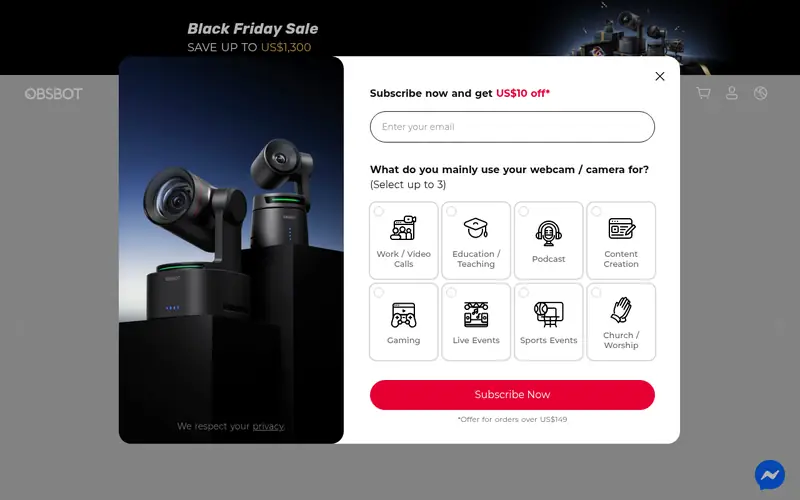
The Obsbot Tiny 2 is a motorized webcam with AI subject tracking, pan and tilt, and gesture control. According to the vendor, it follows you as you move and can be controlled with hand gestures. It is aimed at presenters, teachers and streamers who move around.
It suits people who want the camera to follow them without a manual mount. The catch is price and behavior: it costs more than fixed webcams, and constant tracking may not suit every meeting.
Where the price comes from
Check current retail price. Hardware prices move often, so check the Obsbot Tiny 2 maker page or a retailer before you buy.
Benefits
- AI subject tracking
- gesture control
- pan and tilt
Drawbacks
- Higher price
- tracking can be distracting for some calls
Use case to skip: this limit matters to you: higher price.
Our take. A sensible pick for auto-tracking and gesture control.
If it does not fit, compare Logitech Brio 500 or Logitech MX Brio in this list.
- Best for
- Pan/tilt tracking for presenters
- Standout
- 4K sensor
- Starting price
- Check current retail price
- Free plan or trial
- One-time hardware purchase
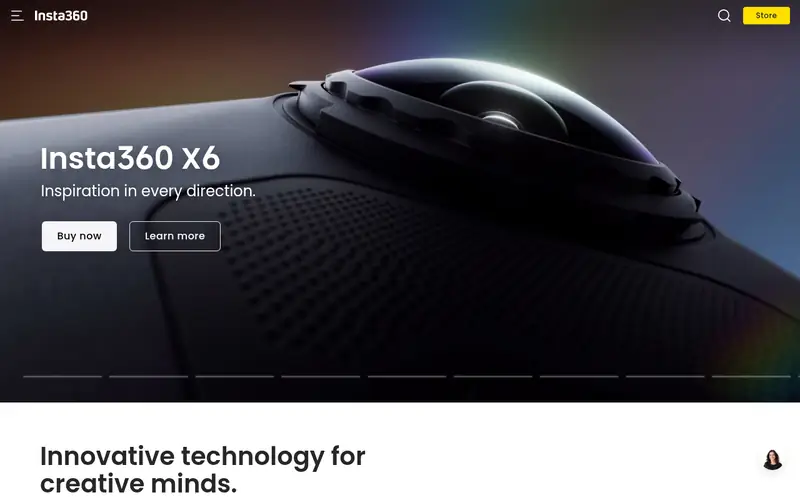
The Insta360 Link is a gimbal-mounted webcam with a 4K sensor, pan and tilt movement, and AI tracking. The vendor lists gesture controls and modes for framing whiteboards or desks. It is built for presenters and streamers who want the camera to move with them.
It suits people who present, teach or demo products on camera. The catch is that it is a premium product that needs its companion software to unlock tracking and gesture features.
Where the price comes from
Check current retail price. Hardware prices move often, so check the Insta360 Link maker page or a retailer before you buy.
Benefits
- 4K sensor
- gimbal pan and tilt
- gesture and tracking modes
Drawbacks
- Premium price
- software setup required
Use case to skip: this limit matters to you: premium price.
Our take. A sensible pick for pan/tilt tracking for presenters.
If it does not fit, compare Logitech Brio 500 or Logitech MX Brio in this list.
What specs matter when you buy
Resolution is the first spec most buyers check, but it is not the whole story. A 1080p camera with a good sensor and decent lighting often looks better than a 4K camera in a dim room. If you stream at 1080p, a 1080p webcam is usually enough. If you record or broadcast at higher resolution, a 4K model makes sense, but only with good light.
Frame rate matters for motion. Many webcams run at 30fps, and some offer 60fps at 1080p. Smoother frame rates help if you move a lot on camera. Field of view is another key number: a wider view fits more of your room, while a narrower view keeps focus on your face.
Check the mount and connection. Some cameras clip to a monitor, others need a stand or tripod, and connection is usually USB-A or USB-C. Also look at software support, privacy shutters and whether a built-in microphone is included. For streaming, a separate microphone usually beats a built-in one.
Questions worth answering first
Buying checklist
- Confirm the resolution and frame rate you actually need for your calls or stream.
- Check whether the camera clips to your monitor or needs a stand or tripod.
- Verify the connection type matches your computer's ports.
- Confirm the camera works with your calling or streaming software.
- Decide whether you need a built-in microphone or already have one.
- Check for a privacy shutter and the vendor's software support.
FAQ
Do I need a 4K webcam for streaming?
Not necessarily. Most streaming platforms and calls output at 1080p, so a good 1080p camera is often enough. A 4K webcam helps if you record at higher resolution or crop into the frame, but it needs good lighting to look sharp.
Is a built-in webcam microphone good enough?
For video calls, a built-in mic is usually usable. For streaming or recording, a dedicated USB or XLR microphone generally gives cleaner audio. Many streaming-focused webcams, like the Elgato Facecam MK.2, omit a built-in mic for this reason.
What frame rate should I look for?
30fps is standard and fine for most calls. If you move around on camera or stream gameplay with a face cam, 60fps at 1080p gives smoother motion. Check the vendor spec sheet, since not every camera offers 60fps.
Do webcams work with any computer?
Most USB webcams work with Windows and macOS without extra drivers. Some features, like tracking or image adjustments, need the vendor's software. Check the vendor page for supported operating systems before buying.
What is a privacy shutter?
A privacy shutter is a physical cover that slides over the lens. It lets you block the camera when not in use. Many current Logitech models include one; check the spec sheet if this matters to you.
Should I buy a webcam with pan and tilt?
Pan and tilt cameras, like the Obsbot Tiny 2 and Insta360 Link, follow you as you move. They suit presenters and teachers. For fixed desk calls, a standard clip-on webcam is simpler and usually cheaper.
Sources we checked
Change log: First published 21 Nov 2026.