6 Best Budget Gaming Laptops Under 1000 USD in 2026
The Acer Nitro V 15 is the safest first pick for most buyers: it pairs an RTX 4050 with a 144 Hz screen and stays well under 1,000 USD. If you want a sturdier chassis and a newer CPU, look at the Lenovo LOQ 15. If battery life matters more than raw frame rates, the Asus TUF Gaming A15 with its AMD processor is the better fit.
 By Shihab Mia · Published 27 Nov 2026
We run no ads and no affiliate links at launch. The order of a list follows our published method. How lists are ordered: how we score.
Prices are the starting prices vendors list publicly. Plans change, so confirm the current price on the vendor page before you buy.
Key takeaways
- Most models here use the RTX 4050 or RTX 4060, the two GPUs that fit a 1,000 USD ceiling in 2026.
- Expect 8 GB of RAM and a 512 GB SSD at the low end; 16 GB is worth paying extra for.
- Screen quality is the usual corner cut: check refresh rate and panel type before buying.
- Prices move often, so treat every figure as a starting point and check the vendor page.
- None of these laptops include a free plan; they are hardware, so budget for the full price.
Side-by-side
Grouped by fit and cost. Tap a product to jump to its full entry.
| Fit | Cost | |||
|---|---|---|---|---|
| Product | Best for | Standout feature | Listed starting price | Free plan or trial |
| 1Acer Nitro V 15 | First gaming laptop on a tight budget | 144 Hz display on most configurations | Check current retail price (RTX 4050 configuration) | One-time hardware purchase |
| 2Lenovo LOQ 15 | Sturdy build and newer CPUs | Reinforced chassis feels more solid | Check current retail price (RTX 4050 configuration) | One-time hardware purchase |
| 3Asus TUF Gaming A15 | Battery life and AMD value | AMD Ryzen processors are efficient | Check current retail price (Ryzen 5 configuration) | One-time hardware purchase |
| 4HP Victus 15 | Simple, widely available entry model | Sold in many retail configurations | Check current retail price (RTX 4050 configuration) | One-time hardware purchase |
| 5Dell G15 5530 | Larger screen and cooling headroom | Bigger chassis helps thermals | Check current retail price (RTX 4050 configuration) | One-time hardware purchase |
| 6MSI Thin 15 | Light chassis for school and travel | Thin and relatively light | Check current retail price (RTX 4050 configuration) | One-time hardware purchase |
How we picked
We compared these laptops using vendor product pages, published spec sheets, and manufacturer documentation for each model. The criteria were the GPU tier available under 1,000 USD, the screen refresh rate and panel type, RAM and storage expandability, chassis weight, and how clearly each vendor documents the exact configuration. We did not run hands-on tests. Prices are the manufacturer or retail figures we could confirm at the time of writing, and they change often, so check the vendor page before buying.
The 6 picks in detail

- Best for
- First gaming laptop on a tight budget
- Standout
- 144 Hz display on most configurations
- Starting price
- Check current retail price (RTX 4050 configuration)
- Free plan or trial
- One-time hardware purchase
The Nitro V 15 is Acer's entry gaming line and the most common answer to "what can I get for under a thousand dollars". Acer lists 13th Gen Intel Core i5 and i7 options paired with the RTX 4050, a 15.6 inch 1080p panel, and a 144 Hz refresh rate on the configurations Acer highlights. It has two RAM slots and two M.2 storage slots, so you can add memory later without replacing the machine.
The catch is build quality. The chassis is plastic and the cooling system works hard, which means fan noise during long sessions. For a first laptop or a secondary machine, that trade is reasonable. Check which panel and GPU variant a specific listing uses, because Acer sells several configurations under the same name.
Where the price comes from
Check current retail price (RTX 4050 configuration). Hardware prices move often, so check the Acer Nitro V 15 maker page or a retailer before you buy.
Benefits
- 144 Hz display on most configurations
- RTX 4050 handles 1080p well
- easy access to RAM and storage bays
Drawbacks
- Plastic chassis flexes
- fans get loud under load
Use case to skip: this limit matters to you: plastic chassis flexes.
Our take. A sensible pick for first gaming laptop on a tight budget.
If it does not fit, compare Lenovo LOQ 15 or Asus TUF Gaming A15 in this list.

- Best for
- Sturdy build and newer CPUs
- Standout
- Reinforced chassis feels more solid
- Starting price
- Check current retail price (RTX 4050 configuration)
- Free plan or trial
- One-time hardware purchase
The LOQ 15 is Lenovo's budget line below the Legion series. Lenovo lists it with Intel Core i5 and i7 processors or AMD Ryzen options, RTX 4050 and RTX 4060 graphics, and a 15.6 inch display. The chassis is thicker than the Nitro but feels more rigid, and Lenovo publishes a military-standard durability claim for the line.
It suits buyers who carry a laptop daily and want something that survives a backpack. The trade is weight and a base panel that is not especially bright. Step up to a higher-tier screen option if you work near windows.
Where the price comes from
Check current retail price (RTX 4050 configuration). Hardware prices move often, so check the Lenovo LOQ 15 maker page or a retailer before you buy.
Benefits
- Reinforced chassis feels more solid
- supports newer Intel and AMD chips
- good port selection
Drawbacks
- Heavier than rivals
- base screens are dimmer
Use case to skip: this limit matters to you: heavier than rivals.
Our take. A sensible pick for sturdy build and newer CPUs.
If it does not fit, compare Acer Nitro V 15 or Asus TUF Gaming A15 in this list.
- Best for
- Battery life and AMD value
- Standout
- AMD Ryzen processors are efficient
- Starting price
- Check current retail price (Ryzen 5 configuration)
- Free plan or trial
- One-time hardware purchase
The TUF Gaming A15 uses AMD Ryzen processors, which generally draw less power than comparable Intel chips and help battery life. Asus lists RTX 40-series graphics on current configurations, a 15.6 inch display with high refresh rate options, and a chassis tested to military durability standards.
It is the pick if you split time between gaming and classes or travel. Watch the GPU generation on cheaper listings, since Asus has sold several generations under the A15 name. Confirm the exact model number before paying.
Where the price comes from
Check current retail price (Ryzen 5 configuration). Hardware prices move often, so check the Asus TUF Gaming A15 maker page or a retailer before you buy.
Benefits
- AMD Ryzen processors are efficient
- durable TUF chassis
- good keyboard
Drawbacks
- Some configurations ship with older GPUs
- speakers are average
Use case to skip: this limit matters to you: some configurations ship with older GPUs.
Our take. A sensible pick for battery life and AMD value.
If it does not fit, compare Acer Nitro V 15 or Lenovo LOQ 15 in this list.
- Best for
- Simple, widely available entry model
- Standout
- Sold in many retail configurations
- Starting price
- Check current retail price (RTX 4050 configuration)
- Free plan or trial
- One-time hardware purchase
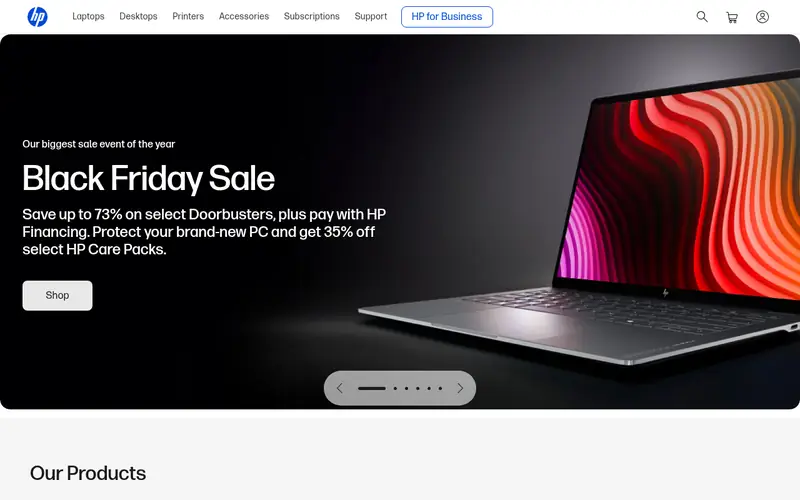
The Victus 15 is HP's budget gaming line. HP lists it with Intel Core and AMD Ryzen options, RTX 4050 graphics on current models, and a 15.6 inch display. The design is plainer than HP's Omen line, which makes it easy to use in an office or classroom.
The main catch is configuration spread. Some Victus 15 listings use a 60 Hz panel, which undercuts the point of a gaming laptop. Check the refresh rate in the spec sheet for the exact SKU. Cooling is adequate but not generous, so long sessions will warm the keyboard area.
Where the price comes from
Check current retail price (RTX 4050 configuration). Hardware prices move often, so check the HP Victus 15 maker page or a retailer before you buy.
Benefits
- Sold in many retail configurations
- clean design
- decent keyboard
Drawbacks
- Base panel is 60 Hz on some SKUs
- cooling is modest
Use case to skip: this limit matters to you: base panel is 60 Hz on some SKUs.
Our take. A sensible pick for simple, widely available entry model.
If it does not fit, compare Acer Nitro V 15 or Lenovo LOQ 15 in this list.

- Best for
- Larger screen and cooling headroom
- Standout
- Bigger chassis helps thermals
- Starting price
- Check current retail price (RTX 4050 configuration)
- Free plan or trial
- One-time hardware purchase
The G15 5530 is Dell's entry gaming laptop. Dell lists 13th Gen Intel Core processors, RTX 40-series graphics, and a 15.6 inch display with high refresh rate options on some configurations. The larger body gives the cooling system more room than thinner rivals.
It suits buyers who mostly leave the laptop on a desk. At over 2.5 kg on most configurations, it is not a machine to carry far. Check the RAM and storage in the exact configuration, because base models are modest.
Where the price comes from
Check current retail price (RTX 4050 configuration). Hardware prices move often, so check the Dell G15 5530 maker page or a retailer before you buy.
Benefits
- Bigger chassis helps thermals
- 13th Gen Intel options
- solid port layout
Drawbacks
- Heavy
- base model RAM is limited
Use case to skip: this limit matters to you: heavy.
Our take. A sensible pick for larger screen and cooling headroom.
If it does not fit, compare Acer Nitro V 15 or Lenovo LOQ 15 in this list.

- Best for
- Light chassis for school and travel
- Standout
- Thin and relatively light
- Starting price
- Check current retail price (RTX 4050 configuration)
- Free plan or trial
- One-time hardware purchase
The MSI Thin 15 is built around portability at a low price. MSI lists it with Intel Core i5 and i7 processors, RTX 4050 graphics, and a 15.6 inch 144 Hz display on many configurations.
The thin body limits cooling, so sustained gaming will push fans and may reduce clock speeds over time. It is a good fit for students who game in short sessions and carry the laptop daily. If you play long competitive sessions, a thicker model like the G15 is a better match.
Where the price comes from
Check current retail price (RTX 4050 configuration). Hardware prices move often, so check the MSI Thin 15 maker page or a retailer before you buy.
Benefits
- Thin and relatively light
- 144 Hz panel on many SKUs
- simple design
Drawbacks
- Limited cooling for sustained loads
- battery is small
Use case to skip: this limit matters to you: limited cooling for sustained loads.
Our take. A sensible pick for light chassis for school and travel.
If it does not fit, compare Acer Nitro V 15 or Lenovo LOQ 15 in this list.
What specs matter most when buying a budget gaming laptop?
The GPU matters most, then the screen, then RAM. In this price bracket the RTX 4050 is the common baseline and the RTX 4060 appears on sale or on slightly higher configurations. The GPU cannot be upgraded later, so it deserves the most attention. A newer GPU with 8 GB of video memory will last longer than an older high-end chip.
The screen is second. A 144 Hz panel makes games feel smoother, and an IPS panel beats a basic TN panel for color and viewing angles. Check the exact refresh rate and panel type in the spec sheet, because budget lines often ship several panels under one model name.
RAM and storage are third but easiest to fix. 8 GB of RAM is tight for modern games; 16 GB is the comfortable target, and most of these laptops have accessible slots. A 512 GB SSD fills quickly with large games, so check whether there is a second M.2 slot for later expansion. The CPU matters less at this price, since any current Core i5 or Ryzen 5 will keep up with an RTX 4050.
Which budget gaming laptop should I buy if battery life matters most?
Pick the Asus TUF Gaming A15. Its AMD Ryzen processors draw less power than comparable Intel chips, and Asus sizes the battery for mixed use rather than pure gaming. The Lenovo LOQ 15 with a Ryzen option is a reasonable second choice.
Be realistic about expectations. No gaming laptop in this bracket runs demanding games for many hours on battery, and frame rates drop when unplugged. Battery life is best measured in browsing and video, not gameplay. If you need all-day endurance, a laptop without a dedicated GPU plus a desktop or cloud gaming service is a different trade, but it is not what this list covers.
Questions worth answering first
Buying checklist
- Confirm the exact GPU model and its video memory in the listing, not just the series name.
- Check the display refresh rate and panel type for the specific SKU.
- Verify RAM is 16 GB or that a free slot exists for an upgrade.
- Check whether a second M.2 slot is available for more storage.
- Read the warranty terms for your region on the vendor site.
- Compare the weight if you plan to carry the laptop daily.
FAQ
Is an RTX 4050 good enough for gaming in 2026?
Yes, for 1080p gaming at medium to high settings in most current titles. It is the standard GPU in this price bracket. Demanding games may need settings lowered, and 8 GB of video memory limits future headroom, but it remains a sensible choice for a budget machine.
Can I upgrade the RAM and SSD on these laptops?
On most of them, yes. The Acer Nitro V 15, Lenovo LOQ 15, and Dell G15 have accessible memory and storage bays per vendor documentation. Check the specific model's service manual before buying, because slim models sometimes solder memory.
Do budget gaming laptops overheat?
They run warm under load, and fan noise is normal. Thicker models like the Dell G15 handle sustained sessions better than thin ones like the MSI Thin 15. Keep vents clear and use a hard surface rather than a bed or cushion.
Is 8 GB of RAM enough for gaming?
It is tight. Windows and a modern game can use most of it, which causes stutters. 16 GB is the safer target, and upgrading later is usually cheap on models with accessible slots.
Should I wait for a sale or buy now?
Prices in this bracket move with promotions, so a sale can matter more than the model choice. Compare the exact configuration across vendors and buy when the price fits your budget. Do not assume a discount is real without checking the usual price.
What screen refresh rate should I look for?
Look for 144 Hz or higher on a gaming laptop. A 60 Hz panel is a real limitation for fast games. Confirm the refresh rate in the spec sheet, since budget lines often mix panels under one model name.
Sources we checked
Change log: First published 27 Nov 2026.