7 Best E Ink Writing Tablets in 2026
The reMarkable Paper Pro suits people who want a focused, distraction-free writing tablet with a color display and no app store. If you want to read and annotate Kindle books, the Kindle Scribe is the simpler pick. If you need Android apps, a browser and broad file support, the Boox Note Air series is the more flexible alternative.
 By Shihab Mia · Published 27 Nov 2026
We run no ads and no affiliate links at launch. The order of a list follows our published method. How lists are ordered: how we score.
Prices are the starting prices vendors list publicly. Plans change, so confirm the current price on the vendor page before you buy.
Key takeaways
- E Ink writing tablets are single-purpose devices; most cost more than a basic tablet and do less beyond notes and reading.
- The reMarkable Paper Pro uses a color E Ink display, while most rivals remain black and white.
- Kindle Scribe ties notes and annotations to the Amazon Kindle ecosystem and your Kindle library.
- Boox and Supernote run on Android-based systems with different approaches to file export and app support.
- Stylus support varies: some tablets include a pen, others sell it separately, so check the box contents.
Side-by-side
Grouped by fit and cost. Tap a product to jump to its full entry.
| Fit | Cost | |||
|---|---|---|---|---|
| Product | Best for | Standout feature | Listed starting price | Free plan or trial |
| 1reMarkable Paper Pro | Focused color note-taking without apps | Color E Ink Canvas display | Check current retail price (tablet with Marker pen) | One-time hardware purchase |
| 2Kindle Scribe | Kindle readers who want to annotate | Ties into the Kindle book library | Check current retail price (includes Premium Pen) | One-time hardware purchase |
| 3Boox Note Air3 C | Android apps plus color notes | Runs Android apps | Check current retail price (tablet, pen support varies by bundle) | One-time hardware purchase |
| 4Supernote Nomad | Portable note-taking with replaceable parts | Compact size for carrying | Check current retail price (tablet, pen sold separately in some bundles) | One-time hardware purchase |
| 5Boox Go 10.3 | A large black-and-white writing canvas | Large 10.3-inch monochrome E Ink screen | Check current retail price (tablet, pen support varies by bundle) | One-time hardware purchase |
| 6reMarkable 2 | Simple monochrome writing | Very thin and light | Check current retail price (tablet with Marker pen) | One-time hardware purchase |
| 7Kindle Scribe Colorsoft | Color reading and annotation in Kindle | Color E Ink display | Check current retail price (includes pen) | One-time hardware purchase |
How we picked
This guide is based on vendor product pages, published spec sheets, official documentation and listed prices, not on hands-on lab testing. We compared display size and type, stylus inclusion, software openness, file export options and current retail positioning. Where a figure was not confirmed on the vendor datasheet, we described it qualitatively instead of quoting a number. Prices change often, so every entry points you to check the current retail price rather than relying on a fixed figure.
The 7 picks in detail
- Best for
- Focused color note-taking without apps
- Standout
- Color E Ink Canvas display
- Starting price
- Check current retail price (tablet with Marker pen)
- Free plan or trial
- One-time hardware purchase
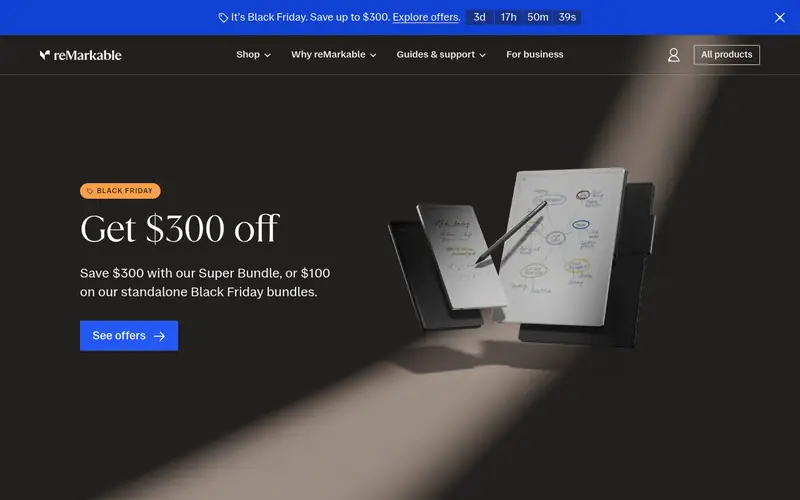
The Paper Pro is reMarkable's color E Ink tablet, built around writing, sketching and PDF markup. The display is a color Canvas panel, which lets you highlight and annotate in color rather than grayscale. It ships with the Marker pen, so you do not buy a stylus separately. The software is deliberately closed: no app store, no browser, just notes, PDFs and reading. That focus is the appeal for people who want fewer distractions. The catch is price and flexibility. It costs more than most monochrome rivals, and you cannot install Android apps. If your workflow depends on syncing into third-party services beyond what reMarkable supports, check the current feature list before buying.
Where the price comes from
Check current retail price (tablet with Marker pen). Hardware prices move often, so check the reMarkable Paper Pro maker page or a retailer before you buy.
Benefits
- Color E Ink Canvas display
- included Marker stylus
- distraction-free software with no app store
Drawbacks
- Premium price
- limited third-party app support
Use case to skip: this limit matters to you: premium price.
Our take. A sensible pick for focused color note-taking without apps.
If it does not fit, compare Kindle Scribe or Boox Note Air3 C in this list.
- Best for
- Kindle readers who want to annotate
- Standout
- Ties into the Kindle book library
- Starting price
- Check current retail price (includes Premium Pen)
- Free plan or trial
- One-time hardware purchase
The Kindle Scribe combines a large E Ink reading display with stylus input for handwritten notes and annotations. It ships with the Premium Pen. Because it is a Kindle, your purchased books, samples and library live on the device, and you can write on supported documents and notebooks. The writing software is more limited than on reMarkable or Boox: it is designed around reading plus notes rather than a full productivity system. It suits someone already invested in Kindle books who wants to annotate and jot notes in one place. If you do not read Kindle content, the value proposition weakens considerably.
Where the price comes from
Check current retail price (includes Premium Pen). Hardware prices move often, so check the Kindle Scribe maker page or a retailer before you buy.
Benefits
- Ties into the Kindle book library
- included Premium Pen
- large reading and writing screen
Drawbacks
- Note tools are simpler than dedicated note devices
- best value only if you buy Kindle books
Use case to skip: this limit matters to you: note tools are simpler than dedicated note devices.
Our take. A sensible pick for kindle readers who want to annotate.
If it does not fit, compare reMarkable Paper Pro or Boox Note Air3 C in this list.

- Best for
- Android apps plus color notes
- Standout
- Runs Android apps
- Starting price
- Check current retail price (tablet, pen support varies by bundle)
- Free plan or trial
- One-time hardware purchase
The Note Air3 C is a color E Ink Android tablet from Boox, aimed at people who want note-taking plus apps. Because it runs Android, you can install reading apps, browsers and productivity tools, which the closed devices cannot do. It supports a wide range of document formats and handwriting input. The trade-off is complexity: Android on E Ink needs configuration, and the color panel plus app use drains battery faster than a monochrome note device. It suits users who want one device for notes, PDFs and light app use. Check whether the stylus is included in the bundle you buy, since Boox sells configurations that differ.
Where the price comes from
Check current retail price (tablet, pen support varies by bundle). Hardware prices move often, so check the Boox Note Air3 C maker page or a retailer before you buy.
Benefits
- Runs Android apps
- color E Ink panel
- broad file format support
Drawbacks
- More complex setup
- battery life shorter than simple note devices
Use case to skip: this limit matters to you: more complex setup.
Our take. A sensible pick for android apps plus color notes.
If it does not fit, compare reMarkable Paper Pro or Kindle Scribe in this list.
- Best for
- Portable note-taking with replaceable parts
- Standout
- Compact size for carrying
- Starting price
- Check current retail price (tablet, pen sold separately in some bundles)
- Free plan or trial
- One-time hardware purchase
The Supernote Nomad is a compact E Ink writing tablet built for portability. Supernote emphasizes repairability, with a design that lets owners replace parts such as the battery rather than discarding the device. The note software is well regarded for handwriting recognition and document organization. The smaller screen is comfortable for notes and journaling but less ideal for large PDFs or side-by-side work. Check the bundle: some configurations include a pen and others do not. It suits people who carry a notebook daily and want a digital replacement with a long service life.
Where the price comes from
Check current retail price (tablet, pen sold separately in some bundles). Hardware prices move often, so check the Supernote Nomad maker page or a retailer before you buy.
Benefits
- Compact size for carrying
- user-replaceable battery and parts
- strong handwriting and organization tools
Drawbacks
- Smaller screen suits notes more than large PDFs
- pen may be a separate purchase
Use case to skip: this limit matters to you: smaller screen suits notes more than large PDFs.
Our take. A sensible pick for portable note-taking with replaceable parts.
If it does not fit, compare reMarkable Paper Pro or Kindle Scribe in this list.
- Best for
- A large black-and-white writing canvas
- Standout
- Large 10.3-inch monochrome E Ink screen
- Starting price
- Check current retail price (tablet, pen support varies by bundle)
- Free plan or trial
- One-time hardware purchase
The Boox Go 10.3 is a monochrome E Ink tablet with a 10.3-inch display, positioned as a writing and reading device with Android underneath. The larger canvas suits PDF annotation, sketching and multi-column notes better than a small screen. It is thin and light for its size. One detail to check: this model is generally described without a front light, so it depends on ambient light for reading in the dark. As with other Boox devices, confirm whether the pen is included in the specific bundle. It suits users who want a big writing surface and app flexibility without paying for a color panel.
Where the price comes from
Check current retail price (tablet, pen support varies by bundle). Hardware prices move often, so check the Boox Go 10.3 maker page or a retailer before you buy.
Benefits
- Large 10.3-inch monochrome E Ink screen
- Android app support
- thin, light body
Drawbacks
- No front light on this model
- stylus may be sold separately
Use case to skip: this limit matters to you: no front light on this model.
Our take. A sensible pick for A large black-and-white writing canvas.
If it does not fit, compare reMarkable Paper Pro or Kindle Scribe in this list.
- Best for
- Simple monochrome writing
- Standout
- Very thin and light
- Starting price
- Check current retail price (tablet with Marker pen)
- Free plan or trial
- One-time hardware purchase
The reMarkable 2 is the monochrome predecessor to the Paper Pro and remains on sale. It is known for a thin, light body and a paper-like writing feel, and it ships with the Marker pen. The software is the same focused, closed approach: notes, PDFs and reading, with no app store. If color is not important and you want the simplest writing device, the reMarkable 2 is the lower-cost route into the ecosystem. The main catch is that it is an older model, so compare its current price and features against the Paper Pro before deciding. It suits pure note-takers who do not need color.
Where the price comes from
Check current retail price (tablet with Marker pen). Hardware prices move often, so check the reMarkable 2 maker page or a retailer before you buy.
Benefits
- Very thin and light
- excellent handwriting feel reported by users
- focused software
Drawbacks
- Monochrome only
- older model than the Paper Pro
Use case to skip: this limit matters to you: monochrome only.
Our take. A sensible pick for simple monochrome writing.
If it does not fit, compare reMarkable Paper Pro or Kindle Scribe in this list.
- Best for
- Color reading and annotation in Kindle
- Standout
- Color E Ink display
- Starting price
- Check current retail price (includes pen)
- Free plan or trial
- One-time hardware purchase
The Kindle Scribe Colorsoft brings a color E Ink display to the Scribe line, so book covers, highlights and annotations can appear in color. It keeps the Kindle strengths: access to your Kindle library, a pen for notes and annotations, and a reading-first design. Color E Ink is not as vivid as an LCD or OLED tablet, so expect soft, paper-like color rather than bright images. The note software is still oriented around Kindle reading and annotation rather than a full productivity suite. It suits Kindle readers who want color highlights and covers and are willing to pay a premium over the monochrome Scribe.
Where the price comes from
Check current retail price (includes pen). Hardware prices move often, so check the Kindle Scribe Colorsoft maker page or a retailer before you buy.
Benefits
- Color E Ink display
- Kindle library integration
- pen included
Drawbacks
- Color E Ink is muted compared with LCD
- note tools remain Kindle-focused
Use case to skip: this limit matters to you: color E Ink is muted compared with LCD.
Our take. A sensible pick for color reading and annotation in Kindle.
If it does not fit, compare reMarkable Paper Pro or Kindle Scribe in this list.
What specs matter most when buying an E Ink writing tablet?
The three that matter most are display size and type (color or monochrome), whether a stylus is included, and how open the software is. After that, look at front light, storage and file export.
Display size sets the use case. Around 7 to 8 inches suits portable notes and journaling, while 10 inches and above suits PDFs, sketching and side-by-side work. Color E Ink adds highlight and cover color but is muted compared with LCD and usually costs more. Monochrome panels are cheaper and often sharper for text.
Stylus inclusion is a common surprise. Some tablets ship with a pen, others sell it separately or only in certain bundles, so check the box contents for the exact configuration. Pressure sensitivity and latency figures should come from the vendor datasheet, not from memory.
Software openness decides flexibility. Closed devices like reMarkable focus on notes and PDFs with no app store. Android-based devices like Boox run apps but need more setup. Kindle devices tie notes to the Kindle ecosystem. Also check front light for night reading, storage for large PDF libraries, and how notes export (PDF, PNG, or cloud sync).
Which E Ink tablet should I buy if I mainly read Kindle books?
Buy the Kindle Scribe, or the Kindle Scribe Colorsoft if you want color highlights and covers. Both keep your Kindle library on the device and include a pen for annotation.
If you read Kindle books but also want Android apps and broader file support, the Boox Note Air3 C is the flexible alternative, though it will not integrate as tightly with Amazon's library. If you rarely read Kindle content and mostly take notes, the reMarkable Paper Pro or reMarkable 2 are more focused writing devices. Match the device to your main habit first, because these tablets are expensive and do not do everything well.
Questions worth answering first
Buying checklist
- Confirm whether the stylus is included in the exact bundle you are buying.
- Check the display size against your main use: portable notes versus large PDFs.
- Decide whether you need color E Ink or whether monochrome is enough.
- Verify front light support if you read or write in low light.
- Check how notes export and whether cloud sync fits your workflow.
- Confirm app support: closed software versus Android, and whether that matters to you.
FAQ
Do E Ink writing tablets need a special stylus?
Yes, most use a proprietary or specific active stylus rather than a generic one. Some brands include the pen, others sell it separately or only in certain bundles. Check the box contents for the configuration you buy, and confirm pen compatibility on the vendor page before ordering a replacement.
Can I read Kindle books on a reMarkable or Boox tablet?
On Boox Android tablets you can install the Kindle app, so Kindle books are possible. reMarkable devices do not run the Kindle app and are built around notes and PDFs. If Kindle reading is central to your use, a Kindle Scribe is the most direct option.
Is color E Ink worth it for note-taking?
Color helps with highlights, annotations and book covers, but it is muted compared with LCD and usually costs more. If you mainly write in black and annotate text, monochrome is often enough. Choose color if highlighting and visual organization matter to your workflow.
How long does an E Ink tablet battery last?
Vendor claims vary widely and depend on front light, wireless use and app activity. Simple note devices typically last longer per charge than Android tablets running apps. Check the vendor's published battery figures and treat them as estimates, since real use differs.
Can I export my handwritten notes?
Most of these devices export notes as PDF or image files, and many offer cloud sync. The exact formats and sync options differ by brand and software version. Check the vendor documentation for export formats before buying if you need notes in a specific system.
Do these tablets work without an internet connection?
Yes, writing and reading generally work offline. Cloud sync, app installation and book downloads need a connection. Closed devices like reMarkable need Wi-Fi mainly for sync, while Android tablets need it for app setup and updates.
Sources we checked
Change log: First published 27 Nov 2026.