5 Best Fanless Mini PCs in 2026
The OnLogic Helix 500 is the strongest all-round fanless mini PC for most buyers, with a solid metal chassis, wide voltage input and long availability that suits offices and industrial signage. For firewall duty, the Protectli Vault VP2420 pairs four 2.5GbE ports with a passive case.
 By Shihab Mia · Published 27 Nov 2026
We run no ads and no affiliate links at launch. The order of a list follows our published method. How lists are ordered: how we score.
Prices are the starting prices vendors list publicly. Plans change, so confirm the current price on the vendor page before you buy.
Key takeaways
- Every pick here is fully passively cooled: no fan, no moving parts, no dust intake.
- Prices run from roughly $200 for an N100 box to over $1,000 for industrial models with wide voltage input.
- Fanless designs suit low and steady loads; sustained heavy CPU work will throttle.
- Dual or quad LAN models are the practical choice for firewall and router builds.
- Check the vendor datasheet for the exact port count, power input range and warranty before paying.
Side-by-side
Grouped by fit and cost. Tap a product to jump to its full entry.
| Fit | Cost | |||
|---|---|---|---|---|
| Product | Best for | Standout feature | Listed starting price | Free plan or trial |
| 1OnLogic Helix 500 | All-round office and signage deployments | Fanless extruded aluminium chassis with no vents on top | Check current retail price (barebone and configured units) | One-time hardware purchase |
| 2Protectli Vault VP2420 | Firewall, router and network security appliances | Four 2.5GbE Intel Ethernet ports | Check current retail price (barebone and preconfigured) | One-time hardware purchase |
| 3Zotac ZBOX CI337 nano | Silent desk PC for browsing and office apps | Passive cooling with no fan | Check current retail price (barebone) | One-time hardware purchase |
| 4Supermicro E200-9B | Industrial and network edge deployments | Fanless embedded design built for continuous operation | Check current retail price (server-grade pricing) | One-time hardware purchase |
| 5Qotom Q750G5 | Multi-LAN firewall and router builds | Multiple Intel Ethernet ports for routing | Check current retail price (barebone and configured) | One-time hardware purchase |
How we picked
We compared these models from vendor product pages, published datasheets and public documentation. We checked that each unit is sold as a fanless design with no fan in the chassis, that the model is current and still offered, and that the vendor publishes a spec sheet with processor, memory, port and power details. Prices are the vendor's own listings or "check current retail price" where they move. We did not run hands-on tests; every figure here comes from manufacturer material.
The 5 picks in detail
- Best for
- All-round office and signage deployments
- Standout
- Fanless extruded aluminium chassis with no vents on top
- Starting price
- Check current retail price (barebone and configured units)
- Free plan or trial
- One-time hardware purchase
The Helix 500 is a rugged fanless mini PC built for continuous duty. OnLogic lists it with Intel 12th and 13th generation mobile processors, up to 64GB of DDR5 memory and dual display outputs, all inside a sealed aluminium case with no fan. Storage is M.2 NVMe, and the chassis is designed for mounting behind a screen or on a wall.
The practical appeal is the power input. OnLogic documents a wide DC range, which means the same unit can run from a standard adapter in an office or from a 12V or 24V supply in a cabinet or vehicle. Ports include USB, Ethernet and display outputs, though the exact mix depends on the configuration you order.
It suits offices, kiosks and digital signage where silence and dust resistance matter more than raw speed. The catch is price and lead time: configured units sit well above consumer mini PCs, and you should confirm the current processor options and warranty terms on the OnLogic product page before ordering.
Where the price comes from
Check current retail price (barebone and configured units). Hardware prices move often, so check the OnLogic Helix 500 maker page or a retailer before you buy.
Benefits
- Fanless extruded aluminium chassis with no vents on top
- wide DC input range for vehicle and industrial power
- long production lifecycle and documented specs
Drawbacks
- Configured units cost more than consumer mini PCs
- graphics are integrated only
Use case to skip: this limit matters to you: configured units cost more than consumer mini PCs.
Our take. A sensible pick for all-round office and signage deployments.
If it does not fit, compare Protectli Vault VP2420 or Zotac ZBOX CI337 nano in this list.
- Best for
- Firewall, router and network security appliances
- Standout
- Four 2.5GbE Intel Ethernet ports
- Starting price
- Check current retail price (barebone and preconfigured)
- Free plan or trial
- One-time hardware purchase
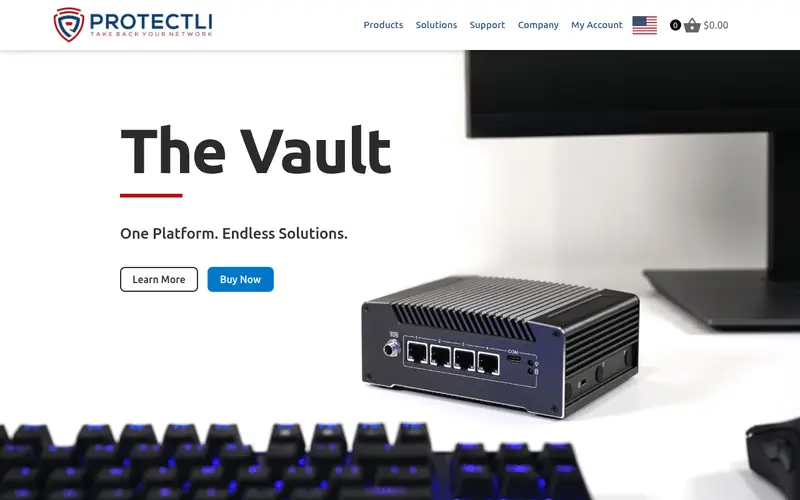
The VP2420 is the network-focused member of the Protectli Vault line. It uses an Intel Celeron J6412 with four Intel i226-V 2.5 gigabit Ethernet ports, which is the layout most people want for a router or firewall. The case is aluminium with passive cooling and no fan, so it can sit in a home office or wiring closet without noise.
Protectli sells it as a barebone or with memory, storage and a firewall operating system preinstalled. That flexibility matters if you want to run OPNsense, pfSense or another router distribution. The vendor publishes detailed specs, BIOS notes and setup documentation, which helps when you are building a network appliance rather than a desktop.
It suits home labs, small offices and anyone replacing a consumer router with a dedicated firewall. The catch is that the J6412 is a low-power chip: fine for routing and VPN work at home or small-office scale, but not a general-purpose desktop. Confirm the current port count and preinstalled options on the Protectli site.
Where the price comes from
Check current retail price (barebone and preconfigured). Hardware prices move often, so check the Protectli Vault VP2420 maker page or a retailer before you buy.
Benefits
- Four 2.5GbE Intel Ethernet ports
- fanless metal case with no moving parts
- sold barebone or with pfSense and OPNsense options
Drawbacks
- Modest CPU for general desktop work
- storage and memory add to the base price
Use case to skip: this limit matters to you: modest CPU for general desktop work.
Our take. A sensible pick for firewall, router and network security appliances.
If it does not fit, compare OnLogic Helix 500 or Zotac ZBOX CI337 nano in this list.
- Best for
- Silent desk PC for browsing and office apps
- Standout
- Passive cooling with no fan
- Starting price
- Check current retail price (barebone)
- Free plan or trial
- One-time hardware purchase
The ZBOX CI337 nano is part of Zotac's CI series, which is built around fanless cooling. It uses a low-power Intel processor in a compact chassis with a passive heatsink case, so there is no fan noise at all. It is aimed at light desktop work, browsing, email and basic office applications.
Zotac sells it as a barebone, so you add memory and storage. The port layout covers USB, Ethernet and display output, and the small size makes it easy to hide behind a monitor. Because the processor is a low-power part, the machine stays cool without a fan, but it will not match a desktop chip for heavy multitasking.
It suits a quiet front desk, a meeting room PC or a home office where silence matters. The catch is performance: this is a light-duty machine, not a workstation. Confirm the current processor, memory support and port list on the Zotac product page, since the CI series has several variants.
Where the price comes from
Check current retail price (barebone). Hardware prices move often, so check the Zotac ZBOX CI337 nano maker page or a retailer before you buy.
Benefits
- Passive cooling with no fan
- very small footprint
- VESA mount included on the chassis
Drawbacks
- Low-power processor limits heavy work
- barebone configuration
Use case to skip: this limit matters to you: low-power processor limits heavy work.
Our take. A sensible pick for silent desk PC for browsing and office apps.
If it does not fit, compare OnLogic Helix 500 or Protectli Vault VP2420 in this list.

- Best for
- Industrial and network edge deployments
- Standout
- Fanless embedded design built for continuous operation
- Starting price
- Check current retail price (server-grade pricing)
- Free plan or trial
- One-time hardware purchase
The Supermicro E200-9B is an embedded, fanless system from a vendor known for server hardware. It is designed for continuous operation in industrial and network edge roles, with a passively cooled chassis and a layout that favours reliability over consumer features. Supermicro publishes detailed specifications and a long lifecycle for embedded products.
This is not a plug-and-play desktop. It is aimed at integrators and buyers who know what they need: a specific processor, memory configuration and storage layout. The upside is documentation and build quality; the downside is cost and the need to configure it properly. For a firewall, edge gateway or small industrial controller, that trade can be worth it.
It suits businesses that need a fanless machine with server-grade support and a predictable supply. The catch is price and complexity. Confirm the exact model number, processor and warranty terms on the Supermicro product page before ordering, since the E200 family has multiple configurations.
Where the price comes from
Check current retail price (server-grade pricing). Hardware prices move often, so check the Supermicro E200-9B maker page or a retailer before you buy.
Benefits
- Fanless embedded design built for continuous operation
- server-grade components and documentation
- flexible storage and expansion options
Drawbacks
- Higher price than consumer mini PCs
- configuration is aimed at integrators
Use case to skip: this limit matters to you: higher price than consumer mini PCs.
Our take. A sensible pick for industrial and network edge deployments.
If it does not fit, compare OnLogic Helix 500 or Protectli Vault VP2420 in this list.
- Best for
- Multi-LAN firewall and router builds
- Standout
- Multiple Intel Ethernet ports for routing
- Starting price
- Check current retail price (barebone and configured)
- Free plan or trial
- One-time hardware purchase
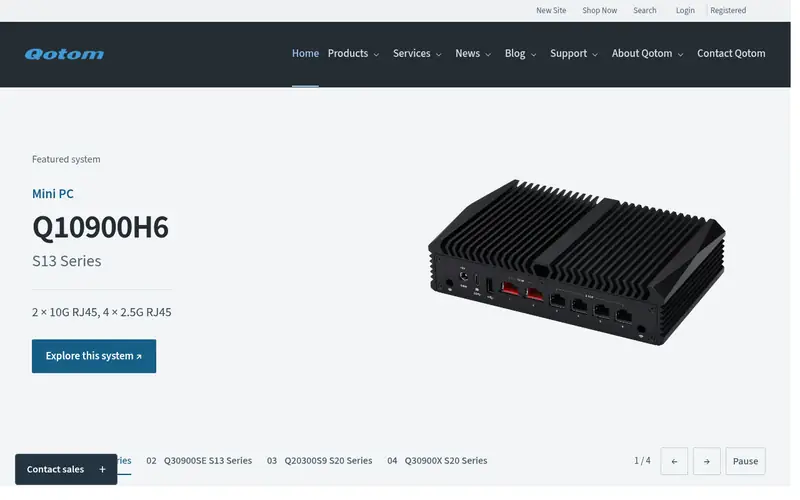
Qotom builds fanless mini PCs aimed at network appliances, and the Q750G5 is one of its multi-LAN models. It pairs an Intel low-power processor with several Intel Ethernet ports in a passively cooled metal case, which is the layout firewall builders want. The units are sold barebone or with memory, storage and sometimes a preinstalled firewall OS.
The appeal is port density and price. If you want a router with more than two LAN interfaces, this class of machine gives you that without a rack. The trade is support: Qotom is a smaller vendor, and documentation and firmware notes are less detailed than what Protectli or Supermicro publish. Check the exact port count, processor and power input for the SKU you buy.
It suits home lab users and small offices building a custom router or firewall. The catch is that you should verify the specification carefully and expect to do more of your own setup. Confirm the current configuration and warranty on the Qotom site.
Where the price comes from
Check current retail price (barebone and configured). Hardware prices move often, so check the Qotom Q750G5 maker page or a retailer before you buy.
Benefits
- Multiple Intel Ethernet ports for routing
- fanless metal chassis
- sold in several processor and port configurations
Drawbacks
- Documentation is thinner than from larger vendors
- quality varies by configuration
Use case to skip: this limit matters to you: documentation is thinner than from larger vendors.
Our take. A sensible pick for multi-LAN firewall and router builds.
If it does not fit, compare OnLogic Helix 500 or Protectli Vault VP2420 in this list.
What specs matter most when buying a fanless mini PC?
The processor's thermal design power and the chassis design matter most, because a fanless case can only dissipate so much heat. Look for a low-power chip (Intel N-series, Celeron, or a mobile U-series part) paired with a metal case that the vendor rates for continuous operation. A high-power desktop chip in a fanless box will throttle under sustained load, which defeats the purpose.
Ports come next. For a firewall or router, count the Ethernet ports and check they are Intel controllers, since those have the best driver support in OPNsense and pfSense. For signage, check the display outputs and whether the unit supports the resolution and refresh rate you need. For a home server, look at M.2 slots, memory ceiling and whether the memory is single or dual channel.
Power input is easy to overlook. Many fanless units accept a wide DC range, which lets you run them from a 12V or 24V supply in a cabinet or vehicle. Consumer models often expect a fixed adapter. Also check the operating temperature range if the unit will sit in an enclosure, and confirm the warranty length and whether the storage and memory are user-serviceable. Finally, check that the model is still in production: fanless industrial PCs often have long lifecycles, but consumer models can disappear quickly.
Which fanless mini PC should I buy for a firewall?
Buy the Protectli Vault VP2420 if you want a documented, firewall-focused box with four 2.5GbE ports and a choice of preinstalled software. The Qotom Q750G5 is the alternative if you need more LAN ports or a lower price and are comfortable verifying the spec yourself.
For a simple home firewall, either works. The VP2420 has the better documentation and a clearer software story, which matters if you are new to OPNsense or pfSense. The Qotom makes sense if you are experienced and want port density. Avoid the N100 desktop boxes for routing unless they have at least two Ethernet ports, since most have only one.
Questions worth answering first
Buying checklist
- Confirm the chassis is fully fanless, not just "quiet", by checking the vendor datasheet for fan count.
- Check the processor's thermal design power against the case rating for continuous operation.
- Count the Ethernet ports and confirm they are Intel controllers if you plan to run a firewall OS.
- Verify the memory type, maximum capacity and whether it is single or dual channel.
- Check the DC power input range and whether an adapter is included.
- Confirm the warranty length, the model's production status and the return policy before paying.
FAQ
Are fanless mini PCs fast enough for office work?
Yes, for browsing, email, documents and video calls. Low-power chips like the Intel N100 handle these well. They are not suited to heavy video editing or large virtualisation labs, where sustained load will cause throttling in a passively cooled case.
Can a fanless mini PC run 24/7 as a home server?
Yes, if the vendor rates it for continuous operation and it has enough cooling surface. Keep it in open air, not a closed cabinet, and check the operating temperature range in the datasheet.
Do fanless mini PCs have dual Ethernet ports?
Some do, but not all. Firewall-focused models like the Protectli VP2420 and Qotom Q750G5 have four or more. Many consumer fanless boxes have a single Ethernet port, so check the port list before buying if you need routing.
Is a fanless mini PC good for digital signage?
Yes. No fan means no dust intake and no noise, which suits signage in public spaces. Check the display outputs and confirm the unit supports your screen resolution and refresh rate. The OnLogic Helix 500 is the strongest pick here for mounting and power flexibility.
What is the difference between fanless and quiet mini PCs?
A fanless PC has no fan at all and relies on its case to dissipate heat. A "quiet" PC still has a fan, just a low-noise one. Only fanless designs are truly silent and dust-free, so check the datasheet rather than the marketing wording.
Can I upgrade memory and storage on a fanless mini PC?
Usually yes, especially on barebone models like the Zotac ZBOX. Check whether the case is easy to open and whether the vendor allows user upgrades without affecting the warranty. Some industrial units are sealed, so confirm before buying.
Sources we checked
Change log: First published 27 Nov 2026.