6 Best Disk Wipe Software for Secure Erasure in 2026
For most people wiping drives before resale or recycling, Blancco Drive Eraser is the strongest choice because it produces audit-ready certificates that satisfy data protection rules. If budget is tight, DBAN's successor nwipe is a free, open-source option for spinning disks. For SSDs, use the manufacturer's own Secure Erase or Sanitize command rather than overwriting software.
 By Shihab Mia · Published 21 Nov 2026
We run no ads and no affiliate links at launch. The order of a list follows our published method. How lists are ordered: how we score.
Prices are the starting prices vendors list publicly. Plans change, so confirm the current price on the vendor page before you buy.
Key takeaways
- Blancco Drive Eraser is paid, licensed per drive, and issues tamper-evident erasure certificates.
- nwipe is free and open source, but overwrite methods do not reliably clear SSDs.
- ATA Secure Erase and NVMe Sanitize are built into drive firmware and cost nothing.
- VeraCrypt can create encrypted volumes but is not a certified erasure tool.
- Always confirm the drive's interface and media type before choosing a method.
Side-by-side
Grouped by fit and cost. Tap a product to jump to its full entry.
| Fit | Cost | |||
|---|---|---|---|---|
| Product | Best for | Standout feature | Listed starting price | Free plan or trial |
| 1Blancco Drive Eraser | Certified, auditable erasure for resale and compliance | Issues tamper-evident erasure reports | See vendor site (licensed per drive) | No free plan |
| 2nwipe | Free overwrite wiping of hard disk drives | Free and open source | Free (open source) | Free and open source |
| 3ATA Secure Erase (hdparm) | Free firmware erase for SATA drives | Uses the drive's own erase command | Free (open source) | Free and open source |
| 4NVMe Sanitize (nvme-cli) | Free firmware erase for NVMe SSDs | Uses the NVMe Sanitize and Format commands | Free (open source) | Free and open source |
| 5ShredOS | Bootable free wiping without an installed OS | Boots from USB | Free (open source) | Free and open source |
| 6Parted Magic | All-in-one bootable disk toolkit | Bootable environment with wiping and partitioning tools | See vendor site (paid download) | No free plan |
How we picked
This comparison is based on vendor documentation, published spec sheets, project repositories and official pricing pages, reviewed in November 2026. We looked at supported drive types, erase methods, whether each tool issues a certificate, licensing model, and stated platform support. No hands-on testing was performed. Prices are the vendor's published figures where available; where licensing is quote-based, we say so. Features and support can change, so confirm details on the official site before buying.
The 6 picks in detail
- Best for
- Certified, auditable erasure for resale and compliance
- Standout
- Issues tamper-evident erasure reports
- Starting price
- See vendor site (licensed per drive)
- Free plan or trial
- No free plan
Blancco Drive Eraser is a commercial erasure product aimed at IT asset disposal, refurbishers and organisations that must prove data was destroyed. It runs from bootable media and reports on each drive it processes. The vendor states it supports a wide range of standards and generates certificates that can be retained as evidence.
It suits businesses selling or recycling drives at volume, where a paper trail matters more than cost. The main catch is price and licensing complexity. For a single personal drive, a free tool is usually enough. Confirm current supported standards and licensing terms on the vendor site before committing.
Where the price comes from
See vendor site (licensed per drive), as listed by the vendor (Blancco Drive Eraser website). Confirm the current plan price before you buy.
Benefits
- Issues tamper-evident erasure reports
- supports HDDs, SSDs and NVMe
- widely accepted by auditors
Drawbacks
- Paid licensing
- overkill for a single home drive
Use case to skip: this limit matters to you: paid licensing.
Our take. A sensible pick for certified, auditable erasure for resale and compliance.
If it does not fit, compare nwipe or ATA Secure Erase (hdparm) in this list.
- Best for
- Free overwrite wiping of hard disk drives
- Standout
- Free and open source
- Starting price
- Free (open source)
- Free plan or trial
- Free and open source
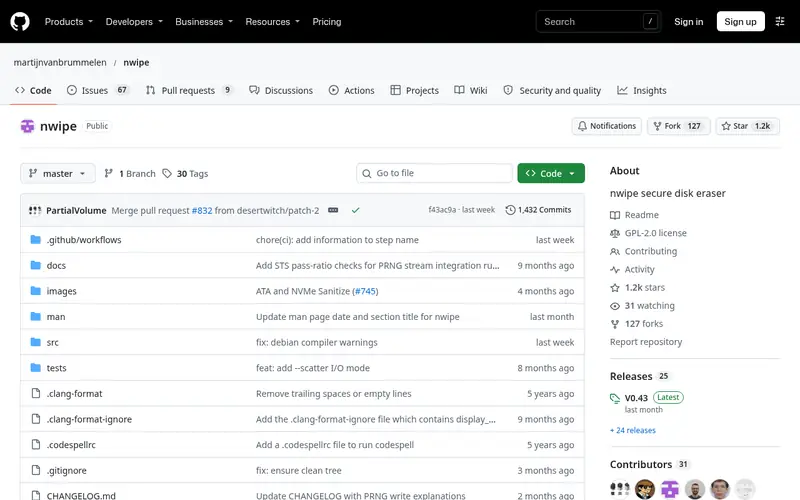
nwipe is a free, open-source disk wiping utility. It is the maintained successor to the wiping engine behind the long-standing DBAN tool, and it runs from a bootable environment. It supports several overwrite patterns and can wipe multiple drives in one session.
It is a sensible choice for magnetic hard drives you plan to sell or recycle, where a full overwrite is effective. The catch is solid-state media: overwriting does not reliably reach every flash cell because of wear levelling and over-provisioning. For SSDs, use the firmware erase commands below instead. There is no certificate, so keep your own records.
Where the price comes from
Free (open source), as listed by the vendor (nwipe website). Confirm the current plan price before you buy.
Benefits
- Free and open source
- supports multiple overwrite patterns
- actively maintained fork of the dwipe engine used by DBAN
Drawbacks
- Overwrite methods are unreliable on SSDs
- no formal certification
Use case to skip: this limit matters to you: overwrite methods are unreliable on SSDs.
Our take. A sensible pick for free overwrite wiping of hard disk drives.
If it does not fit, compare Blancco Drive Eraser or ATA Secure Erase (hdparm) in this list.
- Best for
- Free firmware erase for SATA drives
- Standout
- Uses the drive's own erase command
- Starting price
- Free (open source)
- Free plan or trial
- Free and open source
ATA Secure Erase is a command built into SATA drives and issued through tools such as hdparm on Linux. It tells the drive's own controller to erase all cells, which is the method storage engineers generally recommend for SSDs because it reaches flash the host cannot address directly.
It is free and fast, and it avoids the wear of a full overwrite. The catch is that it is command-line only and results depend on firmware quality. Some drives need the machine's BIOS set to a compatible mode, and some older drives have buggy implementations. Verify the drive supports the command and check the result before resale.
Where the price comes from
Free (open source), as listed by the vendor (ATA Secure Erase (hdparm) website). Confirm the current plan price before you buy.
Benefits
- Uses the drive's own erase command
- fast on SSDs
- no third-party overwrite needed
Drawbacks
- Command-line only
- behaviour varies by drive firmware
Use case to skip: this limit matters to you: command-line only.
Our take. A sensible pick for free firmware erase for SATA drives.
If it does not fit, compare Blancco Drive Eraser or nwipe in this list.
- Best for
- Free firmware erase for NVMe SSDs
- Standout
- Uses the NVMe Sanitize and Format commands
- Starting price
- Free (open source)
- Free plan or trial
- Free and open source
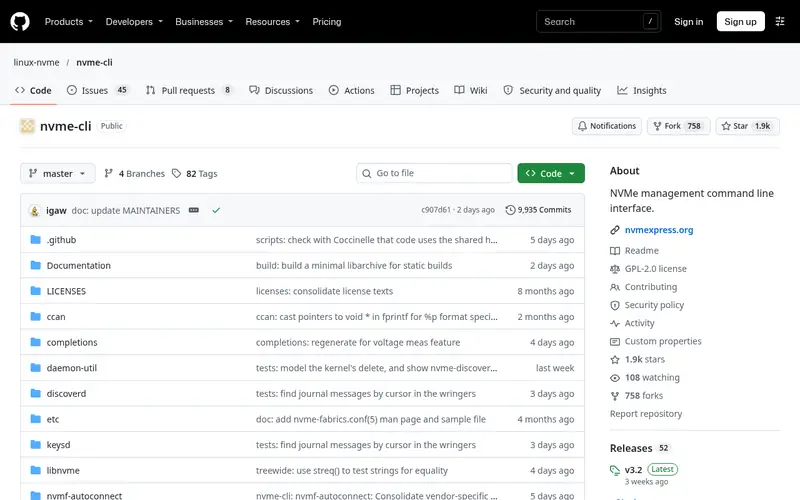
nvme-cli is the standard Linux userspace tool for managing NVMe drives. It can issue the NVMe Format command and the Sanitize command, both of which instruct the drive's controller to erase user data at the firmware level. Sanitize is the more thorough of the two and is designed for exactly this purpose.
It suits anyone wiping NVMe SSDs before resale or recycling, and it costs nothing. The catch is that not every drive implements every sanitize option, and the tool is command-line only. Check the drive's datasheet for supported sanitize actions, and confirm the operation completed before you let the drive go.
Where the price comes from
Free (open source), as listed by the vendor (NVMe Sanitize (nvme-cli) website). Confirm the current plan price before you buy.
Benefits
- Uses the NVMe Sanitize and Format commands
- free and open source
- works without overwriting
Drawbacks
- Command-line only
- support depends on the drive's controller
Use case to skip: this limit matters to you: command-line only.
Our take. A sensible pick for free firmware erase for NVMe SSDs.
If it does not fit, compare Blancco Drive Eraser or nwipe in this list.
- Best for
- Bootable free wiping without an installed OS
- Standout
- Boots from USB
- Starting price
- Free (open source)
- Free plan or trial
- Free and open source
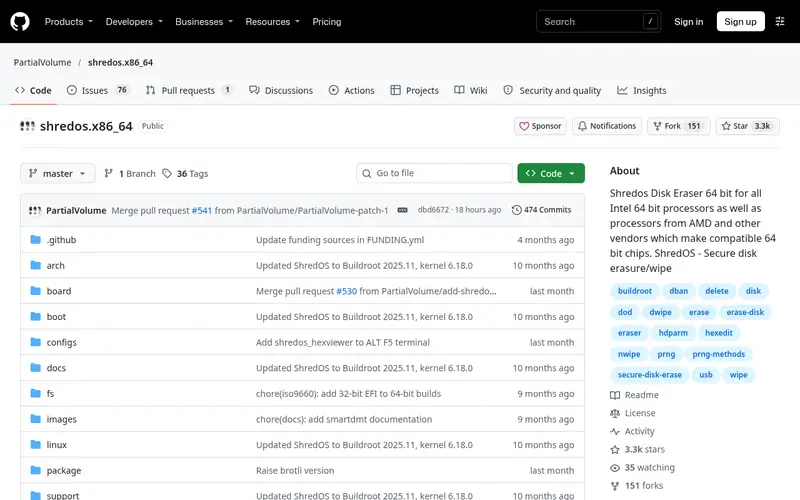
ShredOS is a small bootable Linux image built around nwipe. You write it to a USB stick, boot the machine, and wipe drives from a menu without installing anything. That makes it convenient for refurbishers and recyclers who process machines with no working OS.
It is free and simple, and it handles multiple drives in one pass. The catch is the same as nwipe: it relies on overwriting, which is effective on hard drives but not a reliable way to clear SSDs. It also produces no formal certificate. Use it for HDDs, and pair it with firmware erase for flash drives.
Where the price comes from
Free (open source), as listed by the vendor (ShredOS website). Confirm the current plan price before you buy.
Benefits
- Boots from USB
- bundles nwipe
- no operating system install needed
Drawbacks
- Overwrite-based, so weak on SSDs
- no certification
Use case to skip: this limit matters to you: overwrite-based, so weak on SSDs.
Our take. A sensible pick for bootable free wiping without an installed OS.
If it does not fit, compare Blancco Drive Eraser or nwipe in this list.
- Best for
- All-in-one bootable disk toolkit
- Standout
- Bootable environment with wiping and partitioning tools
- Starting price
- See vendor site (paid download)
- Free plan or trial
- No free plan
Parted Magic is a commercial bootable Linux toolkit for disk work, including partitioning, cloning and wiping. It bundles disk erasure utilities and can issue secure erase commands to drives that support them, so one USB stick covers several jobs.
It suits technicians and small refurbishers who want a single paid toolkit rather than assembling free tools. The catch is that it is a general disk utility, not a certified erasure product, so it does not produce audit-grade certificates. If you need proof of erasure for compliance, pair it with a certified suite or keep careful manual records.
Where the price comes from
See vendor site (paid download), as listed by the vendor (Parted Magic website). Confirm the current plan price before you buy.
Benefits
- Bootable environment with wiping and partitioning tools
- includes secure erase options
- useful for mixed drive fleets
Drawbacks
- Paid
- not a certified erasure product
Use case to skip: this limit matters to you: paid.
Our take. A sensible pick for all-in-one bootable disk toolkit.
If it does not fit, compare Blancco Drive Eraser or nwipe in this list.
What to look for
Start with the drive type. Magnetic hard drives can be wiped effectively by overwriting every sector, so free tools like nwipe and ShredOS work well. Solid-state drives cannot be reliably cleared by overwriting because the controller remaps and hides cells. For SSDs, use the drive's own Secure Erase or Sanitize command through hdparm or nvme-cli, or the manufacturer's utility.
Next, decide whether you need a certificate. If you are selling drives to another business or recycling under a data protection policy, an auditable erasure report is often required. Certified commercial suites provide this. Free tools do not, so you must keep your own records of what was wiped, when, and how.
Check interface and firmware support before you rely on a command. ATA Secure Erase and NVMe Sanitize depend on the drive implementing them correctly. Some drives need a BIOS setting changed, and some older models have flawed implementations. Verify the drive's datasheet, run the erase, and confirm the result.
Finally, consider volume and workflow. A single home drive needs only a free bootable tool. A refurbisher processing many machines benefits from a bootable environment that handles several drives at once, and from a licensed suite that logs each job automatically.
Questions worth answering first
Buying checklist
- Confirm whether your drives are magnetic HDDs, SATA SSDs or NVMe SSDs, because the right method differs.
- Check the drive datasheet for support of ATA Secure Erase or NVMe Sanitize before relying on firmware commands.
- Decide whether you need an auditable erasure certificate for compliance or resale to a business.
- Confirm the tool boots on your hardware and detects the drive interface you use.
- Check the licensing model, especially per-drive fees for commercial erasure suites.
- Verify the current published price and supported standards on the vendor site before paying.
FAQ
What is the best free disk wipe tool?
nwipe and ShredOS are solid free, open-source choices for overwriting hard drives. For SSDs, the free firmware commands ATA Secure Erase and NVMe Sanitize are more reliable than overwrite software. None of these issue a formal certificate, so keep your own records.
Can overwrite software securely erase an SSD?
Not reliably. SSD controllers use wear levelling and over-provisioning, so some flash cells are not addressable by the host and may retain data after an overwrite. Use the drive's own Secure Erase or Sanitize command instead, issued through hdparm or nvme-cli.
Do I need a certificate for erasure?
If you are selling drives to a business, recycling under a data protection policy, or subject to an audit, yes. Certified commercial suites like Blancco Drive Eraser produce tamper-evident reports. For personal drives, a record of what you wiped and when is usually enough.
Is DBAN still recommended?
DBAN is no longer actively maintained, and its wiping engine lives on in nwipe. For hard drives, nwipe is the sensible modern replacement. For SSDs, neither is ideal, because overwriting does not reliably clear flash. Use firmware erase commands for solid-state drives.
How long does wiping a drive take?
It depends on drive size, speed and method. A full overwrite pass on a large hard drive can take hours. Firmware Secure Erase and Sanitize commands are usually much faster on SSDs because the controller handles the work internally. Plan time accordingly before a bulk job.
Can I wipe a drive that will not boot?
Yes. Bootable tools like ShredOS and Parted Magic run from a USB stick and do not need an installed operating system. That makes them useful for refurbishers processing machines with failed or missing drives.
Sources we checked
Change log: First published 21 Nov 2026.