7 Best Drive Enclosures for SSDs and HDDs in 2026
The OWC Envoy Pro FX suits most people who want a fast, rugged USB-C enclosure that handles NVMe SSDs. For Thunderbolt speed, the Sabrent Thunderbolt 3 NVMe enclosure is the pick. If you need to house a 3.5-inch hard drive, the OWC Mercury Elite Pro is the better fit.
 By Shihab Mia · Published 21 Nov 2026
We run no ads and no affiliate links at launch. The order of a list follows our published method. How lists are ordered: how we score.
Prices are the starting prices vendors list publicly. Plans change, so confirm the current price on the vendor page before you buy.
Key takeaways
- NVMe enclosures need a USB 3.2 Gen 2 or Thunderbolt host to reach their rated speeds.
- 2.5-inch SATA enclosures are cheap and simple; 3.5-inch models need external power.
- Thunderbolt enclosures cost more and only pay off on Thunderbolt-capable machines.
- Most enclosures ship without a drive; check whether a cable and screwdriver are included.
- Check the bridge chip and UASP support before buying for sustained transfers.
Side-by-side
Grouped by fit and cost. Tap a product to jump to its full entry.
| Fit | Cost | |||
|---|---|---|---|---|
| Product | Best for | Standout feature | Listed starting price | Free plan or trial |
| 1OWC Envoy Pro FX | Fast, rugged NVMe storage | USB-C with Thunderbolt compatibility | Check current retail price (enclosure only) | One-time hardware purchase |
| 2Sabrent Thunderbolt 3 NVMe Enclosure | Thunderbolt 3 speed | Thunderbolt 3 interface | Check current retail price (enclosure only) | One-time hardware purchase |
| 3OWC Mercury Elite Pro | 3.5-inch hard drives | Fits 3.5-inch SATA drives | Check current retail price (enclosure only) | One-time hardware purchase |
| 4UGREEN NVMe Enclosure | Budget NVMe builds | Low price | Check current retail price (enclosure only) | One-time hardware purchase |
| 5Sabrent USB 3.2 Tool-Free Enclosure | Tool-free 2.5-inch SATA | No tools needed | Check current retail price (enclosure only) | One-time hardware purchase |
| 6Orico 2.5-inch SATA Enclosure | Simple SATA swaps | Very low cost | Check current retail price (enclosure only) | One-time hardware purchase |
| 7StarTech Dual-Bay RAID Enclosure | Two drives with RAID | Holds two drives | Check current retail price (enclosure only) | One-time hardware purchase |
How we picked
We compared these enclosures using vendor product pages, published spec sheets, and official documentation. We looked at supported drive types and sizes, host interface, power method, included accessories, and listed price where available. We did not run hands-on tests. Where a vendor does not publish a figure, we describe the feature qualitatively rather than guess. Models were selected from lines that vendors still list as current.
The 7 picks in detail
- Best for
- Fast, rugged NVMe storage
- Standout
- USB-C with Thunderbolt compatibility
- Starting price
- Check current retail price (enclosure only)
- Free plan or trial
- One-time hardware purchase
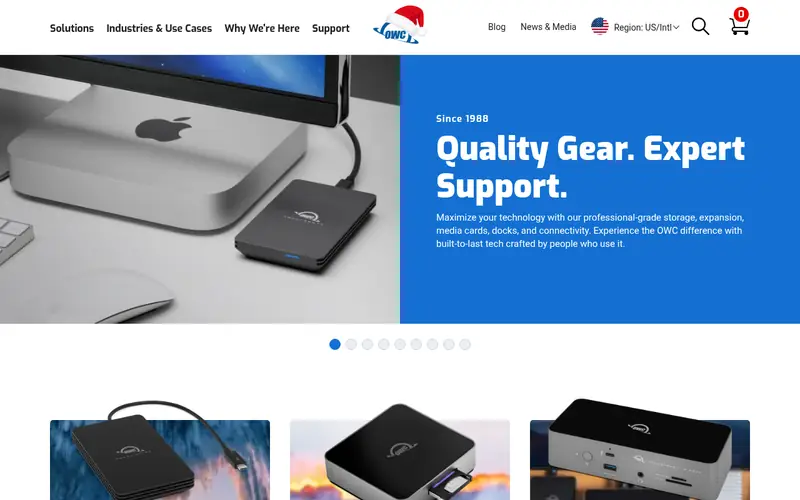
The Envoy Pro FX is a bus-powered USB-C enclosure for NVMe SSDs. OWC lists it as compatible with both USB and Thunderbolt hosts, so it works across Macs and PCs. The aluminum housing is built for travel and field use. It ships as an empty enclosure, so you supply the drive.
It suits editors and photographers who move large files and want one enclosure that works on either port type. The main catch is cost: it is priced above basic NVMe enclosures, and you still pay for the SSD separately. Confirm the drive length and keying against OWC's compatibility notes before buying.
Where the price comes from
Check current retail price (enclosure only). Hardware prices move often, so check the OWC Envoy Pro FX maker page or a retailer before you buy.
Benefits
- USB-C with Thunderbolt compatibility
- rugged aluminum body
- bus-powered
Drawbacks
- Sold without a drive
- premium price
Use case to skip: this limit matters to you: sold without a drive.
Our take. A sensible pick for fast, rugged NVMe storage.
If it does not fit, compare Sabrent Thunderbolt 3 NVMe Enclosure or OWC Mercury Elite Pro in this list.
- Best for
- Thunderbolt 3 speed
- Standout
- Thunderbolt 3 interface
- Starting price
- Check current retail price (enclosure only)
- Free plan or trial
- One-time hardware purchase
This Sabrent enclosure uses Thunderbolt 3 to connect an NVMe SSD. Sabrent lists an aluminum body with a heatsink to manage drive heat. Installation is tool-free, and the unit is bus-powered over the Thunderbolt cable.
It fits users with Thunderbolt 3 or 4 ports who want the highest sequential speeds from an NVMe drive. The catch is host dependence: on a plain USB port it will not deliver Thunderbolt performance. Check that your machine's port carries Thunderbolt, not just USB-C.
Where the price comes from
Check current retail price (enclosure only). Hardware prices move often, so check the Sabrent Thunderbolt 3 NVMe Enclosure maker page or a retailer before you buy.
Benefits
- Thunderbolt 3 interface
- aluminum heatsink design
- tool-free drive install
Drawbacks
- Needs a Thunderbolt host
- runs warm under load
Use case to skip: this limit matters to you: needs a Thunderbolt host.
Our take. A sensible pick for thunderbolt 3 speed.
If it does not fit, compare OWC Envoy Pro FX or OWC Mercury Elite Pro in this list.
- Best for
- 3.5-inch hard drives
- Standout
- Fits 3.5-inch SATA drives
- Starting price
- Check current retail price (enclosure only)
- Free plan or trial
- One-time hardware purchase
The Mercury Elite Pro is a desktop enclosure for 3.5-inch SATA hard drives. Full-size drives need more power than a bus-powered port supplies, so this model uses an external adapter. OWC builds it in an aluminum case aimed at desktop backup and archive use.
It suits people with spare 3.5-inch drives who want a fixed desk setup rather than a pocket enclosure. The catch is portability: the power brick and size make it a stay-at-home unit. Verify the interface version on the current product page, since OWC offers several variants.
Where the price comes from
Check current retail price (enclosure only). Hardware prices move often, so check the OWC Mercury Elite Pro maker page or a retailer before you buy.
Benefits
- Fits 3.5-inch SATA drives
- external power for full-size HDDs
- aluminum housing
Drawbacks
- Needs a power adapter
- larger footprint
Use case to skip: this limit matters to you: needs a power adapter.
Our take. A sensible pick for 3.5-inch hard drives.
If it does not fit, compare OWC Envoy Pro FX or Sabrent Thunderbolt 3 NVMe Enclosure in this list.

- Best for
- Budget NVMe builds
- Standout
- Low price
- Starting price
- Check current retail price (enclosure only)
- Free plan or trial
- One-time hardware purchase
UGREEN's NVMe enclosure is a low-cost way to turn a spare M.2 drive into external storage. It uses a USB-C connection and a tool-free tray. The aluminum shell acts as a passive heatsink.
It suits buyers who want fast external storage without paying premium prices. The catch is sustained performance: small aluminum shells can heat up during long writes, so plan for shorter bursts or add a thermal pad if the vendor includes one. Check the supported drive lengths and protocol on the product page.
Where the price comes from
Check current retail price (enclosure only). Hardware prices move often, so check the UGREEN NVMe Enclosure maker page or a retailer before you buy.
Benefits
- Low price
- tool-free install
- aluminum shell
Drawbacks
- Thermal limits under long writes
- basic bundle
Use case to skip: this limit matters to you: thermal limits under long writes.
Our take. A sensible pick for budget NVMe builds.
If it does not fit, compare OWC Envoy Pro FX or Sabrent Thunderbolt 3 NVMe Enclosure in this list.
- Best for
- Tool-free 2.5-inch SATA
- Standout
- No tools needed
- Starting price
- Check current retail price (enclosure only)
- Free plan or trial
- One-time hardware purchase
This Sabrent model takes 2.5-inch SATA drives and opens without tools. It is bus-powered over USB and works with both SATA SSDs and 2.5-inch hard drives. Sabrent lists UASP support for faster transfers on compatible systems.
It suits people repurposing laptop drives or building a simple portable backup. The catch is the SATA interface: even a fast SATA SSD tops out well below NVMe speeds. Check which USB version the current listing specifies, because Sabrent sells several similar models.
Where the price comes from
Check current retail price (enclosure only). Hardware prices move often, so check the Sabrent USB 3.2 Tool-Free Enclosure maker page or a retailer before you buy.
Benefits
- No tools needed
- works with SATA SSDs and HDDs
- bus-powered
Drawbacks
- SATA speed ceiling
- plastic parts on some versions
Use case to skip: this limit matters to you: SATA speed ceiling.
Our take. A sensible pick for tool-free 2.5-inch SATA.
If it does not fit, compare OWC Envoy Pro FX or Sabrent Thunderbolt 3 NVMe Enclosure in this list.
- Best for
- Simple SATA swaps
- Standout
- Very low cost
- Starting price
- Check current retail price (enclosure only)
- Free plan or trial
- One-time hardware purchase
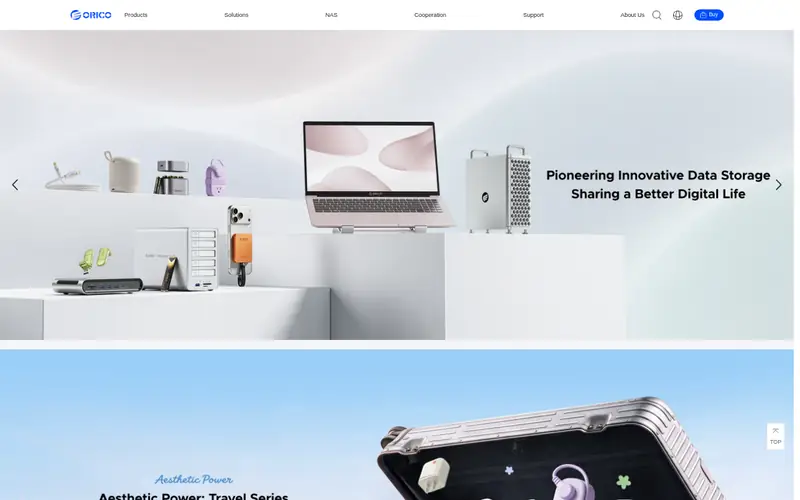
Orico makes a range of 2.5-inch SATA enclosures, including clear plastic models that show the drive. They connect over USB and are bus-powered. Drive installation is a simple slide-in on most versions.
It suits buyers who swap drives often or want the cheapest way to reuse an old SATA SSD. The catch is build and chip quality: budget enclosures may use basic bridge chips, so check the listed USB version and UASP support. Treat these as light-duty rather than daily heavy transfers.
Where the price comes from
Check current retail price (enclosure only). Hardware prices move often, so check the Orico 2.5-inch SATA Enclosure maker page or a retailer before you buy.
Benefits
- Very low cost
- transparent or plastic options
- quick drive swaps
Drawbacks
- Basic bridge chip
- limited thermal headroom
Use case to skip: this limit matters to you: basic bridge chip.
Our take. A sensible pick for simple SATA swaps.
If it does not fit, compare OWC Envoy Pro FX or Sabrent Thunderbolt 3 NVMe Enclosure in this list.
- Best for
- Two drives with RAID
- Standout
- Holds two drives
- Starting price
- Check current retail price (enclosure only)
- Free plan or trial
- One-time hardware purchase
StarTech sells multi-bay enclosures for users who want two drives in one box. RAID versions support mirrored or striped setups through a hardware controller. These are desktop units with external power and USB or Thunderbolt host connections depending on model.
It suits small offices or home users who want redundancy or a single large volume from two drives. The catch is complexity and price: RAID modes need correct setup, and a failed configuration can cost data. Confirm the exact model's RAID levels and host interface on StarTech's product page.
Where the price comes from
Check current retail price (enclosure only). Hardware prices move often, so check the StarTech Dual-Bay RAID Enclosure maker page or a retailer before you buy.
Benefits
- Holds two drives
- hardware RAID modes
- desktop form factor
Drawbacks
- Higher price
- RAID setup adds complexity
Use case to skip: this limit matters to you: higher price.
Our take. A sensible pick for two drives with RAID.
If it does not fit, compare OWC Envoy Pro FX or Sabrent Thunderbolt 3 NVMe Enclosure in this list.
What specs matter when you buy
Start with the drive type. NVMe M.2 enclosures take stick-style SSDs and need a USB 3.2 Gen 2 or Thunderbolt host to reach high speeds. 2.5-inch SATA enclosures take laptop-style SSDs and hard drives and are limited by the SATA interface. 3.5-inch enclosures take full-size desktop hard drives and almost always need an external power adapter.
Next, match the host port. A USB-C connector does not guarantee USB 3.2 Gen 2 or Thunderbolt speed; check the rated interface on both the enclosure and your computer. Thunderbolt enclosures cost more and only make sense if your machine has Thunderbolt. For plain USB, a good USB 3.2 Gen 2 bridge chip with UASP support matters more than the marketing name.
Finally, think about heat and power. NVMe drives run warm, so an aluminum body or included thermal pad helps during long writes. Bus-powered enclosures are convenient but draw power from the port; full-size hard drives need their own adapter. Check what ships in the box: cable, screwdriver, thermal pad, and mounting screws are often extras.
Questions worth answering first
Buying checklist
- Confirm your drive's form factor, length, and keying match the enclosure.
- Check that your computer's port actually supports the enclosure's rated interface.
- Decide whether you need bus power or an external adapter.
- Verify what is included: cable, screws, thermal pad, and tools.
- Read the vendor's supported drive list and firmware notes.
- Compare the total cost of enclosure plus drive, not the enclosure alone.
FAQ
Do I need Thunderbolt for an NVMe enclosure?
No. A USB 3.2 Gen 2 enclosure works on most modern computers and is cheaper. Thunderbolt only helps if your machine has a Thunderbolt port and you need the highest sequential speeds. For everyday file transfers, USB is usually enough.
Can I put a hard drive in an NVMe enclosure?
No. NVMe enclosures take M.2 stick SSDs. Hard drives need a 2.5-inch SATA enclosure or a 3.5-inch desktop enclosure. Match the enclosure to the drive's physical format and interface before buying.
Why is my enclosure slower than the drive's rating?
The host port, bridge chip, and cable all cap speed. A fast NVMe drive in a USB 3.2 Gen 1 enclosure runs at USB speeds, not drive speeds. Check the enclosure's rated interface and your computer's port before expecting full performance.
Do enclosures include the SSD or hard drive?
Most do not. Enclosures are usually sold empty, and you supply the drive. A few bundles include a drive, but check the listing carefully. Budget for the drive separately when comparing total cost.
Are bus-powered enclosures safe for large hard drives?
Bus power is fine for 2.5-inch drives and SSDs. Full-size 3.5-inch hard drives draw more power and normally need an external adapter. Using an underpowered port can cause disconnects, so follow the vendor's power guidance.
Does UASP matter?
UASP can improve transfer performance and reduce CPU load on compatible systems. Many current enclosures list support. Check the vendor spec sheet, and confirm your operating system supports it, before relying on the feature.
Sources we checked
Change log: First published 21 Nov 2026.