6 Top HPC Backup Software Options Compared (2026)
This list puts NAKIVO Backup and Replication first for VM and NAS backup for research servers. Alternatives: MSP360 Backup for Backup to your own cloud or local storage, and Commvault Cloud for SaaS backup with published per-TB pricing. Prices, free plans and limits for all 6 tools follow.
 By Shihab Mia · Published 21 Nov 2026
We run no ads and no affiliate links at launch. The order of a list follows our published method. How lists are ordered: how we score.
Prices are the starting prices vendors list publicly. Plans change, so confirm the current price on the vendor page before you buy.
Key takeaways
- This list starts with NAKIVO Backup and Replication, which is built for VM and NAS backup for research servers.
- None of the 6 tools, from NAKIVO Backup and Replication to Zmanda Pro, has a free plan, so budget for a subscription or use a trial.
- Before buying MSP360 Backup, weigh this: you pay for storage separately, so the total cost is harder to predict.
- NAKIVO Backup and Replication is the lowest-priced starter here at $2.50 per workload/month.
Side-by-side
Grouped by fit and cost. Tap a product to jump to its full entry.
| Fit | Cost | |||
|---|---|---|---|---|
| Product | Best for | Standout feature | Listed starting price | Free plan or trial |
| 1NAKIVO Backup and Replication | VM and NAS backup for research servers | Backs up NAS devices and file shares straight | $2.50 per workload/month | Free trial (15 days) |
| 2MSP360 Backup | Backup to your own cloud or local storage | Other storage | $2.50 per workload/month | Free trial (15 days) |
| 3Commvault Cloud | SaaS backup with published per-TB pricing | Database backup | $58.50 per TB/month | Free trial (30 days) |
| 4Storware Backup and Recovery | Open virtualisation and OpenStack backup | Handles 13 or more virtualisation products under one licence | Quote only | Free trial (60 days) |
| 5Veeam Backup and Replication | VM and physical backup for clusters | Supports immutable backup copies | Quote only | Free trial (30 days) |
| 6Zmanda Pro | Flat per-workload pricing for mixed estates | Spans VMs, servers, databases | $5.99 per workload/month | Free trial (14 days) |
How we picked
Top Tech Hardware looked at what each vendor publishes: pricing, plan limits, feature coverage for HPC backup software and stated drawbacks. No hands-on testing is claimed. Prices and plan limits come from vendor pages and can change, so confirm them on the vendor site before you buy. The ranking is editorial: typical fit first, then clear pricing, then free access. If your needs are unusual, read the profiles rather than relying on position.
The 6 picks in detail
- Best for
- VM and NAS backup for research servers
- Standout
- Backs up NAS devices and file shares straight
- Starting price
- $2.50 per workload/month
- Free plan or trial
- Free trial (15 days)
NAKIVO Backup and Replication makes the most sense for VM and NAS backup for research servers. VM and NAS backup for research servers It backs up VMware, Hyper-V, and Nutanix VMs, physical Windows and Linux servers, and NAS file shares, with instant VM recovery that can bring a failed server back in minutes. In daily use, for research work, the NAS backup matters most.
The licence costs $2.50 per workload a month, which keeps the price predictable as the centre brings nodes. From a buyer's view, NAKIVO copies the NAS data to a second location, with deduplication and compression that cut the storage needed for large files. Entry price for NAKIVO Backup and Replication: $2.50 per workload/month. On free options: Free trial (15 days).
Where it falls short: the interface assumes server knowledge.
Where the price comes from
$2.50 per workload/month, as listed by the vendor (NAKIVO Backup and Replication website). Confirm the current plan price before you buy.
Benefits
- Backs up NAS devices and file shares straight
- Quick VM backup with instant recovery
Drawbacks
- No backup for bare-metal HPC compute nodes on the entry licence
Use case to skip: this limit matters to you: no backup for bare-metal HPC compute nodes on the entry licence.
Our take. A sensible pick for VM and NAS backup for research servers.
If it does not fit, compare MSP360 Backup or Commvault Cloud in this list.
- Best for
- Backup to your own cloud or local storage
- Standout
- Other storage
- Starting price
- $2.50 per workload/month
- Free plan or trial
- Free trial (15 days)
MSP360 Backup is a good fit for Backup to your own cloud or local storage. The backup itself is capable.
Points against: You pay for storage separately, so the total cost is harder to predict.
On top of that, the agent backs up servers and VMs to Backblaze B2, Wasabi, Amazon S3, or a local NAS, and the licence costs $2.50 per workload a month. Backup to your own cloud or local storage In practice, a centre that already has a Wasabi or B2 account can keep storage costs low, since Wasabi charges $7.99 per TB a month and B2 charges $6.95 per TB a month. Price to start with MSP360 Backup: $2.50 per workload/month. On free options: Free trial (15 days).
Where the price comes from
$2.50 per workload/month, as listed by the vendor (MSP360 Backup website). Confirm the current plan price before you buy.
Benefits
- Other storage
- Image and file backup in one agent
Drawbacks
- Setup needs a storage account first
Use case to skip: this limit matters to you: setup needs a storage account first.
Our take. A sensible pick for backup to your own cloud or local storage.
If it does not fit, compare NAKIVO Backup and Replication or Commvault Cloud in this list.
- Best for
- SaaS backup with published per-TB pricing
- Standout
- Database backup
- Starting price
- $58.50 per TB/month
- Free plan or trial
- Free trial (30 days)
Commvault Cloud is built with SaaS backup with published per-TB pricing in mind. SaaS backup with published per-TB pricing The system is aimed at large estates. In daily use, a centre that guards 20 TB of file data can estimate $1,170 per month, or $14,040 a year, before volume discounts that apply above 50 TB.
Drawbacks to consider: self-managed software is sold by quote.
Beyond that, the SaaS model also removes the have to run a backup server, which suits a centre with a small operations team. The SaaS pricing page lists file and object backup from $58.50 per TB a month, database backup from $90 per TB a month, and VM backup at $102.49 per 10-pack a month. Also, Commvault Cloud is the enterprise choice with published prices, which makes it simple to budget for large research datasets. The starting price for Commvault Cloud: $58.50 per TB/month. As for free access: Free trial (30 days).
Where the price comes from
$58.50 per TB/month, as listed by the vendor (Commvault Cloud website). Confirm the current plan price before you buy.
Benefits
- Database backup
- Capable application-aware recovery
Drawbacks
- The per-TB price layers on up quick past 50 TB
Use case to skip: this limit matters to you: the per-TB price layers on up quick past 50 TB.
Our take. A sensible pick for saaS backup with published per-TB pricing.
If it does not fit, compare NAKIVO Backup and Replication or MSP360 Backup in this list.
- Best for
- Open virtualisation and OpenStack backup
- Standout
- Handles 13 or more virtualisation products under one licence
- Starting price
- Quote only
- Free plan or trial
- Free trial (60 days)
Pick Storware Backup and Recovery if this describes you: open virtualisation and OpenStack backup. Storware Backup and Recovery is the open-platform choice for an HPC centre that runs more than VMware. It supports VMware, Hyper-V, XCP-ng, Citrix, Red Hat OpenShift, Red Hat Virtualization, Oracle Linux Virtualization Manager, Azure Stack, Nutanix AHV, Scale Computing, Verge.io, and several OpenStack distributions, with agentless backup through the hypervisor APIs.
Watch-outs: No published list price.
A centre that is moving from VMware to OpenStack can back up both under one licence and restore VMs straight into OpenStack. In practice, the vendor also gives you a 60-day free trial, which is longer than most rivals and provides a centre time to test a restore properly. There is no fixed entry price for Storware Backup and Recovery; pricing comes through a quote. On free options: Free trial (60 days).
Where the price comes from
Quote only, as listed by the vendor (Storware Backup and Recovery website). Confirm the current plan price before you buy.
Benefits
- Handles 13 or more virtualisation products under one licence
- Or per-TB licensing
Drawbacks
- Smaller vendor with less external coverage than the largest rivals
Use case to skip: this limit matters to you: smaller vendor with less external coverage than the largest rivals.
Our take. A sensible pick for open virtualisation and OpenStack backup.
If it does not fit, compare NAKIVO Backup and Replication or MSP360 Backup in this list.
- Best for
- VM and physical backup for clusters
- Standout
- Supports immutable backup copies
- Starting price
- Quote only
- Free plan or trial
- Free trial (30 days)
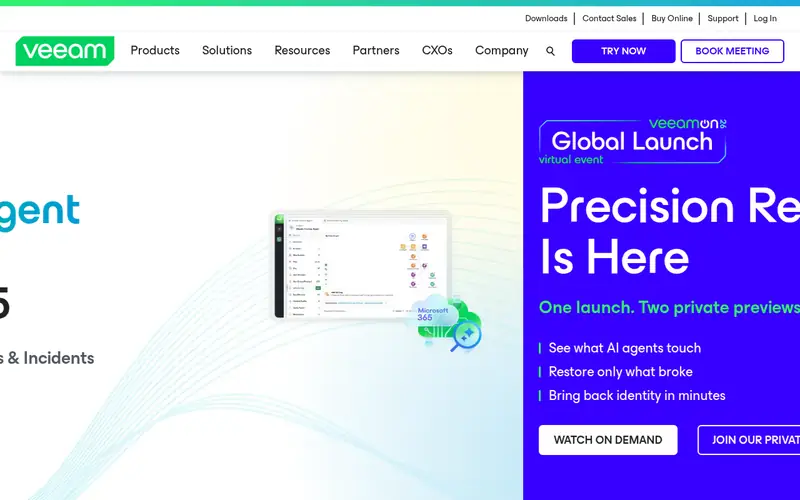
Veeam Backup and Replication is built with VM and physical backup for clusters in mind. Changed block tracking keeps daily backups quick even when the protected data runs into hundreds of terabytes. From a buyer's view, Veeam can protect that shared store and copy it to a second location, with deduplication and compression that cut the storage needed for large datasets.
Veeam Backup and Replication is the most widely used backup product for virtualised infrastructure. Also, VM and physical backup for clusters Backup copies can be made immutable on supported storage. So a ransomware attack on the cluster cannot rewrite the backup. Veeam Backup and Replication sells by quote instead of a published price. Free access: Free trial (30 days).
Where it is weaker: the console assumes storage and virtualisation skill.
Where the price comes from
Quote only, as listed by the vendor (Veeam Backup and Replication website). Confirm the current plan price before you buy.
Benefits
- Supports immutable backup copies
- Quick image-level backup with instant VM recovery
Drawbacks
- No published list price for the full system
Use case to skip: this limit matters to you: no published list price for the full system.
Our take. A sensible pick for VM and physical backup for clusters.
If it does not fit, compare NAKIVO Backup and Replication or MSP360 Backup in this list.
- Best for
- Flat per-workload pricing for mixed estates
- Standout
- Spans VMs, servers, databases
- Starting price
- $5.99 per workload/month
- Free plan or trial
- Free trial (14 days)
Zmanda Pro is built with flat per-workload pricing for mixed estates in mind. Zmanda Pro is the predictable choice for a mixed HPC estate. The backup can go to disk, cloud, or Zmanda Cloud Storage, which is priced at $20,340 per year for 250 TB with no egress fees.
What to check first: the entry plan lacks 24/7 support except when upgraded.
The vendor publishes a worked example of $19,128 in year one for 100 workloads and 500 Microsoft 365 users on the Business plan, with a five-year total locked at $81,294. That kind of fixed pricing makes budgeting straightforward for a centre that plans years ahead. The coverage is wide. Zmanda Pro guards VMs, physical servers, databases, NAS file shares, and Microsoft 365 from one console, with a Linux backup server and true cross-platform support. Entry price for Zmanda Pro: $5.99 per workload/month. As for free access: Free trial (14 days).
Where the price comes from
$5.99 per workload/month, as listed by the vendor (Zmanda Pro website). Confirm the current plan price before you buy.
Benefits
- Spans VMs, servers, databases
- Flat $5.99 per workload per month with no renewal increase
Drawbacks
- No native tape support
Use case to skip: this limit matters to you: no native tape support.
Our take. A sensible pick for flat per-workload pricing for mixed estates.
If it does not fit, compare NAKIVO Backup and Replication or MSP360 Backup in this list.
HPC Backup Software: more detail
List every login node, compute node, storage head, NAS, and cloud account that holds research data, then add up the storage used. A centre that thinks it has 50 TB of data commonly finds 200 TB once scratch space and old project archives are counted. That total decides whether a per-workload plan or a per-TB plan costs less.
Beyond that, check the retention and the restore speed on the plan you would buy, not the top plan. On top of that, test a restore before you commit. Also, pick a real dataset of a minimum of 100 GB, delete a copy on a test node, and restore it from the backup.
Some tools cannot back up a parallel file system straight and need a NAS head or an agent on the storage node. In daily use, use the table below to match your centre size to a starting point, then confirm the price on the vendor page before you buy.
Questions worth answering first
Buying checklist
- Ask Storware Backup and Recovery and Veeam Backup and Replication for a written quote, since no starting price is shown.
- Take the trial from NAKIVO Backup and Replication, MSP360 Backup, Commvault Cloud and others and push a live task through it before you pay.
- Before choosing NAKIVO Backup and Replication, weigh its main limit: no backup for bare-metal HPC compute nodes on the entry licence.
- Map your must-have features to a specific Commvault Cloud plan before you compare prices.
- Work out what Storware Backup and Recovery costs with your real seat count, add-ons and usage, not just the entry price.
FAQ
How long does a full restore take for a large dataset?
A 10 TB dataset restores in about 4 hours over a 10 Gbps link if the storage can keep up, and in about 28 hours over a 1 Gbps link. Ask the vendor for a restore time for a dataset the size of your largest project, and test it before you commit.
Does any tool for HPC backup software here have a free plan?
A permanent free plan is not offered by NAKIVO Backup and Replication, Zmanda Pro or the other tools here. Several tools offer a trial. Plan a short evaluation period instead.
Do these tools publish their prices?
Not all of them. Storware Backup and Recovery and Veeam Backup and Replication publish no starting price, so expect a quote request for those. The rest, NAKIVO Backup and Replication included, show a starting price, though seats and billing terms still change the final cost.
What is the 3-2-1 backup rule for HPC centres?
For a centre, that typically means the live data on the cluster storage, a copy on disk or cloud, and a copy on tape or in a second site. If one copy fails, two remain, and the offsite copy includes fire, flood, and theft.
Is NAKIVO Backup and Replication the right pick for everyone comparing HPC backup software?
No single tool suits every team. NAKIVO Backup and Replication comes first because it fits VM and NAS backup for research servers, while MSP360 Backup suits Backup to your own cloud or local storage and Commvault Cloud suits SaaS backup with published per-TB pricing. Match the tool to your own size, budget and workflow before deciding.
How much backup storage does an HPC centre need?
A small research cluster with 20 nodes normally holds 10 to 20 TB of live data, whereas a large centre can hold 500 TB or more once scratch space and archives are counted. Count the live datasets, the scratch space, and the archives you still open, then add 50 percent for growth over two years.
Sources we checked
Change log: First published 21 Nov 2026.