7 Best M.2 NVMe SSD Enclosures in 2026
The OWC Express 1M2 is the best all-round pick for most people: a bus-powered USB4 enclosure with a rugged aluminium body and no separate power supply. If you want the lowest price for a simple USB-C enclosure, the ORICO M2PV-C3 is a sensible budget choice. If you need Thunderbolt bandwidth for large video files, the Sabrent Thunderbolt 3 enclosure is the faster option.
 By Shihab Mia · Published 21 Nov 2026
We run no ads and no affiliate links at launch. The order of a list follows our published method. How lists are ordered: how we score.
Prices are the starting prices vendors list publicly. Plans change, so confirm the current price on the vendor page before you buy.
Key takeaways
- USB4 and Thunderbolt enclosures reach far higher speeds than plain USB 3.2 Gen 2 models, but only if your host port supports them.
- Most enclosures are bus-powered and need no external adapter; check the vendor page before assuming.
- M.2 2280 is the common size; confirm support for 2230, 2242 and 2260 if you plan to reuse a short drive.
- Tool-free designs and included thermal pads save time and help sustain write speeds.
- Basic USB-C models cost far less than USB4 or Thunderbolt enclosures, so match the enclosure to the ports you have.
Side-by-side
Grouped by fit and cost. Tap a product to jump to its full entry.
| Fit | Cost | |||
|---|---|---|---|---|
| Product | Best for | Standout feature | Listed starting price | Free plan or trial |
| 1OWC Express 1M2 | Fast USB4 transfers with a rugged build | USB4 interface with high published throughput | Check current retail price (enclosure only) | One-time hardware purchase |
| 2ORICO M2PV-C3 | Cheap everyday USB-C enclosure | Low price | Check current retail price (enclosure only) | One-time hardware purchase |
| 3Sabrent Thunderbolt 3 NVMe Enclosure | Thunderbolt laptops and desktops | Thunderbolt 3 interface with high published bandwidth | Check current retail price (enclosure only) | One-time hardware purchase |
| 4Acasis USB4 NVMe SSD Enclosure | USB4 speed at a lower price | USB4 interface | Check current retail price (enclosure only) | One-time hardware purchase |
| 5UGREEN M.2 NVMe Enclosure | Simple tool-free setup | Tool-free install | Check current retail price (enclosure only) | One-time hardware purchase |
| 6Satechi USB-C NVMe SSD Enclosure | Desk-friendly aluminium build | Aluminium housing | Check current retail price (enclosure only) | One-time hardware purchase |
| 7Plugable USB-C NVMe SSD Enclosure | Reliable mainstream USB 3.2 use | Established brand with published compatibility notes | Check current retail price (enclosure only) | One-time hardware purchase |
How we picked
This guide is based on research, not lab testing. We reviewed each vendor's product page, published specifications and support documentation, then compared interface type, supported drive sizes, build material, power method and listed price. We only included products that are currently sold by their manufacturers and that we could confirm exist. Speeds quoted are the interface ratings the vendors publish, not measured results. Prices are the manufacturer's listed figures at the time of writing and may change.
The 7 picks in detail
- Best for
- Fast USB4 transfers with a rugged build
- Standout
- USB4 interface with high published throughput
- Starting price
- Check current retail price (enclosure only)
- Free plan or trial
- One-time hardware purchase
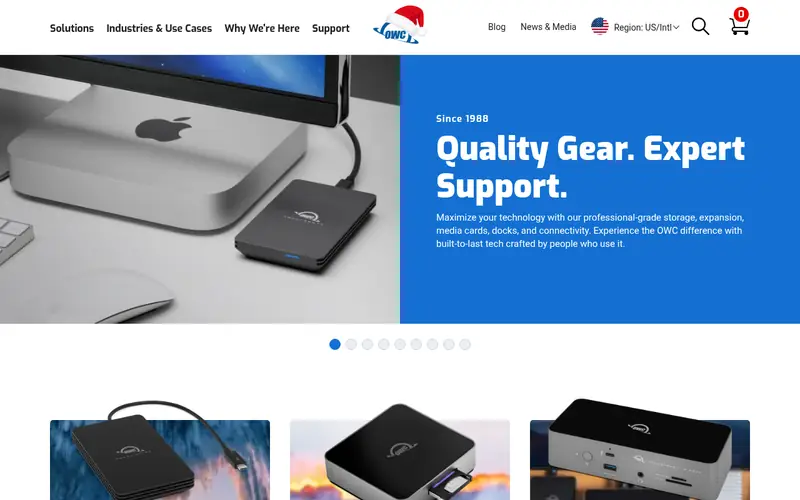
The Express 1M2 is a single-slot M.2 2280 enclosure built around USB4. OWC lists it as bus-powered, so it draws power from the host cable rather than a wall adapter. The aluminium housing is designed to spread heat from the drive, which matters for long writes on fast NVMe sticks.
It suits editors and power users who move large files between machines and already have USB4 or Thunderbolt ports. The main catch is cost: before you add a drive, it is one of the pricier options here. Buyers on older USB 3.2 ports will not see the benefit.
Where the price comes from
Check current retail price (enclosure only). Hardware prices move often, so check the OWC Express 1M2 maker page or a retailer before you buy.
Benefits
- USB4 interface with high published throughput
- bus-powered with no external adapter
- aluminium heat-dissipating body
Drawbacks
- Premium price
- top speed needs a USB4 or Thunderbolt host port
Use case to skip: this limit matters to you: premium price.
Our take. A sensible pick for fast USB4 transfers with a rugged build.
If it does not fit, compare ORICO M2PV-C3 or Sabrent Thunderbolt 3 NVMe Enclosure in this list.
- Best for
- Cheap everyday USB-C enclosure
- Standout
- Low price
- Starting price
- Check current retail price (enclosure only)
- Free plan or trial
- One-time hardware purchase
The M2PV-C3 is a straightforward USB-C enclosure for M.2 2280 NVMe drives. ORICO lists a USB 3.2 Gen 2 interface, which is fine for backups, media libraries and moving documents. The tool-free design means you open the case, seat the drive and close it without screws.
It is the pick for anyone who wants a spare enclosure without spending much. The trade-off is build quality and speed: the plastic shell does less for heat than metal, and the interface is well below USB4 or Thunderbolt rates. Check the vendor page for the exact drive-length support before buying.
Where the price comes from
Check current retail price (enclosure only). Hardware prices move often, so check the ORICO M2PV-C3 maker page or a retailer before you buy.
Benefits
- Low price
- tool-free clip design
- supports M.2 2280 drives
Drawbacks
- USB 3.2 Gen 2 interface caps speed
- plastic outer shell
Use case to skip: this limit matters to you: USB 3.2 Gen 2 interface caps speed.
Our take. A sensible pick for cheap everyday USB-C enclosure.
If it does not fit, compare OWC Express 1M2 or Sabrent Thunderbolt 3 NVMe Enclosure in this list.
- Best for
- Thunderbolt laptops and desktops
- Standout
- Thunderbolt 3 interface with high published bandwidth
- Starting price
- Check current retail price (enclosure only)
- Free plan or trial
- One-time hardware purchase
Sabrent's Thunderbolt 3 enclosure targets machines with a true Thunderbolt port. The vendor lists Thunderbolt 3 connectivity, and the aluminium housing is built to handle sustained transfers. It is aimed at video editors and anyone moving very large project files.
The catch is compatibility. A plain USB-C port that only supports USB 3.2 will not deliver Thunderbolt speeds, and the enclosure may fall back or not work at all depending on the host. Confirm your machine has Thunderbolt 3 or 4 before paying the premium.
Where the price comes from
Check current retail price (enclosure only). Hardware prices move often, so check the Sabrent Thunderbolt 3 NVMe Enclosure maker page or a retailer before you buy.
Benefits
- Thunderbolt 3 interface with high published bandwidth
- aluminium body
- works with Thunderbolt 3 and 4 hosts
Drawbacks
- Requires a Thunderbolt port, not plain USB-C
- higher price
Use case to skip: this limit matters to you: requires a Thunderbolt port, not plain USB-C.
Our take. A sensible pick for thunderbolt laptops and desktops.
If it does not fit, compare OWC Express 1M2 or ORICO M2PV-C3 in this list.
- Best for
- USB4 speed at a lower price
- Standout
- USB4 interface
- Starting price
- Check current retail price (enclosure only)
- Free plan or trial
- One-time hardware purchase
Acasis sells a USB4 enclosure aimed at buyers who want near-Thunderbolt throughput without the top-tier price. The vendor lists a USB4 interface and an aluminium alloy body with a tool-free tray for M.2 2280 drives. It is a reasonable middle option between budget USB-C cases and premium Thunderbolt units.
It suits laptop users with USB4 ports who move large files regularly. The main catch is host dependence: on a USB 3.2 port it behaves like a slower enclosure. Availability is also narrower than big-brand rivals, so check stock and warranty terms on the vendor site.
Where the price comes from
Check current retail price (enclosure only). Hardware prices move often, so check the Acasis USB4 NVMe SSD Enclosure maker page or a retailer before you buy.
Benefits
- USB4 interface
- aluminium alloy shell
- tool-free drive install
Drawbacks
- Needs a USB4 or Thunderbolt host for full speed
- fewer retail channels
Use case to skip: this limit matters to you: needs a USB4 or Thunderbolt host for full speed.
Our take. A sensible pick for USB4 speed at a lower price.
If it does not fit, compare OWC Express 1M2 or ORICO M2PV-C3 in this list.

- Best for
- Simple tool-free setup
- Standout
- Tool-free install
- Starting price
- Check current retail price (enclosure only)
- Free plan or trial
- One-time hardware purchase
UGREEN's M.2 NVMe enclosure is a mainstream USB-C case for 2280 drives. The vendor lists a USB 3.2 Gen 2 interface and a tool-free design, so you can swap drives without hunting for a screwdriver. The metal finish looks tidy on a desk.
It fits general users who want a portable drive for backups, photos and documents. The catch is the interface ceiling: this is not a USB4 or Thunderbolt enclosure, so do not expect the fastest possible transfers. Check the vendor page for supported drive lengths and included cables.
Where the price comes from
Check current retail price (enclosure only). Hardware prices move often, so check the UGREEN M.2 NVMe Enclosure maker page or a retailer before you buy.
Benefits
- Tool-free install
- aluminium finish
- USB 3.2 Gen 2 interface
Drawbacks
- Not a USB4 or Thunderbolt product
- speed limited by the interface
Use case to skip: this limit matters to you: not a USB4 or Thunderbolt product.
Our take. A sensible pick for simple tool-free setup.
If it does not fit, compare OWC Express 1M2 or ORICO M2PV-C3 in this list.
- Best for
- Desk-friendly aluminium build
- Standout
- Aluminium housing
- Starting price
- Check current retail price (enclosure only)
- Free plan or trial
- One-time hardware purchase
Satechi's USB-C NVMe enclosure is a compact aluminium case for M.2 drives. The vendor lists USB-C connectivity and a slim body that suits travel and desk use. It is positioned as a neat accessory rather than a high-bandwidth workstation tool.
It suits Mac and PC users who want a tidy enclosure for a spare drive. The catch is value: it usually costs more than basic USB-C cases while offering a similar interface class. Confirm the exact USB generation and supported drive sizes on the vendor page before buying.
Where the price comes from
Check current retail price (enclosure only). Hardware prices move often, so check the Satechi USB-C NVMe SSD Enclosure maker page or a retailer before you buy.
Benefits
- Aluminium housing
- USB-C connection
- compact footprint
Drawbacks
- Mid-range price for a USB 3.2 class product
- check included cable type
Use case to skip: this limit matters to you: mid-range price for a USB 3.2 class product.
Our take. A sensible pick for desk-friendly aluminium build.
If it does not fit, compare OWC Express 1M2 or ORICO M2PV-C3 in this list.
- Best for
- Reliable mainstream USB 3.2 use
- Standout
- Established brand with published compatibility notes
- Starting price
- Check current retail price (enclosure only)
- Free plan or trial
- One-time hardware purchase
Plugable's USB-C NVMe enclosure is aimed at everyday users who want a dependable case for a 2280 drive. The vendor publishes compatibility notes and support resources, which helps if you are unsure about host ports. The design is tool-free for quick drive swaps.
It suits office users, students and anyone building a portable backup drive. The catch is the same as other USB 3.2 models: it will not reach USB4 or Thunderbolt speeds. Check the vendor page for the exact interface rating and warranty terms.
Where the price comes from
Check current retail price (enclosure only). Hardware prices move often, so check the Plugable USB-C NVMe SSD Enclosure maker page or a retailer before you buy.
Benefits
- Established brand with published compatibility notes
- USB-C interface
- tool-free design
Drawbacks
- Not USB4 or Thunderbolt
- speed capped by USB 3.2
Use case to skip: this limit matters to you: not USB4 or Thunderbolt.
Our take. A sensible pick for reliable mainstream USB 3.2 use.
If it does not fit, compare OWC Express 1M2 or ORICO M2PV-C3 in this list.
What specs matter when you buy
The interface is the first thing to check. USB 3.2 Gen 2 enclosures are cheap and fine for backups, but USB4 and Thunderbolt models are the ones to consider for large video files. Your host port must match: a Thunderbolt enclosure on a plain USB-C port will not deliver its rated bandwidth. Match the enclosure to the fastest port your computer actually has.
Drive size support comes next. Most enclosures take M.2 2280 drives, the common length for desktop and laptop NVMe sticks. If you plan to reuse a short 2230 or 2242 drive from a handheld or laptop, confirm the enclosure includes the mounting holes or adapter for it. Also check whether the case supports NVMe only or also SATA M.2 drives, since the two are not interchangeable.
Cooling and build matter for sustained writes. Metal bodies and included thermal pads help move heat away from the drive. Tool-free trays make swaps easier, and a bundled USB-C cable saves a purchase. Finally, check warranty length and whether the vendor publishes firmware or compatibility notes. Prices vary widely, so compare the vendor's own listing rather than assuming a discount.
Questions worth answering first
Buying checklist
- Confirm your computer's fastest USB or Thunderbolt port and match the enclosure interface to it.
- Check which M.2 lengths the enclosure supports, especially if you plan to reuse a short 2230 or 2242 drive.
- Verify whether the case takes NVMe drives only or also SATA M.2 drives.
- Look for a metal body and included thermal pad if you write large files often.
- Confirm whether the enclosure is bus-powered or needs an external adapter.
- Check the warranty length and whether a USB cable is included in the box.
FAQ
Do I need a Thunderbolt port for a fast enclosure?
Yes, for the fastest models. USB4 and Thunderbolt enclosures need a matching host port to reach their rated bandwidth. On a plain USB 3.2 port they will work but run at the slower interface speed. Check your machine's spec sheet before paying a premium.
Can I put any M.2 SSD in these enclosures?
Most take M.2 2280 NVMe drives. Some also support shorter 2230, 2242 and 2260 lengths with the right mounting points. SATA M.2 drives need a compatible enclosure, so confirm the drive type and length on the vendor page first.
Are these enclosures bus-powered?
Many are, drawing power from the USB or Thunderbolt cable. Others may need an adapter. The vendor page states the power method, so check it before buying, especially if you plan to use the drive with a laptop on battery.
Will an enclosure reach the same speed as an internal SSD?
Usually not. The enclosure interface caps throughput, and heat can slow long writes. A USB 3.2 enclosure is fine for backups, while USB4 or Thunderbolt models suit large file transfers. Expect the interface, not the drive, to be the limit.
Do I need thermal pads?
They help. Fast NVMe drives generate heat during long writes, and a metal body plus a thermal pad spreads that heat. Many enclosures include pads; check the box contents. Without them, sustained write speeds may drop on large transfers.
Can I boot from an external NVMe enclosure?
It depends on the host system and firmware support. Some computers allow booting from external USB or Thunderbolt drives, others do not. Check your system documentation before relying on an enclosure as a boot drive.
Sources we checked
Change log: First published 21 Nov 2026.