Shortlist: 6 Best Server Backup Software for MSPs for 2026
This list puts Zmanda Pro first for MSPs protecting servers across clouds. Alternatives: Comet Backup for MSPs charging clients per protected device, and Veeam Backup and Replication for MSPs protecting mixed Windows and Linux servers. Details, prices and limits for the rest of the 6 tools are below.
 By Shihab Mia · Published 21 Nov 2026
We run no ads and no affiliate links at launch. The order of a list follows our published method. How lists are ordered: how we score.
Prices are the starting prices vendors list publicly. Plans change, so confirm the current price on the vendor page before you buy.
Key takeaways
- Zmanda Pro takes the first slot, best suited to MSPs protecting servers across clouds.
- NAKIVO Backup and Replication suits MSPs backing up VMware, Hyper-V and cloud VMs.
- The lowest published monthly entry price here is $2.50 per workload per month, from NAKIVO Backup and Replication.
- Only Veeam Backup and Replication offers a free plan among these 6 tools.
- Check the limits for Zmanda Pro before you commit: the 14 day trial is short for a full test cycle.
Side-by-side
Grouped by fit and cost. Tap a product to jump to its full entry.
| Fit | Cost | |||
|---|---|---|---|---|
| Product | Best for | Standout feature | Listed starting price | Free plan or trial |
| 1Zmanda Pro | MSPs protecting servers across clouds | Published per workload price | $5.99 per workload per month | Free trial (14 days) |
| 2Comet Backup | MSPs charging clients per protected device | Supports plenty of storage destinations | $19 per month | Free trial (30 days) |
| 3Veeam Backup and Replication | MSPs protecting mixed Windows and Linux servers | Image based backup for physical and virtual servers | Quote only | Free plan |
| 4Cove Data Protection | MSPs already on the N-able product | Cloud first backup with central management | Quote only | Free trial (30 days) |
| 5Acronis Cyber Protect | MSPs wanting backup plus anti-malware in one agent | Backup and anti-malware in one agent | $85 per workstation a year (billed annually) | Free trial (30 days) |
| 6NAKIVO Backup and Replication | MSPs backing up VMware, Hyper-V and cloud VMs | Clear per workload pricing | $2.50 per workload a month | Free trial (15 days) |
How we picked
For each of the 6 tools we noted price, free plan or trial, fit for server backup software for MSPs and the main limit, using vendor pages and documentation. Prices and plan limits come from vendor pages and can change, so confirm them on the vendor site before you buy. The sequence is a judgement call: typical use case first, then pricing transparency, then free access. Use the profiles to check fit.
The 6 picks in detail
- Best for
- MSPs protecting servers across clouds
- Standout
- Published per workload price
- Starting price
- $5.99 per workload per month
- Free plan or trial
- Free trial (14 days)
Zmanda Pro serves MSPs protecting servers across clouds. A real limit is the 14 day free trial, which is short for testing backup, retention, and restore across multiple server types, so plan the trial with a test restore on day one.
Watch-outs: The 14 day trial is short for a full test cycle.
What you pay to start with Zmanda Pro: $5.99 per workload per month. Free options: Free trial (14 days).
Where the price comes from
$5.99 per workload per month, as listed by the vendor (Zmanda Pro website). Confirm the current plan price before you buy.
Benefits
- Published per workload price
- Databases and cloud workloads
Drawbacks
- Smaller community than bigger backup vendors
Use case to skip: this limit matters to you: smaller community than bigger backup vendors.
Our take. A sensible pick for MSPs protecting servers across clouds.
If it does not fit, compare Comet Backup or Veeam Backup and Replication in this list.
- Best for
- MSPs charging clients per protected device
- Standout
- Supports plenty of storage destinations
- Starting price
- $19 per month
- Free plan or trial
- Free trial (30 days)
Comet Backup makes the most sense for MSPs charging clients per protected device. Comet Backup uses a per device model that opens at $19 a month, which fits MSPs that charge clients per protected server or workstation. The web console lets technicians build backup jobs, set retention, and watch job results across clients, and it supports encryption and compression.
Downsides: reporting needs setup per tenant.
From a buyer's view, a real limit is that the $19 monthly start handles only a small number of devices. So a MSP with dozens of servers per client must model the per device cost across the full fleet. Starting cost for Comet Backup: $19 per month. Trial and free access: Free trial (30 days).
Where the price comes from
$19 per month, as listed by the vendor (Comet Backup website). Confirm the current plan price before you buy.
Benefits
- Supports plenty of storage destinations
- Per device pricing with a low monthly start
Drawbacks
- The $19 monthly start handles a small allowance, so bigger fleets cost more
Use case to skip: this limit matters to you: the $19 monthly start handles a small allowance, so bigger fleets cost more.
Our take. A sensible pick for MSPs charging clients per protected device.
If it does not fit, compare Zmanda Pro or Veeam Backup and Replication in this list.
- Best for
- MSPs protecting mixed Windows and Linux servers
- Standout
- Image based backup for physical and virtual servers
- Starting price
- Quote only
- Free plan or trial
- Free plan
Veeam Backup and Replication serves MSPs protecting mixed Windows and Linux servers. MSPs protecting mixed Windows and Linux servers Veeam Backup and Replication includes physical servers, virtual machines, and cloud workloads from one console, which matters for MSPs that run client sites with mixed systems.
It supports image based backup, file level restore, and instant recovery for virtual machines, so a failed server can return to service fast. On top of that, the Community Edition is free for up to 10 workloads, which hands a small MSP a way to test core backup and restore. Veeam Backup and Replication does not show a fixed starting price, so you request a quote. Veeam Backup and Replication includes a free tier.
Points against: setup can take time for small teams.
Where the price comes from
Quote only, as listed by the vendor (Veeam Backup and Replication website). Confirm the current plan price before you buy.
Benefits
- Image based backup for physical and virtual servers
- Broad restore choices including instant recovery
Drawbacks
- Pricing is quote only, so budgeting needs a sales conversation
Use case to skip: this limit matters to you: pricing is quote only, so budgeting needs a sales conversation.
Our take. A sensible pick for MSPs protecting mixed Windows and Linux servers.
If it does not fit, compare Zmanda Pro or Comet Backup in this list.
- Best for
- MSPs already on the N-able product
- Standout
- Cloud first backup with central management
- Starting price
- Quote only
- Free plan or trial
- Free trial (30 days)
Cove Data Protection is a good fit for MSPs already on the N-able system. The product supports file level restore, bare metal recovery, and virtual disaster recovery, and it uses cloud storage so a MSP does not have to run a backup server per client.
Pricing is quote only, which means a MSP must request a quote based on the number of protected devices and the amount of cloud storage needed. Cove Data Protection does not publish a starting price; ask for a quote. Trial and free access: Free trial (30 days).
What to check first: best value needs other N-able tools.
Where the price comes from
Quote only, as listed by the vendor (Cove Data Protection website). Confirm the current plan price before you buy.
Benefits
- Cloud first backup with central management
- Suits the N-able remote monitoring stack
Drawbacks
- Pricing is quote only, so cost is unclear until you ask
Use case to skip: this limit matters to you: pricing is quote only, so cost is unclear until you ask.
Our take. A sensible pick for MSPs already on the N-able product.
If it does not fit, compare Zmanda Pro or Comet Backup in this list.
- Best for
- MSPs wanting backup plus anti-malware in one agent
- Standout
- Backup and anti-malware in one agent
- Starting price
- $85 per workstation a year (billed annually)
- Free plan or trial
- Free trial (30 days)
Acronis Cyber Protect is a good fit for MSPs wanting backup plus anti-malware in one agent. A real limit is that some features, for example advanced disaster recovery, sit in higher levels, so confirm what is included before you sell a bundle. Acronis Cyber Protect pairs backup with anti-malware, vulnerability checks, and patch management in a single agent, which can cut the number of agents a MSP has to install and update on each server.
What to check first: some advanced features need a higher level.
The starting price of $85 per workstation a year, billed yearly, hands a clear baseline for client quotes. Server pricing varies by plan and workload type. The central console supports several tenants, so technicians can view backup status and alerts across clients without switching tools. As for the details, MSPs should check whether the plan contains cloud storage or whether storage is charged separately, since that changes the true monthly cost per client. Backup can go to local storage, network shares, and Acronis cloud storage, and it supports full image backup plus file and folder recovery. Acronis Cyber Protect pricing: $85 per workstation per year. On free options: Free trial (30 days).
Where the price comes from
$85 per workstation a year (billed annually), as listed by the vendor (Acronis Cyber Protect website). Confirm the current plan price before you buy.
Benefits
- Backup and anti-malware in one agent
- Central console for numerous client tenants
Drawbacks
- Per workstation pricing can rise fast across numerous servers
Use case to skip: this limit matters to you: per workstation pricing can rise fast across numerous servers.
Our take. A sensible pick for MSPs wanting backup plus anti-malware in one agent.
If it does not fit, compare Zmanda Pro or Comet Backup in this list.
- Best for
- MSPs backing up VMware, Hyper-V and cloud VMs
- Standout
- Clear per workload pricing
- Starting price
- $2.50 per workload a month
- Free plan or trial
- Free trial (15 days)
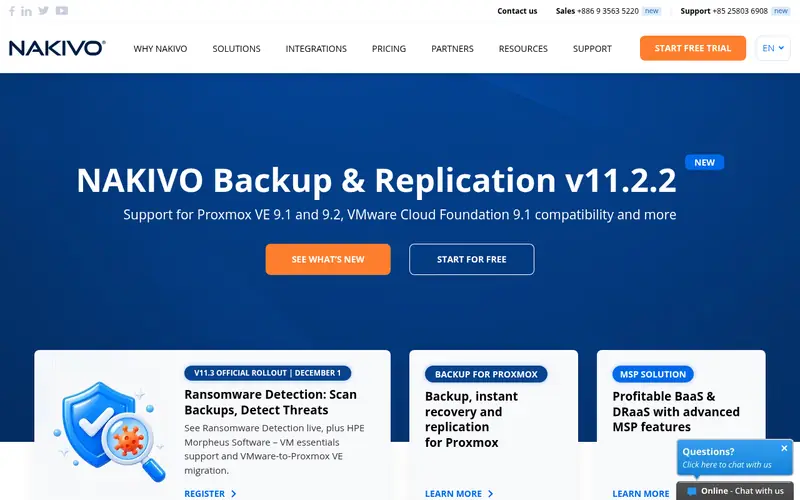
NAKIVO Backup and Replication is built with MSPs backing up VMware, Hyper-V and cloud VMs in mind. NAKIVO also supports backup to local disk, network attached storage, and cloud object storage, plus immutable backup copies on supported storage.
A real limit is that physical server protection is not the primary focus, so MSPs with plenty of physical servers should test that path before they commit. The starting price for NAKIVO Backup and Replication: $2.50 per workload per month. Trial and free access: Free trial (15 days).
Where it is weaker: some features need a higher edition.
Where the price comes from
$2.50 per workload a month, as listed by the vendor (NAKIVO Backup and Replication website). Confirm the current plan price before you buy.
Benefits
- Clear per workload pricing
- Quick backup and replication for VMware and Hyper-V
Drawbacks
- Physical server backup is less central than virtual backup
Use case to skip: this limit matters to you: physical server backup is less central than virtual backup.
Our take. A sensible pick for MSPs backing up VMware, Hyper-V and cloud VMs.
If it does not fit, compare Zmanda Pro or Comet Backup in this list.
Notes on server backup software for MSPs
Ask each vendor how long a full server restore takes, how long an instant virtual machine boot takes, and whether you can restore single files, folders, and application items without restoring the entire image. For everyday use, confirm how plenty of daily, weekly, and monthly copies you can keep, and what happens when storage fills up. A short retention window can leave a client without a clean copy after ransomware that sat quiet for weeks.
Questions worth answering first
Buying checklist
- Ask Veeam Backup and Replication and Cove Data Protection for a written quote, since no starting price is shown.
- Test the free plan from Veeam Backup and Replication against your real workload before relying on it.
- Use real work to test the free trial from Zmanda Pro, Comet Backup, Cove Data Protection and others, rather than a demo project.
- Before choosing Zmanda Pro, weigh its main limit: the 14 day trial is short for a full test cycle.
- Work out what Comet Backup costs with your real seat count, add-ons and usage, not just the entry price.
- A short pilot of Cove Data Protection with your real workflow tells you more than a feature table.
FAQ
Does a MSP need immutable backup copies?
An immutable copy cannot be changed or deleted during its retention period, so you keep a clean restore point even after an attack. Check which storage types support immutability, and test a restore from an immutable copy during the trial.
What is the cheapest option for server backup software for MSPs in this list?
On published monthly entry prices, NAKIVO Backup and Replication is the lowest here at $2.50 per workload per month. Entry price is only part of the cost, because seats, add-ons and billing terms can change the total.
Which server backup software for MSPs have a free plan?
Veeam Backup and Replication is the only tool in this list with a free plan. Free plans usually cap users, projects or features, so check the limits on the vendor page. Several others offer a trial instead.
How are the server backup software for MSPs ordered?
The order follows typical fit for server backup software for MSPs, with Zmanda Pro first and NAKIVO Backup and Replication last, then price clarity and free access. It is editorial judgement, not a score, so another team could rank the tools differently.
Is Zmanda Pro the right pick for everyone comparing server backup software for MSPs?
No single tool suits every team. Zmanda Pro comes first because it fits MSPs protecting servers across clouds, while Comet Backup suits MSPs charging clients per protected device and Veeam Backup and Replication suits MSPs protecting mixed Windows and Linux servers. Match the tool to your own size, budget and workflow before deciding.
Sources we checked
Change log: First published 21 Nov 2026.