6 Best SSD Management Software Tools in 2026
Samsung Magician is the top pick for anyone with a Samsung SSD, because it handles firmware updates, health checks, over-provisioning, and secure erase in one free tool. If you own a different brand, check the maker's own utility first, such as Crucial Storage Executive or Western Digital Dashboard. For mixed-brand systems, a vendor-neutral monitor like CrystalDiskInfo gives you a single health view across every drive.
 By Shihab Mia · Published 21 Nov 2026
We run no ads and no affiliate links at launch. The order of a list follows our published method. How lists are ordered: how we score.
Prices are the starting prices vendors list publicly. Plans change, so confirm the current price on the vendor page before you buy.
Key takeaways
- Samsung Magician, Crucial Storage Executive, Western Digital Dashboard, and Kingston SSD Manager are free downloads for their own drives.
- Vendor tools usually only detect and manage that vendor's SSDs, so a mixed-brand PC may need two or three utilities.
- CrystalDiskInfo is free and open source and reads S.M.A.R.T. health data from most drives regardless of brand.
- Firmware updates through a vendor tool can wipe data if interrupted, so back up before you start.
- Most vendor utilities list no price on their own; they are bundled support software, so confirm on the vendor site.
Side-by-side
Grouped by fit and cost. Tap a product to jump to its full entry.
| Fit | Cost | |||
|---|---|---|---|---|
| Product | Best for | Standout feature | Listed starting price | Free plan or trial |
| 1Samsung Magician | Samsung SSD owners who want firmware and tuning in one place | Firmware updates for Samsung drives | Free (vendor download, no listed price) | Free plan |
| 2Crucial Storage Executive | Crucial and Micron SSD owners who want firmware and health tools | Firmware updates for supported Crucial drives | Free (vendor download, no listed price) | Free plan |
| 3Western Digital Dashboard | WD and SanDisk SSD owners who want a single dashboard | Covers WD and SanDisk SSDs in one tool | Free (vendor download, no listed price) | Free plan |
| 4Kingston SSD Manager | Kingston SSD owners who need firmware and health checks | Firmware updates for supported Kingston SSDs | Free (vendor download, no listed price) | Free plan |
| 5CrystalDiskInfo | Mixed-brand systems that need one health view | Reads S.M.A.R.T. from most drives regardless of brand | Free and open source (donationware) | Free and open source |
| 6Seagate SeaTools | Seagate drive owners who want vendor diagnostics | Short and long drive self-tests | Free (vendor download, no listed price) | Free plan |
How we picked
This comparison is based on vendor documentation, published spec sheets, and official support pages for each tool. We checked which drive brands each utility supports, which features it lists, and whether the vendor publishes a price. No hands-on testing was performed. Feature availability was taken from vendor descriptions and may vary by drive model, so confirm details on the official site before relying on a specific function.
The 6 picks in detail
- Best for
- Samsung SSD owners who want firmware and tuning in one place
- Standout
- Firmware updates for Samsung drives
- Starting price
- Free (vendor download, no listed price)
- Free plan or trial
- Free plan
Samsung Magician is the reference point for SSD utilities. It checks for firmware updates, reports drive health and total bytes written, and lets you set over-provisioning to reserve spare capacity. It also includes a secure erase function and benchmark tools. According to Samsung's documentation, feature availability depends on the specific drive model, so older or OEM drives may show fewer options.
The main catch is brand lock-in. Magician only manages Samsung SSDs, so it is useless for a WD or Crucial drive in the same machine. It is still the first thing to install on a Samsung build, and it costs nothing beyond the drive.
Where the price comes from
Free (vendor download, no listed price), as listed by the vendor (Samsung Magician website). Confirm the current plan price before you buy.
Benefits
- Firmware updates for Samsung drives
- health and TBW monitoring
- over-provisioning and secure erase tools
Drawbacks
- Works only with Samsung SSDs
- some features vary by drive model
Use case to skip: this limit matters to you: works only with Samsung SSDs.
Our take. A sensible pick for samsung SSD owners who want firmware and tuning in one place.
If it does not fit, compare Crucial Storage Executive or Western Digital Dashboard in this list.
- Best for
- Crucial and Micron SSD owners who want firmware and health tools
- Standout
- Firmware updates for supported Crucial drives
- Starting price
- Free (vendor download, no listed price)
- Free plan or trial
- Free plan
Crucial Storage Executive covers firmware updates, health monitoring, and S.M.A.R.T. reporting for Crucial and Micron SSDs. Some models support Momentum cache, which uses spare memory to buffer writes. Crucial publishes which drives support which features, so check the model list before relying on a specific tool.
Like Magician, it only sees its own brand. It is a sensible install for a Crucial-based build and adds little value on a machine with no Crucial drives.
Where the price comes from
Free (vendor download, no listed price), as listed by the vendor (Crucial Storage Executive website). Confirm the current plan price before you buy.
Benefits
- Firmware updates for supported Crucial drives
- drive health and temperature readouts
- Momentum cache feature on some models
Drawbacks
- Limited to Crucial and Micron drives
- feature set differs by model
Use case to skip: this limit matters to you: limited to Crucial and Micron drives.
Our take. A sensible pick for crucial and Micron SSD owners who want firmware and health tools.
If it does not fit, compare Samsung Magician or Western Digital Dashboard in this list.

- Best for
- WD and SanDisk SSD owners who want a single dashboard
- Standout
- Covers WD and SanDisk SSDs in one tool
- Starting price
- Free (vendor download, no listed price)
- Free plan or trial
- Free plan
Western Digital Dashboard manages WD and SanDisk SSDs, including firmware update checks and drive health reporting. Because WD owns SanDisk, one utility covers both brands, which helps in builds that mix them. The vendor lists supported models and firmware releases on its support pages.
The limitation is the same as other vendor tools: drives from other makers are invisible to it. For a WD-only system it is the simplest option.
Where the price comes from
Free (vendor download, no listed price), as listed by the vendor (Western Digital Dashboard website). Confirm the current plan price before you buy.
Benefits
- Covers WD and SanDisk SSDs in one tool
- firmware update checks
- health and capacity reporting
Drawbacks
- Only detects WD and SanDisk drives
- some features limited to newer models
Use case to skip: this limit matters to you: only detects WD and SanDisk drives.
Our take. A sensible pick for WD and SanDisk SSD owners who want a single dashboard.
If it does not fit, compare Samsung Magician or Crucial Storage Executive in this list.
- Best for
- Kingston SSD owners who need firmware and health checks
- Standout
- Firmware updates for supported Kingston SSDs
- Starting price
- Free (vendor download, no listed price)
- Free plan or trial
- Free plan
Kingston SSD Manager handles firmware updates, health monitoring, and S.M.A.R.T. reporting for supported Kingston SSDs. It also offers a secure erase function. Kingston publishes a supported-drive list, and not every Kingston model exposes every feature.
It is a workmanlike tool rather than a polished one, but it does the core jobs. Install it if you run a Kingston boot drive and want firmware control from the vendor.
Where the price comes from
Free (vendor download, no listed price), as listed by the vendor (Kingston SSD Manager website). Confirm the current plan price before you buy.
Benefits
- Firmware updates for supported Kingston SSDs
- health and S.M.A.R.T. data
- secure erase option
Drawbacks
- Kingston drives only
- interface is plainer than rivals
Use case to skip: this limit matters to you: kingston drives only.
Our take. A sensible pick for kingston SSD owners who need firmware and health checks.
If it does not fit, compare Samsung Magician or Crucial Storage Executive in this list.
- Best for
- Mixed-brand systems that need one health view
- Standout
- Reads S.M.A.R.T. from most drives regardless of brand
- Starting price
- Free and open source (donationware)
- Free plan or trial
- Free and open source
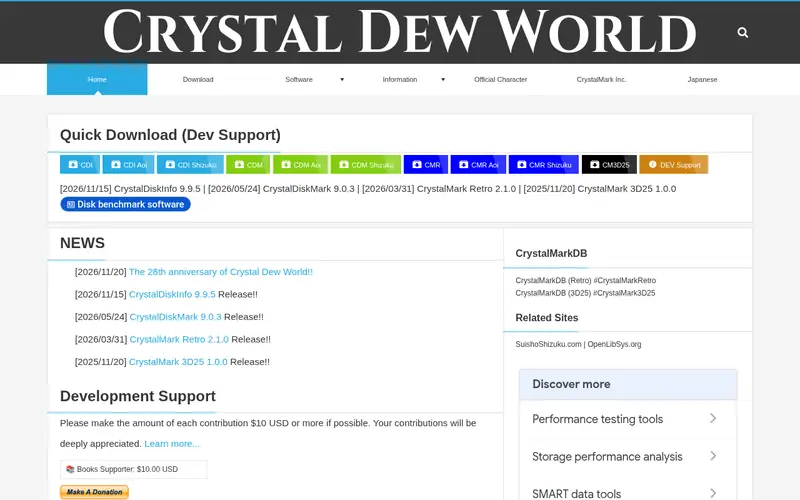
CrystalDiskInfo is a free, open-source S.M.A.R.T. monitor. It reads health attributes from most SATA and NVMe drives, shows temperature and wear indicators, and can alert you when a drive reports problems. A portable build runs without installation, which suits quick checks on other machines.
It does not update firmware or tune drives, so it complements vendor tools rather than replacing them. For a PC with three different SSD brands, it is the one utility that sees all of them.
Where the price comes from
Free and open source (donationware), as listed by the vendor (CrystalDiskInfo website). Confirm the current plan price before you buy.
Benefits
- Reads S.M.A.R.T. from most drives regardless of brand
- portable version available
- alerts on health warnings
Drawbacks
- No firmware updates
- no over-provisioning or tuning features
Use case to skip: this limit matters to you: no firmware updates.
Our take. A sensible pick for mixed-brand systems that need one health view.
If it does not fit, compare Samsung Magician or Crucial Storage Executive in this list.
- Best for
- Seagate drive owners who want vendor diagnostics
- Standout
- Short and long drive self-tests
- Starting price
- Free (vendor download, no listed price)
- Free plan or trial
- Free plan
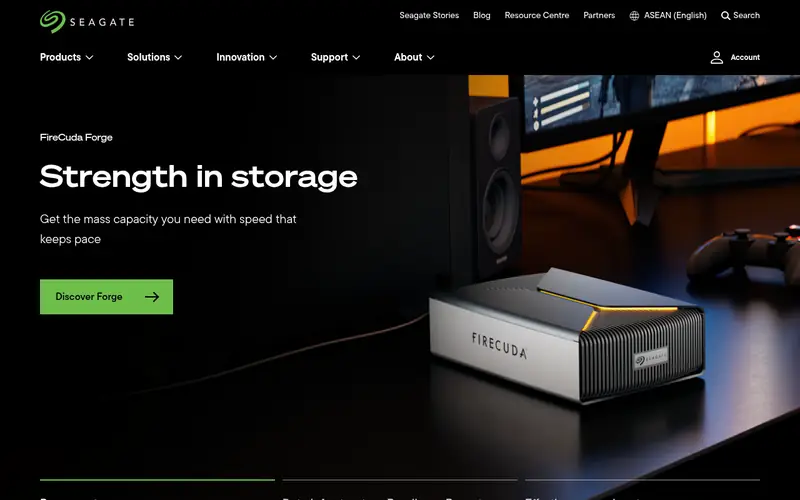
SeaTools is Seagate's diagnostic utility. It runs short and long self-tests, reports drive health, and checks firmware on supported Seagate drives. It covers both hard drives and SSDs, which helps in systems that mix them.
It is more of a testing tool than a management suite, with fewer tuning options than Magician or Storage Executive. Use it when you want to confirm a Seagate drive is healthy before trusting it with data.
Where the price comes from
Free (vendor download, no listed price), as listed by the vendor (Seagate SeaTools website). Confirm the current plan price before you buy.
Benefits
- Short and long drive self-tests
- firmware and health checks on supported drives
- covers Seagate HDDs and SSDs
Drawbacks
- Focused on diagnostics rather than tuning
- Seagate drives only
Use case to skip: this limit matters to you: focused on diagnostics rather than tuning.
Our take. A sensible pick for seagate drive owners who want vendor diagnostics.
If it does not fit, compare Samsung Magician or Crucial Storage Executive in this list.
What to look for
Start with the brand of your SSD. Every major maker ships a free utility for its own drives, and those tools are the only ones that can push firmware updates. If your boot drive is a Samsung, Magician is the obvious install. If it is a Crucial or WD drive, use that vendor's tool instead. Buying a second brand of SSD later may mean adding a second utility.
Next, decide whether you need firmware control or just health monitoring. Firmware updates can fix bugs and improve stability, but they carry risk: an interrupted flash can leave a drive unusable. Vendor tools handle this, but you should still back up first. If you only want to watch drive health across a mixed-brand system, a vendor-neutral monitor is simpler and safer.
Check feature support by model, not just by brand. Over-provisioning, secure erase, and cache features often appear only on certain drives. Vendor support pages list which models get which features, so confirm before you plan around a tool. Finally, note that these utilities are free support software, not paid products, so there is no subscription to weigh. The real cost is the time to check compatibility.
Questions worth answering first
Buying checklist
- Confirm your SSD's exact model is on the vendor tool's supported list.
- Check whether the tool offers firmware updates for your model, not just health monitoring.
- Back up important data before running any firmware update or secure erase.
- Decide if you need a vendor-neutral monitor for drives from other brands.
- Verify the download comes from the official vendor domain, not a mirror site.
- Note which features, such as over-provisioning, apply to your specific drive.
FAQ
Are SSD management tools free?
Yes, in most cases. Samsung Magician, Crucial Storage Executive, Western Digital Dashboard, Kingston SSD Manager, and Seagate SeaTools are free vendor downloads. CrystalDiskInfo is free and open source. None of these require a subscription, though feature sets vary by drive model.
Can one tool manage SSDs from different brands?
Usually not. Vendor utilities typically detect only their own brand. For a mixed-brand system, install each maker's tool for firmware, and add a vendor-neutral monitor like CrystalDiskInfo for a single health view across all drives.
Is it safe to update SSD firmware?
It is generally safe if done through the vendor's own tool and not interrupted. Power loss during a flash can damage the drive. Back up first, keep the machine plugged in on a laptop, and follow the vendor's instructions exactly.
Do I need management software at all?
Not strictly. An SSD works without it. The software adds firmware updates, health monitoring, and tuning options. Many users install it once to check firmware and health, then leave it alone.
What is over-provisioning?
Over-provisioning reserves spare capacity on the drive for background maintenance. Vendor tools let you set it on supported models. It can help endurance and steady performance, but it reduces usable capacity, so weigh the trade-off.
Does CrystalDiskInfo update firmware?
No. CrystalDiskInfo reads S.M.A.R.T. health data and reports drive status. It does not flash firmware or change drive settings. Use the drive maker's own utility for firmware updates.
Sources we checked
Change log: First published 21 Nov 2026.