7 Best Mini PCs for Home Servers in 2026
The Intel NUC 13 Pro is the best all-round mini PC for a home server: it takes up to 64GB of DDR4, has room for two M.2 drives plus a 2.5-inch bay, and offers a 2.5GbE port on some kits. Choose the ASUS ExpertCenter PN53 if you want AMD Ryzen efficiency and dual storage. Choose the Beelink EQ12 if you need dual 2.5GbE networking on a tight budget.
 By Shihab Mia · Published 21 Nov 2026
We run no ads and no affiliate links at launch. The order of a list follows our published method. How lists are ordered: how we score.
Prices are the starting prices vendors list publicly. Plans change, so confirm the current price on the vendor page before you buy.
Key takeaways
- The Intel NUC 13 Pro supports up to 64GB of DDR4-3200 and three storage devices, which suits virtual machines and containers.
- The ASUS ExpertCenter PN53 uses AMD Ryzen 7000-series mobile chips and can hold two M.2 drives plus a 2.5-inch SATA drive.
- The Beelink EQ12 pairs an Intel N100 with two 2.5GbE ports, useful for a router or firewall build.
- Most mini PCs ship barebone or with minimal RAM and storage, so budget for memory and drives separately.
- Check the published TDP and idle power before buying; a low-power chip matters more than peak speed for a 24/7 box.
Side-by-side
Grouped by fit and cost. Tap a product to jump to its full entry.
| Fit | Cost | |||
|---|---|---|---|---|
| Product | Best for | Standout feature | Listed starting price | Free plan or trial |
| 1Intel NUC 13 Pro | All-round home server with room to grow | Supports up to 64GB DDR4-3200 | Check current retail price (barebone and kit versions) | One-time hardware purchase |
| 2ASUS ExpertCenter PN53 | AMD efficiency with dual storage | AMD Ryzen 7000-series mobile CPUs | Check current retail price (barebone and configured versions) | One-time hardware purchase |
| 3Beelink EQ12 | Budget router or firewall build | Two 2.5GbE ports | Check current retail price (ships with RAM and storage) | One-time hardware purchase |
| 4GEEKOM A5 | Ryzen performance in a compact chassis | AMD Ryzen 7 5800H option | Check current retail price (configured versions) | One-time hardware purchase |
| 5Minisforum UM790 Pro | High-core-count virtualization | AMD Ryzen 9 7940HS option | Check current retail price (barebone and configured versions) | One-time hardware purchase |
| 6ASUS NUC 14 Pro | Newer platform with easy upgrades | Intel Core Ultra processors | Check current retail price (barebone and kit versions) | One-time hardware purchase |
| 7Zotac ZBOX CI337 nano | Silent, fanless operation | Fanless design with no moving parts | Check current retail price (barebone versions) | One-time hardware purchase |
How we picked
This guide is based on research, not lab testing. We read the manufacturer product pages, spec sheets and documentation for each model, and checked which configurations are listed as currently sold. We compared published memory limits, storage slots, network ports, CPU families and warranty terms. Prices are the manufacturer's published figures where available; otherwise we point you to the current retail price. We did not run benchmarks or measure power draw ourselves.
The 7 picks in detail
- Best for
- All-round home server with room to grow
- Standout
- Supports up to 64GB DDR4-3200
- Starting price
- Check current retail price (barebone and kit versions)
- Free plan or trial
- One-time hardware purchase
The NUC 13 Pro is a small form factor PC built around 13th Gen Intel Core mobile processors, with options from Core i3 up to Core i7. Intel lists support for up to 64GB of DDR4-3200 SODIMM memory across two slots. Storage options include two M.2 slots and a 2.5-inch bay on the taller chassis, which gives you room for a boot drive plus mirrored data drives.
Networking varies by kit. Some versions include a 2.5GbE port, while others use 1GbE, so check the exact model number. The chassis is compact and mounts on a VESA plate. It suits people running Proxmox, Docker containers or a small NAS role who want a mainstream platform with long driver support.
The catch is that many kits ship barebone. You supply memory, storage and sometimes an operating system. That adds cost and a little assembly time.
Where the price comes from
Check current retail price (barebone and kit versions). Hardware prices move often, so check the Intel NUC 13 Pro maker page or a retailer before you buy.
Benefits
- Supports up to 64GB DDR4-3200
- two M.2 slots plus a 2.5-inch drive bay
- 2.5GbE on selected kits
Drawbacks
- Barebone kits need RAM and storage bought separately
- some models are hard to find in stock
Use case to skip: this limit matters to you: barebone kits need RAM and storage bought separately.
Our take. A sensible pick for all-round home server with room to grow.
If it does not fit, compare ASUS ExpertCenter PN53 or Beelink EQ12 in this list.
- Best for
- AMD efficiency with dual storage
- Standout
- AMD Ryzen 7000-series mobile CPUs
- Starting price
- Check current retail price (barebone and configured versions)
- Free plan or trial
- One-time hardware purchase
The PN53 uses AMD Ryzen 7000-series mobile processors and DDR5 memory, with ASUS listing support for up to 64GB across two SODIMM slots. It has two M.2 slots and a 2.5-inch SATA bay, so you can run a fast boot drive and a larger data drive in one box.
Port selection is broad for the size, including USB4 on some configurations and HDMI plus DisplayPort outputs. That helps if you also use it as a light desktop. For a home server, the appeal is the AMD platform's efficiency at idle and the storage flexibility.
The main catch is cooling. Under long sustained loads the fan becomes audible, which matters if the unit sits in a living space. Check which configuration you are buying, because barebone and pre-configured versions differ in what is included.
Where the price comes from
Check current retail price (barebone and configured versions). Hardware prices move often, so check the ASUS ExpertCenter PN53 maker page or a retailer before you buy.
Benefits
- AMD Ryzen 7000-series mobile CPUs
- two M.2 slots plus a 2.5-inch SATA bay
- supports up to 64GB DDR5
Drawbacks
- Fan noise under sustained load
- barebone versions need extra parts
Use case to skip: this limit matters to you: fan noise under sustained load.
Our take. A sensible pick for AMD efficiency with dual storage.
If it does not fit, compare Intel NUC 13 Pro or Beelink EQ12 in this list.
- Best for
- Budget router or firewall build
- Standout
- Two 2.5GbE ports
- Starting price
- Check current retail price (ships with RAM and storage)
- Free plan or trial
- One-time hardware purchase
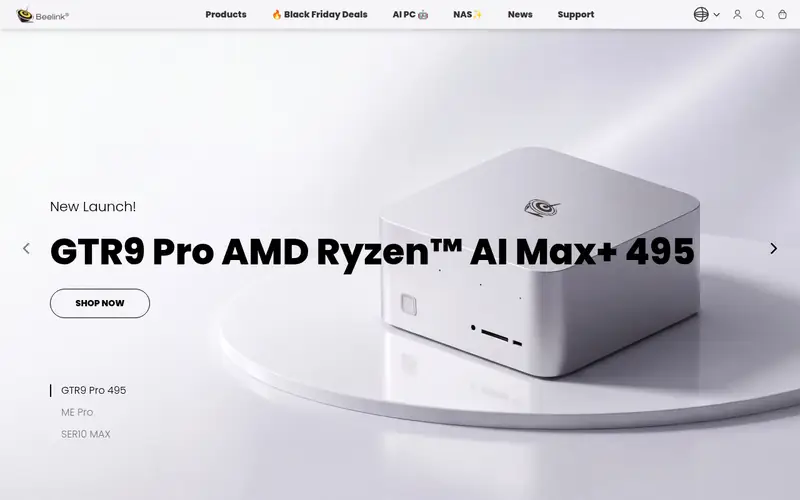
The EQ12 is built around the Intel Processor N100, a low-power quad-core chip aimed at light workloads. Beelink lists two 2.5GbE Ethernet ports, which is the feature that makes it interesting for a home server: one port for WAN and one for LAN in a router or firewall setup.
It typically ships with memory and an M.2 SSD installed, so it works out of the box. That makes it one of the cheaper ways to get a working box. Power draw is low, which suits a device that runs all day.
The limits are real. Memory is single-channel and capped lower than the NUC or PN53, and the N100 is not built for many simultaneous virtual machines. Treat it as a network appliance or a light Docker host, not a heavy hypervisor.
Where the price comes from
Check current retail price (ships with RAM and storage). Hardware prices move often, so check the Beelink EQ12 maker page or a retailer before you buy.
Benefits
- Two 2.5GbE ports
- Intel N100 low-power CPU
- usually ships with memory and an SSD
Drawbacks
- Single-channel memory
- limited CPU headroom for heavy virtualization
Use case to skip: this limit matters to you: single-channel memory.
Our take. A sensible pick for budget router or firewall build.
If it does not fit, compare Intel NUC 13 Pro or ASUS ExpertCenter PN53 in this list.
- Best for
- Ryzen performance in a compact chassis
- Standout
- AMD Ryzen 7 5800H option
- Starting price
- Check current retail price (configured versions)
- Free plan or trial
- One-time hardware purchase
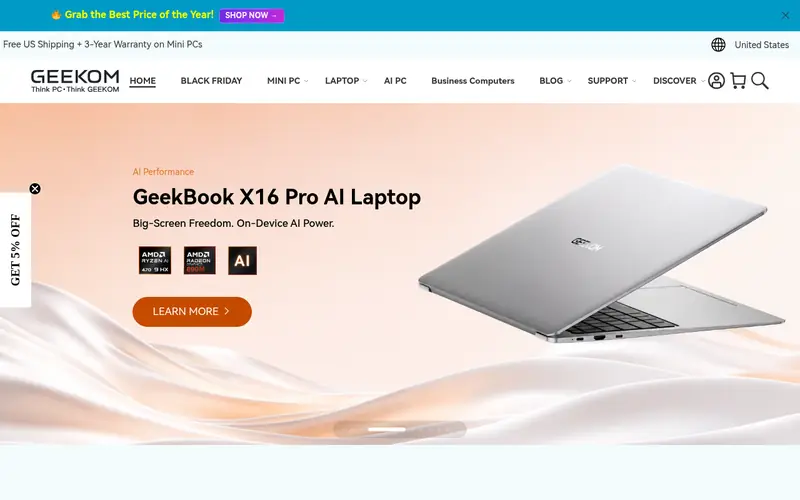
The A5 uses AMD Ryzen 5000H-series mobile processors, with the Ryzen 7 5800H as the headline option. GEEKOM lists support for up to 64GB of DDR4 memory and two M.2 storage slots, which is enough for a boot drive and a data drive.
It usually ships as a configured unit with memory and storage, so there is less assembly than a barebone kit. The eight-core Ryzen 7 gives it more headroom for containers and a few virtual machines than the N100-class machines.
The platform is a generation behind the Ryzen 7000 models, so it is less efficient per watt. The fan is also audible under sustained load. It suits buyers who want more CPU cores than a budget box offers without paying for the newest platform.
Where the price comes from
Check current retail price (configured versions). Hardware prices move often, so check the GEEKOM A5 maker page or a retailer before you buy.
Benefits
- AMD Ryzen 7 5800H option
- supports up to 64GB DDR4
- two M.2 slots
Drawbacks
- Older platform than Ryzen 7000 models
- fan noise under load
Use case to skip: this limit matters to you: older platform than Ryzen 7000 models.
Our take. A sensible pick for ryzen performance in a compact chassis.
If it does not fit, compare Intel NUC 13 Pro or ASUS ExpertCenter PN53 in this list.

- Best for
- High-core-count virtualization
- Standout
- AMD Ryzen 9 7940HS option
- Starting price
- Check current retail price (barebone and configured versions)
- Free plan or trial
- One-time hardware purchase
The UM790 Pro is built around AMD Ryzen 7000HS-series processors, with the Ryzen 9 7940HS as the top option. Minisforum lists support for up to 64GB of DDR5 memory and two M.2 slots, plus USB4 connectivity.
That combination makes it the most capable machine on this list for running several virtual machines or a busy container host. The integrated Radeon graphics also help if you use it for media transcoding.
The trade-offs are price and heat. It costs more than the N100 and Ryzen 5000 options, and a small chassis with a high-power chip runs warm under long loads. Check the vendor's cooling notes and place it where it gets airflow.
Where the price comes from
Check current retail price (barebone and configured versions). Hardware prices move often, so check the Minisforum UM790 Pro maker page or a retailer before you buy.
Benefits
- AMD Ryzen 9 7940HS option
- supports up to 64GB DDR5
- two M.2 slots and USB4
Drawbacks
- Higher price than budget boxes
- runs warm under sustained load
Use case to skip: this limit matters to you: higher price than budget boxes.
Our take. A sensible pick for high-core-count virtualization.
If it does not fit, compare Intel NUC 13 Pro or ASUS ExpertCenter PN53 in this list.
- Best for
- Newer platform with easy upgrades
- Standout
- Intel Core Ultra processors
- Starting price
- Check current retail price (barebone and kit versions)
- Free plan or trial
- One-time hardware purchase
ASUS now sells the NUC line, and the NUC 14 Pro uses Intel Core Ultra processors. ASUS lists support for up to 64GB of DDR5 memory and two M.2 slots, with a 2.5-inch bay on the taller chassis.
The design keeps the NUC formula: a small box with a VESA mount and a range of USB and display ports. Some models offer tool-less access to memory and storage, which makes upgrades easier than on older NUCs.
As with the NUC 13 Pro, many kits ship barebone. Check the exact model for the network port speed and the included accessories. It suits buyers who want the newest Intel platform and a chassis they can open without much fuss.
Where the price comes from
Check current retail price (barebone and kit versions). Hardware prices move often, so check the ASUS NUC 14 Pro maker page or a retailer before you buy.
Benefits
- Intel Core Ultra processors
- tool-less chassis access on some models
- up to 64GB DDR5
Drawbacks
- Barebone kits need extra parts
- 2.5GbE depends on the model
Use case to skip: this limit matters to you: barebone kits need extra parts.
Our take. A sensible pick for newer platform with easy upgrades.
If it does not fit, compare Intel NUC 13 Pro or ASUS ExpertCenter PN53 in this list.
- Best for
- Silent, fanless operation
- Standout
- Fanless design with no moving parts
- Starting price
- Check current retail price (barebone versions)
- Free plan or trial
- One-time hardware purchase
The ZBOX CI337 nano is a fanless mini PC built around the Intel Processor N100. Zotac lists a passive cooling design, so there is no fan noise and no fan to fail. That matters if the server sits in a bedroom or a quiet office.
It is a barebone unit, so you add memory and an M.2 SSD yourself. The N100 is fine for a light file server, a DNS or DHCP role, or a small Docker host, but it is not built for heavy virtualization.
The catch is expandability. There is less room for drives than in the NUC or PN53, and the CPU is modest. Buy it for silence and low power, not for raw performance.
Where the price comes from
Check current retail price (barebone versions). Hardware prices move often, so check the Zotac ZBOX CI337 nano maker page or a retailer before you buy.
Benefits
- Fanless design with no moving parts
- low-power Intel N100
- compact chassis
Drawbacks
- Limited CPU performance
- fewer storage options than larger boxes
Use case to skip: this limit matters to you: limited CPU performance.
Our take. A sensible pick for silent, fanless operation.
If it does not fit, compare Intel NUC 13 Pro or ASUS ExpertCenter PN53 in this list.
What specs matter when you buy
Start with the CPU's power profile, not its peak speed. A home server runs 24/7, so idle and low-load efficiency matter more than benchmark peaks. Intel N100-class chips and AMD mobile parts are common in this category. Check the vendor's published TDP and any idle power figures, and remember that a higher-core chip can still be efficient if it idles low.
Memory is the next limit. Many mini PCs take two SODIMM slots and support up to 64GB, but some budget models use single-channel memory and cap lower. If you plan to run virtual machines, buy the maximum you can afford at purchase, because laptop memory prices change and matching sticks later can be awkward.
Storage layout decides what you can do. Two M.2 slots let you separate the boot drive from data. A 2.5-inch bay adds cheap bulk storage. Check whether the chassis you are buying is the tall or short version, because the bay is often only on the taller one.
Networking is easy to overlook. A single 1GbE port is fine for a file server. Two 2.5GbE ports are useful for a router or firewall. Check the exact model number, because vendors ship the same chassis with different port configurations.
Finally, check the warranty, the included accessories and whether the unit is barebone or configured. A barebone kit is cheaper up front but needs memory, storage and an OS.
Questions worth answering first
Buying checklist
- Confirm the exact model number, because the same chassis ships with different network ports and CPU options.
- Check whether the unit is barebone or includes memory and storage, and add those costs to your budget.
- Verify the maximum memory the vendor lists and how many SODIMM slots are free.
- Confirm the number of M.2 slots and whether a 2.5-inch bay is present on the chassis height you are buying.
- Check the published network port speed and count against your router or switch.
- Read the warranty terms and the return policy before paying.
FAQ
Do mini PCs make good home servers?
Yes, for light to moderate workloads. They use less power and space than a tower, and many support up to 64GB of memory. The limits are fewer drive bays and less room for expansion cards. They suit file serving, containers, a small number of virtual machines and network roles.
How much RAM do I need for a home server?
For a file server or a few containers, 16GB is a practical starting point. If you plan to run several virtual machines, 32GB or 64GB gives more headroom. Check the vendor's listed maximum before buying, because some budget models cap memory lower than the mainstream NUC-class machines.
Can I run Proxmox or TrueNAS on a mini PC?
Both can run on x86 mini PCs, but check the hardware compatibility notes for your chosen version. TrueNAS benefits from direct-attached drives, so a model with a 2.5-inch bay or two M.2 slots is easier. Proxmox works well on most of the models here, given enough memory.
Is a fanless mini PC worth it for a server?
It depends on where the server lives. A fanless unit is silent and has one less moving part to fail, which suits a bedroom or office. The trade-off is usually a lower-power CPU and less expandability. If you need more performance, a fan-cooled model is the better fit.
What about power consumption?
Low-power chips like the Intel N100 are designed for always-on use. Higher-performance chips draw more under load but can still idle low. Check the vendor's published power figures where available, and use a power meter if you want real numbers for your setup.
Should I buy barebone or configured?
Barebone is often cheaper and lets you choose your own memory and drives. Configured units work out of the box and are simpler for beginners. Compare the total cost, including memory, storage and an operating system, before deciding.
Sources we checked
Change log: First published 21 Nov 2026.