6 Best Self-Hosted Music Server Software in 2026
Navidrome is the best pick for most people who want a lightweight, open-source music server that streams to Subsonic-compatible apps. It suits users with a large local library and modest hardware. Jellyfin is the better choice if you also want video and live TV in one media server. Plex Media Server and Plexamp suit users who prefer polished apps and are willing to accept a proprietary platform.
 By Shihab Mia · Published 21 Nov 2026
We run no ads and no affiliate links at launch. The order of a list follows our published method. How lists are ordered: how we score.
Prices are the starting prices vendors list publicly. Plans change, so confirm the current price on the vendor page before you buy.
Key takeaways
- Navidrome, Jellyfin, Airsonic-Advanced, Ampache and Funkwhale are free and open source; Plex Media Server is free to install but some features need a Plex Pass.
- Navidrome and Airsonic-Advanced both speak the Subsonic API, so many third-party mobile and desktop clients work with them.
- Jellyfin covers music, video, photos and live TV in one server, which reduces the number of services you run.
- Ampache supports multiple access APIs and web playback, while Funkwhale adds social and federation features.
- All six run on Linux; several also offer Docker images or Windows and macOS builds.
Side-by-side
Grouped by fit and cost. Tap a product to jump to its full entry.
| Fit | Cost | |||
|---|---|---|---|---|
| Product | Best for | Standout feature | Listed starting price | Free plan or trial |
| 1Navidrome | Fast, low-resource streaming with Subsonic clients | Light on CPU and memory | $0 (open-source, self-hosted) | Free and open source |
| 2Jellyfin | A single free server for music, video and live TV | Covers music, video, photos and live TV | $0 (open-source, self-hosted) | Free and open source |
| 3Plex Media Server | Polished apps and Plexamp music playback | Mature apps across many platforms | $0 (Plex Pass optional, see vendor site) | Free plan |
| 4Airsonic-Advanced | A maintained Subsonic-style server with a web UI | Subsonic API compatibility | $0 (open-source, self-hosted) | Free and open source |
| 5Ampache | Web-based catalog with several access APIs | Web player plus multiple API options | $0 (open-source, self-hosted) | Free and open source |
| 6Funkwhale | Federated music hosting with a community angle | Federation lets instances share public content | $0 (open-source, self-hosted) | Free and open source |
How we picked
This comparison is based on research rather than lab testing. We reviewed each project's official website, documentation and published feature lists, and checked which platforms and installation methods each one documents. Pricing statements come from the vendor's own pages, and open-source projects are listed at no cost because their source is publicly available. We compared protocol support, client ecosystem, stated platform requirements and maintenance model, then grouped the tools by the user needs they best address.
The 6 picks in detail
- Best for
- Fast, low-resource streaming with Subsonic clients
- Standout
- Light on CPU and memory
- Starting price
- $0 (open-source, self-hosted)
- Free plan or trial
- Free and open source
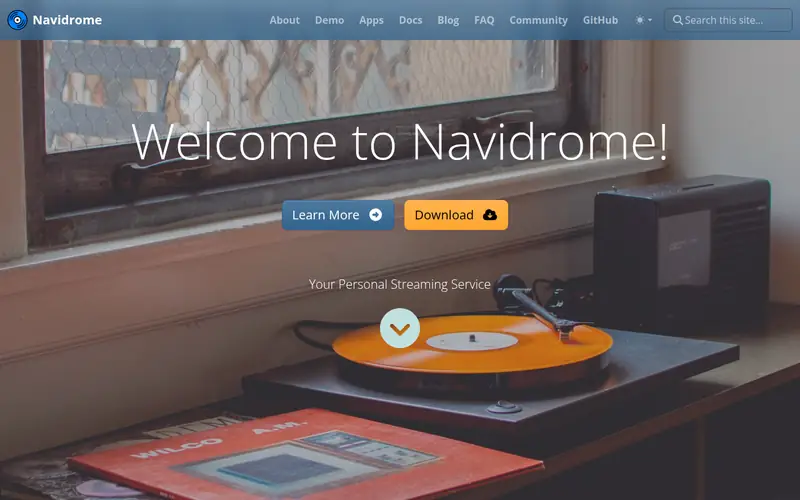
Navidrome is an open-source music server written in Go. It scans your library, reads tags, and serves your collection through a web interface and the Subsonic API. Because it implements that API, a wide range of third-party mobile and desktop players can connect to it. The project publishes a single binary plus Docker images, which keeps installation simple.
It is designed around music only, so it does not try to be a full media center. That focus is the main appeal: the resource footprint is small, and the web UI stays responsive on modest hardware such as a small home server or NAS. The documentation covers configuration, transcoding and reverse-proxy setups.
The main catch is scope. If you want one server for films, TV and photos as well as music, Navidrome is not that tool. It also relies on external clients for the best mobile experience, since the built-in web player is intentionally basic.
Where the price comes from
$0 (open-source, self-hosted), as listed by the vendor (Navidrome website). Confirm the current plan price before you buy.
Benefits
- Light on CPU and memory
- speaks the Subsonic API so many clients work
- single binary and Docker images
Drawbacks
- No built-in video or photo library
- feature set is focused rather than broad
Use case to skip: this limit matters to you: no built-in video or photo library.
Our take. A sensible pick for fast, low-resource streaming with Subsonic clients.
If it does not fit, compare Jellyfin or Plex Media Server in this list.
- Best for
- A single free server for music, video and live TV
- Standout
- Covers music, video, photos and live TV
- Starting price
- $0 (open-source, self-hosted)
- Free plan or trial
- Free and open source
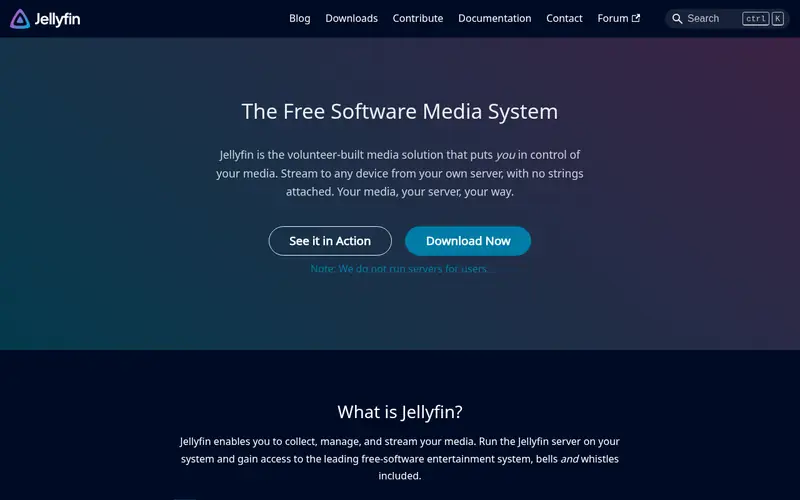
Jellyfin is a free, open-source media server with no premium tier and no account requirement. It handles music alongside films, TV, photos and live TV, and the project publishes client apps for many platforms. Music libraries get metadata, cover art and playback through the web UI and those clients.
Because it does everything, Jellyfin needs more resources than a music-only server. The trade-off is convenience: one install, one library structure, one set of users and permissions. For households that already want a video server, adding music costs nothing extra.
The catch is depth. Music-specific features such as advanced tag handling or Subsonic client support are not the project's focus, so users with very large or carefully curated libraries may find a dedicated music server a better fit. Check the documentation for current client and format support before committing.
Where the price comes from
$0 (open-source, self-hosted), as listed by the vendor (Jellyfin website). Confirm the current plan price before you buy.
Benefits
- Covers music, video, photos and live TV
- no paid tier or account required
- broad client app lineup
Drawbacks
- Heavier than a music-only server
- music features are less deep than dedicated tools
Use case to skip: this limit matters to you: heavier than a music-only server.
Our take. A sensible pick for A single free server for music, video and live TV.
If it does not fit, compare Navidrome or Plex Media Server in this list.
- Best for
- Polished apps and Plexamp music playback
- Standout
- Mature apps across many platforms
- Starting price
- $0 (Plex Pass optional, see vendor site)
- Free plan or trial
- Free plan
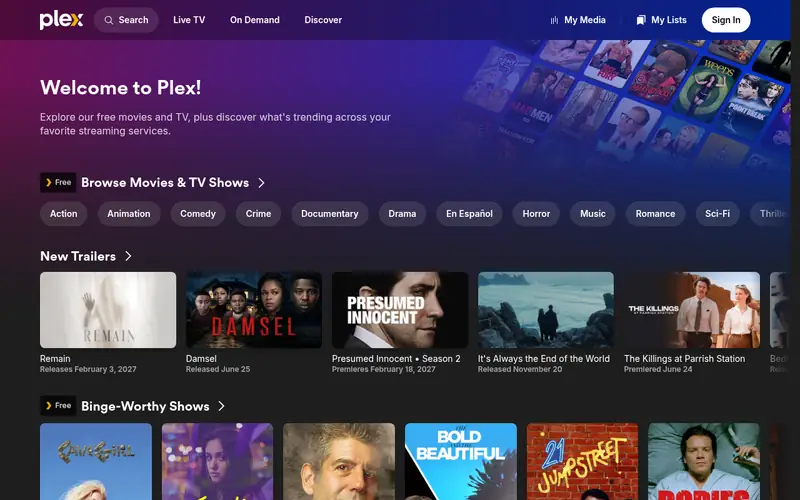
Plex Media Server is a proprietary media server that organizes music, films, TV and photos. Its music side is supported by Plexamp, a dedicated player app for desktop and mobile. Setup is guided, and the server handles metadata matching and artwork automatically for most libraries.
The software is free to install and use for basic streaming. Some capabilities sit behind Plex Pass, the vendor's paid subscription, so check the current feature list and price on the Plex site before you plan around them. The platform is closed source and account-based, which matters if you want full local control.
Plex suits people who value app polish and a familiar interface over open-source licensing. The main catch is that you depend on a commercial vendor for updates, account handling and feature decisions. Users who want no accounts and no paid tiers usually prefer Jellyfin or Navidrome.
Where the price comes from
$0 (Plex Pass optional, see vendor site), as listed by the vendor (Plex Media Server website). Confirm the current plan price before you buy.
Benefits
- Mature apps across many platforms
- Plexamp is a dedicated music player
- strong metadata handling
Drawbacks
- Proprietary platform
- some features require a paid Plex Pass
Use case to skip: this limit matters to you: proprietary platform.
Our take. A sensible pick for polished apps and Plexamp music playback.
If it does not fit, compare Navidrome or Jellyfin in this list.
- Best for
- A maintained Subsonic-style server with a web UI
- Standout
- Subsonic API compatibility
- Starting price
- $0 (open-source, self-hosted)
- Free plan or trial
- Free and open source
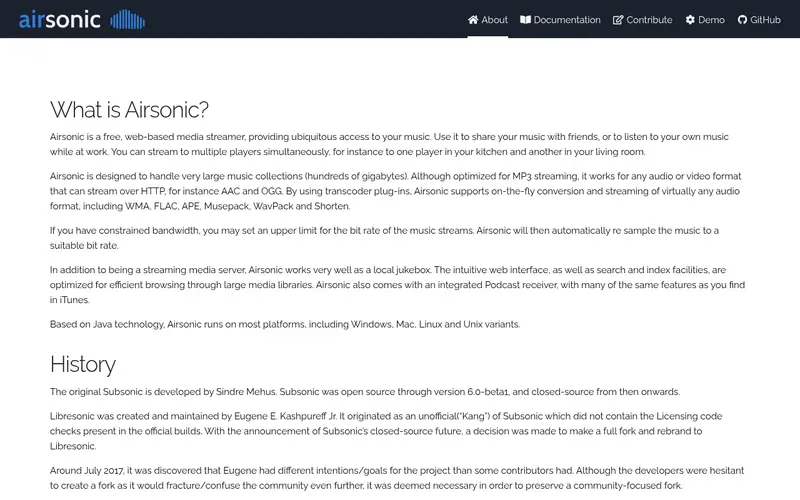
Airsonic-Advanced is a community fork of Airsonic, itself a fork of the long-running Subsonic project. It keeps the Subsonic API, so existing Subsonic-compatible clients can connect. It offers a web interface, library scanning, playlists and transcoding options.
Because it runs on the Java platform, it works on Windows, macOS and Linux, and the project provides installation guidance and Docker options. That cross-platform reach is useful if your server is not a Linux box. The project documentation covers configuration and upgrade steps.
The catch is weight and complexity. A Java runtime adds memory overhead compared with a small Go binary, and initial setup asks more of the administrator. It suits users who want Subsonic-style behavior with ongoing maintenance, and who are comfortable reading documentation.
Where the price comes from
$0 (open-source, self-hosted), as listed by the vendor (Airsonic-Advanced website). Confirm the current plan price before you buy.
Benefits
- Subsonic API compatibility
- active fork of the original Airsonic
- Java-based and cross-platform
Drawbacks
- Java runtime adds overhead
- setup is more involved than a single binary
Use case to skip: this limit matters to you: java runtime adds overhead.
Our take. A sensible pick for A maintained Subsonic-style server with a web UI.
If it does not fit, compare Navidrome or Jellyfin in this list.
- Best for
- Web-based catalog with several access APIs
- Standout
- Web player plus multiple API options
- Starting price
- $0 (open-source, self-hosted)
- Free plan or trial
- Free and open source
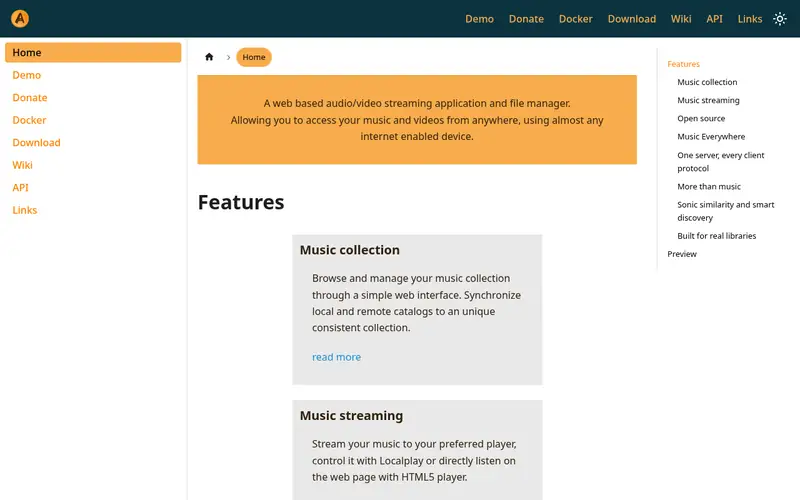
Ampache is an open-source web-based audio and video streaming application written in PHP. It runs on a standard web stack with a database, and it provides a browser player plus API access for compatible clients. It has been developed for many years and has an established user community.
It suits users who already run a web server and want a catalog they can browse and stream from a browser. The project documentation covers installation, catalog management and API use. Because it uses a common web stack, it can share infrastructure with other self-hosted services.
The catch is maintenance. You manage PHP, a database and the web server alongside Ampache itself, and updates need care. The interface is functional rather than sleek. For users comfortable with a LAMP-style stack, it is a capable and flexible option.
Where the price comes from
$0 (open-source, self-hosted), as listed by the vendor (Ampache website). Confirm the current plan price before you buy.
Benefits
- Web player plus multiple API options
- supports large catalogs
- long-running project with documentation
Drawbacks
- PHP and database stack to maintain
- interface feels more utilitarian than polished
Use case to skip: this limit matters to you: PHP and database stack to maintain.
Our take. A sensible pick for web-based catalog with several access APIs.
If it does not fit, compare Navidrome or Jellyfin in this list.
- Best for
- Federated music hosting with a community angle
- Standout
- Federation lets instances share public content
- Starting price
- $0 (open-source, self-hosted)
- Free plan or trial
- Free and open source
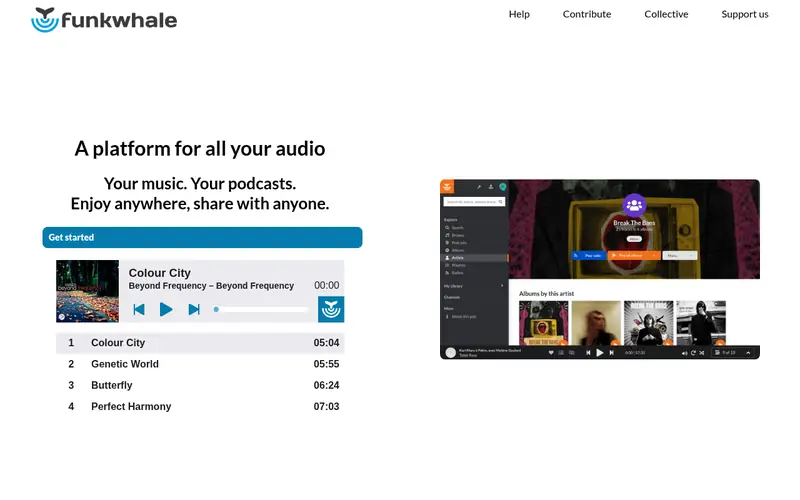
Funkwhale is an open-source, federated music platform. You run your own instance, upload or index your music, and can follow other instances to discover public content. It also handles podcasts. The project publishes documentation for Docker-based deployment and administration.
It suits people who want a social, discoverable layer on top of personal hosting, or who want to publish their own work under a federated model. The web interface is modern and the project is actively documented.
The catch is complexity. A Funkwhale instance involves several services, and federation brings its own concepts and moderation questions. For a private library with no interest in sharing, a simpler server such as Navidrome is easier to run and maintain.
Where the price comes from
$0 (open-source, self-hosted), as listed by the vendor (Funkwhale website). Confirm the current plan price before you buy.
Benefits
- Federation lets instances share public content
- modern web interface
- podcast support
Drawbacks
- Heavier stack to run
- federation adds concepts to learn
Use case to skip: this limit matters to you: heavier stack to run.
Our take. A sensible pick for federated music hosting with a community angle.
If it does not fit, compare Navidrome or Jellyfin in this list.
What to look for
Start with protocol and client support. If you already use a mobile player you like, check whether it speaks the Subsonic API or another API the server supports. Navidrome and Airsonic-Advanced both implement Subsonic, which opens up a large pool of third-party apps. Jellyfin and Plex have their own first-party clients, which can be simpler but tie you to that ecosystem.
Next, match the server to your hardware and your library size. A music-only server in Go or a small binary will run on modest hardware, while a Java or PHP stack with a database needs more memory and maintenance. Consider whether you want one server for music, video and photos, or separate services that each do one job well.
Finally, weigh licensing and control. Open-source projects give you the code and no account requirement, but you handle updates and support yourself. A proprietary platform offers polished apps and guided setup, at the cost of depending on a vendor and, in some cases, a paid tier. Check the vendor's current documentation and pricing pages before you commit, and confirm that your chosen clients and file formats are supported.
Questions worth answering first
Buying checklist
- Confirm the server supports the API your preferred mobile or desktop player uses.
- Check the documented minimum hardware and memory for your library size.
- Verify your audio formats are supported, including any transcoding you need.
- Decide whether you want music only or one server for music, video and photos.
- Read the installation and upgrade documentation for your operating system.
- For proprietary options, confirm which features need a paid tier and its current price.
FAQ
Is self-hosted music server software free?
Most options here are free and open source, including Navidrome, Jellyfin, Airsonic-Advanced, Ampache and Funkwhale. Plex Media Server is free to install, but some features require a paid Plex Pass. Check the vendor's current pricing page for details.
Which server works with Subsonic-compatible apps?
Navidrome and Airsonic-Advanced both implement the Subsonic API, so Subsonic-compatible clients can connect to them. This gives you a wide choice of third-party players. Confirm support for your specific app in the project documentation before you install.
Can I run a music server on a NAS or small PC?
Yes, provided the server's documented requirements fit your device. Lightweight options such as Navidrome are designed for modest hardware. Java- and PHP-based servers need more memory. Check the project's installation docs and any Docker guidance for your platform.
Do I need a separate app to listen on my phone?
It depends on the server. Navidrome and Airsonic-Advanced rely on third-party Subsonic-compatible apps for the best mobile experience. Jellyfin and Plex publish their own client apps. Check the project's client list before choosing.
What is the difference between Jellyfin and Navidrome?
Jellyfin is a full media server covering music, video, photos and live TV. Navidrome focuses on music only and is lighter to run. Choose Jellyfin if you want one server for everything, and Navidrome if you want a small, fast music service.
Is Funkwhale a good choice for a private library?
Funkwhale can host a private library, but its federation features add complexity you may not need. For a purely personal collection with no sharing, a simpler server such as Navidrome or Jellyfin is easier to set up and maintain.
Sources we checked
Change log: First published 21 Nov 2026.