6 Best Self-Hosted Photo Management Software in 2026
Immich is the top pick for most people running a NAS or home server. It offers mobile backup, face recognition, and a modern web interface, and it is free and open source. Choose PhotoPrism if you want a mature, AI-assisted library with a long track record. Choose Synology Photos if you already own a Synology NAS and want the simplest setup.
 By Shihab Mia · Published 21 Nov 2026
We run no ads and no affiliate links at launch. The order of a list follows our published method. How lists are ordered: how we score.
Prices are the starting prices vendors list publicly. Plans change, so confirm the current price on the vendor page before you buy.
Key takeaways
- Immich and PhotoPrism are free and open source, so you pay only for hardware and storage.
- Synology Photos is free but requires a Synology NAS; it is not sold as standalone software.
- Plex Photos and Photo Structure are paid or tiered options with different feature sets.
- LibrePhotos is free and open source but needs more manual setup than the others.
- Check mobile app support and backup behavior before committing to any tool.
Side-by-side
Grouped by fit and cost. Tap a product to jump to its full entry.
| Fit | Cost | |||
|---|---|---|---|---|
| Product | Best for | Standout feature | Listed starting price | Free plan or trial |
| 1Immich | Fast mobile backup with a modern interface | Active development | Free (open source, self-hosted) | Free and open source |
| 2PhotoPrism | AI-assisted browsing of large libraries | Mature project with extensive documentation | Free (open source edition) | Free and open source |
| 3Synology Photos | Simple setup on a Synology NAS | Tight integration with Synology DSM | Free with Synology NAS (Check current retail price) | Free plan |
| 4Plex Photos | Households already running a Plex server | Reuses an existing Plex setup | See vendor site | Free plan |
| 5LibrePhotos | Tinkerers who want full control | Open source with no license fees | Free (open source, self-hosted) | Free and open source |
| 6Photo Structure | Automatic organization of messy libraries | Focuses on automatic organization and deduplication | See vendor site | Free trial |
How we picked
We compared these tools using vendor documentation, official project pages, published pricing, and feature lists. We checked each project's stated platform support, mobile app availability, and licensing model. We did not run hands-on lab tests. Prices and features change often, so confirm details on the official site before you commit.
The 6 picks in detail
- Best for
- Fast mobile backup with a modern interface
- Standout
- Active development
- Starting price
- Free (open source, self-hosted)
- Free plan or trial
- Free and open source
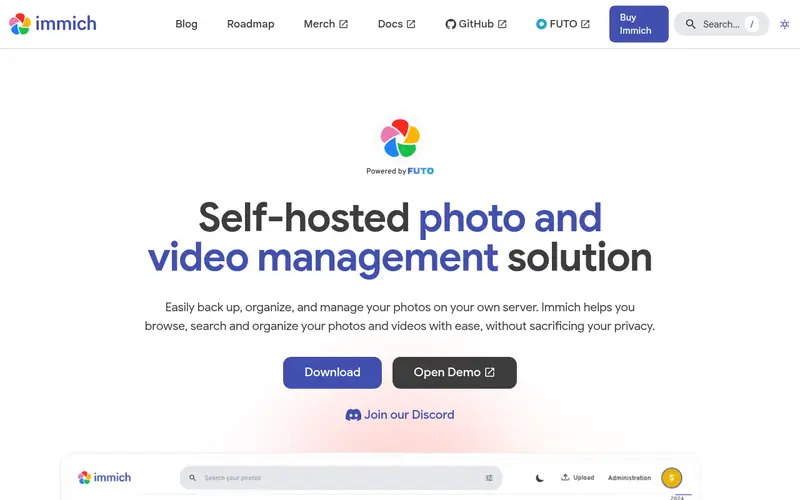
Immich is an open-source, self-hosted photo and video backup tool. It runs in Docker on a NAS or home server and provides a web interface plus mobile apps. The project lists automatic background backup, timeline browsing, albums, sharing, and machine-learning features such as face recognition and search.
It suits users who want a Google Photos-style experience on their own hardware. The main catch is the project's rapid release cycle. The team states that breaking changes can occur between versions, so read the release notes before upgrading. Check the official documentation for current server requirements.
Where the price comes from
Free (open source, self-hosted), as listed by the vendor (Immich website). Confirm the current plan price before you buy.
Benefits
- Active development
- strong mobile apps for iOS and Android
- face and object recognition built in
Drawbacks
- Fast release pace can bring breaking changes
- still labeled as under heavy development by the project
Use case to skip: this limit matters to you: fast release pace can bring breaking changes.
Our take. A sensible pick for fast mobile backup with a modern interface.
If it does not fit, compare PhotoPrism or Synology Photos in this list.
- Best for
- AI-assisted browsing of large libraries
- Standout
- Mature project with extensive documentation
- Starting price
- Free (open source edition)
- Free plan or trial
- Free and open source
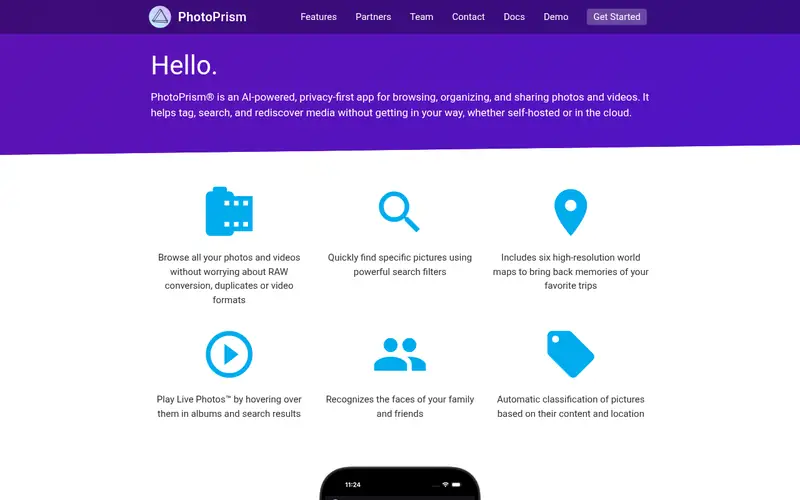
PhotoPrism is an open-source photo app for browsing, organizing, and sharing collections. It uses machine learning for classification, and the vendor lists features such as face recognition, location data, and powerful search filters. It runs in Docker and supports common NAS platforms.
The project offers a free community edition and paid editions with extra features. It suits users with large existing libraries who want strong search. The catch is that the free edition does not include everything, so review the edition comparison on the vendor site before you commit.
Where the price comes from
Free (open source edition), as listed by the vendor (PhotoPrism website). Confirm the current plan price before you buy.
Benefits
- Mature project with extensive documentation
- strong search and tagging
- runs on modest hardware
Drawbacks
- Some features are reserved for paid editions
- interface can feel dense for new users
Use case to skip: this limit matters to you: some features are reserved for paid editions.
Our take. A sensible pick for AI-assisted browsing of large libraries.
If it does not fit, compare Immich or Synology Photos in this list.
- Best for
- Simple setup on a Synology NAS
- Standout
- Tight integration with Synology DSM
- Starting price
- Free with Synology NAS (Check current retail price)
- Free plan or trial
- Free plan
Synology Photos is the photo management package built into Synology's DiskStation Manager. It provides timeline browsing, albums, sharing, and face recognition, and it works with Synology's mobile apps. Because it runs on the NAS itself, setup is simpler than a Docker deployment.
It suits people who already own a compatible Synology NAS and want a supported, low-maintenance option. The main catch is hardware lock-in: it is not available as standalone software for other servers. Check the Synology site for model compatibility and current DSM requirements.
Where the price comes from
Free with Synology NAS (Check current retail price), as listed by the vendor (Synology Photos website). Confirm the current plan price before you buy.
Benefits
- Tight integration with Synology DSM
- mobile apps included
- no separate server to maintain
Drawbacks
- Requires Synology hardware
- fewer third-party integrations than open-source tools
Use case to skip: this limit matters to you: requires Synology hardware.
Our take. A sensible pick for simple setup on a Synology NAS.
If it does not fit, compare Immich or PhotoPrism in this list.

- Best for
- Households already running a Plex server
- Standout
- Reuses an existing Plex setup
- Starting price
- See vendor site
- Free plan or trial
- Free plan
Plex Photos is part of the Plex media server ecosystem. If you already run Plex, you can add photo libraries and browse them through Plex apps on TVs, phones, and computers. This avoids running a second server for photos.
It suits households that already use Plex for video and music and want photos in the same place. The catch is depth: dedicated photo tools offer stronger organization and search. Some features require a Plex Pass subscription. See the vendor site for current pricing and feature details.
Where the price comes from
See vendor site, as listed by the vendor (Plex Photos website). Confirm the current plan price before you buy.
Benefits
- Reuses an existing Plex setup
- familiar interface for Plex users
- apps across many devices
Drawbacks
- Photo features are less deep than dedicated tools
- some capabilities depend on Plex Pass
Use case to skip: this limit matters to you: photo features are less deep than dedicated tools.
Our take. A sensible pick for households already running a Plex server.
If it does not fit, compare Immich or PhotoPrism in this list.
- Best for
- Tinkerers who want full control
- Standout
- Open source with no license fees
- Starting price
- Free (open source, self-hosted)
- Free plan or trial
- Free and open source
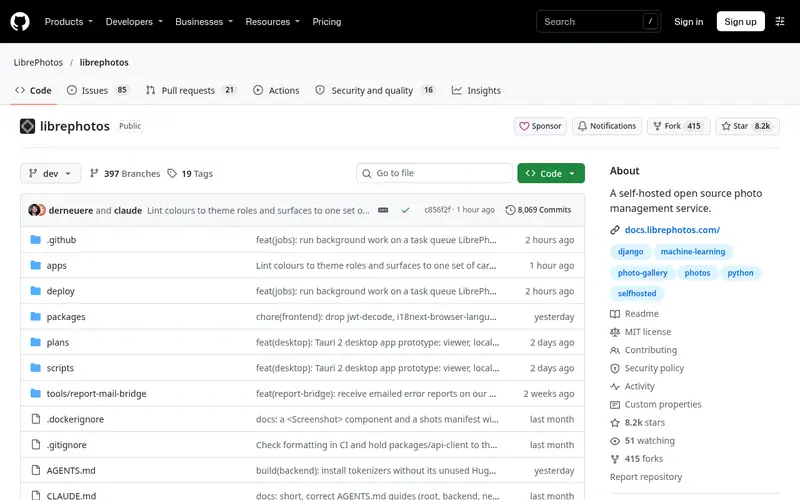
LibrePhotos is a self-hosted photo manager focused on privacy and control. The project lists features such as face recognition, semantic search, and album management. It runs via Docker and stores everything on your own hardware.
It suits users comfortable with Docker and configuration files who want an open, hackable tool. The catch is that setup and maintenance take more effort than NAS-native apps, and the community is smaller, so troubleshooting may take longer. Check the project documentation for current installation steps.
Where the price comes from
Free (open source, self-hosted), as listed by the vendor (LibrePhotos website). Confirm the current plan price before you buy.
Benefits
- Open source with no license fees
- face and scene recognition
- self-hosted with no cloud dependency
Drawbacks
- Setup is more manual
- smaller community than larger projects
Use case to skip: this limit matters to you: setup is more manual.
Our take. A sensible pick for tinkerers who want full control.
If it does not fit, compare Immich or PhotoPrism in this list.
- Best for
- Automatic organization of messy libraries
- Standout
- Focuses on automatic organization and deduplication
- Starting price
- See vendor site
- Free plan or trial
- Free trial
Photo Structure is commercial software for organizing photo libraries. It emphasizes automatic sorting, duplicate detection, and a consistent folder structure. It runs on common NAS platforms and desktop systems.
It suits users with years of unsorted photos who want the software to impose order. The catch is that it is paid software, and sharing and mobile features are less developed than in tools like Immich. See the vendor site for current pricing and platform support.
Where the price comes from
See vendor site, as listed by the vendor (Photo Structure website). Confirm the current plan price before you buy.
Benefits
- Focuses on automatic organization and deduplication
- runs on NAS and desktop
- handles large libraries
Drawbacks
- Commercial license
- smaller feature set for sharing than some rivals
Use case to skip: this limit matters to you: commercial license.
Our take. A sensible pick for automatic organization of messy libraries.
If it does not fit, compare Immich or PhotoPrism in this list.
What to look for
Start with how you take photos. If most of your library comes from a phone, mobile backup quality matters most. Check that the app supports background upload, handles large video files, and can resume interrupted transfers. A tool with a weak mobile app will fail in daily use, no matter how good the web interface looks.
Next, check hardware requirements. Machine-learning features such as face recognition need CPU time and RAM. Some projects publish minimum requirements; others leave it to the community. On a low-power NAS, expect slower indexing and consider whether the tool supports hardware acceleration.
Then look at storage and file handling. Decide whether you want the software to manage files in place or move them into its own structure. Tools that keep your original folder layout make migration easier if you switch later. Confirm how the tool stores metadata and whether it writes tags back to files.
Finally, review licensing and support. Open-source tools are free but rely on community support. Commercial tools charge a fee but may offer documentation and updates. Match the model to your comfort with maintenance.
Questions worth answering first
Buying checklist
- Confirm the software runs on your NAS model or server platform, including Docker support.
- Check that a mobile app exists for your phone and supports background backup.
- Verify how the tool stores files and whether it preserves your existing folder structure.
- Review the license terms and whether paid tiers are needed for the features you want.
- Estimate storage needs and confirm the tool handles your library size.
- Read the release notes or changelog to judge update stability.
FAQ
Is self-hosted photo software free?
Many options are free and open source, including Immich, PhotoPrism, and LibrePhotos. You still pay for hardware, storage, and electricity. Commercial tools such as Photo Structure charge a license fee. Synology Photos is free but requires a Synology NAS.
Can I run these tools on any NAS?
Not always. Docker support varies by NAS model and vendor. Synology Photos only runs on Synology hardware. Open-source tools generally need a NAS that supports Docker containers. Check your model's documentation before installing.
Do these tools support face recognition?
Immich, PhotoPrism, and LibrePhotos list face recognition among their features. Synology Photos also includes face recognition. Accuracy and speed depend on your hardware. Machine-learning features need more CPU and RAM than basic browsing.
Will I lose my photos if I switch tools?
Your risk depends on how the tool stores files. Tools that keep originals in your folder structure are easier to migrate. Always keep an independent backup of your library before installing or switching software.
Do I need a powerful server?
Basic browsing and backup run on modest hardware. Face recognition and search indexing benefit from more CPU and RAM. Low-power NAS devices can work but may index slowly. Check each project's documentation for guidance.
Can I access my photos remotely?
Most tools offer remote access through a web interface or mobile app, often via a VPN or reverse proxy. Some projects offer their own relay or sharing features. Review the security documentation before exposing any server to the internet.
Sources we checked
Change log: First published 21 Nov 2026.