7 Best Smart Home Hubs for Local Control in 2026
Home Assistant Green is the top pick for most buyers who want local control, because it runs automations on the device and works with a very wide range of brands. Choose Homey Pro if you want broad radio support in one box with a polished app. Choose Hubitat Elevation if you want a low-cost local hub with strong rule-building tools and no cloud dependency.
 By Shihab Mia · Published 21 Nov 2026
We run no ads and no affiliate links at launch. The order of a list follows our published method. How lists are ordered: how we score.
Prices are the starting prices vendors list publicly. Plans change, so confirm the current price on the vendor page before you buy.
Key takeaways
- Home Assistant Green lists at about $99 and runs the free, open-source Home Assistant software on your own network.
- Homey Pro costs more but bundles Zigbee, Z-Wave, Thread, Bluetooth and Wi-Fi radios in one unit.
- Hubitat Elevation hubs are among the cheapest local-first options and keep automations on the hub.
- Apple Home requires a HomePod or Apple TV as the home hub; there is no separate Apple hub box.
- Most of these hubs work without a subscription, though some brands sell optional cloud services.
Side-by-side
Grouped by fit and cost. Tap a product to jump to its full entry.
| Fit | Cost | |||
|---|---|---|---|---|
| Product | Best for | Standout feature | Listed starting price | Free plan or trial |
| 1Home Assistant Green | Broad brand support on a budget | Runs free open-source Home Assistant locally | $99 (hub only, software free) | One-time hardware purchase |
| 2Homey Pro | All-in-one radio coverage | Multiple radios in one unit | See vendor site (hub with multiple radios) | One-time hardware purchase |
| 3Hubitat Elevation C-8 Pro | Cheap local automation | Automations run locally on the hub | See vendor site (hub only) | One-time hardware purchase |
| 4Apple HomePod mini | Apple-only households | Acts as an Apple Home hub | $99 (list, hub and speaker) | One-time hardware purchase |
| 5Apple TV 4K (3rd generation) | Apple homes wanting a TV box hub | Doubles as a streaming box and home hub | $129 (list, 64GB model) | One-time hardware purchase |
| 6Aeotec Smart Home Hub | Samsung SmartThings users | Works with the SmartThings app | See vendor site (hub only) | One-time hardware purchase |
| 7Home Assistant Yellow | Tinkerers who want built-in radios | Built-in Zigbee and Thread radio option | See vendor site (kit or board) | One-time hardware purchase |
How we picked
This guide is based on research, not lab testing. We read vendor product pages, specification sheets and official documentation for each hub, and checked published list prices where the manufacturer states them. We compared radio support, where automations run, ecosystem breadth and setup demands. Where a figure was not confirmed on the vendor site, we described it qualitatively instead of guessing. Prices change, so confirm current retail pricing before buying.
The 7 picks in detail
- Best for
- Broad brand support on a budget
- Standout
- Runs free open-source Home Assistant locally
- Starting price
- $99 (hub only, software free)
- Free plan or trial
- One-time hardware purchase
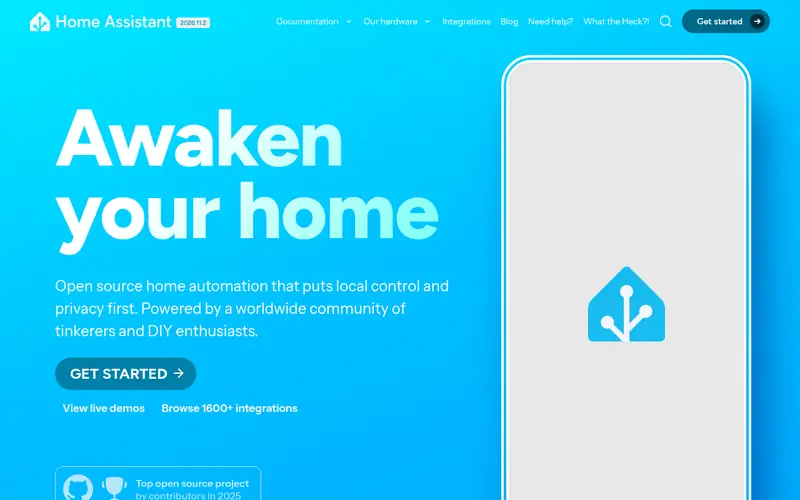
Home Assistant Green is a small dedicated box from the Home Assistant project that ships with the Home Assistant operating system preinstalled. Automations run on the device on your local network, so routines keep working when the internet is down. The software is free and open source, and the project documents thousands of integrations for lights, sensors, media players and more.
The catch is radios. Green has no Zigbee or Z-Wave built in, so you add a USB coordinator or use network-based devices. Setup is guided but assumes you are comfortable with a dashboard-style interface and occasional configuration. It suits buyers who want one local brain across mixed brands and do not mind a learning curve.
Where the price comes from
$99 (hub only, software free). Hardware prices move often, so check the Home Assistant Green maker page or a retailer before you buy.
Benefits
- Runs free open-source Home Assistant locally
- very wide integration library
- low entry price
Drawbacks
- No built-in Zigbee or Z-Wave radios
- setup assumes some technical comfort
Use case to skip: this limit matters to you: no built-in Zigbee or Z-Wave radios.
Our take. A sensible pick for broad brand support on a budget.
If it does not fit, compare Homey Pro or Hubitat Elevation C-8 Pro in this list.
- Best for
- All-in-one radio coverage
- Standout
- Multiple radios in one unit
- Starting price
- See vendor site (hub with multiple radios)
- Free plan or trial
- One-time hardware purchase
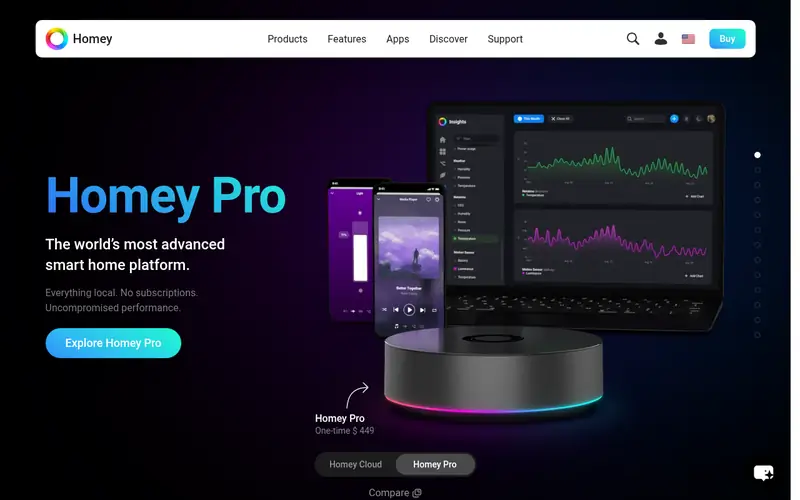
Homey Pro is a premium hub from Athom that packs several wireless radios into a single unit, including Zigbee, Z-Wave, Thread, Bluetooth and Wi-Fi, according to the vendor's product page. That means many devices pair directly without extra dongles. Flows, the vendor's automation builder, run on the hub for local control.
It suits households that want one box and a friendly app rather than a DIY server. The main catch is cost: it is priced well above Home Assistant Green and Hubitat. Check the vendor site for the current price and the exact radio list, since the company has revised the hardware across generations.
Where the price comes from
See vendor site (hub with multiple radios). Hardware prices move often, so check the Homey Pro maker page or a retailer before you buy.
Benefits
- Multiple radios in one unit
- polished mobile app
- large device library
Drawbacks
- Higher price than DIY options
- some features tie into vendor services
Use case to skip: this limit matters to you: higher price than DIY options.
Our take. A sensible pick for all-in-one radio coverage.
If it does not fit, compare Home Assistant Green or Hubitat Elevation C-8 Pro in this list.
- Best for
- Cheap local automation
- Standout
- Automations run locally on the hub
- Starting price
- See vendor site (hub only)
- Free plan or trial
- One-time hardware purchase
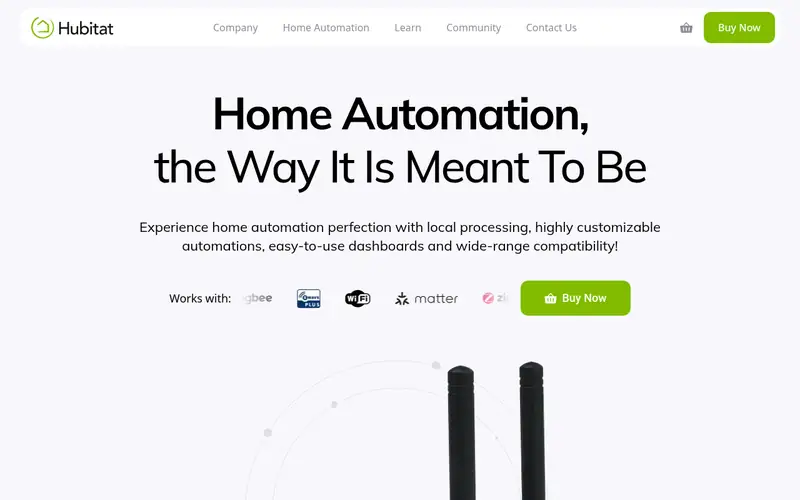
Hubitat Elevation hubs are built around local processing: rules and device control run on the hub rather than in a cloud service. The C-8 Pro model includes Zigbee and Z-Wave radios and an external antenna design for better range, per the vendor's specifications. The Rule Machine engine is powerful for conditional automations.
It suits buyers who want dependable local routines at a modest price and are willing to learn a denser interface. The trade-off is ecosystem breadth: Home Assistant has a larger community integration library, while Hubitat focuses on supported device types. Check the vendor site for the current model price.
Where the price comes from
See vendor site (hub only). Hardware prices move often, so check the Hubitat Elevation C-8 Pro maker page or a retailer before you buy.
Benefits
- Automations run locally on the hub
- built-in Zigbee and Z-Wave
- strong rule engine
Drawbacks
- Interface less polished than rivals
- smaller integration catalogue than Home Assistant
Use case to skip: this limit matters to you: interface less polished than rivals.
Our take. A sensible pick for cheap local automation.
If it does not fit, compare Home Assistant Green or Homey Pro in this list.
- Best for
- Apple-only households
- Standout
- Acts as an Apple Home hub
- Starting price
- $99 (list, hub and speaker)
- Free plan or trial
- One-time hardware purchase
The HomePod mini is Apple's small smart speaker, and it can serve as a home hub for Apple Home when signed in with your Apple account. Automations then run through the hub, and the Home app handles scenes and accessories. It also works as a speaker and Siri device.
The catch is ecosystem lock-in. Apple Home works with HomeKit and Matter accessories, and advanced automations are easiest inside Apple's own app. If your devices are mostly non-Apple, a hub with broader radios makes more sense. Apple lists the HomePod mini at $99.
Where the price comes from
$99 (list, hub and speaker). Hardware prices move often, so check the Apple HomePod mini maker page or a retailer before you buy.
Benefits
- Acts as an Apple Home hub
- doubles as a speaker
- simple setup in the Home app
Drawbacks
- Works best only with HomeKit-compatible devices
- limited cross-brand flexibility
Use case to skip: this limit matters to you: works best only with HomeKit-compatible devices.
Our take. A sensible pick for apple-only households.
If it does not fit, compare Home Assistant Green or Homey Pro in this list.
- Best for
- Apple homes wanting a TV box hub
- Standout
- Doubles as a streaming box and home hub
- Starting price
- $129 (list, 64GB model)
- Free plan or trial
- One-time hardware purchase
The Apple TV 4K can act as a home hub for Apple Home, so households already using one for streaming get local automation support without another box. Apple lists the 64GB model at $129 and a higher-capacity version with Ethernet at a higher price. The device supports Thread, which helps with Matter accessories.
It suits Apple users who want one device for TV and home control. The catch is the same as the HomePod mini: it is an Apple Home hub, not a cross-platform controller. Buyers with mixed-brand devices should weigh a dedicated multi-radio hub first.
Where the price comes from
$129 (list, 64GB model). Hardware prices move often, so check the Apple TV 4K (3rd generation) maker page or a retailer before you buy.
Benefits
- Doubles as a streaming box and home hub
- supports Thread
- wired Ethernet on higher model
Drawbacks
- Hub role is secondary to streaming
- Apple Home ecosystem only
Use case to skip: this limit matters to you: hub role is secondary to streaming.
Our take. A sensible pick for apple homes wanting a TV box hub.
If it does not fit, compare Home Assistant Green or Homey Pro in this list.
- Best for
- Samsung SmartThings users
- Standout
- Works with the SmartThings app
- Starting price
- See vendor site (hub only)
- Free plan or trial
- One-time hardware purchase
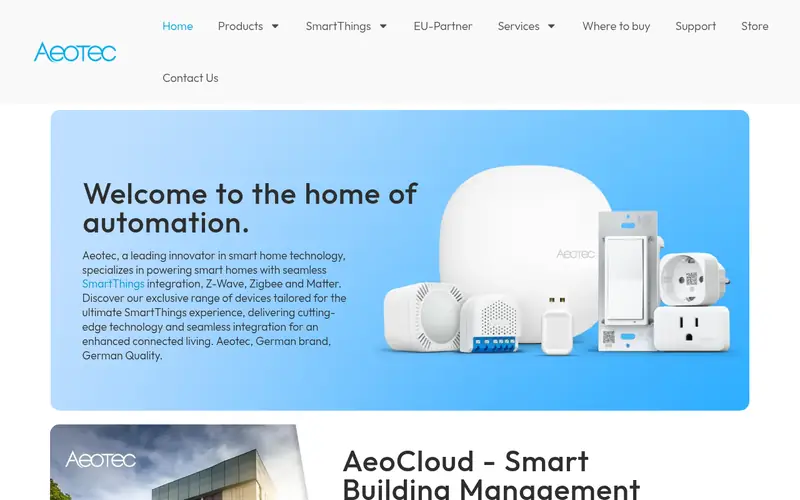
The Aeotec Smart Home Hub is the hardware that runs Samsung SmartThings in the home. It includes Zigbee and Z-Wave radios and pairs with the SmartThings app for scenes and automations. Aeotec manufactures the unit under the SmartThings brand arrangement.
It suits people already invested in SmartThings who want a supported hub box. The main catch is that local execution depends on device type and app version; some automations still rely on the cloud. Check the vendor site for current pricing and the local-control details for your specific devices.
Where the price comes from
See vendor site (hub only). Hardware prices move often, so check the Aeotec Smart Home Hub maker page or a retailer before you buy.
Benefits
- Works with the SmartThings app
- built-in Zigbee and Z-Wave
- supports local routines for some devices
Drawbacks
- Some features depend on Samsung's cloud
- local support varies by device type
Use case to skip: this limit matters to you: some features depend on Samsung's cloud.
Our take. A sensible pick for samsung SmartThings users.
If it does not fit, compare Home Assistant Green or Homey Pro in this list.
- Best for
- Tinkerers who want built-in radios
- Standout
- Built-in Zigbee and Thread radio option
- Starting price
- See vendor site (kit or board)
- Free plan or trial
- One-time hardware purchase
Home Assistant Yellow is a more capable Home Assistant hub built around a Raspberry Pi Compute Module. Depending on the kit, it includes a Zigbee and Thread radio and support for added storage, per the project's documentation. It runs the same free Home Assistant software as Green, so automations stay local.
It suits users who want built-in radios and more headroom than Green without building a server from scratch. The catch is price and complexity: it costs more, and some kits require you to supply your own parts. Check the project site for current kit options and pricing.
Where the price comes from
See vendor site (kit or board). Hardware prices move often, so check the Home Assistant Yellow maker page or a retailer before you buy.
Benefits
- Built-in Zigbee and Thread radio option
- runs Home Assistant locally
- expandable storage
Drawbacks
- Higher cost than Green
- assembly and setup vary by kit
Use case to skip: this limit matters to you: higher cost than Green.
Our take. A sensible pick for tinkerers who want built-in radios.
If it does not fit, compare Home Assistant Green or Homey Pro in this list.
What specs matter when you buy
Start with radios. Zigbee and Z-Wave are the two common low-power mesh standards, and Thread is growing because it underpins Matter. A hub with the radios you need saves dongles and setup time. If your devices are Wi-Fi only, a hub without radios can still work, but check that the platform supports those brands.
Next, ask where automations run. Local control means rules execute on the hub, so routines keep working when the internet drops. Vendor pages usually state whether automations are local or cloud-dependent, and support varies by device type even on the same hub. Read the documentation for your specific sensors and locks before buying.
Finally, weigh ecosystem and effort. Home Assistant has the widest integration library but expects more configuration. Homey Pro and Hubitat aim for simpler setup with fewer moving parts. Apple Home is the easiest if you own Apple devices, but it is the least flexible across brands. Match the hub to your patience level and the devices you already own.
Questions worth answering first
Buying checklist
- List every smart device you own and note whether it uses Zigbee, Z-Wave, Thread, Wi-Fi or Bluetooth.
- Confirm on the vendor page whether automations run locally on the hub or depend on a cloud service.
- Check that the hub supports the specific device types you rely on, such as locks, thermostats or cameras.
- Decide whether you want built-in radios or are willing to add a USB coordinator.
- Confirm the current list price and what is included in the box, such as power supply or cables.
- Read the official setup documentation to judge whether the difficulty matches your comfort level.
FAQ
Do smart home hubs work without the internet?
Many do for basic control. Hubs that run automations locally, such as Home Assistant, Hubitat and Homey, keep routines working when the connection drops. Cloud-dependent features and remote access still need the internet. Check the vendor documentation for your specific devices.
Is Home Assistant Green a good first hub?
It is a strong starting point if you want local control and broad brand support at a low price. The software is free and well documented. The trade-off is that it has no built-in Zigbee or Z-Wave radios, so you may need to add a coordinator.
Do I need a hub if I use Matter devices?
Not always. Matter devices can work with a controller app on your phone or with a hub that supports Matter. A hub still helps for automations that run when your phone is away and for mixing Matter with older Zigbee or Z-Wave gear.
What is the difference between Zigbee, Z-Wave and Thread?
All three are low-power mesh standards for sensors and lights. Zigbee and Z-Wave are older and widely supported. Thread is newer and pairs with Matter. A hub that supports more than one standard gives you more device choices.
Can Apple HomePod mini control non-Apple devices?
Only devices that work with Apple Home, which means HomeKit or Matter accessories. It is not a general cross-brand hub. If most of your devices come from other ecosystems, a multi-radio hub is a better fit.
Are there subscription fees for these hubs?
Most of the hubs here work without a mandatory subscription. Some brands sell optional cloud or advanced services. Home Assistant software is free and open source. Check each vendor's current terms before buying.
Sources we checked
Change log: First published 21 Nov 2026.