6 Best Keyboard and Mouse Sharing Software in 2026
Input Leap is the best pick for most people who want free, open-source keyboard and mouse sharing across Windows, macOS and Linux. It suits users comfortable with a small setup step. For a polished paid app with file drag-and-drop, try Synergy. For a simple two-computer setup with no account, try Mouse Without Borders, which is free from Microsoft.
 By Shihab Mia · Published 21 Nov 2026
We run no ads and no affiliate links at launch. The order of a list follows our published method. How lists are ordered: how we score.
Prices are the starting prices vendors list publicly. Plans change, so confirm the current price on the vendor page before you buy.
Key takeaways
- Input Leap and Deskflow are free and open source; Synergy is a paid product from the same lineage.
- Mouse Without Borders is free but limited to Windows machines on the same network.
- Barrier is a legacy fork of Synergy 1 and is no longer actively maintained.
- Most tools need all computers on the same local network and a shared clipboard setting.
- Paid licenses are usually per-computer, so check seat counts before buying.
Side-by-side
Grouped by fit and cost. Tap a product to jump to its full entry.
| Fit | Cost | |||
|---|---|---|---|---|
| Product | Best for | Standout feature | Listed starting price | Free plan or trial |
| 1Input Leap | Free cross-platform sharing | Free and open source | Free (open source) | Free and open source |
| 2Synergy | Paid polish and file drag-and-drop | Polished installer and GUI | See vendor site (per-computer license) | No free plan |
| 3Mouse Without Borders | Windows-only setups | Free from Microsoft | Free (Microsoft PowerToys) | Free plan |
| 4Deskflow | Open-source development | Free and open source | Free (open source) | Free and open source |
| 5Barrier | Legacy Synergy 1 users | Free and open source | Free (open source) | Free and open source |
| 6ShareMouse | Windows and macOS users wanting a GUI | Graphical setup | See vendor site (per-computer license) | Free plan |
How we picked
We compared these tools by reading vendor pages, project documentation and published pricing. We checked platform support, setup model, clipboard and file-sharing features, licensing and maintenance status. We did not run hands-on lab tests. Figures such as prices and machine limits come from vendor or project sources and can change, so confirm them on the official site before you buy.
The 6 picks in detail
- Best for
- Free cross-platform sharing
- Standout
- Free and open source
- Starting price
- Free (open source)
- Free plan or trial
- Free and open source
Input Leap is a community fork of Barrier, which itself came from Synergy 1. It lets one computer act as the server and others as clients. You arrange screens in a grid so the mouse crosses from one machine to the next. It supports a shared clipboard and works across Windows, macOS and Linux. The project publishes builds and source on its site.
The catch is setup. You configure a server screen layout and start the client on each machine. There is no paid support line, so you rely on community documentation. It suits users who want a free tool and do not mind a manual configuration step.
Where the price comes from
Free (open source), as listed by the vendor (Input Leap website). Confirm the current plan price before you buy.
Benefits
- Free and open source
- runs on Windows, macOS and Linux
- supports shared clipboard
Drawbacks
- Setup requires editing a server config
- no official paid support
Use case to skip: this limit matters to you: setup requires editing a server config.
Our take. A sensible pick for free cross-platform sharing.
If it does not fit, compare Synergy or Mouse Without Borders in this list.
- Best for
- Paid polish and file drag-and-drop
- Standout
- Polished installer and GUI
- Starting price
- See vendor site (per-computer license)
- Free plan or trial
- No free plan
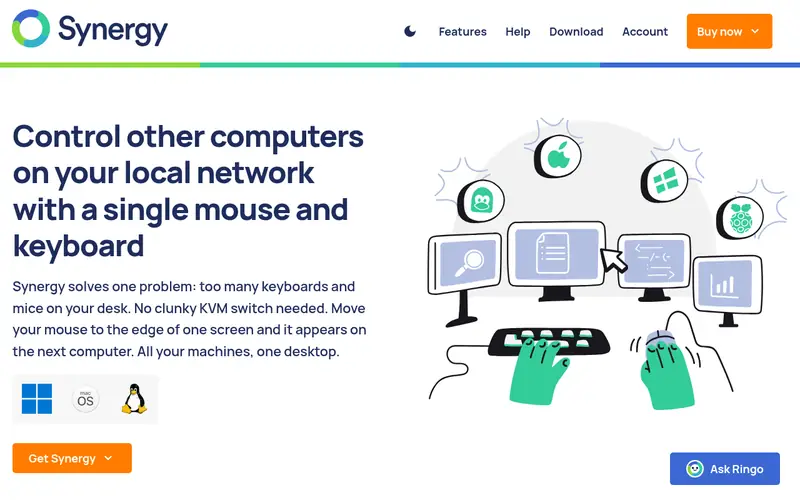
Synergy is the commercial product from Symless and shares lineage with the open-source tools above. It offers a graphical setup, encrypted connections, and file drag-and-drop between computers. It runs on Windows, macOS and Linux. Symless sells licenses per computer, and pricing changes, so check the vendor site for current tiers.
It suits users who want a supported, easy-to-install app and are willing to pay. The main catch is cost: a multi-machine setup needs enough seats, and the license is not free. Confirm the current version's platform support on the vendor page before buying.
Where the price comes from
See vendor site (per-computer license), as listed by the vendor (Synergy website). Confirm the current plan price before you buy.
Benefits
- Polished installer and GUI
- file drag-and-drop between machines
- commercial support options
Drawbacks
- Paid per-computer license
- requires an account
Use case to skip: this limit matters to you: paid per-computer license.
Our take. A sensible pick for paid polish and file drag-and-drop.
If it does not fit, compare Input Leap or Mouse Without Borders in this list.
- Best for
- Windows-only setups
- Standout
- Free from Microsoft
- Starting price
- Free (Microsoft PowerToys)
- Free plan or trial
- Free plan
Mouse Without Borders is part of Microsoft PowerToys. It lets one keyboard and mouse control up to four Windows PCs on the same network. You pair machines with a security key, and it supports shared clipboard and file transfer between them. It is free and needs no account.
The catch is platform lock-in. It works only between Windows machines, so a Mac or Linux box cannot join. It suits home and office users with several Windows PCs who want a quick, free setup. Check the PowerToys documentation for current limits and pairing steps.
Where the price comes from
Free (Microsoft PowerToys), as listed by the vendor (Mouse Without Borders website). Confirm the current plan price before you buy.
Benefits
- Free from Microsoft
- simple two-to-four PC setup
- no account needed
Drawbacks
- Windows only
- limited to machines on the same network
Use case to skip: this limit matters to you: windows only.
Our take. A sensible pick for windows-only setups.
If it does not fit, compare Input Leap or Synergy in this list.
- Best for
- Open-source development
- Standout
- Free and open source
- Starting price
- Free (open source)
- Free plan or trial
- Free and open source
Deskflow is an open-source project that continues the Synergy/Barrier codebase. It lets one keyboard and mouse control multiple computers over a network and supports a shared clipboard. It runs on Windows, macOS and Linux. The project publishes source and builds on its site.
It suits users who prefer an actively developed open-source option and are comfortable with manual configuration. The catch is that setup is not a one-click installer, and features can differ between builds. Read the project documentation for the current server and client steps before you start.
Where the price comes from
Free (open source), as listed by the vendor (Deskflow website). Confirm the current plan price before you buy.
Benefits
- Free and open source
- active project
- cross-platform
Drawbacks
- Setup is manual
- features vary by build
Use case to skip: this limit matters to you: setup is manual.
Our take. A sensible pick for open-source development.
If it does not fit, compare Input Leap or Synergy in this list.
- Best for
- Legacy Synergy 1 users
- Standout
- Free and open source
- Starting price
- Free (open source)
- Free plan or trial
- Free and open source
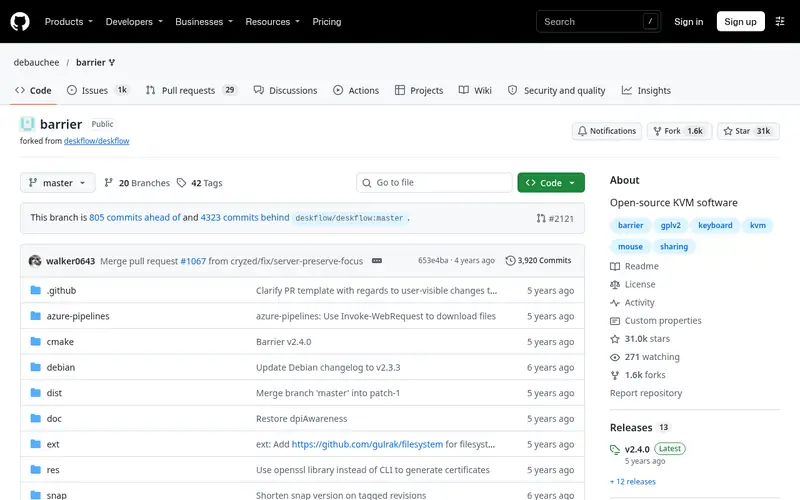
Barrier is a fork of Synergy 1 and was widely used as a free alternative. It offers the same server/client model, screen layout grid and shared clipboard across Windows, macOS and Linux. The source is hosted on GitHub.
The main catch is maintenance. The project has not been actively developed, so newer operating system versions may cause issues. It still suits users who already run it or want the older Synergy 1 workflow. For new setups, Input Leap or Deskflow are the more current forks of the same code.
Where the price comes from
Free (open source), as listed by the vendor (Barrier website). Confirm the current plan price before you buy.
Benefits
- Free and open source
- familiar Synergy 1 interface
- cross-platform
Drawbacks
- No longer actively maintained
- may lag on newer OS versions
Use case to skip: this limit matters to you: no longer actively maintained.
Our take. A sensible pick for legacy Synergy 1 users.
If it does not fit, compare Input Leap or Synergy in this list.
What to look for
Start with platform support. Confirm the tool runs on every operating system in your setup. A Windows-only tool like Mouse Without Borders will not help if one machine is a Mac or Linux box. Cross-platform tools such as Input Leap, Synergy and Deskflow cover all three.
Next, check the network requirement. Most of these tools need all computers on the same local network. Some also need specific ports open or a security key to pair machines. Read the setup docs before buying so you know what firewall changes are needed.
Then weigh price and licensing. Open-source tools are free but need manual setup and community support. Paid tools like Synergy and ShareMouse charge per computer, so a four-machine setup costs more than a two-machine one. Confirm seat counts and renewal terms.
Finally, decide which extras matter. Shared clipboard is common. File drag-and-drop is less common and often paid. Encryption and commercial support are paid features. Match the feature list to your actual workflow rather than paying for extras you will not use.
Questions worth answering first
Buying checklist
- Confirm the tool supports every operating system in your setup.
- Check that all computers can join the same local network.
- Verify whether a shared clipboard or file transfer is included or paid.
- Read the license terms to confirm how many computers one purchase covers.
- Check the project or vendor for recent updates and maintenance activity.
- Review the setup documentation for firewall or port requirements.
FAQ
Do I need the same operating system on every computer?
No. Cross-platform tools such as Input Leap, Synergy and Deskflow work across Windows, macOS and Linux. Windows-only tools like Mouse Without Borders require every machine to run Windows.
Is free software good enough for daily use?
Yes for many users. Input Leap and Deskflow are free and open source and handle keyboard, mouse and clipboard sharing. The trade-off is manual setup and community-based support instead of a paid help desk.
Can these tools share files as well as input?
Some can. Synergy and paid ShareMouse tiers offer file drag-and-drop. Input Leap and Deskflow focus on keyboard, mouse and clipboard sharing. Check each vendor's feature list before relying on file transfer.
Do all computers need to be on the same network?
Most of these tools expect all machines on the same local network. Some support pairing keys or specific ports. Check the setup documentation for your chosen tool before you install it.
Is my data encrypted?
It depends on the tool. Synergy lists encrypted connections. Open-source tools vary by build and configuration. Review the documentation if you handle sensitive data across machines.
What happens if the project is discontinued?
Support can stop. Barrier is an example of a project that is no longer actively maintained. Choosing an actively developed tool like Input Leap or Deskflow reduces that risk.
Sources we checked
Change log: First published 21 Nov 2026.