6 Best SSD Benchmark Software in 2026
CrystalDiskMark is the top pick for most people. It is free, small, and reports sequential and random read and write speeds in a clear layout, so it suits anyone checking a new drive or comparing two SSDs. For deeper, repeatable analysis, use ATTO Disk Benchmark or the paid version of HD Tune Pro. For a quick health and speed check on a single drive, AS SSD Benchmark is a solid free alternative.
 By Shihab Mia · Published 21 Nov 2026
We run no ads and no affiliate links at launch. The order of a list follows our published method. How lists are ordered: how we score.
Prices are the starting prices vendors list publicly. Plans change, so confirm the current price on the vendor page before you buy.
Key takeaways
- CrystalDiskMark is free and covers sequential and random read and write tests at several queue depths.
- ATTO Disk Benchmark is free and reports performance across a range of transfer sizes, useful for spotting small-file behavior.
- HD Tune Pro is a paid tool with a free trial; the free HD Tune covers basic read tests.
- AS SSD Benchmark is free and adds a simple score plus a compression test.
- Always test the same drive with the same settings to make results comparable.
Side-by-side
Grouped by fit and cost. Tap a product to jump to its full entry.
| Fit | Cost | |||
|---|---|---|---|---|
| Product | Best for | Standout feature | Listed starting price | Free plan or trial |
| 1CrystalDiskMark | Everyday sequential and random speed checks | Free and lightweight | Free (donationware) | Free plan |
| 2ATTO Disk Benchmark | Performance across many transfer sizes | Reports speeds across a range of transfer sizes | Free | Free plan |
| 3HD Tune Pro | Detailed drive diagnostics and benchmarks | Combines benchmarks with health and error scanning | See vendor site (paid Pro version) | Free trial (15 days) |
| 4AS SSD Benchmark | A quick score plus a compression test | Free | Free | Free plan |
| 5Iometer | Custom, scripted workloads | Highly configurable workloads | Free | Free plan |
| 6fio | Server and Linux storage testing | Runs on Linux and other platforms | Free | Free and open source |
How we picked
We compared these tools by reviewing each vendor's official product page and documentation, checking which tests each tool reports, which platforms it supports, and whether a free edition or trial exists. Prices were taken from vendor sites where published; where a price was not clearly listed, we wrote "See vendor site". We did not run hands-on lab tests. The ranking reflects feature coverage, clarity of output, platform support, and cost.
The 6 picks in detail
- Best for
- Everyday sequential and random speed checks
- Standout
- Free and lightweight
- Starting price
- Free (donationware)
- Free plan or trial
- Free plan
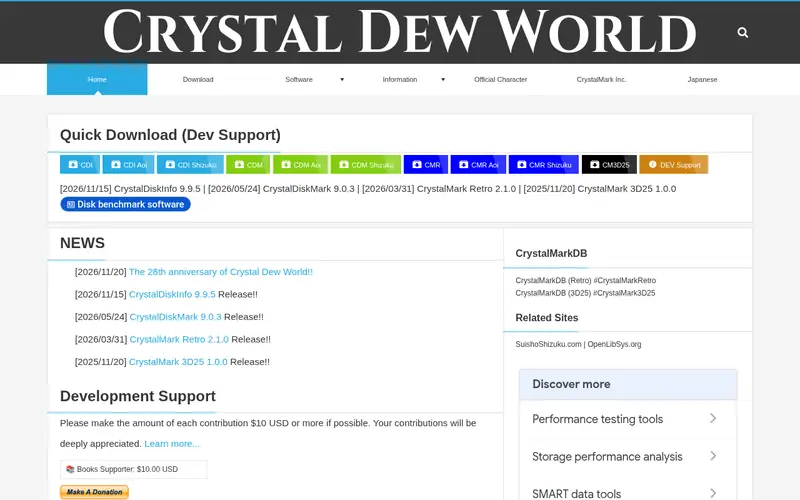
CrystalDiskMark is a small Windows benchmark from Crystal Dew World. It runs sequential and random read and write tests and reports results in MB/s and IOPS. You can set the test size, the number of passes, and the queue depth, which makes it easy to compare two drives under identical conditions. The interface is plain and the run is quick.
It is best for a first look at a new SSD or a before-and-after check after a firmware or driver change. The main catch is that it does not report drive health or temperature; pair it with a health tool. Because results shift with test size and queue depth, record your settings so later runs match.
Where the price comes from
Free (donationware), as listed by the vendor (CrystalDiskMark website). Confirm the current plan price before you buy.
Benefits
- Free and lightweight
- clear sequential and random read and write results
- configurable test size and queue depth
Drawbacks
- No drive health reporting
- results depend heavily on test settings
Use case to skip: this limit matters to you: no drive health reporting.
Our take. A sensible pick for everyday sequential and random speed checks.
If it does not fit, compare ATTO Disk Benchmark or HD Tune Pro in this list.

- Best for
- Performance across many transfer sizes
- Standout
- Reports speeds across a range of transfer sizes
- Starting price
- Free
- Free plan or trial
- Free plan
ATTO Disk Benchmark measures read and write performance across a range of transfer sizes, from small blocks up to larger ones. The output is a graph and table that shows how speed changes with block size. That makes it useful when you want to see how a drive behaves with small files rather than only large sequential transfers.
It suits buyers comparing drives for mixed workloads, such as an operating system drive that handles many small reads. The catch is that it is a focused benchmark, not a full diagnostic suite, and it does not report drive health. Use it alongside a health tool and keep the same block sizes when comparing runs.
Where the price comes from
Free, as listed by the vendor (ATTO Disk Benchmark website). Confirm the current plan price before you buy.
Benefits
- Reports speeds across a range of transfer sizes
- useful for spotting small-file behavior
- simple graph output
Drawbacks
- Narrower feature set than full diagnostic suites
- Windows-focused
Use case to skip: this limit matters to you: narrower feature set than full diagnostic suites.
Our take. A sensible pick for performance across many transfer sizes.
If it does not fit, compare CrystalDiskMark or HD Tune Pro in this list.
- Best for
- Detailed drive diagnostics and benchmarks
- Standout
- Combines benchmarks with health and error scanning
- Starting price
- See vendor site (paid Pro version)
- Free plan or trial
- Free trial (15 days)
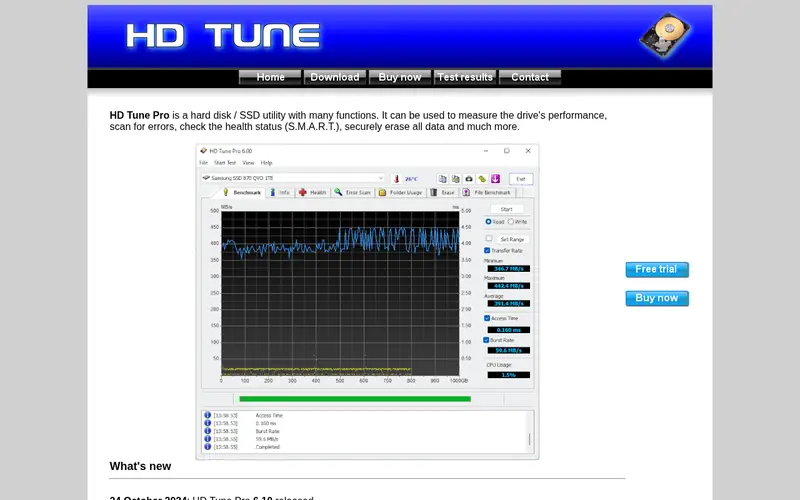
HD Tune Pro is a Windows utility that combines benchmark tests with drive health and error scanning. It can run read and write benchmarks, check SMART data, and scan a drive for errors. The vendor offers a free trial of the Pro version, and a free edition with a reduced feature set.
It suits people who want speed numbers and a health check in one place, such as when inspecting a used drive. The main catch is that the fuller feature set is paid, so confirm the current price on the vendor site. The free edition is fine for basic read tests but lacks some Pro options.
Where the price comes from
See vendor site (paid Pro version), as listed by the vendor (HD Tune Pro website). Confirm the current plan price before you buy.
Benefits
- Combines benchmarks with health and error scanning
- read and write tests
- long-standing tool with clear documentation
Drawbacks
- Pro version is paid
- the free edition has fewer features
Use case to skip: this limit matters to you: pro version is paid.
Our take. A sensible pick for detailed drive diagnostics and benchmarks.
If it does not fit, compare CrystalDiskMark or ATTO Disk Benchmark in this list.
- Best for
- A quick score plus a compression test
- Standout
- Free
- Starting price
- Free
- Free plan or trial
- Free plan
AS SSD Benchmark is a free Windows tool aimed at solid-state drives. It runs sequential and random read and write tests and produces a simple overall score, which makes quick comparisons easy. It also includes a compression test that shows how performance changes with compressible versus incompressible data.
It suits buyers who want a fast, readable summary rather than a long table of numbers. The catch is that the score is a convenience figure, not a standard benchmark, so do not compare scores across very different systems. The tool is also updated less often than some rivals, so check that it runs on your Windows version.
Where the price comes from
Free, as listed by the vendor (AS SSD Benchmark website). Confirm the current plan price before you buy.
Benefits
- Free
- reports a simple overall score
- includes a compression test
Drawbacks
- Less actively updated than some rivals
- score is not comparable across all setups
Use case to skip: this limit matters to you: less actively updated than some rivals.
Our take. A sensible pick for A quick score plus a compression test.
If it does not fit, compare CrystalDiskMark or ATTO Disk Benchmark in this list.
- Best for
- Custom, scripted workloads
- Standout
- Highly configurable workloads
- Starting price
- Free
- Free plan or trial
- Free plan
Iometer is a free, open workload generator for storage testing. You define the access pattern, block size, queue depth, and mix of reads and writes, then run it against a drive. That flexibility makes it useful for testing a drive against a specific workload rather than a fixed benchmark.
It suits advanced users, IT staff, and anyone who needs repeatable, scripted tests. The main catch is complexity: setting up a meaningful test takes time and care, and results are only as good as the workload you define. Casual buyers checking a new SSD will find CrystalDiskMark or AS SSD faster to use.
Where the price comes from
Free, as listed by the vendor (Iometer website). Confirm the current plan price before you buy.
Benefits
- Highly configurable workloads
- can simulate many access patterns
- open project with documentation
Drawbacks
- Steep learning curve
- not aimed at casual users
Use case to skip: this limit matters to you: steep learning curve.
Our take. A sensible pick for custom, scripted workloads.
If it does not fit, compare CrystalDiskMark or ATTO Disk Benchmark in this list.
- Best for
- Server and Linux storage testing
- Standout
- Runs on Linux and other platforms
- Starting price
- Free
- Free plan or trial
- Free and open source
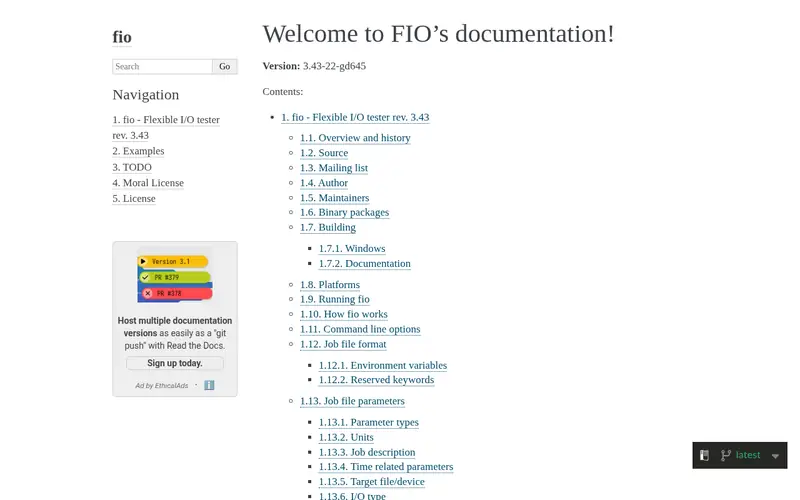
fio is a free, open-source I/O testing tool used widely for server and Linux storage work. It runs from the command line and lets you define jobs with specific block sizes, queue depths, and read and write mixes. Results are detailed and repeatable when the job files are kept the same.
It suits administrators and engineers testing SSDs in servers or Linux systems. The catch is that it is command-line only and has no graphical interface, so it is not the first choice for a quick desktop check. Configuration mistakes produce misleading numbers, so start from documented example jobs.
Where the price comes from
Free, as listed by the vendor (fio website). Confirm the current plan price before you buy.
Benefits
- Runs on Linux and other platforms
- highly scriptable
- widely used for server storage testing
Drawbacks
- Command-line only
- requires careful configuration
Use case to skip: this limit matters to you: command-line only.
Our take. A sensible pick for server and Linux storage testing.
If it does not fit, compare CrystalDiskMark or ATTO Disk Benchmark in this list.
What to look for
Start with the test type you need. Sequential read and write tests show large-file throughput, which matters for copying big files. Random read and write tests at a set queue depth show how a drive handles many small requests, which is closer to everyday system use. A tool that reports both, with configurable block size and queue depth, covers most needs.
Check whether the tool reports IOPS as well as MB/s. IOPS is the more useful figure for random workloads, while MB/s is easier to read for sequential transfers. Also confirm the tool can set the test size and number of passes, so you can repeat a run under identical conditions and compare fairly.
Decide whether you need health reporting. A benchmark measures speed; it does not tell you whether a drive is failing. If you are checking a used or older drive, pick a tool that also reads SMART data, or pair a benchmark with a separate health utility. Finally, match the tool to your platform: some are Windows-only, while fio and Iometer suit Linux and scripted server testing.
Questions worth answering first
Buying checklist
- Confirm the tool runs on your operating system and drive interface.
- Check that it reports both sequential and random read and write results.
- Verify it lets you set block size, queue depth, and test size.
- Decide whether you also need SMART health reporting in the same tool.
- Confirm the price and licence terms on the vendor site before paying.
- Save your test settings so later runs are directly comparable.
FAQ
Is free SSD benchmark software good enough?
Yes, for most home users. CrystalDiskMark, ATTO Disk Benchmark, and AS SSD Benchmark are free and report the main speed figures. Paid tools add features such as health scanning or broader diagnostics, but a free benchmark covers a basic speed check well.
What is the difference between sequential and random tests?
Sequential tests read or write large blocks in order and reflect large-file transfers. Random tests access scattered blocks and reflect many small requests, which is closer to everyday system use. Look at both, and check IOPS for random results.
Can benchmark results damage my SSD?
A normal benchmark run writes a modest amount of data. Repeated heavy write tests add wear over time, so avoid running long write-heavy tests in a loop. For occasional checks, the write volume is small relative to a drive's rated endurance.
Why do my results differ from published review numbers?
Results depend on test size, queue depth, number of passes, drivers, and how full the drive is. Reviews often use different settings. To compare fairly, use the same tool and settings on both drives and keep the drive in a similar state.
Do I need a paid tool for server testing?
Not necessarily. fio and Iometer are free and are widely used for server and scripted storage testing. Paid tools may add convenience or support, but the free options cover many server test cases when configured carefully.
How often should I benchmark an SSD?
A check when you install a drive and after major firmware or driver changes is usually enough. Routine benchmarking is not required for normal use. If you suspect a problem, run a health check alongside a speed test.
Sources we checked
Change log: First published 21 Nov 2026.