6 Best RGB Lighting Control Software in 2026
OpenRGB is the best starting point for most people because it is free, open source and works across many vendors' motherboards, RAM, fans and peripherals from one app. If you own mostly Corsair gear, iCUE gives the deepest control of that ecosystem. If you run ASUS boards and cards, Armoury Crate integrates lighting with the rest of the motherboard utilities.
 By Shihab Mia · Published 21 Nov 2026
We run no ads and no affiliate links at launch. The order of a list follows our published method. How lists are ordered: how we score.
Prices are the starting prices vendors list publicly. Plans change, so confirm the current price on the vendor page before you buy.
Key takeaways
- OpenRGB is free and open source, and aims to control many brands from one interface.
- Corsair iCUE, ASUS Armoury Crate, MSI Center and Gigabyte RGB Fusion are free downloads tied to each vendor's hardware.
- SignalRGB has a free tier plus a paid premium subscription for advanced effects and device support.
- Vendor tools usually control only their own brand, so mixed-brand builds often need two or more apps.
- Check the supported device list before installing, since support varies by model and firmware.
Side-by-side
Grouped by fit and cost. Tap a product to jump to its full entry.
| Fit | Cost | |||
|---|---|---|---|---|
| Product | Best for | Standout feature | Listed starting price | Free plan or trial |
| 1OpenRGB | One free app for mixed-brand lighting | Free and open source | Free (open source, no paid tier) | Free and open source |
| 2Corsair iCUE | Deep control of Corsair components | Detailed lighting and fan control for Corsair gear | Free download (no cost for Corsair hardware owners) | Free plan |
| 3ASUS Armoury Crate | ASUS motherboard and graphics card owners | Aura Sync covers many ASUS boards and cards | Free download (bundled with ASUS hardware) | Free plan |
| 4MSI Center | MSI motherboard and peripheral owners | Mystic Light controls MSI boards and compatible devices | Free download (bundled with MSI hardware) | Free plan |
| 5Gigabyte RGB Fusion | Gigabyte Aorus board and card owners | Controls RGB on compatible Aorus boards and cards | Free download (bundled with Gigabyte hardware) | Free plan |
| 6SignalRGB | Advanced effects and cross-brand syncing | Aims to unify many brands | See vendor site (free tier plus paid premium) | Free plan |
How we picked
This comparison is based on research, not hands-on testing. We reviewed each vendor's official product pages, published feature lists, supported device documentation and stated pricing. For the open-source option we looked at the project's own documentation and device support pages. We compared scope (single-brand versus cross-brand), platform support, free versus paid access and how each tool fits a typical mixed-brand build. No benchmark results or lab measurements are claimed here.
The 6 picks in detail
- Best for
- One free app for mixed-brand lighting
- Standout
- Free and open source
- Starting price
- Free (open source, no paid tier)
- Free plan or trial
- Free and open source
OpenRGB is a community project that aims to control RGB hardware from many manufacturers through a single interface. It lists support for motherboards, RAM, fans, keyboards, mice and other devices across a range of brands. Because it is open source, there is no license fee and no account requirement.
The main catch is coverage. Not every device or firmware version is supported, and some effects are simpler than what vendor apps offer. It suits people with parts from several brands who want one lightweight app instead of installing a utility per vendor. Check the project's supported devices list before relying on it.
Where the price comes from
Free (open source, no paid tier), as listed by the vendor (OpenRGB website). Confirm the current plan price before you buy.
Benefits
- Free and open source
- supports many vendors in one app
- runs on Windows and Linux
Drawbacks
- Device support varies by model
- some features depend on community reports
Use case to skip: this limit matters to you: device support varies by model.
Our take. A sensible pick for one free app for mixed-brand lighting.
If it does not fit, compare Corsair iCUE or ASUS Armoury Crate in this list.
- Best for
- Deep control of Corsair components
- Standout
- Detailed lighting and fan control for Corsair gear
- Starting price
- Free download (no cost for Corsair hardware owners)
- Free plan or trial
- Free plan
iCUE is Corsair's own utility for its keyboards, mice, headsets, fans, coolers, memory and power supplies. It handles per-key and per-zone lighting, effects layering and syncing across Corsair devices. It also manages fan curves and cooling settings on supported coolers.
It is free to download and use with Corsair products. The limitation is that its strongest lighting features apply to Corsair hardware, so a mixed build may still need other apps. It suits people who already own several Corsair parts and want one place to control lighting and cooling together.
Where the price comes from
Free download (no cost for Corsair hardware owners), as listed by the vendor (Corsair iCUE website). Confirm the current plan price before you buy.
Benefits
- Detailed lighting and fan control for Corsair gear
- links lighting with cooling profiles
- regular updates
Drawbacks
- Best features limited to Corsair hardware
- can be heavy to run
Use case to skip: this limit matters to you: best features limited to Corsair hardware.
Our take. A sensible pick for deep control of Corsair components.
If it does not fit, compare OpenRGB or ASUS Armoury Crate in this list.
- Best for
- ASUS motherboard and graphics card owners
- Standout
- Aura Sync covers many ASUS boards and cards
- Starting price
- Free download (bundled with ASUS hardware)
- Free plan or trial
- Free plan
Armoury Crate is ASUS's control center, and its Aura Sync lighting section handles RGB on compatible ASUS motherboards, graphics cards and peripherals. It supports effects, syncing across devices and profiles. The same app also handles updates and system settings.
It is free and aimed at ASUS owners. The catch is that it is built around ASUS hardware and the full install brings in multiple modules, which some users find heavy. It suits builds centered on an ASUS board where you want lighting and system tools in one place.
Where the price comes from
Free download (bundled with ASUS hardware), as listed by the vendor (ASUS Armoury Crate website). Confirm the current plan price before you buy.
Benefits
- Aura Sync covers many ASUS boards and cards
- integrates driver and firmware updates
- controls attached Aura-ready devices
Drawbacks
- Tied to ASUS hardware
- the full suite installs several components
Use case to skip: this limit matters to you: tied to ASUS hardware.
Our take. A sensible pick for ASUS motherboard and graphics card owners.
If it does not fit, compare OpenRGB or Corsair iCUE in this list.

- Best for
- MSI motherboard and peripheral owners
- Standout
- Mystic Light controls MSI boards and compatible devices
- Starting price
- Free download (bundled with MSI hardware)
- Free plan or trial
- Free plan
MSI Center is MSI's utility hub, and its Mystic Light module controls RGB on compatible MSI motherboards, graphics cards, cases and peripherals. It offers effects, syncing and profiles, and the app uses optional modules so you install only the features you need.
It is free for MSI hardware owners. The limitation is scope: it is designed around MSI products, so other brands may not appear. It suits people with an MSI board who want lighting control alongside monitoring and update tools in a single app.
Where the price comes from
Free download (bundled with MSI hardware), as listed by the vendor (MSI Center website). Confirm the current plan price before you buy.
Benefits
- Mystic Light controls MSI boards and compatible devices
- modular feature install
- handles updates too
Drawbacks
- Limited to MSI-centric setups
- module set can change between versions
Use case to skip: this limit matters to you: limited to MSI-centric setups.
Our take. A sensible pick for MSI motherboard and peripheral owners.
If it does not fit, compare OpenRGB or Corsair iCUE in this list.
- Best for
- Gigabyte Aorus board and card owners
- Standout
- Controls RGB on compatible Aorus boards and cards
- Starting price
- Free download (bundled with Gigabyte hardware)
- Free plan or trial
- Free plan
RGB Fusion is Gigabyte's lighting utility, offered through its control software for compatible Aorus motherboards, graphics cards and some peripherals. It provides effects, zone control and profile saving for supported devices.
It is free and intended for Gigabyte owners. As with other vendor tools, coverage depends on the specific board and firmware, and non-Gigabyte devices may not be recognized. It suits Aorus builds where you want lighting handled inside Gigabyte's own software stack.
Where the price comes from
Free download (bundled with Gigabyte hardware), as listed by the vendor (Gigabyte RGB Fusion website). Confirm the current plan price before you buy.
Benefits
- Controls RGB on compatible Aorus boards and cards
- part of Gigabyte's control suite
- supports effects and profiles
Drawbacks
- Tied to Gigabyte hardware
- support varies by board model
Use case to skip: this limit matters to you: tied to Gigabyte hardware.
Our take. A sensible pick for gigabyte Aorus board and card owners.
If it does not fit, compare OpenRGB or Corsair iCUE in this list.
- Best for
- Advanced effects and cross-brand syncing
- Standout
- Aims to unify many brands
- Starting price
- See vendor site (free tier plus paid premium)
- Free plan or trial
- Free plan
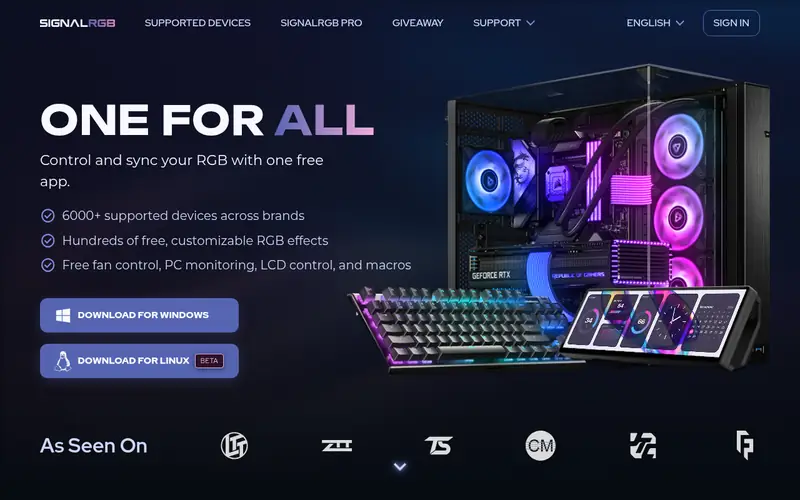
SignalRGB is a third-party app that tries to control lighting across many brands from one place. It offers layered effects, canvas-style layouts and lighting that can react to games or screen content on supported setups. A free tier is available, with a paid premium subscription for additional features.
The catch is that the best features require the paid plan, and device support depends on the model. It suits users who want richer, synchronized effects across a mixed build and are willing to pay for the premium tier. Check the supported devices list and current pricing on the vendor site.
Where the price comes from
See vendor site (free tier plus paid premium), as listed by the vendor (SignalRGB website). Confirm the current plan price before you buy.
Benefits
- Aims to unify many brands
- large effects library
- game and screen-reactive lighting
Drawbacks
- Some features sit behind the paid tier
- device support varies by model
Use case to skip: this limit matters to you: some features sit behind the paid tier.
Our take. A sensible pick for advanced effects and cross-brand syncing.
If it does not fit, compare OpenRGB or Corsair iCUE in this list.
What to look for
Start with device support. Every one of these tools publishes a list of supported models, and that list matters more than the feature sheet. A tool that claims broad support but misses your exact RAM kit or fan hub will not help. Check your motherboard, memory, fans, cooler and peripherals against the list before you install anything.
Next, decide whether you want one app or several. Vendor tools like iCUE, Armoury Crate, MSI Center and RGB Fusion are strongest inside their own ecosystems. If your build mixes brands, an open or third-party app such as OpenRGB or SignalRGB may reduce the number of utilities you run, at the cost of some per-device depth.
Then weigh cost and overhead. Most vendor tools are free downloads tied to hardware you already own, while SignalRGB has a paid tier. Consider how much background software you are willing to run, since each app adds startup items and services. Also check platform support if you use Linux, where OpenRGB is a common choice.
Questions worth answering first
Buying checklist
- Confirm your exact motherboard, RAM, fan and peripheral models appear on the tool's supported device list.
- Check whether the app is free, bundled with hardware, or requires a paid subscription.
- Verify the app runs on your operating system, including Linux if you use it.
- Read how many background services and startup items the installer adds.
- Check whether firmware updates are required before your devices are recognized.
- Look at the vendor's current documentation for the latest supported device list and pricing.
FAQ
Is OpenRGB really free?
Yes. OpenRGB is an open-source project with no license fee or paid tier. You can download it at no cost. Support depends on your specific devices, so check the project's supported devices list before relying on it for a full build.
Can one app control every RGB brand?
Not reliably. Vendor tools like iCUE, Armoury Crate, MSI Center and RGB Fusion focus on their own hardware. Cross-brand apps such as OpenRGB and SignalRGB aim to cover many brands, but coverage varies by model and firmware, so mixed builds sometimes still need more than one app.
Do I need vendor software if I use OpenRGB?
Often not for basic lighting, but some devices may need vendor firmware or drivers installed first. Check the OpenRGB documentation for your specific hardware. For advanced cooling or fan control, the vendor app may still be useful alongside it.
Is SignalRGB worth paying for?
That depends on your needs. The free tier covers basic use, while the paid premium tier adds features and broader effects. Check the current feature list and price on the vendor site, and confirm your devices are supported before subscribing.
Will these tools work on Linux?
OpenRGB is a common choice on Linux and lists Linux support. Vendor tools such as iCUE, Armoury Crate, MSI Center and RGB Fusion are primarily built for Windows. Check each vendor's site for current platform support before installing.
Do RGB apps affect performance?
Lighting apps run background services and can use some CPU and memory. The impact varies by app and effect complexity. If you want a lighter footprint, prefer a single app over several, and close or disable effects you do not use.
Sources we checked
Change log: First published 21 Nov 2026.