7 Best 2-in-1 Convertible Laptops in 2026
The Lenovo Yoga 7i is the best all-round 2-in-1 for most people, with a 360-degree hinge, a touchscreen and a reasonable price. If you want a tablet-first device with a detachable keyboard, look at the Microsoft Surface Pro. If you need a premium convertible with a strong display for creative work, the HP Spectre x360 14 is the alternative to consider.
 By Shihab Mia · Published 22 Nov 2026
We run no ads and no affiliate links at launch. The order of a list follows our published method. How lists are ordered: how we score.
Prices are the starting prices vendors list publicly. Plans change, so confirm the current price on the vendor page before you buy.
Key takeaways
- Convertibles fall into two groups: 360-degree hinge laptops and detachable tablets with a keyboard cover.
- Prices range from roughly $500 for budget models to well over $1,500 for premium convertibles.
- Check whether the stylus is included; on several models it is sold separately.
- Detachable keyboards are often an extra cost, so budget for the full package.
- Memory is frequently soldered on thin convertibles, so buy the RAM you need up front.
Side-by-side
Grouped by fit and cost. Tap a product to jump to its full entry.
| Fit | Cost | |||
|---|---|---|---|---|
| Product | Best for | Standout feature | Listed starting price | Free plan or trial |
| 1Lenovo Yoga 7i | All-round value convertible | 360-degree hinge with touchscreen | Check current retail price (varies by configuration) | One-time hardware purchase |
| 2HP Spectre x360 14 | Premium creative work | High-resolution OLED display option | Check current retail price (varies by configuration) | One-time hardware purchase |
| 3Microsoft Surface Pro | Tablet-first use | Detachable keyboard design | Check current retail price (keyboard sold separately) | One-time hardware purchase |
| 4Dell Inspiron 14 2-in-1 | Budget flexibility | Lower entry price | Check current retail price (varies by configuration) | One-time hardware purchase |
| 5ASUS Zenbook 14 Flip | Portable everyday work | Light chassis | Check current retail price (varies by configuration) | One-time hardware purchase |
| 6Acer Chromebook Spin 714 | Chrome OS users | Chrome OS simplicity | Check current retail price (varies by configuration) | One-time hardware purchase |
| 7Lenovo ThinkPad X1 2-in-1 | Business and typing | Strong keyboard | Check current retail price (varies by configuration) | One-time hardware purchase |
How we picked
We compared these convertibles using vendor product pages, published spec sheets and official documentation. We looked at hinge type, display options, processor families, memory soldering, port selection, pen support and listed prices. We did not run hands-on tests. Where a figure was not confirmed on the vendor page, we described it qualitatively instead of stating a number. Prices change often, so we point readers to the current retail price rather than quoting a fixed figure.
The 7 picks in detail

- Best for
- All-round value convertible
- Standout
- 360-degree hinge with touchscreen
- Starting price
- Check current retail price (varies by configuration)
- Free plan or trial
- One-time hardware purchase
The Yoga 7i is Lenovo's mainstream convertible line. It uses a 360-degree hinge so the screen folds back into tablet, tent and stand modes. Lenovo lists 14-inch and 16-inch versions, with Intel Core processors and integrated graphics. The keyboard is backlit on most configurations, and the chassis includes USB-A and HDMI ports alongside USB-C.
It suits students and general users who want one device for notes, browsing and video. The main catch is memory: many configurations solder RAM to the board, so you cannot upgrade later. Check the exact configuration page before buying. Stylus support varies, and the pen is often a separate purchase.
Where the price comes from
Check current retail price (varies by configuration). Hardware prices move often, so check the Lenovo Yoga 7i maker page or a retailer before you buy.
Benefits
- 360-degree hinge with touchscreen
- multiple screen sizes
- usually good port selection
Drawbacks
- Soldered memory on many configurations
- stylus not always included
Use case to skip: this limit matters to you: soldered memory on many configurations.
Our take. A sensible pick for all-round value convertible.
If it does not fit, compare HP Spectre x360 14 or Microsoft Surface Pro in this list.
- Best for
- Premium creative work
- Standout
- High-resolution OLED display option
- Starting price
- Check current retail price (varies by configuration)
- Free plan or trial
- One-time hardware purchase
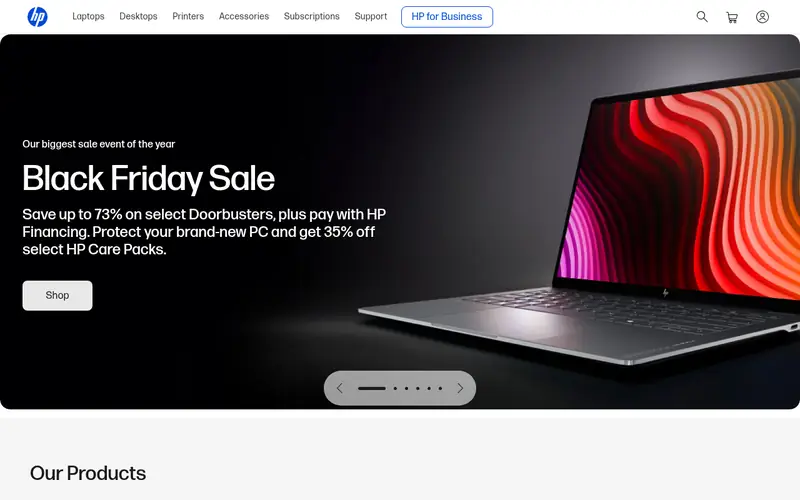
The Spectre x360 14 is HP's flagship convertible. It has a 360-degree hinge, a 14-inch touchscreen and an option for an OLED panel with high resolution. HP lists Intel Core Ultra processors and a bundled stylus on many configurations. The chassis is aluminium and includes Thunderbolt USB-C ports.
It suits designers, photographers and anyone who wants a premium screen in a convertible body. The catch is price and serviceability: components are tightly integrated, and repairs usually go through HP. Confirm whether the pen and the OLED panel are included in the configuration you pick, since both affect the total cost.
Where the price comes from
Check current retail price (varies by configuration). Hardware prices move often, so check the HP Spectre x360 14 maker page or a retailer before you buy.
Benefits
- High-resolution OLED display option
- premium build
- included stylus on many configurations
Drawbacks
- Expensive
- limited repairability
Use case to skip: this limit matters to you: expensive.
Our take. A sensible pick for premium creative work.
If it does not fit, compare Lenovo Yoga 7i or Microsoft Surface Pro in this list.
- Best for
- Tablet-first use
- Standout
- Detachable keyboard design
- Starting price
- Check current retail price (keyboard sold separately)
- Free plan or trial
- One-time hardware purchase
The Surface Pro is a detachable tablet rather than a hinged laptop. The screen attaches to a Type Cover keyboard, and a built-in kickstand holds the device upright. Microsoft lists Intel Core Ultra options, a high-refresh touch display and USB-C with Thunderbolt on recent models. It runs full Windows.
It suits people who mostly use a tablet and occasionally need a keyboard. The main catch is the total price: the keyboard cover and the stylus are separate purchases, so the real cost is higher than the tablet alone. Port selection is also thin, so a dock or hub is worth budgeting for.
Where the price comes from
Check current retail price (keyboard sold separately). Hardware prices move often, so check the Microsoft Surface Pro maker page or a retailer before you buy.
Benefits
- Detachable keyboard design
- kickstand
- strong tablet ergonomics
Drawbacks
- Keyboard and stylus cost extra
- limited ports
Use case to skip: this limit matters to you: keyboard and stylus cost extra.
Our take. A sensible pick for tablet-first use.
If it does not fit, compare Lenovo Yoga 7i or HP Spectre x360 14 in this list.

- Best for
- Budget flexibility
- Standout
- Lower entry price
- Starting price
- Check current retail price (varies by configuration)
- Free plan or trial
- One-time hardware purchase
The Inspiron 14 2-in-1 is Dell's entry-level convertible. It has a 360-degree hinge, a 14-inch touchscreen and AMD or Intel processor options depending on the model year. Dell lists USB-C, USB-A and HDMI ports, plus a backlit keyboard on many configurations.
It suits buyers who want convertible flexibility without a premium price. The catch is the chassis: it is plastic-heavy compared with Dell's premium lines, and sustained performance is modest. Check the processor and memory on the exact configuration, because the base model is the weakest option in the range.
Where the price comes from
Check current retail price (varies by configuration). Hardware prices move often, so check the Dell Inspiron 14 2-in-1 maker page or a retailer before you buy.
Benefits
- Lower entry price
- 360-degree hinge
- touchscreen standard
Drawbacks
- Modest build quality
- limited performance headroom
Use case to skip: this limit matters to you: modest build quality.
Our take. A sensible pick for budget flexibility.
If it does not fit, compare Lenovo Yoga 7i or HP Spectre x360 14 in this list.
- Best for
- Portable everyday work
- Standout
- Light chassis
- Starting price
- Check current retail price (varies by configuration)
- Free plan or trial
- One-time hardware purchase
The Zenbook 14 Flip is ASUS's thin convertible. It has a 360-degree hinge, a 14-inch touchscreen with an OLED option, and Intel Core Ultra processors on recent models. ASUS lists Thunderbolt USB-C ports and a bundled stylus sleeve on some configurations.
It suits travellers and office users who want a light machine that converts for presentations and note-taking. The catch is expansion: memory is soldered, and the port layout leans on USB-C, so older peripherals need an adapter. Confirm the panel type and pen bundle on the configuration page.
Where the price comes from
Check current retail price (varies by configuration). Hardware prices move often, so check the ASUS Zenbook 14 Flip maker page or a retailer before you buy.
Benefits
- Light chassis
- OLED display option
- 360-degree hinge
Drawbacks
- Soldered memory
- few USB-A ports
Use case to skip: this limit matters to you: soldered memory.
Our take. A sensible pick for portable everyday work.
If it does not fit, compare Lenovo Yoga 7i or HP Spectre x360 14 in this list.
- Best for
- Chrome OS users
- Standout
- Chrome OS simplicity
- Starting price
- Check current retail price (varies by configuration)
- Free plan or trial
- One-time hardware purchase
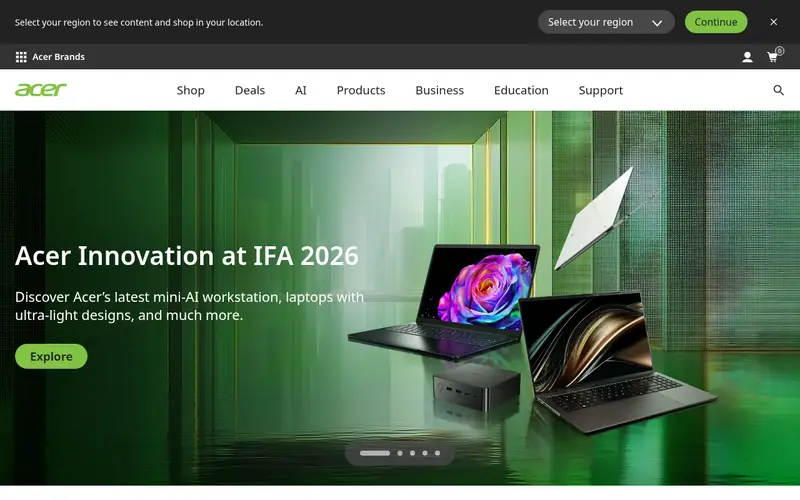
The Chromebook Spin 714 is a convertible running Chrome OS. It has a 360-degree hinge, a 14-inch touchscreen and support for USI styluses. Acer lists Intel Core processors, USB-C and USB-A ports, and a backlit keyboard on many configurations.
It suits schools, light office work and anyone already inside Google's ecosystem. The catch is the operating system: Chrome OS runs web apps and Android apps, but not full Windows desktop software. Check that the apps you depend on have a web or Android version before choosing it.
Where the price comes from
Check current retail price (varies by configuration). Hardware prices move often, so check the Acer Chromebook Spin 714 maker page or a retailer before you buy.
Benefits
- Chrome OS simplicity
- 360-degree hinge
- USI stylus support
Drawbacks
- Chrome OS limits desktop software
- fewer local apps
Use case to skip: this limit matters to you: chrome OS limits desktop software.
Our take. A sensible pick for chrome OS users.
If it does not fit, compare Lenovo Yoga 7i or HP Spectre x360 14 in this list.
- Best for
- Business and typing
- Standout
- Strong keyboard
- Starting price
- Check current retail price (varies by configuration)
- Free plan or trial
- One-time hardware purchase
The ThinkPad X1 2-in-1 is Lenovo's business convertible. It has a 360-degree hinge, a 14-inch touchscreen and the ThinkPad keyboard layout. Lenovo lists Intel Core Ultra processors, optional 5G, a webcam privacy shutter and business security features. The chassis is thin for a business machine.
It suits professionals who type a lot and need manageability features for IT departments. The catch is price: the base configuration is already expensive, and options like 5G and higher-resolution panels add cost. Check the warranty terms on the configuration page, since business warranties vary by region.
Where the price comes from
Check current retail price (varies by configuration). Hardware prices move often, so check the Lenovo ThinkPad X1 2-in-1 maker page or a retailer before you buy.
Benefits
- Strong keyboard
- business security features
- 360-degree hinge
Drawbacks
- High price
- premium features cost extra
Use case to skip: this limit matters to you: high price.
Our take. A sensible pick for business and typing.
If it does not fit, compare Lenovo Yoga 7i or HP Spectre x360 14 in this list.
What specs matter when you buy
Start with the hinge and form factor. A 360-degree hinge keeps the keyboard attached and is better for typing-heavy work. A detachable design is lighter in tablet mode but adds the keyboard as a separate cost and is less stable on a lap. Decide which mode you will use most before comparing specs.
Then look at the display and pen support. Touchscreens are standard on convertibles, but panel type matters: OLED gives deeper contrast, while IPS panels are usually brighter at the same price. Check whether the device supports an active stylus and whether the pen is included. Pen pressure levels and tilt support are listed on vendor spec sheets.
Finally, check memory, storage and ports. Many thin convertibles solder RAM, so buy the capacity you need at purchase. Confirm the number and type of USB-C ports, whether Thunderbolt is supported, and whether HDMI or USB-A is present. Battery capacity and weight are listed per configuration, so compare the exact model rather than the product family.
Questions worth answering first
Buying checklist
- Confirm whether the keyboard and stylus are included or sold separately.
- Check whether the memory is soldered and buy the capacity you need up front.
- Verify the exact processor and panel on the configuration page, not the product family page.
- Confirm the port list includes what you use, or budget for a hub.
- Check the warranty length and service terms for your region.
- Read the return policy in case the hinge or screen does not suit you.
FAQ
What is the difference between a 2-in-1 and a detachable?
A 2-in-1 with a 360-degree hinge keeps the keyboard attached and folds the screen back. A detachable separates the screen from the keyboard, which is lighter in tablet mode but adds the keyboard as a separate purchase. Both run full desktop operating systems on Windows models.
Do 2-in-1 laptops include a stylus?
Not always. Some premium configurations bundle a pen, while budget and mid-range models often sell it separately. Check the configuration page before buying, and confirm the pen uses the pressure and tilt support the screen offers.
Can I upgrade the RAM in a 2-in-1?
Usually not. Thin convertibles often solder memory to the mainboard, so it cannot be replaced. Buy the capacity you expect to need at purchase. Some larger models have replaceable memory, but confirm this on the vendor spec sheet for the exact model.
Are 2-in-1 laptops good for gaming?
Most convertibles use integrated graphics, which suits light and older games but not demanding titles. A few models offer discrete graphics, but they cost more and run hotter. Check the GPU listed on the spec sheet if gaming matters to you.
Is a Chromebook 2-in-1 a good choice?
It depends on your software. Chrome OS runs web apps and Android apps well and is simple to manage. It does not run full Windows desktop software, so check that the apps you need have a web or Android version before choosing one.
How much should I budget for a 2-in-1?
Budget models start around $500, mainstream convertibles sit in the middle, and premium models with OLED screens and bundled pens cost well over $1,500. Add the cost of a keyboard cover and stylus on detachable models. Check the current retail price for the exact configuration.
Sources we checked
Change log: First published 22 Nov 2026.