7 Best Vinyl Cutting Machines for Crafts and Signs in 2026
The Silhouette Cameo 5 is the best all-round vinyl cutter for most crafters, with a 12-inch cutting width, a quieter motor than earlier models, and the free Silhouette Studio Basic software. For larger sign work, the Cricut Venture handles 24-inch material. If you want a standalone machine that cuts without a computer, the Siser Juliet is a strong alternative.
 By Shihab Mia · Published 22 Nov 2026
We run no ads and no affiliate links at launch. The order of a list follows our published method. How lists are ordered: how we score.
Prices are the starting prices vendors list publicly. Plans change, so confirm the current price on the vendor page before you buy.
Key takeaways
- The Silhouette Cameo 5 cuts material up to 12 inches wide and ships with free Silhouette Studio Basic software.
- The Cricut Venture cuts up to 24 inches wide, the widest in this list, and suits larger sign jobs.
- The Siser Juliet and Romeo cut without a computer connection, using an onboard touchscreen.
- The Brother ScanNCut SDX125E has a built-in scanner, so you can cut printed designs without a separate scanner.
- Prices below are manufacturer list prices or vendor-published figures; check current retail price before buying.
Side-by-side
Grouped by fit and cost. Tap a product to jump to its full entry.
| Fit | Cost | |||
|---|---|---|---|---|
| Product | Best for | Standout feature | Listed starting price | Free plan or trial |
| 1Silhouette Cameo 5 | All-round craft and sign vinyl cutting | 12-inch cutting width | Check current retail price | One-time hardware purchase |
| 2Cricut Venture | Wide-format sign vinyl | Cuts up to 24 inches wide | Check current retail price | One-time hardware purchase |
| 3Siser Juliet | Computer-free cutting | Onboard touchscreen | Check current retail price | One-time hardware purchase |
| 4Siser Romeo | Larger computer-free cutting | Larger cutting width than the Juliet | Check current retail price | One-time hardware purchase |
| 5Brother ScanNCut SDX125E | Scanning printed designs | Built-in scanner | Check current retail price | One-time hardware purchase |
| 6Cricut Maker 3 | Mixed materials and fabric | Cuts a wide range of materials | Check current retail price | One-time hardware purchase |
| 7Silhouette Portrait 4 | Small spaces and budgets | Compact size | Check current retail price | One-time hardware purchase |
How we picked
We compared these machines using manufacturer product pages, published spec sheets, and official software documentation. We checked cutting widths, supported materials, software options, connectivity, and published list prices. We did not run hands-on cutting tests. Prices are manufacturer list prices or vendor-published figures and can change, so confirm the current price and included accessories on the vendor site before buying. The list covers current models from Silhouette, Cricut, Siser, and Brother.
The 7 picks in detail
- Best for
- All-round craft and sign vinyl cutting
- Standout
- 12-inch cutting width
- Starting price
- Check current retail price
- Free plan or trial
- One-time hardware purchase
The Cameo 5 is Silhouette's current flagship desktop cutter. According to the vendor, it cuts material up to 12 inches wide and handles vinyl, heat transfer material, cardstock, and similar media. The machine uses a redesigned motor that the vendor describes as quieter than the Cameo 4. It connects by USB and Bluetooth.
Silhouette Studio Basic is free and runs on Windows and Mac. It opens and edits common design file formats and sends jobs to the cutter. A paid Designer Edition adds more file formats and tools. The Cameo 5 suits crafters and small sign makers who want a wide desktop cutter and are comfortable working from software.
The main catch is the software tiers. The free version covers most vinyl cutting, but some file types and advanced features need the paid upgrade. Check the vendor site for the current list price and what each bundle includes.
Where the price comes from
Check current retail price. Hardware prices move often, so check the Silhouette Cameo 5 maker page or a retailer before you buy.
Benefits
- 12-inch cutting width
- free Silhouette Studio Basic software
- quieter motor than earlier Cameo models
Drawbacks
- Some advanced software features need a paid upgrade
- blade and mat sold separately in some bundles
Use case to skip: this limit matters to you: some advanced software features need a paid upgrade.
Our take. A sensible pick for all-round craft and sign vinyl cutting.
If it does not fit, compare Cricut Venture or Siser Juliet in this list.
- Best for
- Wide-format sign vinyl
- Standout
- Cuts up to 24 inches wide
- Starting price
- Check current retail price
- Free plan or trial
- One-time hardware purchase
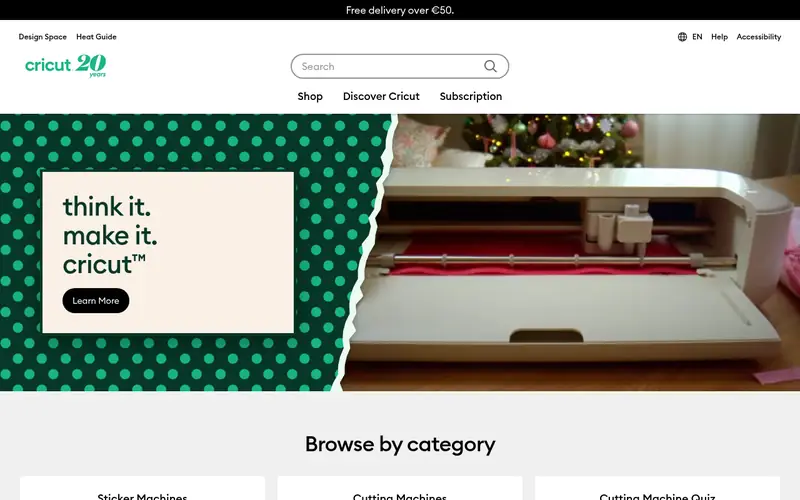
The Cricut Venture is Cricut's wide-format cutting machine. The vendor lists a cutting width of up to 24 inches, which makes it the widest machine in this guide. It is built for long rolls of vinyl and for larger sign and decal jobs that would need tiling on a 12-inch cutter.
It works with Cricut Design Space, the free design software Cricut provides. The machine is designed for speed and for cutting long, continuous jobs. It suits small sign shops and high-volume crafters rather than occasional hobby users.
The catch is size and price. The Venture has a large footprint and a list price near $999, so it only makes sense if you regularly cut wide or long material. Confirm the current price and included accessories on the vendor site.
Where the price comes from
Check current retail price. Hardware prices move often, so check the Cricut Venture maker page or a retailer before you buy.
Benefits
- Cuts up to 24 inches wide
- high cutting speed
- handles long rolls
Drawbacks
- High price
- needs Design Space software
- large footprint
Use case to skip: this limit matters to you: high price.
Our take. A sensible pick for wide-format sign vinyl.
If it does not fit, compare Silhouette Cameo 5 or Siser Juliet in this list.
- Best for
- Computer-free cutting
- Standout
- Onboard touchscreen
- Starting price
- Check current retail price
- Free plan or trial
- One-time hardware purchase
The Siser Juliet is a 12-inch vinyl cutter from Siser, a company known for heat transfer vinyl. According to the vendor, it has an onboard touchscreen and can cut designs stored on the machine without a computer connection. It also connects to a computer and works with Siser's design software.
The machine is aimed at crafters and small shops that cut heat transfer vinyl and adhesive vinyl. The computer-free operation is useful in small workspaces or for quick repeat jobs. The vendor lists a 12-inch cutting width.
The main catch is the ecosystem. Siser's software and community are smaller than Cricut's or Silhouette's, so fewer ready-made project templates are available. Check the vendor site for the current price and what comes in the box.
Where the price comes from
Check current retail price. Hardware prices move often, so check the Siser Juliet maker page or a retailer before you buy.
Benefits
- Onboard touchscreen
- cuts without a computer
- 12-inch cutting width
Drawbacks
- Higher price than basic desktop cutters
- software ecosystem is smaller
Use case to skip: this limit matters to you: higher price than basic desktop cutters.
Our take. A sensible pick for computer-free cutting.
If it does not fit, compare Silhouette Cameo 5 or Cricut Venture in this list.
- Best for
- Larger computer-free cutting
- Standout
- Larger cutting width than the Juliet
- Starting price
- Check current retail price
- Free plan or trial
- One-time hardware purchase
The Siser Romeo is the larger sibling of the Juliet. The vendor lists a wider cutting area than the Juliet, aimed at bigger heat transfer and sign jobs. Like the Juliet, it has an onboard touchscreen and can run jobs without a computer.
It suits small shops and serious crafters who cut larger designs and want to avoid tying up a computer for every job. The machine still connects to a computer for design work when needed.
The catch is price and space. At a higher list price and with a larger footprint, the Romeo is best for buyers who regularly cut wide material. Confirm the current price and cutting width on the vendor site.
Where the price comes from
Check current retail price. Hardware prices move often, so check the Siser Romeo maker page or a retailer before you buy.
Benefits
- Larger cutting width than the Juliet
- onboard touchscreen
- computer-free operation
Drawbacks
- Higher price
- large footprint
Use case to skip: this limit matters to you: higher price.
Our take. A sensible pick for larger computer-free cutting.
If it does not fit, compare Silhouette Cameo 5 or Cricut Venture in this list.
- Best for
- Scanning printed designs
- Standout
- Built-in scanner
- Starting price
- Check current retail price
- Free plan or trial
- One-time hardware purchase
The Brother ScanNCut SDX125E is a cutting machine with a built-in scanner. According to the vendor, you can scan a printed design, edit it on the machine's screen, and cut it without a computer. This is useful for cutting around printed patterns and for copying shapes from paper.
It suits crafters who work from printed material or who want to avoid design software. The machine has an onboard screen for editing and a range of built-in designs.
The catch is price and detail. The scanner and screen add cost, and very fine detail may not scan cleanly. Check the vendor site for the current price and the list of supported materials.
Where the price comes from
Check current retail price. Hardware prices move often, so check the Brother ScanNCut SDX125E maker page or a retailer before you buy.
Benefits
- Built-in scanner
- cuts without a computer
- onboard editing screen
Drawbacks
- Higher price
- scanner resolution limits fine detail
Use case to skip: this limit matters to you: higher price.
Our take. A sensible pick for scanning printed designs.
If it does not fit, compare Silhouette Cameo 5 or Cricut Venture in this list.
- Best for
- Mixed materials and fabric
- Standout
- Cuts a wide range of materials
- Starting price
- Check current retail price
- Free plan or trial
- One-time hardware purchase
The Cricut Maker 3 is Cricut's versatile cutting machine. The vendor lists support for a wide range of materials, from vinyl and cardstock to fabric and thicker craft materials, using interchangeable blades and tools. It works with Cricut Design Space.
It suits crafters who cut more than vinyl and want one machine for multiple materials. For vinyl signs and decals, it handles standard adhesive vinyl and heat transfer vinyl.
The catch is that some materials need extra blades or tools sold separately, and the machine depends on Design Space. Check the vendor site for the current price and the included accessories.
Where the price comes from
Check current retail price. Hardware prices move often, so check the Cricut Maker 3 maker page or a retailer before you buy.
Benefits
- Cuts a wide range of materials
- works with Cricut Design Space
- supports long smart materials
Drawbacks
- Needs Design Space
- some materials need extra blades
Use case to skip: this limit matters to you: needs Design Space.
Our take. A sensible pick for mixed materials and fabric.
If it does not fit, compare Silhouette Cameo 5 or Cricut Venture in this list.
- Best for
- Small spaces and budgets
- Standout
- Compact size
- Starting price
- Check current retail price
- Free plan or trial
- One-time hardware purchase
The Silhouette Portrait 4 is the compact model in Silhouette's lineup. The vendor lists a narrower cutting width than the Cameo 5, which suits smaller decals, labels, and craft projects. It uses the same Silhouette Studio software, including the free Basic version.
It suits buyers with limited desk space or a tight budget who mostly cut small vinyl projects. It is a good first machine for hobby crafters.
The catch is the narrower width. If you plan to cut large signs or long rolls, the Cameo 5 or a wide-format machine is a better fit. Check the vendor site for the current price and cutting width.
Where the price comes from
Check current retail price. Hardware prices move often, so check the Silhouette Portrait 4 maker page or a retailer before you buy.
Benefits
- Compact size
- lower price
- free Silhouette Studio Basic software
Drawbacks
- Narrower cutting width than the Cameo
- smaller material range
Use case to skip: this limit matters to you: narrower cutting width than the Cameo.
Our take. A sensible pick for small spaces and budgets.
If it does not fit, compare Silhouette Cameo 5 or Cricut Venture in this list.
What specs matter when you buy
Cutting width is the first spec to check. A 12-inch machine like the Cameo 5 handles most craft vinyl and small signs. If you cut large decals or long rolls, a wide-format machine like the Cricut Venture, which the vendor lists at up to 24 inches, avoids tiling designs across multiple pieces.
Software matters as much as hardware. Cricut machines use Design Space, Silhouette machines use Silhouette Studio, and Siser machines have their own software. Check which file formats each program opens and whether advanced features need a paid upgrade. Free tiers are common, but they vary in what they allow.
Look at the material range and blade options. Some machines cut only vinyl and similar media, while others, like the Cricut Maker 3, support fabric and thicker materials with extra tools. Check whether blades, mats, and pens are included or sold separately, because these add to the real cost.
Connectivity and onboard controls are worth checking. Machines with a touchscreen, like the Siser Juliet and Romeo, can cut without a computer. Scanner models like the Brother ScanNCut SDX125E can copy printed designs. Match these features to how you actually work.
Finally, check the footprint and power needs. Wide-format machines take up significant desk space. Confirm the machine fits your workspace before you buy.
Questions worth answering first
Buying checklist
- Confirm the cutting width matches the largest design you plan to cut.
- Check whether the design software is free or needs a paid upgrade for the file types you use.
- Verify whether blades, mats, and pens are included or sold separately.
- Confirm the machine connects the way you need, by USB, Bluetooth, or standalone.
- Measure your desk space against the machine's footprint before ordering.
- Check the vendor's current list price and what each bundle includes.
FAQ
What is the best vinyl cutting machine for beginners?
The Silhouette Portrait 4 is a good starting point for beginners. It is compact, has a lower list price, and uses the free Silhouette Studio Basic software. The Cameo 5 is a better choice if you expect to cut wider designs soon.
Can these machines cut without a computer?
Some can. The Siser Juliet and Romeo have onboard touchscreens and can cut stored designs without a computer. The Brother ScanNCut SDX125E can scan and cut without a computer. Cricut and most Silhouette models need a computer or mobile device.
How wide can these vinyl cutters cut?
Widths vary. The Silhouette Portrait 4 is the narrowest in this guide. The Cameo 5, Siser Juliet, and Siser Romeo cut around 12 inches or more. The Cricut Venture is the widest, listed at up to 24 inches.
Do I need to pay for design software?
Not always. Silhouette Studio Basic and Cricut Design Space are free. Paid upgrades add file formats and advanced tools. Check what the free tier includes before you rely on it for your projects.
What materials can these machines cut?
Most cut adhesive vinyl, heat transfer vinyl, and cardstock. The Cricut Maker 3 supports a wider range, including fabric, with extra blades and tools. Check each vendor's supported materials list before buying.
Are list prices the same as retail prices?
No. List prices are the manufacturer's published figures. Retailers and bundles can differ. Check the current retail price and what is included before you pay.
Sources we checked
Change log: First published 22 Nov 2026.