6 Best 3D Printer Remote Control Software in 2026
OctoPrint is the best pick for most people who want to monitor and control a 3D printer over a network. It is free, open source, runs on a Raspberry Pi or small PC, and has a large plugin library. Choose Klipper with Mainsail if you want faster motion control and a modern web interface. Choose Prusa Connect or Bambu Handy if you own a printer from those brands and want the vendor's own cloud tools.
 By Shihab Mia · Published 21 Nov 2026
We run no ads and no affiliate links at launch. The order of a list follows our published method. How lists are ordered: how we score.
Prices are the starting prices vendors list publicly. Plans change, so confirm the current price on the vendor page before you buy.
Key takeaways
- OctoPrint is free and open source, and it runs on a Raspberry Pi, a small PC or a Linux server.
- Klipper is free firmware that needs a separate host device and a web front end such as Mainsail or Fluidd.
- Prusa Connect and Bambu Handy are free vendor tools that work best with their own printer lines.
- Repetier-Server Pro is paid software with a licence fee; check the vendor site for the current price.
- Most of these tools need a always-on host device, so budget for a Raspberry Pi or mini PC.
Side-by-side
Grouped by fit and cost. Tap a product to jump to its full entry.
| Fit | Cost | |||
|---|---|---|---|---|
| Product | Best for | Standout feature | Listed starting price | Free plan or trial |
| 1OctoPrint | Flexible open source printer hosting and remote control | Large plugin library | Free (open source, self-hosted) | Free and open source |
| 2Klipper | Fast, configurable motion control firmware | Offloads motion planning to a host | Free (open source firmware) | Free and open source |
| 3Mainsail | A clean web interface for Klipper printers | Modern responsive interface | Free (open source web interface) | Free and open source |
| 4Prusa Connect | Remote monitoring for owners of Prusa printers | Vendor-supported for Prusa printers | Free (for supported Prusa printers) | Free plan |
| 5Bambu Handy | Remote control for owners of Bambu Lab printers | Vendor app for Bambu Lab printers | Free (for supported Bambu Lab printers) | Free plan |
| 6Repetier-Server Pro | Paid host software with vendor support | Commercial host software | See vendor site (licence fee) | Free trial (see vendor site) |
How we picked
We compared these tools by reading vendor and project documentation, published feature lists, installation guides and stated licence terms. We checked which printers and host platforms each tool supports, whether it is free or paid, and what hardware it needs. Prices come from vendor sites where published. We did not run hands-on lab tests. Where a figure was not confirmed on an official page, we described it qualitatively instead of guessing.
The 6 picks in detail
- Best for
- Flexible open source printer hosting and remote control
- Standout
- Large plugin library
- Starting price
- Free (open source, self-hosted)
- Free plan or trial
- Free and open source
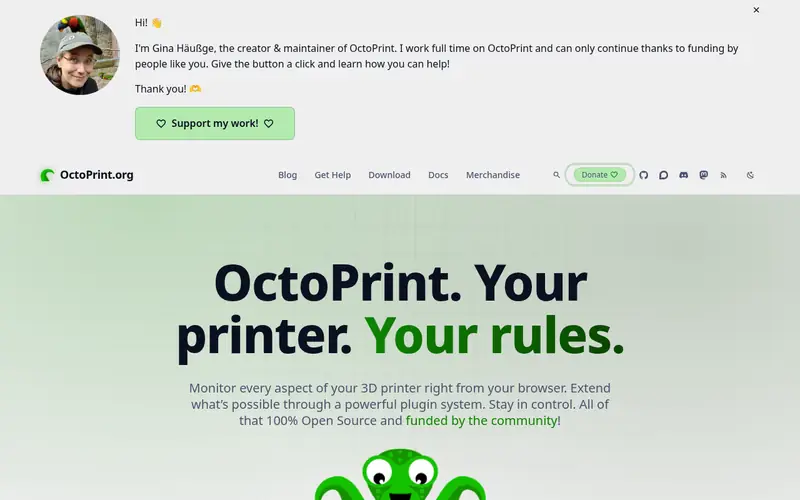
OctoPrint is a web-based host program for 3D printers. It runs on a Raspberry Pi, a small PC or a Linux server and gives you a browser interface for uploading G-code, starting jobs, watching a camera feed and monitoring temperatures. The project is open source and free to download.
The main strength is its plugin system. Plugins add features such as timelapse recording, notifications, bed visualisation and slicer integration. The vendor documentation covers installation on several platforms, including the OctoPi image for Raspberry Pi.
The catch is that you supply the hardware. You need an always-on device, a power supply and a camera if you want remote viewing. Setup is well documented but not plug-and-play for beginners. It suits users who want control and are willing to configure a host.
Where the price comes from
Free (open source, self-hosted), as listed by the vendor (OctoPrint website). Confirm the current plan price before you buy.
Benefits
- Large plugin library
- runs on Raspberry Pi and small PCs
- active community documentation
Drawbacks
- Needs a separate host device
- some plugins vary in quality and upkeep
Use case to skip: this limit matters to you: needs a separate host device.
Our take. A sensible pick for flexible open source printer hosting and remote control.
If it does not fit, compare Klipper or Mainsail in this list.
- Best for
- Fast, configurable motion control firmware
- Standout
- Offloads motion planning to a host
- Starting price
- Free (open source firmware)
- Free plan or trial
- Free and open source
Klipper is open source firmware that splits the work between a host device and the printer's control board. The host does the motion planning, and the board handles the stepper signals. The project documentation describes this design and the supported boards.
Klipper is not a full remote control package on its own. You pair it with a web front end such as Mainsail or Fluidd, and often with a host tool. Configuration lives in a printer config file, so you edit text files rather than click through menus.
It suits users who want to tune motion behaviour and are comfortable editing configuration. The catch is the learning curve. You need a host device, a front end and a working config before you print. The documentation is thorough but assumes some technical comfort.
Where the price comes from
Free (open source firmware), as listed by the vendor (Klipper website). Confirm the current plan price before you buy.
Benefits
- Offloads motion planning to a host
- highly configurable
- strong community support
Drawbacks
- Requires a host device and a web front end
- configuration is manual
Use case to skip: this limit matters to you: requires a host device and a web front end.
Our take. A sensible pick for fast, configurable motion control firmware.
If it does not fit, compare OctoPrint or Mainsail in this list.
- Best for
- A clean web interface for Klipper printers
- Standout
- Modern responsive interface
- Starting price
- Free (open source web interface)
- Free plan or trial
- Free and open source
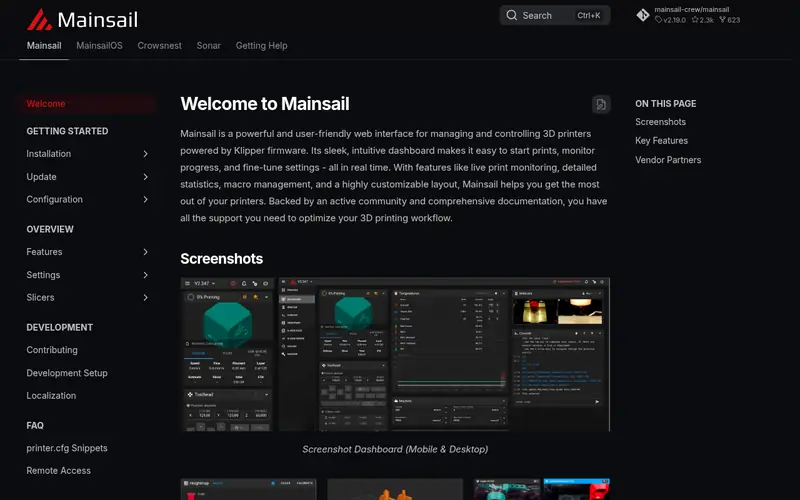
Mainsail is a web interface for Klipper. It runs in the browser and gives you controls for jobs, temperatures, macros and a camera view. The project documentation covers installation and the features it exposes.
Because it is a front end, Mainsail depends on Klipper and a host device. It does not control a printer by itself. If you already run Klipper, Mainsail is one of the common interfaces you can install alongside it.
It suits Klipper users who want a modern, responsive interface. The catch is the dependency chain: host, Klipper and Mainsail all need to be set up. Beginners should follow the project's installation guide rather than improvise.
Where the price comes from
Free (open source web interface), as listed by the vendor (Mainsail website). Confirm the current plan price before you buy.
Benefits
- Modern responsive interface
- built for Klipper
- includes job and temperature controls
Drawbacks
- Only works with Klipper
- needs a host and Klipper setup first
Use case to skip: this limit matters to you: only works with Klipper.
Our take. A sensible pick for A clean web interface for Klipper printers.
If it does not fit, compare OctoPrint or Klipper in this list.
- Best for
- Remote monitoring for owners of Prusa printers
- Standout
- Vendor-supported for Prusa printers
- Starting price
- Free (for supported Prusa printers)
- Free plan or trial
- Free plan
Prusa Connect is Prusa's own remote tool for monitoring and managing supported printers. It lets you check job status and camera views from a browser or app. Prusa documents which printers and accessories are supported.
The advantage is that it comes from the printer maker, so setup is tied to Prusa hardware and accounts. You do not need a separate Raspberry Pi for the basic cloud features on supported models.
The catch is scope. It is built for Prusa printers, so it is not a general host for other brands. It also relies on the vendor's service, so check the current feature list and supported models on the Prusa site before you rely on it.
Where the price comes from
Free (for supported Prusa printers), as listed by the vendor (Prusa Connect website). Confirm the current plan price before you buy.
Benefits
- Vendor-supported for Prusa printers
- remote monitoring and job control
- works with Prusa's own hardware
Drawbacks
- Limited to Prusa printers
- depends on the vendor's service
Use case to skip: this limit matters to you: limited to Prusa printers.
Our take. A sensible pick for remote monitoring for owners of Prusa printers.
If it does not fit, compare OctoPrint or Klipper in this list.
- Best for
- Remote control for owners of Bambu Lab printers
- Standout
- Vendor app for Bambu Lab printers
- Starting price
- Free (for supported Bambu Lab printers)
- Free plan or trial
- Free plan
Bambu Handy is Bambu Lab's app for monitoring and controlling supported printers. It pairs with a Bambu account and shows job status, camera views and controls. Bambu Lab documents the supported models and app features.
The appeal is simplicity. On supported printers you get remote monitoring without building a separate host. The app is part of the vendor's ecosystem, so it fits users who already own a Bambu Lab machine.
The catch is the same as other vendor tools. It works with that brand only, and it depends on the vendor's service. Check the current supported model list and feature set on the Bambu Lab site before you plan around it.
Where the price comes from
Free (for supported Bambu Lab printers), as listed by the vendor (Bambu Handy website). Confirm the current plan price before you buy.
Benefits
- Vendor app for Bambu Lab printers
- remote job monitoring and control
- simple setup with a Bambu account
Drawbacks
- Limited to Bambu Lab printers
- depends on the vendor's cloud service
Use case to skip: this limit matters to you: limited to Bambu Lab printers.
Our take. A sensible pick for remote control for owners of Bambu Lab printers.
If it does not fit, compare OctoPrint or Klipper in this list.
- Best for
- Paid host software with vendor support
- Standout
- Commercial host software
- Starting price
- See vendor site (licence fee)
- Free plan or trial
- Free trial (see vendor site)
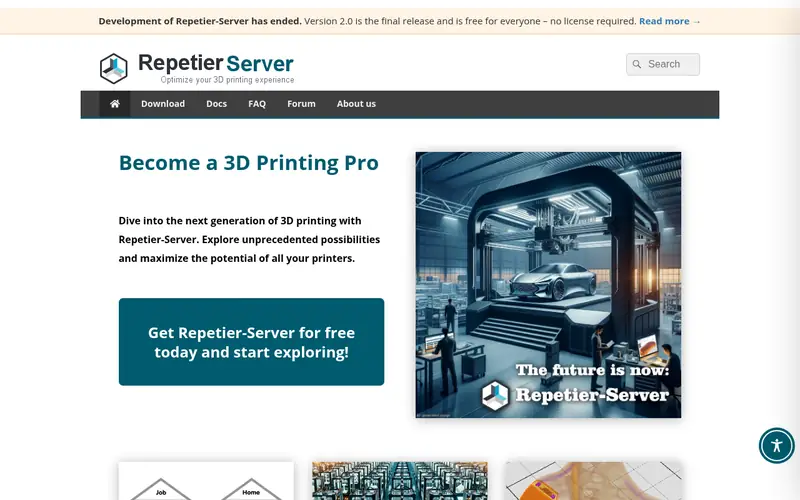
Repetier-Server is host software from the Repetier team. The Pro edition is the paid version, and the vendor site lists its features and licence terms. It runs on a host device and gives you a browser interface for printer control.
It suits users who want a commercial product with a support path rather than a purely community project. The vendor publishes documentation and licence details.
The catch is cost and fit. It is paid software, so confirm the current price and feature list on the vendor site. Also check that your printer and host hardware are supported before you buy. It is a reasonable option for users who value vendor support over a fully open stack.
Where the price comes from
See vendor site (licence fee), as listed by the vendor (Repetier-Server Pro website). Confirm the current plan price before you buy.
Benefits
- Commercial host software
- browser-based control
- vendor support option
Drawbacks
- Paid licence
- check current features and pricing on the vendor site
Use case to skip: this limit matters to you: paid licence.
Our take. A sensible pick for paid host software with vendor support.
If it does not fit, compare OctoPrint or Klipper in this list.
What to look for
Start with your printer. If you own a Prusa or Bambu Lab machine, the vendor's own tool is often the simplest path to remote monitoring. If you own a printer from another brand, or a kit printer, a general host like OctoPrint is the usual choice.
Next, decide between a host program and firmware plus a front end. OctoPrint and Repetier-Server are host programs. Klipper is firmware that needs a host and a web interface such as Mainsail or Fluidd. The second path gives more control over motion behaviour but asks more of you at setup.
Check the host hardware. Most of these tools need an always-on device, such as a Raspberry Pi or a small PC, plus a power supply and a camera for remote viewing. Confirm the supported platforms in the project documentation before you buy hardware.
Look at the plugin or extension ecosystem. OctoPrint's plugin library is a major reason people choose it. For Klipper, the front end you pick affects the interface you use every day.
Finally, think about where your data goes. Vendor cloud tools depend on the maker's service. Local tools keep control on your own network. Decide which model fits your needs, and check the current documentation for supported models, features and licence terms.
Questions worth answering first
Buying checklist
- Confirm your printer model is supported by the tool or firmware you plan to use.
- Check whether you need a separate host device, and budget for a Raspberry Pi or mini PC if so.
- Confirm the host platform is documented, such as Raspberry Pi OS or a Linux server.
- Decide whether you want a local tool or a vendor cloud service, and check where your data goes.
- For paid software, confirm the current licence price and terms on the vendor site.
- Read the installation guide end to end before buying hardware, so you know the full setup.
FAQ
Is OctoPrint free?
Yes. OctoPrint is open source and free to download. You still pay for the host hardware, such as a Raspberry Pi, power supply and camera, if you do not already own them.
Do I need a Raspberry Pi for these tools?
Not always, but most local host setups use one. OctoPrint and Klipper setups commonly run on a Raspberry Pi or a small PC. Vendor cloud tools like Prusa Connect and Bambu Handy may not need a separate host on supported printers.
What is the difference between OctoPrint and Klipper?
OctoPrint is a host program that sends G-code to the printer. Klipper is firmware that splits motion planning between a host and the printer board. Klipper needs a web front end such as Mainsail, while OctoPrint has its own interface.
Can I use these tools with any 3D printer?
General tools like OctoPrint and Klipper support many printers, but you should check the documentation for your model. Vendor tools like Prusa Connect and Bambu Handy are limited to that brand's printers.
Is Repetier-Server Pro worth paying for?
It depends on whether you want commercial software with a vendor support path. Check the current price, features and supported printers on the vendor site, and compare with free options before deciding.
Do these tools work without internet access?
Local tools such as OctoPrint, Klipper and Mainsail can run on your own network. Vendor cloud tools depend on the maker's service, so check their documentation for offline behaviour.
Sources we checked
Change log: First published 21 Nov 2026.